
Swift Playgrounds on Mac is the same app as in iPadOs thanks to Catalyst.
Code completion in macOS vs. iPadOS
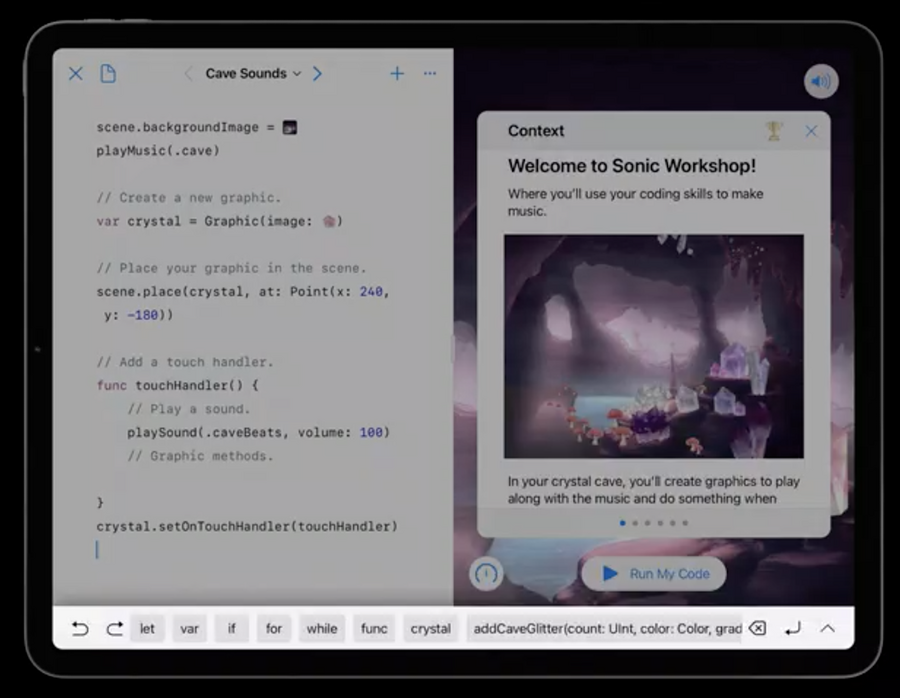 | 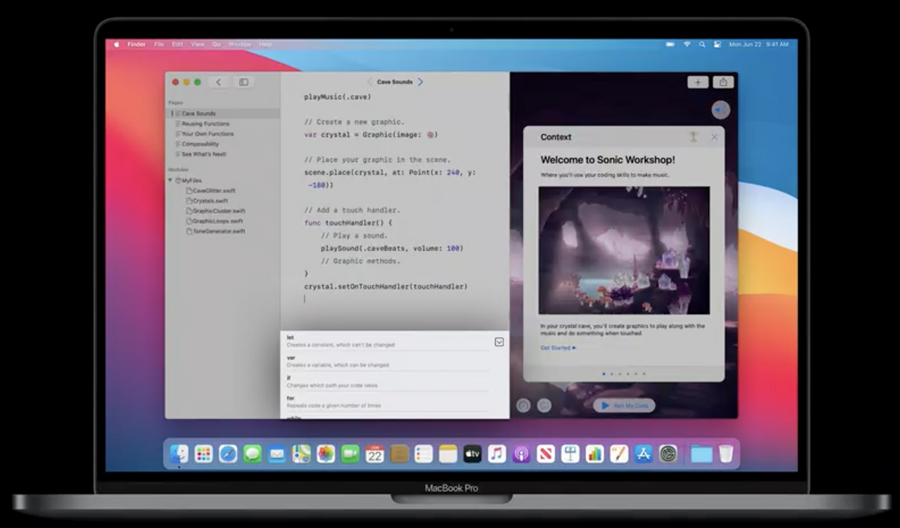 |
|---|---|
| iPadOS | macOS |
Customizing content for each platform
Device availability
In the playground book document format we have two new optional keys:
In
Manifest.plist:SupportedDevices(array):iPadand/orMac.RequiredCapabilites(array): possible values defined inUIRequiredDeviceCapabilities.
In
feed.json:supportedDevices: same as aboverequiredCapabilites: same as above
By setting any of these, the book will only show up on devices that met those requirements.
RequiredCapabilites is more flexible than SupportedDevices as we can specify exactly which capabilities our book required.
Code availability
Instead or requiring a specific capability such as arkit, you can also use the #if targetEnvironment() compilation conditional block to customize content for each platform, for example:
#if !targetEnvironment(macCatalyst)
// Code to exclude from Mac.
#endif
Respecting platform settings
When creating something for all platforms, instead of using liveViewSafeAreaGuide, use safeAreaLayoutGuide, because there are different layouts/overlays in iPadOS and macOS.
