
Adding Resources to a Package
New with Xcode 12/Swift 5.3
Adding resources to a package works with existing APIs
Adding resources does not affect the OS version requirements of our package
To add resoruces, we create an assets catalog, a.k.a. a folder with
.xcassetssuffix, the same way as an Xcode project.to access to the package resources, we need to pass a bundle parameter where the resource is needed, for example:
Image("myPackageImage", bundle: .module)
Resource purpose
Some resources (as seen in the image below) are automatically added in the package assets, for example:

Some other resources, that are not places in an assets catalog (for development purposes for example), need to have an intent declared in the package manifest
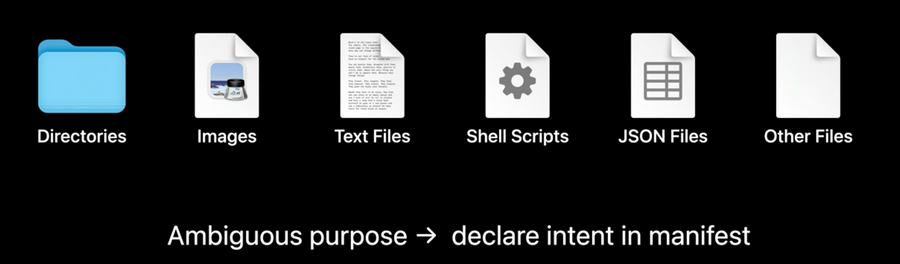
In order to exclude assets or folders to be embed in our package, add these resources in the
excludedarray of the targetIn order to include standalone assets (a.k.a. assets not in an asset catalog), we need to declare them in with the
resourcesarray of its target.most resources should use the
.processaction, so that they are transformed as appropriate at build time, the exact processing that depends on the platform for which the package is built.in case we would like to have a full folder available at runtime, while also preserving its structure as it is, we will use the
.copytype instead
// swift-tools-version:5.3
import PackageDescription

let package = Package(name: "MyPackage",
    products: [
        ...
    ],
    targets: [
        .target(name: "MyLibrary",
            excludes: [
                "Internal Notes.txt", // excluding this file
                "Artwork Creation"], // excluding this folder content on build time
            resources: [
                .process("Logo.png"), // processed and available at runtime
                .copy("Game Data")] // copied and available at runtime exactly as it is
        )
    ]
)
Localizing Resources
first we need to add a default localization in the package declaration
let package = Package(
    name: ...
    defaultLocalization: "en", // mandatory if our package supports localizations
    products: [
        ...
    ],
    targets: [
        ...
    ]
)
it works like an Xcode project: we create the languages
en.lprojfolders at the root of our target and add aLocalizable.stringsfile in each with the localizationslike for assets, wherever our localizations are needed we need to specify the bundle, for example:
Text("user_greeting", bundle: .module)no need to declare the
.lprojin the package manifestlocalized resources within the assets catalog are also supported
