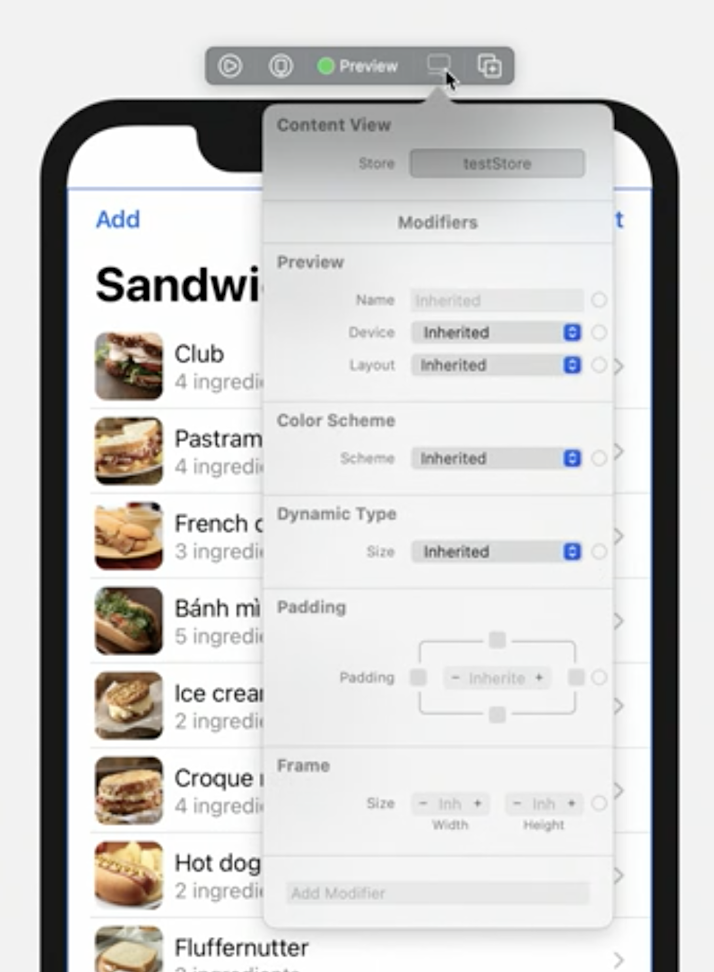
This session is an introduction on how to develop apps using SwiftUI.
If you’re totally new to SwiftUI, I suggest you to watch the talk to get acquaint with the preview canvas and other important interactions that really don’t translate well in a written note.
Some takeaway for everyone:
⌘ + clickon a SwiftUI component (either in code or in the preview) to have options such as:Embed in HStackShow SwiftUI Inspector(use⌃ + ⌥ + clickfor jumping to this option)and more
Alternatively, place your cursor on the element and use the
⌘ + ⇧ + Ashortcut to invoke the actions menu, note that SwiftUI-related actions show up only when the preview canvas is displayed.
⌘ + ⌥ + Pto resume a previewTowards the end of the video it is shown how to use the new
.toolbarmodifier (iOS 14+, macOS 11+, watchOS 7+), which adds items to either a toolbar or navigation bar (depending on the context).We can now change the environment (like color scheme, size category, …) of a preview directly via its new toolbar: