
Overview
Topics covered:
Performance
Security
Mobility
Privacy
Note that the technologies discussed in this talk must be supported on both the client and the server. Client-side, if you’re using Apple APIs like URLSession and Network.framework, you will get most of this built-in.
1. Performance
IPv6
This is the latest version of the Internet Protocol. Connections using IPv6 have lower latency.
Test that your app works on IPv6-only networks with NAT64 support because this is an App Store submission requirement. You can test this with Internet Sharing on your Mac. If you use URLSession or Network.framework, your app will already have this capability.
Here are some stats:
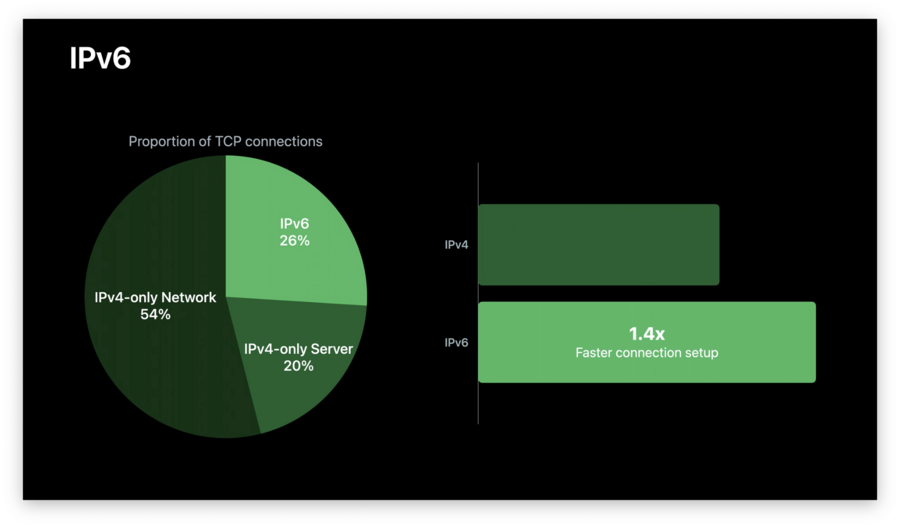
An important take-away is that 20% of applications could get performance gains if their server enabled IPv6.
HTTP/2
URLSession has HTTP/2 built-in, and it will automatically use it on the client if the server also uses HTTP/2.
HTTP/2 improves load performance by multiplexing multiple requests to a server on a single connection. This means you don’t need to wait for the end of one response before launching another request.
HTTP/2 also provides performance improvements through connection coalescing. This is when the framework recognizes that the next request is to the same server, so it can reuse an existing connection and save setup costs.
Header compression removes extraneous bytes on requests and responses, which means there’s less data to send over the network.
To learn more about how HTTP/2 can benefit your app, see Optimizing Your App for Today’s Internet.
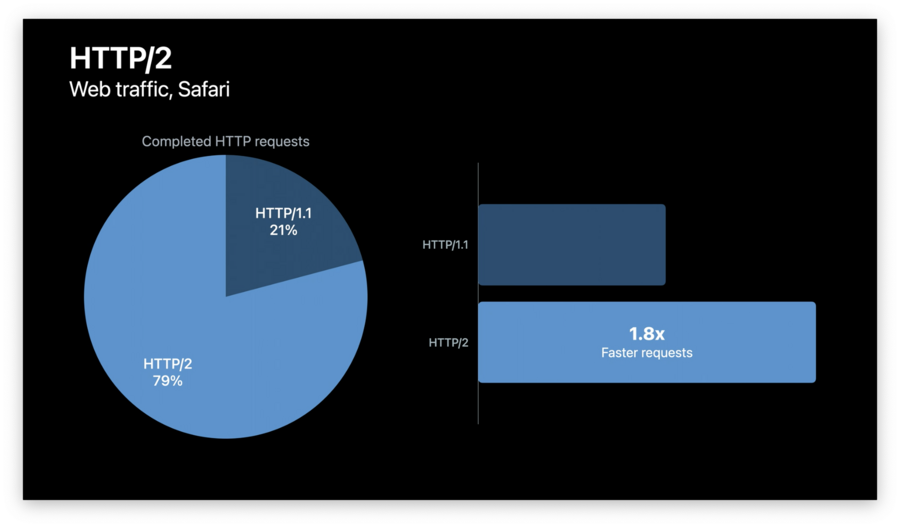
HTTP/2 statistics:
2. Security
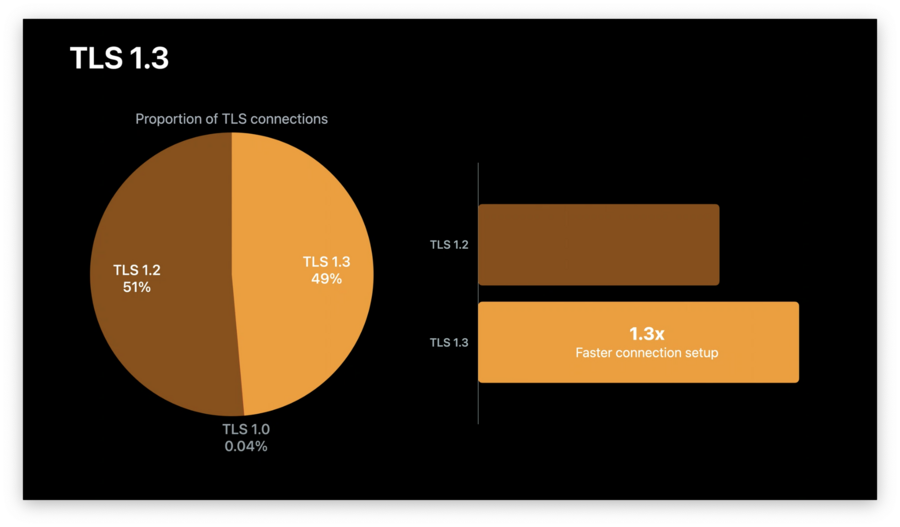
TLS 1.3 provides faster handshakes and improved security. It is enabled by default in URLSession and Network.framework starting with iOS 13.4 and macOS Mojave (as long as it’s enabled on your server).
Stats:
3. Mobility
Multipath TCP allows a single TCP connection from your app to switch between networks. This way, you can reuse one connection instead of starting new ones if the network is flaky or the user is moving between service areas.
Use the multipathServiceType property on URLSessionConfiguration (if using URLSession) or NWParameters (if using Network.framework).
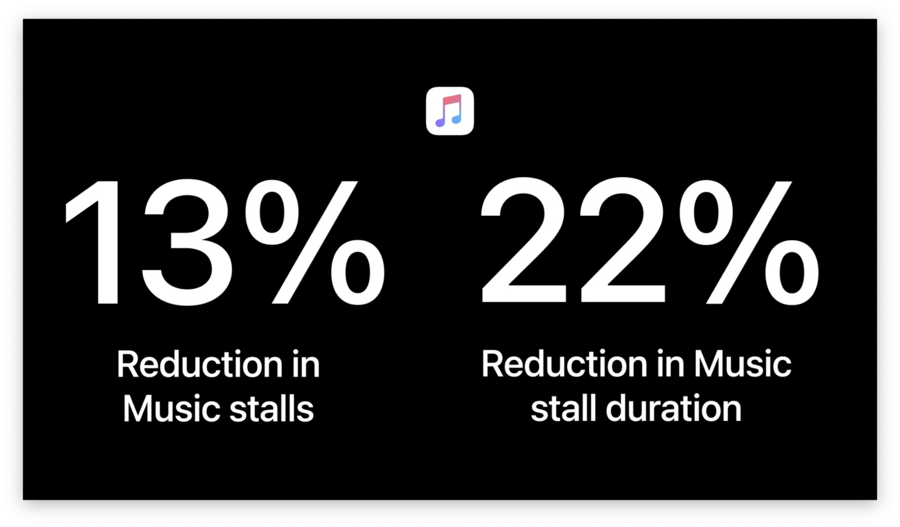
Apple integrated Multipath TCP in the Music app and got these stats:
To find instructions for enabling Multipath TCP on your server, visit https://multipath-tcp.org.
4. Privacy
Overview
iOS 14 improves privacy protections.
System services (AirPlay, AirPrint, HomeKit, etc.) don’t give apps private information about your network.
Directly accessing any local network resources, including the use of multicast and broadcast, requires explicit user permission.
For more information, see Support Local Network Privacy In Your App.
DNS Privacy
New in iOS 14 and macOS Big Sur is support for secure DNS.
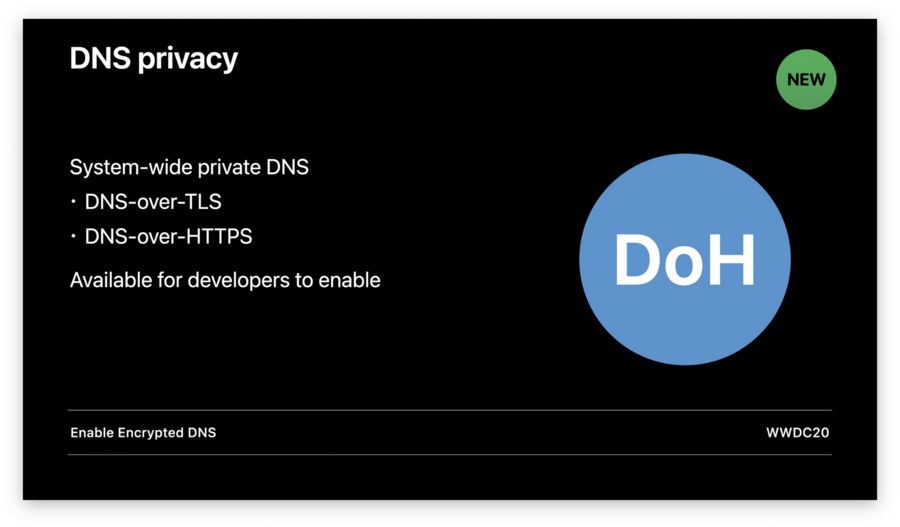
For details on how to take advantage of new DNS APIs, see Enable Encrypted DNS.
Looking Forward
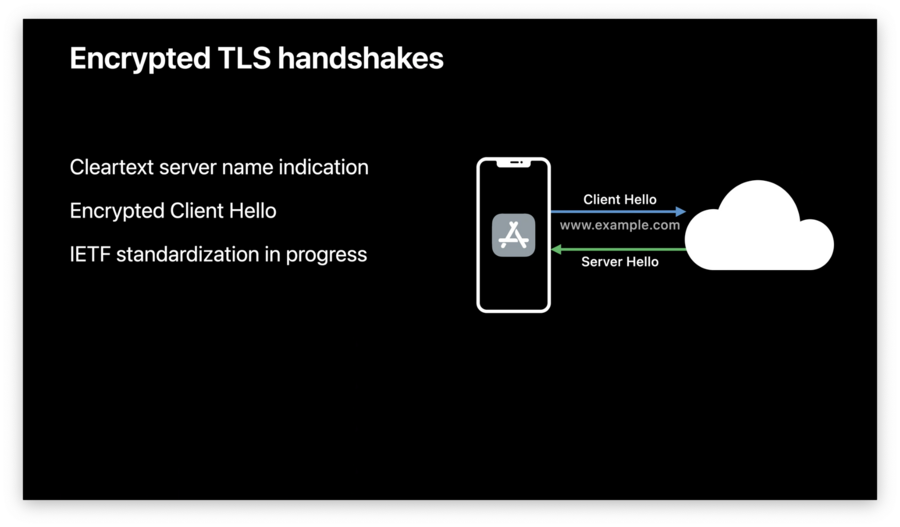
Also, HTTP/3 is coming out. This is built on top of the new QUIC transport protocol, which has built-in TLS 1.3 security.
HTTP/3 has:
Multiplexed stream support, but with further reductions to head-of-line blocking than in HTTP/2. This means losses of any individual requests/responses won’t hold up other, potentially unrelated, requests.
Improved congestion control and loss recovery.
Built-in mobility so you can move from network to network without interruption.
IETF standardization in progress.
iOS 14 and macOS Big Sur include an experimental preview of HTTP/3 support. In iOS, you can enable this in Developer Settings for apps that use URLSession. You can also enable it in Safari under “Experimental WebKit Features”.
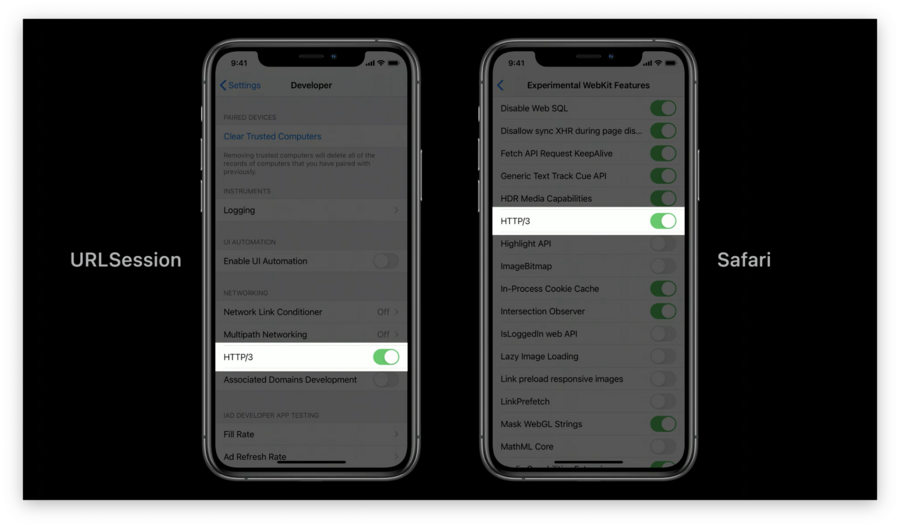
In macOS Big Sur, you can also enable HTTP/3 for apps that use URLSession:
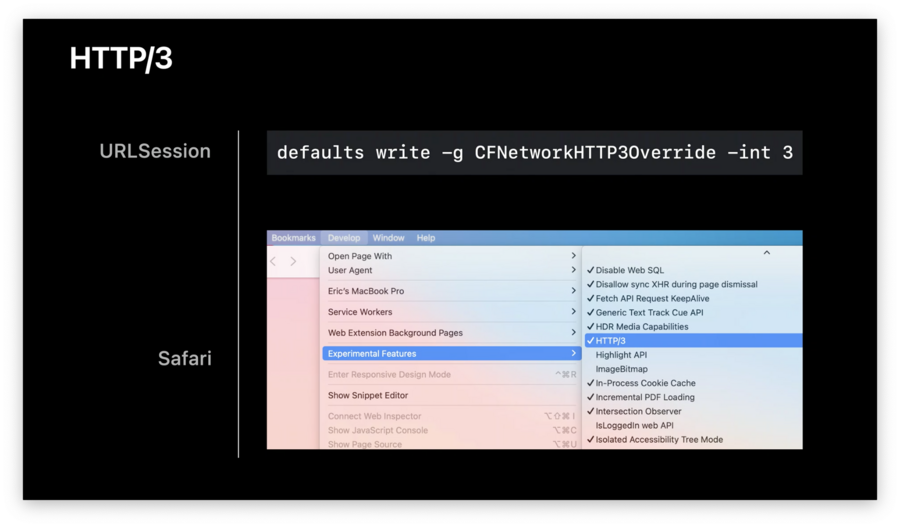
Apple is looking for developers to try out HTTP/3 and file bugs!
