
In iOS 14, we have access to PencilKit’s data model, this enable us to:
Inspect the contents of what the users drew
React to what was drawn
Manipulate existing drawings
Dynamically create new drawings from scratch
PKStroke
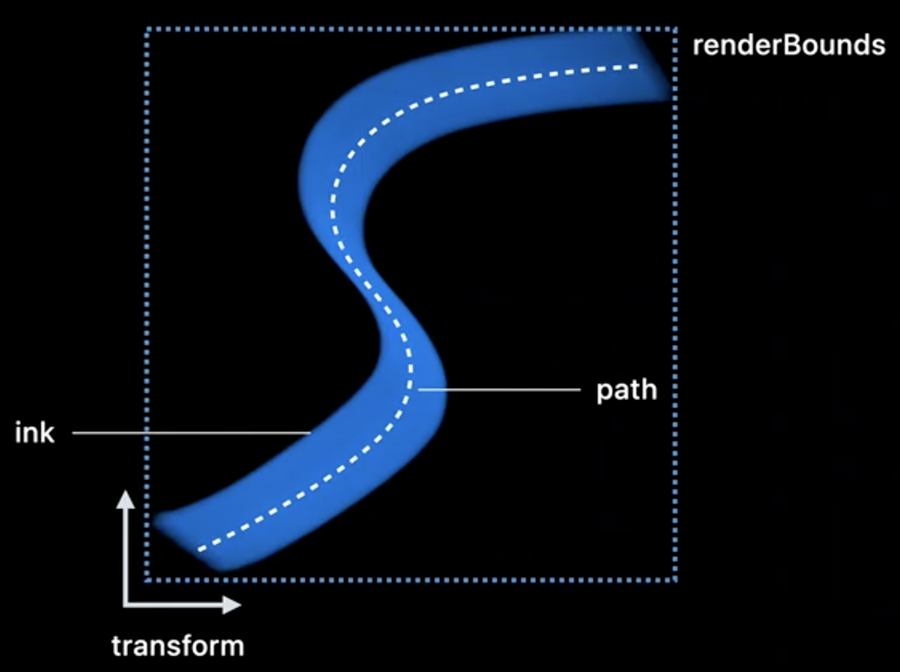
A PKStroke is composed by:
A path, which provides the shape of the stroke
An ink, which describes the appearance of the stroke, its color and type
A transform, giving us the orientation and position of the stroke
A mask, created when the pixel eraser is used to erase only a portion of a stroke
The renderBounds, a.k.a. the bounding box that encompasses the entirety of the stroke when it is rendered, the renderBounds accounts for the effect of all the stroke properties including the path, ink, transform, and mask.
PKStrokePath
Describes the shape of the stroke, and the appearance of that shape as it changes along the path.
Gives you the width of the stroke at any point
The stroke path is a uniform cubic, B-spline of PencilKit stroke points
The contents of a path the control points for the B-Spline
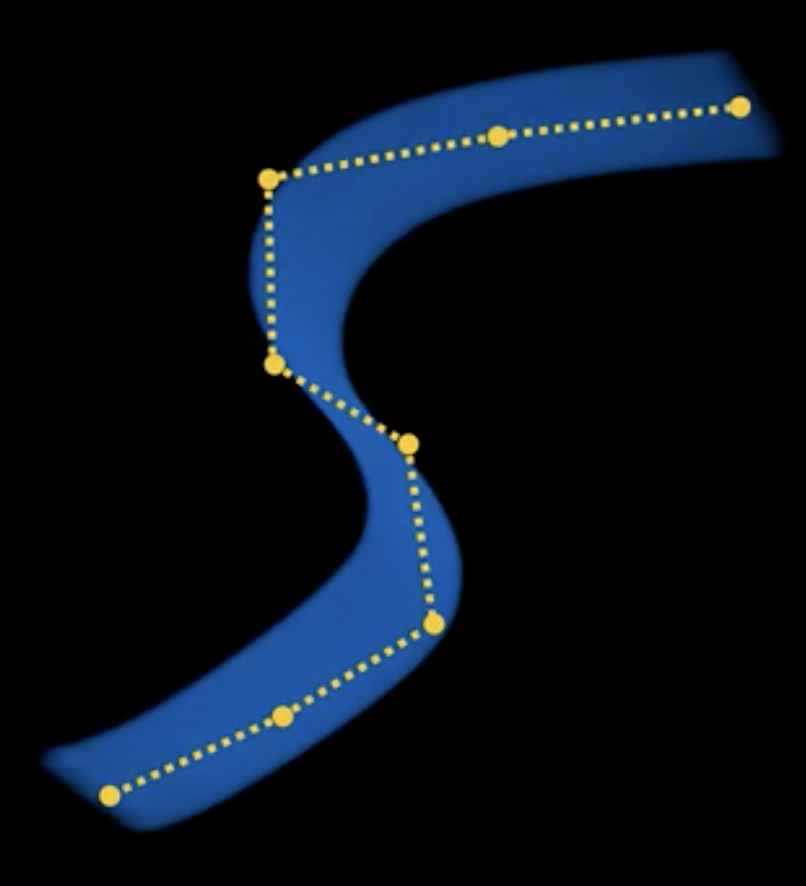
To get points on the actual path, we need to interpolate the spline using
interpolatedPoints(strideBy:).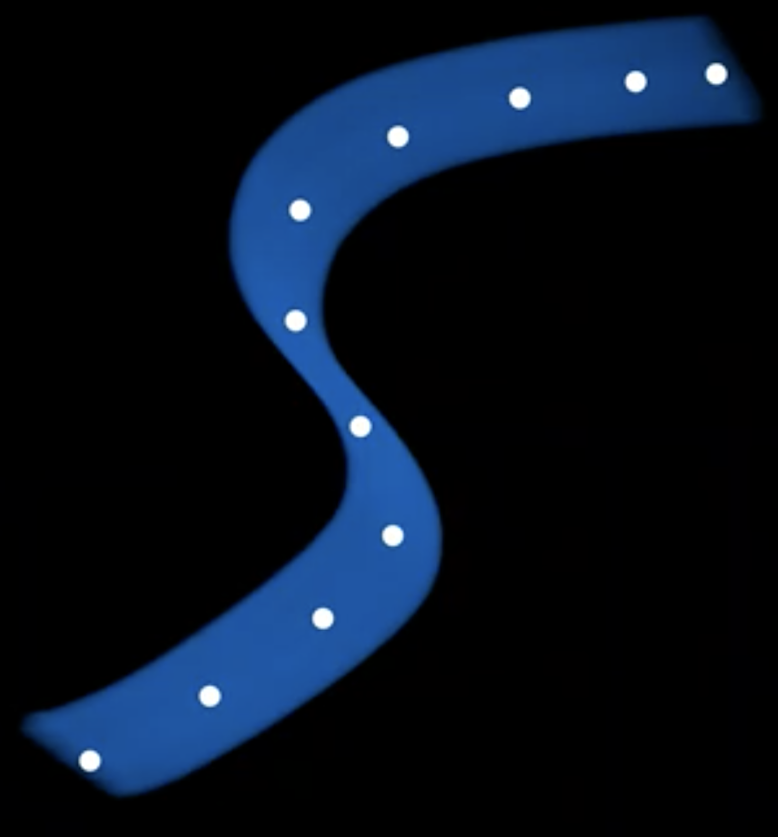
for point in path.interpolatedPoints(strideBy: .distance(50)) {
  draw(point)
}
PKStrokePoint
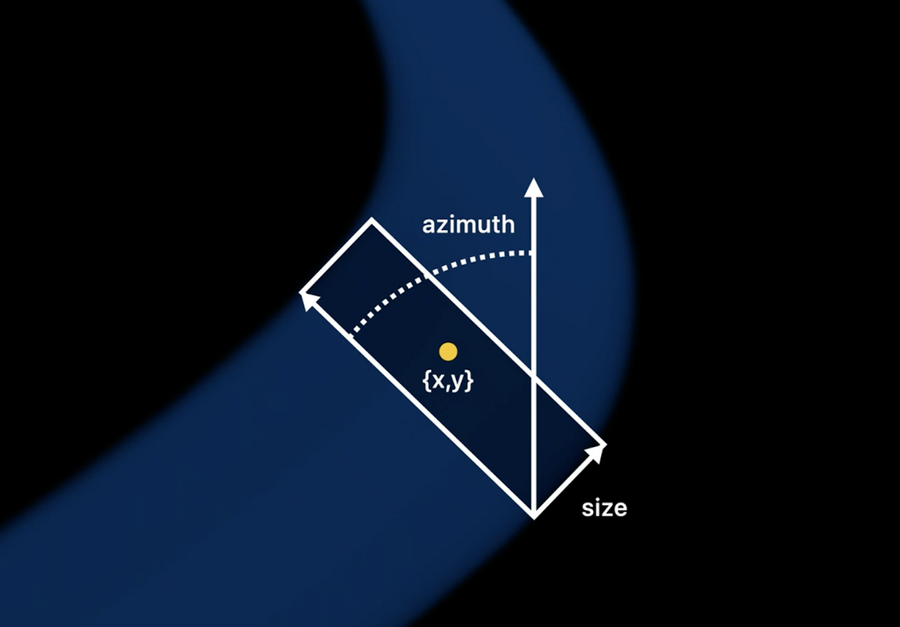
A PKStrokePoint describe how a stroke appears at a certain location. It is composed by:
A location
A size, for marker strokes won’t be square
A rotation angle, or azimuth
An opacity
A force (same value from
UITouchwhen the stroke was drawn)A altitude (same value from
UITouchwhen the stroke was drawn)A time offset from path creation date
