
Menus
In iOS 14, you can show a Menu from any button
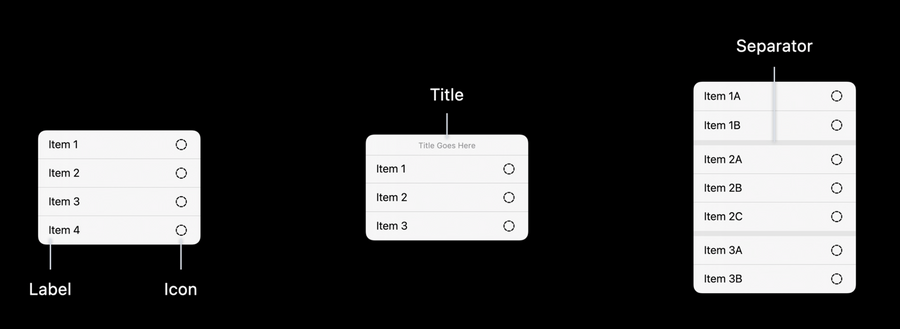
Menus in iOS consist of:
Label-icon actions
A title
Separators
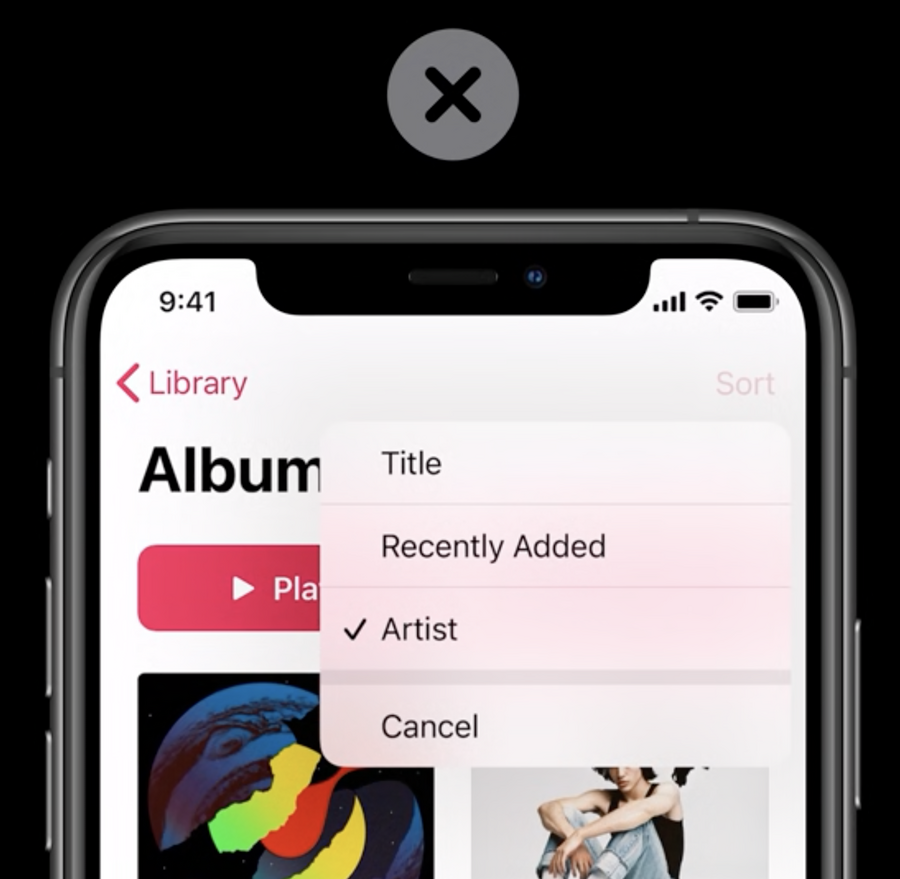
Do not add a Cancel button inside a menu, simply tapping outside the menu does the same effect
The menu adheres to the system accessibility settings by default
Menus use cases:
Disambiguation: when you want to clear out what is the user’s intent for this action
Navigation: giving extra options to navigate backward or forward
Selection: to select one option of many for actions like Sort and Filter
Secondary options: to show non-primary actions that are not important enough to be prominently displayed, but still should have easy access
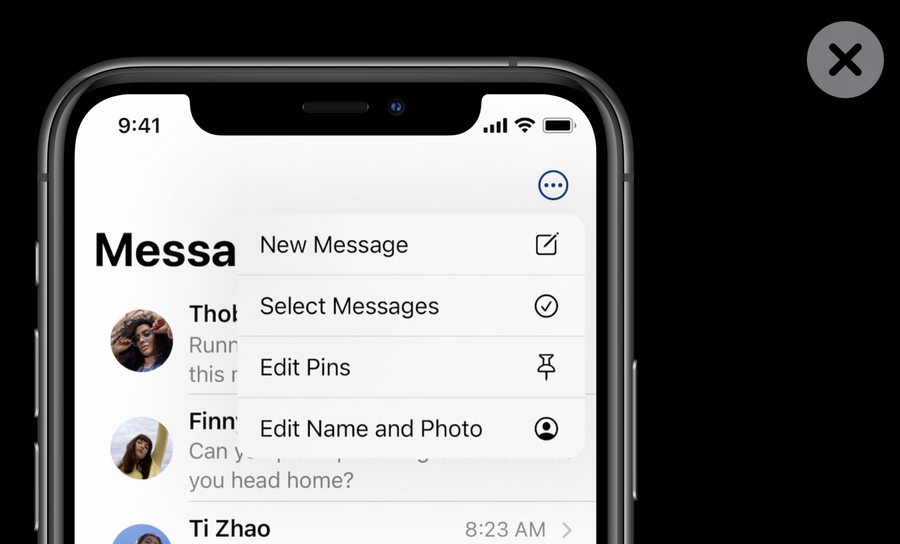
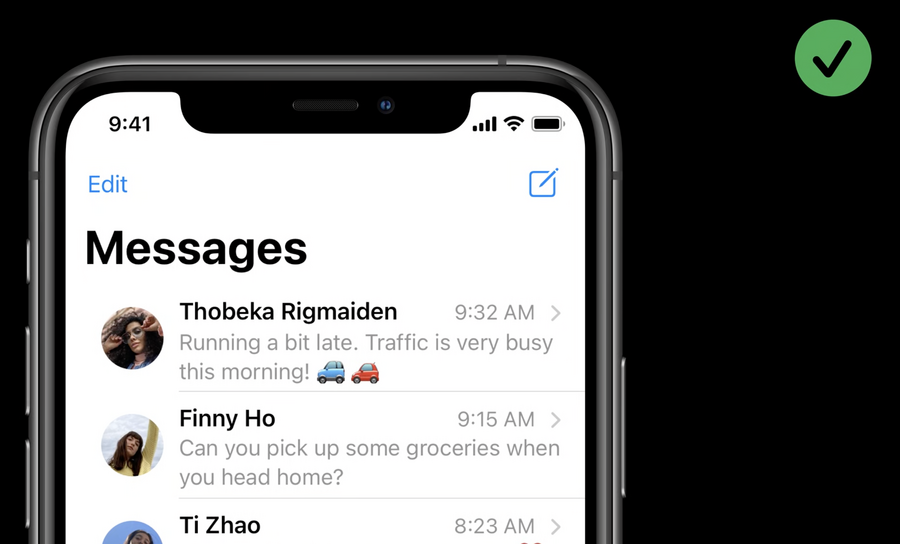
Do not hide all actions under one menu, instead, carefully promote your primary actions and group together secondary ones, if needed:
 |  |
|---|
You can make your buttons do one thing on tap, and another (showing a menu) on long press
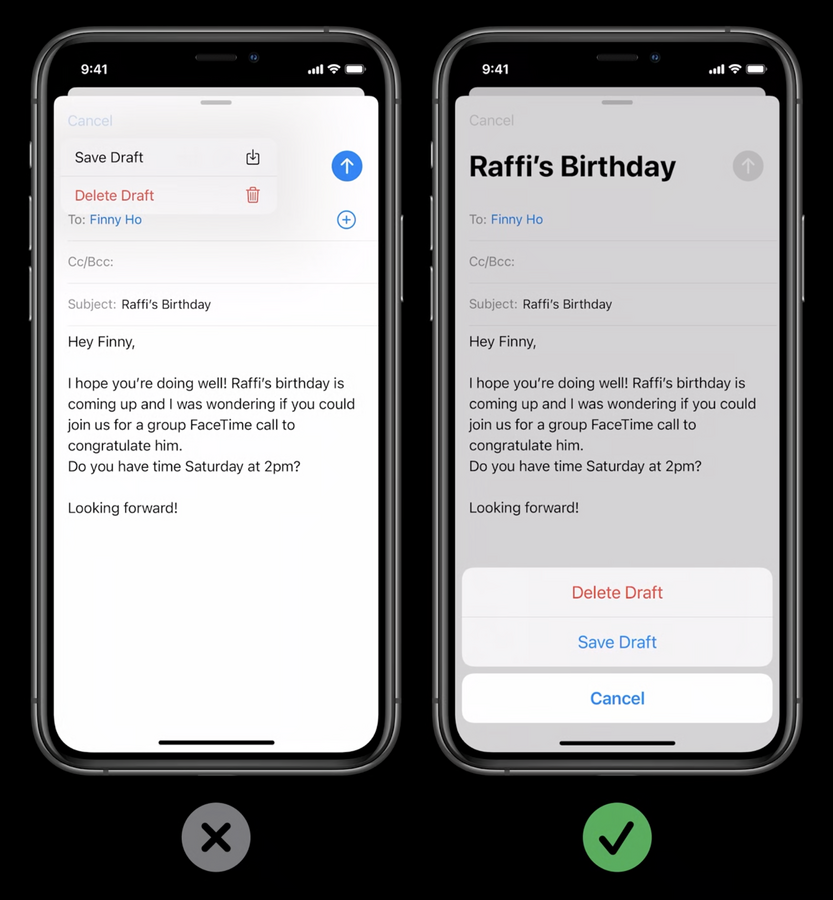
If there is a destructive action in your menu, make sure to always use an action sheet on iPhones, and pop-overs on iPad, to take the user confirmation before doing the action:
UIDatePicker
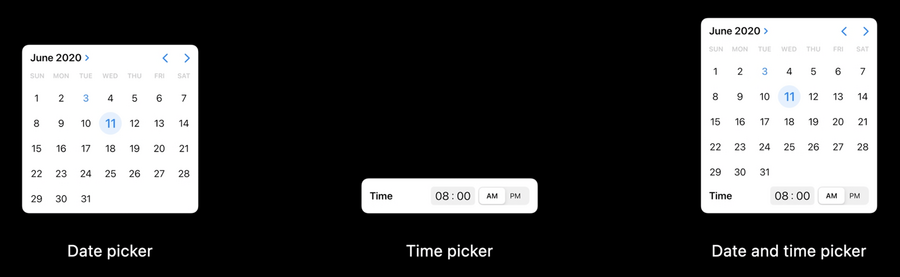
New
UIDatePickercan show date picker only, time picker only, or both.You can instruct the
UIDatePickerto style itself for a.compactspace, where it will display only a small key color on top of a light platter: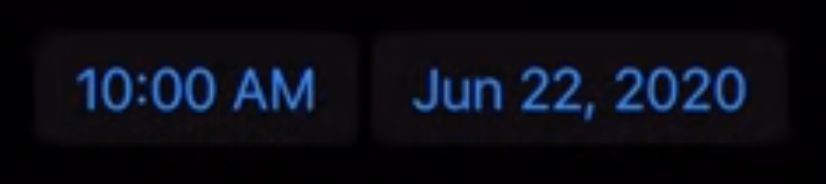 Tapping on that key would present the date/time picker in a modal style
UIDatePickeralso adhere to the system’s accessibility settings
UIColorPickerViewController
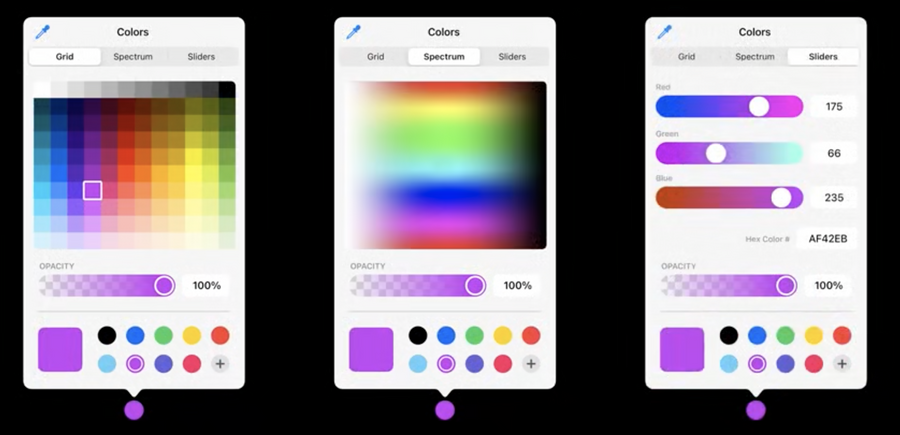
You can use
UIColorPickerViewControllerto pick a color in of 4 different ways:Grid
Spectrum
Sliders
Eyedropper from anywhere on the screen
Picked colors are saved for the user to use them across apps
