
Creating an Xcode-compatible Playground (from the Swift Playgrounds app)
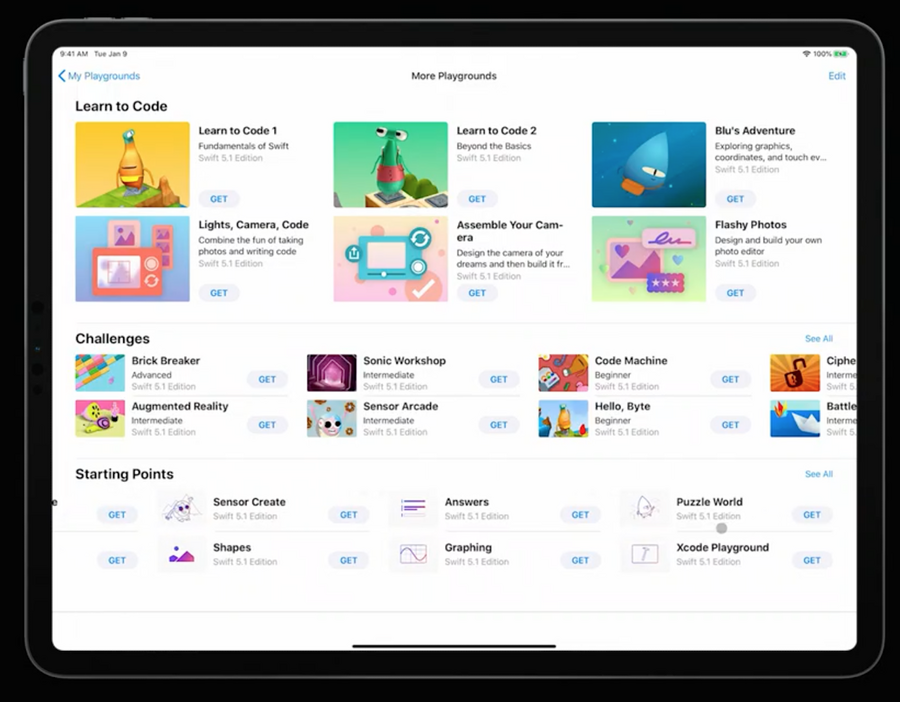
From main app screen:
tap
See Allbutton in the bottom right hand corner of the screen.scroll to the end of the
Starting pointssectiontap
Xcode Playground
Showing a SwiftUI live view
After opening a playground:
import the
PlaygroundSupportframework, which lets us customize the behavior of the playground, including showing live views
import PlaygroundSupportset the playground live view with the your view /
PlaygroundPage.current.setLiveView(WWDCNotesView())tap the
Run my Codebutton in the bottom right of the screen to show the live view.
