
Overview
In iOS 14, Core Location allows users to share their approximate location with apps instead of their real location.
This is a huge change for apps like Maps. If your app also requires precise location, this talk covers some ways to adapt.
If this is the first time you’re hearing about approximate location, you may want to first watch:
Designing for Location Privacy
Prioritize user control
Build trust through transparency
Offer proportional value
1. Prioritize user control
Annotating Approximate Location on Maps
Today, a pulsing blue dot represents a precise location.
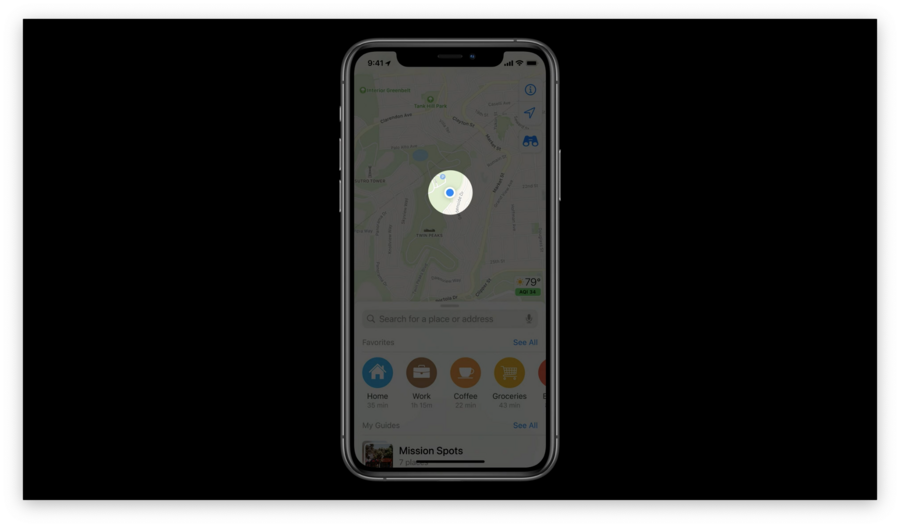
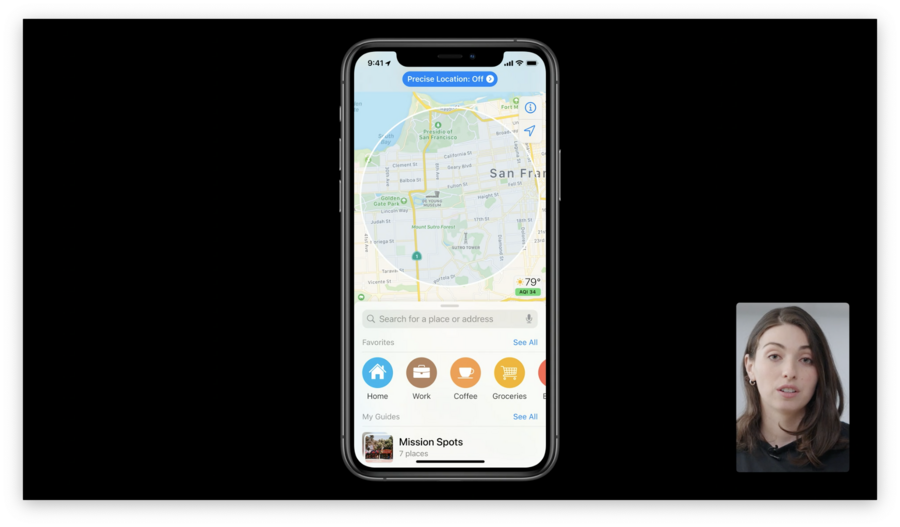
Apple Maps now uses a shaded circular area to indicate approximate location. As the user zooms in, this overlay disappears so map information is easier to read.
Before, Apple Maps used precise location data to calculate the estimated arrival time.
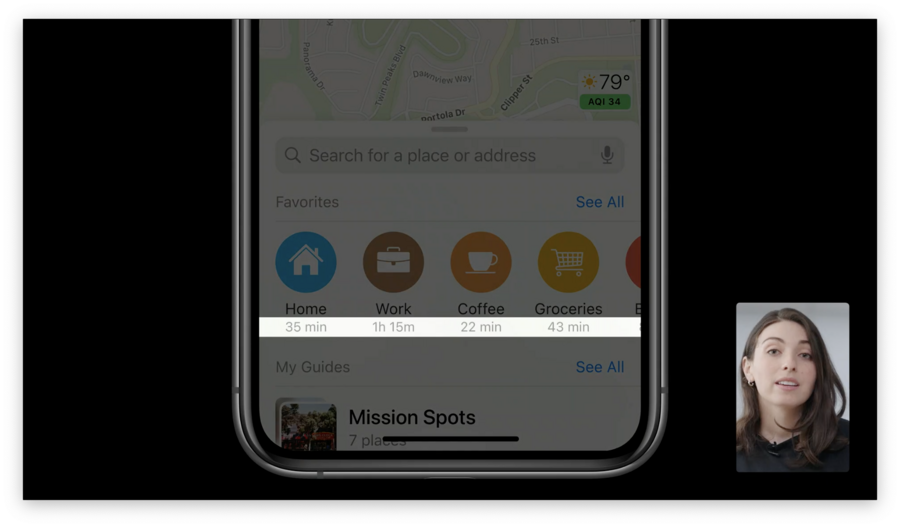
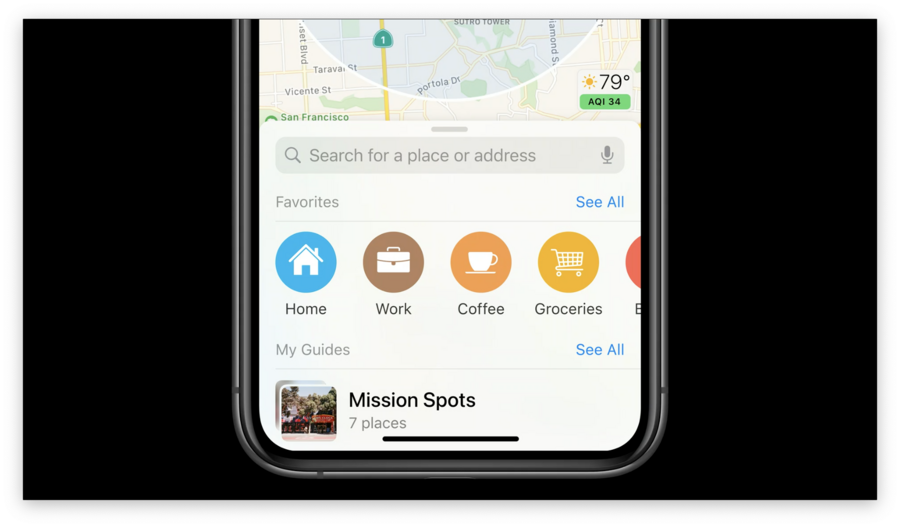
Apple decided that calculating this data is not feasible with approximate location. This feature is not critical, so they removed it for approximate location users.
Summary
Don’t require precise location
Replace precise data with approximate where possible
Remove non-essential uses of precise location
2. Build trust through transparency
Requesting data
Communicate clearly with people about what data your app uses and how that data is used. Use clear and precise language when requesting data. Here’s how Maps does it:
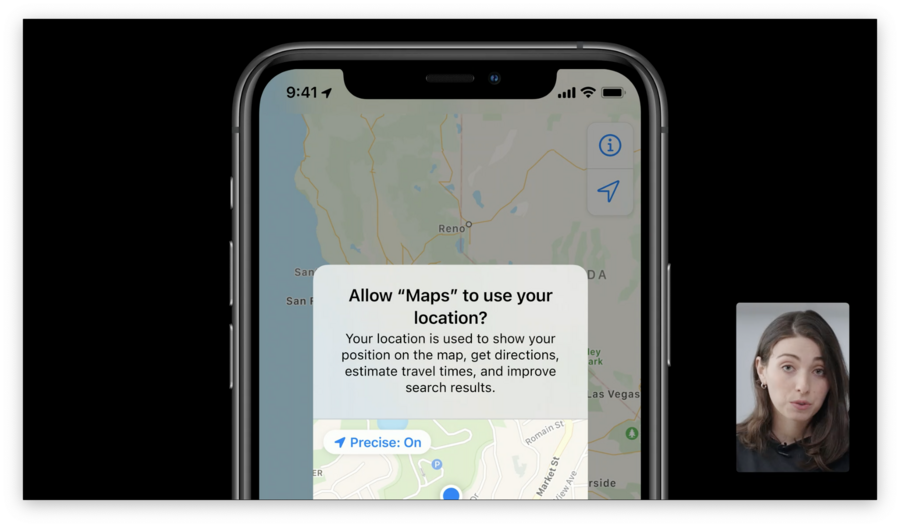
Notice how this message explains what kind of data Maps needs and the value that data provides.
Communicating results
For people who choose to share approximate location in Maps, there is a status bar at the top of the map. When people first launch Maps, the status bar is strong and prominent. This reminds users of past decisions and gives them direct access to control the setting.
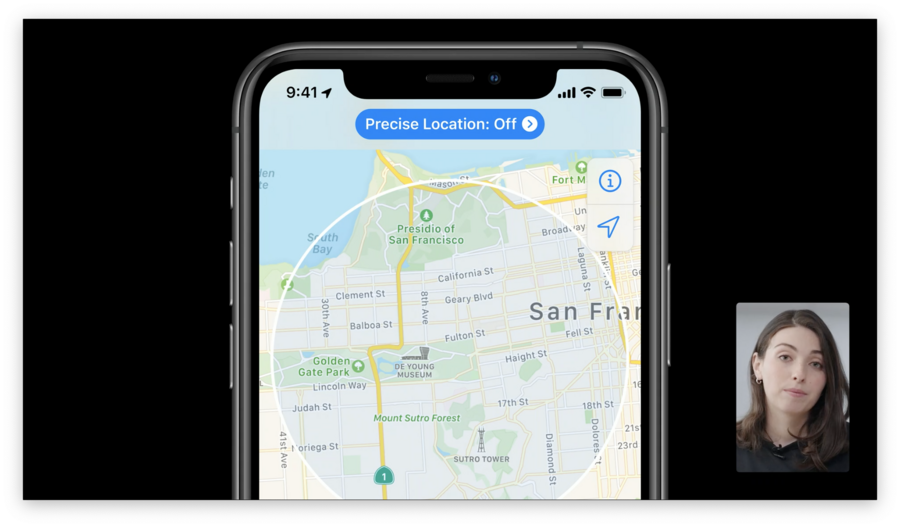
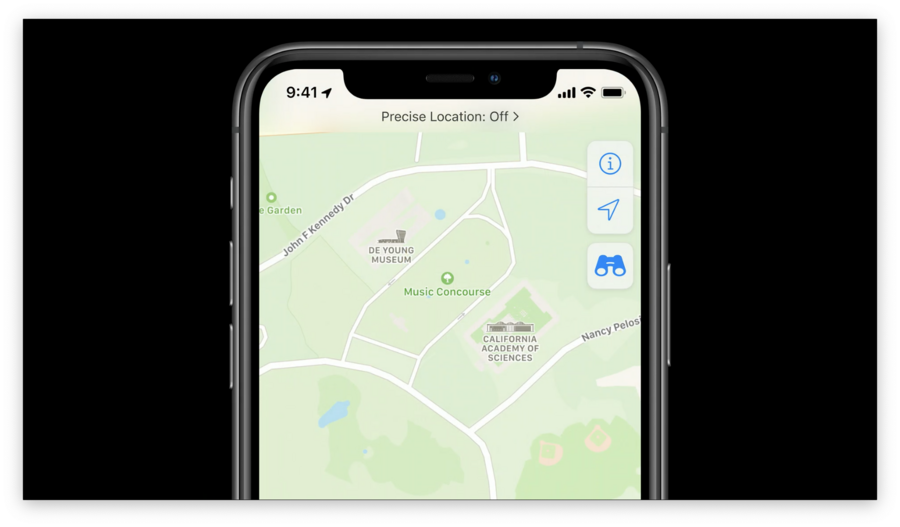
Once people interact elsewhere in the app, the visual treatment reduces in prominence. This way, users still get the benefit of transparency and control without being distracted from other functionality.
Summary
Invest in writing and communication
Make status easy to access
Allow users to change their mind
3. Offer Proportional Value
Some features absolutely require precise location data, and that’s okay. Ensure these features provide value in exchange for the personal data they require.
In Maps, turn-by-turn directions require precise location. When people indicate they want directions, Apple asks for one-time access to precise location. Apple asks as close to giving them directions as possible.
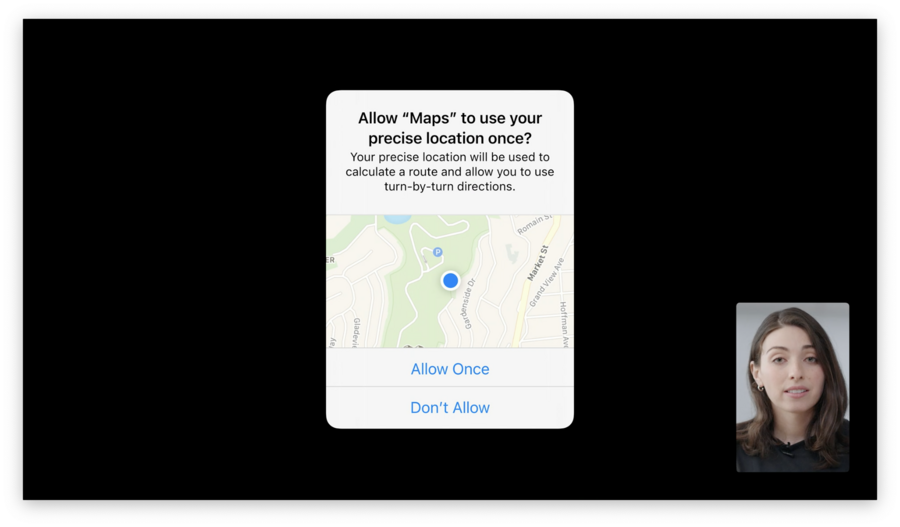
For a walkthrough of what this looks like for approximate location users, jump to 5:45 in the video.
Summary
Only ask for precise location when you really need it
Request precise location in response to user action
Position the request close to the value it provides
