
Where we can find the new widgets
iPhone and iPad Home screens
iPhone and iPad Today view
macOS Notification Center
What Makes A Great Widget
Glanceable: great widgets display the right amount of content
Relevant: great widgets display relevant content at the right place and time, this is very important for Smart Stack, too
Personalized: great widgets allow configurations and support as many sizes as possible, widget configurations are done via intents
Widget are not mini apps: think of the as your app content projection onto the homescreen
How WidgetKit Works
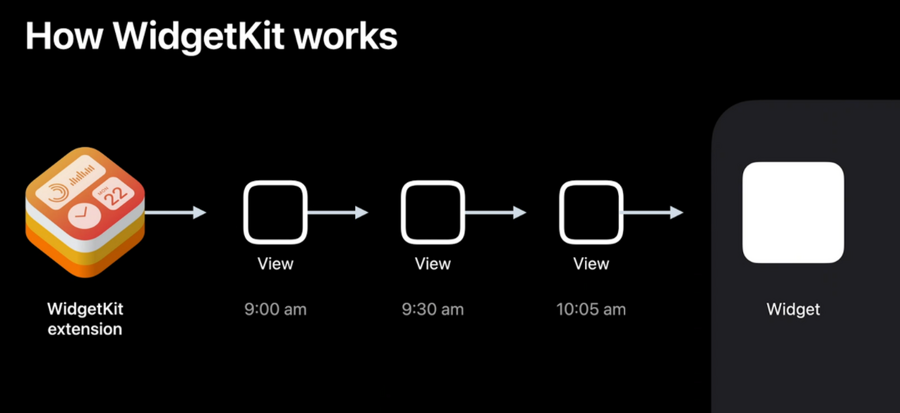
All widgets are built in SwiftUI
WidgetKitextensions are background extensions that return a series of view hierarchies (a.k.a. views) in a timeline.Our widget extension donates this timeline (with our views) to the Home screen which will present them at the correct time according to the timeline.
This way there’s no app launch, load etc: the widgets are immediately glanceable
Timelines can be refreshed from main app or via scheduled update from the extensions
Defining a Widget
Main concepts:
Kind (a custom
String): identifies the different widgets that we provide (for example we can have adetailwidget display only one object, and alistwidget displaying multiple objects)Configuration: Either
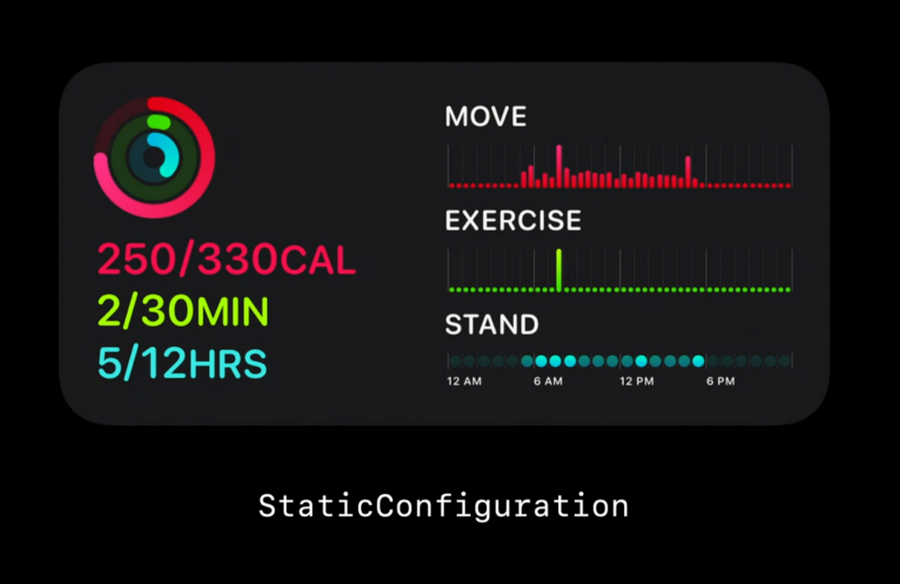
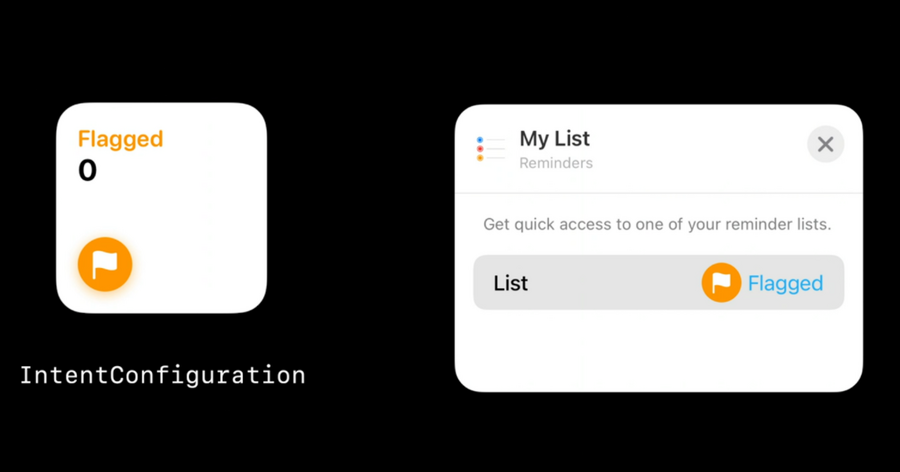
StaticConfiguration(no user configuration) orIntentConfiguration(allows user customization)
 |  |
|---|
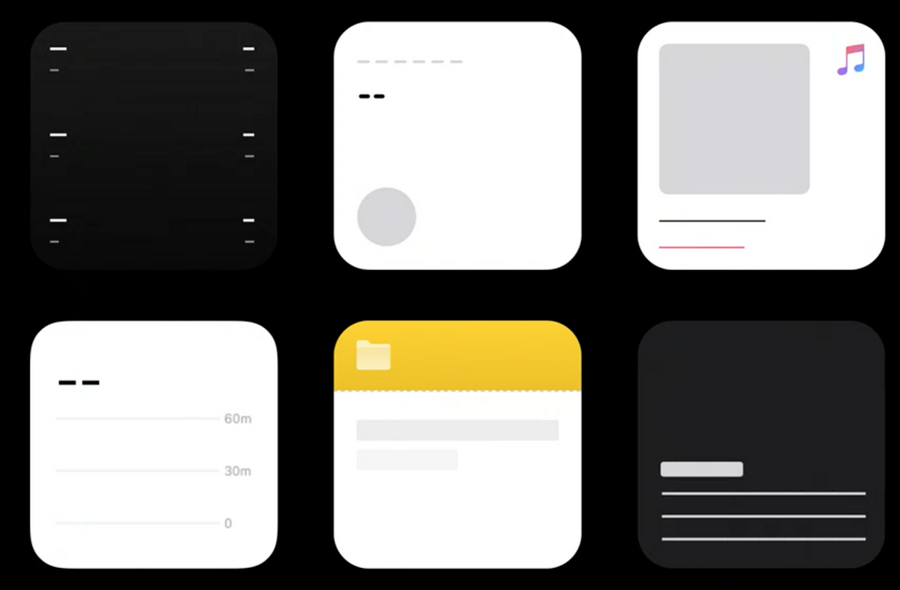
WidgetFamily: a.k.a. the templates/sizes a widget support: it can be any combination of small, medium, or largePlaceholder: A temporary view WidgetKit uses to render the widget for the first time, generic representation of the widget (without any user data)
Creating a Glanceable Experience
Stateless UI
No scrolling
No videos or animated images
Easy tap interactions with deep link into our app
Views, Timelines, and Reloads
Three types of UI we should provide:
Placeholder
Snapshot: when is where the system needs to quickly display a single entry, our extension should return it as quickly as possible
Timelines: basically multiple snapshots combined with a date that tells the system at what time that view should be shown
Reloads
Reloads happen when the system wake up the widget to ask for a new timeline for each widget displayed on the device.
Reloads make sure that our widget content is always up-to-date for our user
TimelineProvider Definition
public protocol TimelineProvider {
    associatedType Entry: TimelineEntry
    typealias Context = TimelineProviderContext

    func snapshot(with context: Self.Context,
                    completion: @escaping (Self.Entry) -> ())

    func timeline(with context: Self.Context,
                    completion: @escaping (Timeline<Self.Entry>) -> ())

}TimelineEntry: mainly a date.Context: environment information for which the system is asking us for entries.snapshot function: the system is asking us for a single entry (to be returned as soon as possible)
Timeline function: the system is asking us for series of entries and attached reload policy (a.k.a. when we want the system to ask for a new timeline)
Timeline Reload policy
When our extension TimelineProvider is asked to provide a Timeline, we also need to define our reload policy:
atEnd: tellsWidgetKitto request a new timeline only after the date of the last entry has passedafter(date: Date): tellsWidgetKitto request a new timeline only after a specified dateNever: tellsWidgetKitto never request a new timeline, the app will letWidgetKitknow when a new timeline is available
Reloading via app
We can ask the system to reload a specific widget or all widget kinds.
We can use
URLSessionto kick off a task and use batch request as well background session to reload our widgets.
Personalization and Intelligence Aspects
Driven by two major contexts:
Intents: used as a mechanism to allow users to configure our widget
Relevance: which allows us to inform the intelligence in the widget stack.
Intents are powered by the Intents framework, the same used with Siri and Shortcuts
The widget relevance is particularly useful when the user has multiple widgets into a smart stack: the stack will be sorted based on each entry
TimelineEntryRelevance, duration, and more

