
Key Takeaways
📌 “Start Page” tab & pinned tabs
🔍 “Search engine”-like search mode
🎤 Swift Mode for Voice Control
🤖 AI assistance in sidebar & context menu
🐛 Improved SwiftUI debugging
📹 Improved UI test recording
Optimizations
Xcode is 24% smaller thanks to getting rid of Intel runtime and Metal (downloaded if needed)
Faster text input (up to 50% less latency in complex expressions)
Workspaces laod up to 40% faster
Workspace and editing
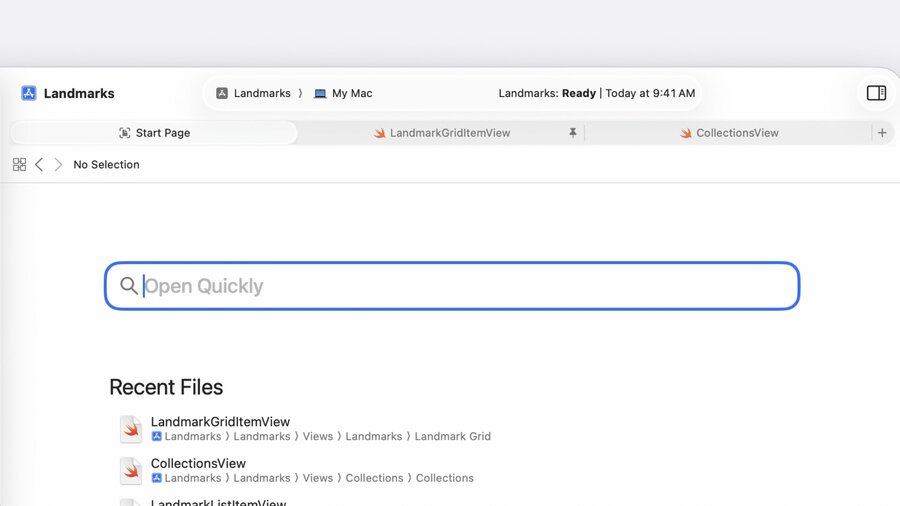
Intuitive editor tabs
New “Start Page” with built-in “Open Quickly” dialog
Tabs can now be pinned for more control over which & how many tabs are opened
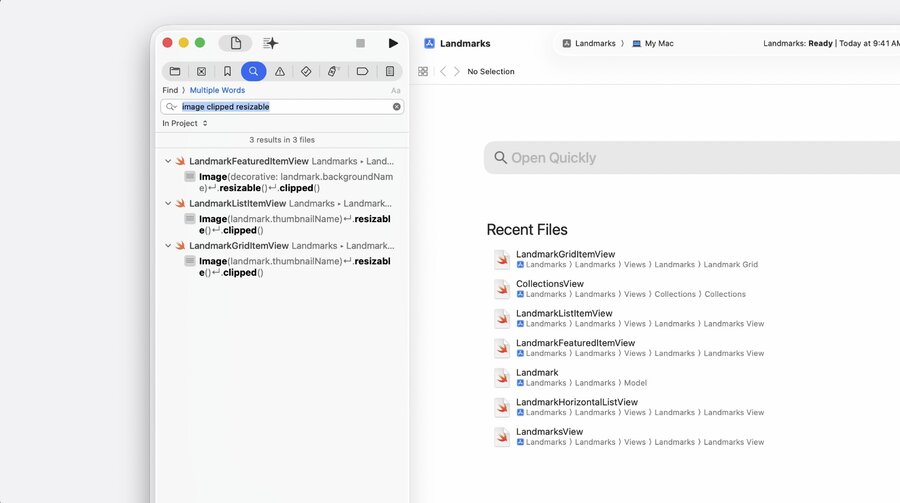
Multiple word search
New search mode that works like search engines (finds clusters of words)
Can be used by selecting “Find > Multiple Words” above the search bar
Matched clusters can span multiple lines and words may appear in any order
Coding by voice
Use voice control to write Swift code in a natural way
Automatically figures out spacing, camel-casing, etc.
Called “Swift mode for Voice Control”
Say “start listening” and “Swift mode” to turn it on
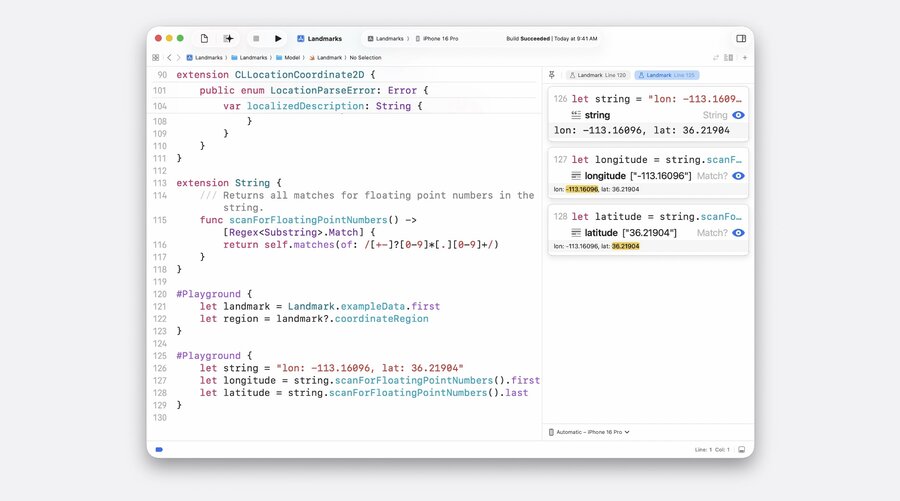
#Playground macro
Works like the
#Previewmacro designed for SwiftUI, but for non-UI codeBasically the dedicated “Swift Playgrounds” now usable right in your app
You need to
import Playgroundsin order to use the macroData shown in assistant editor is updated live as you make changes to code
The
#Playgroundmacro has been open-sourced for support on other platforms
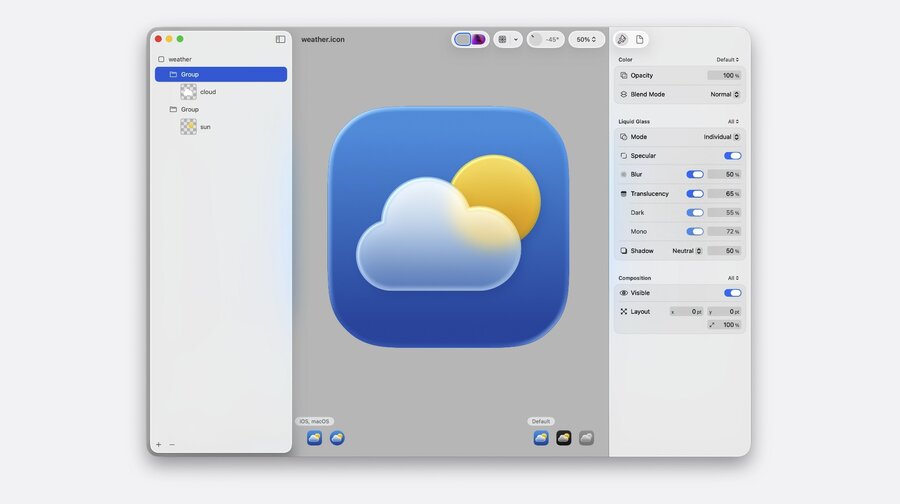
Icon Composer
New app bundled with Xcode 26
Necessary due to the differences in platforms and tinting modes
All variants in a single
.iconfile with Icon ComposerFull range of material effects available (“Liquid Glass”)
Apply dynamic properties to layers, such as blur, translucency, or shadow
Can also export flat icons for compatibility or marketing material
Learn more in Say hello to the new look of app icons and Create icons with Icon Composer.
String Catalogs
New type-safe string symbols with auto-completion for manually defined Strings
Automatically generated comments using on-device model based on usage context
Learn more: Codealong Explore localization with Xcode
Intelligence
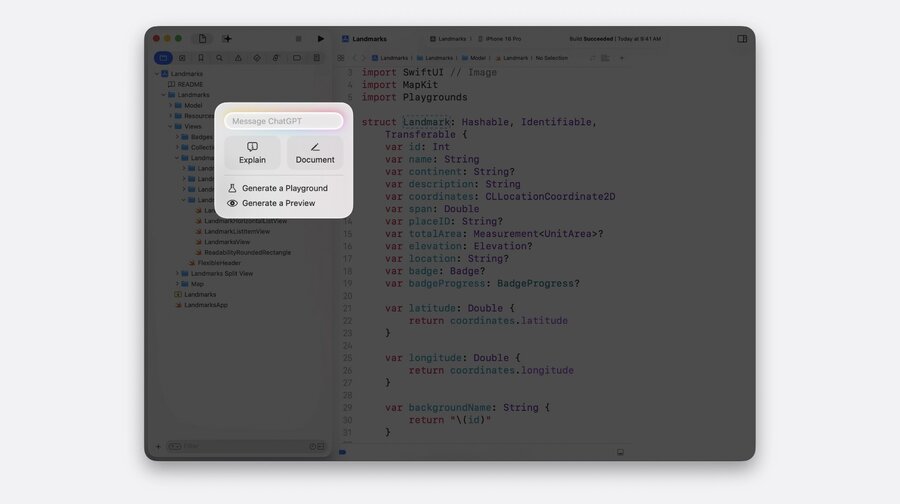
Xcode can now use models like ChatGPT in a left sidebar for assitance
Works with both general questions or requested changes done on your behalf
Takes your code into consideration to answer specific to your project
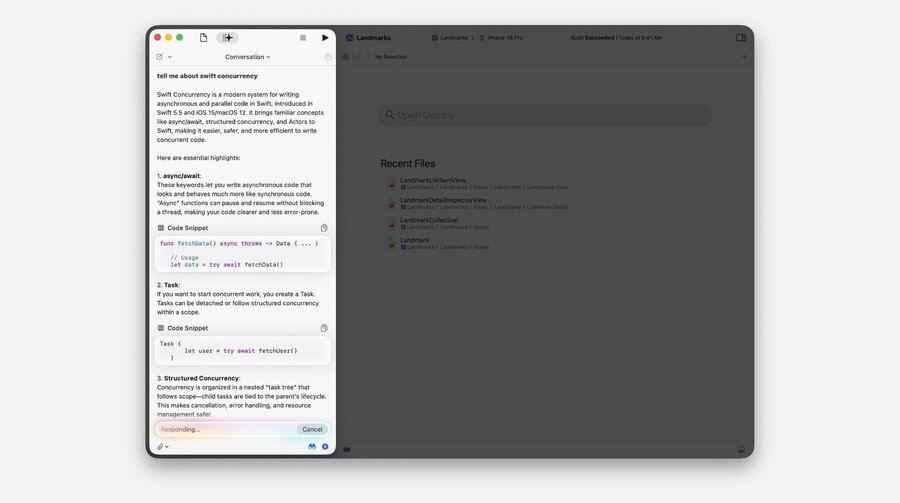
For selected code, there’s a “Coding Tools” menu to get assistance for that code
Model can ask Xcode for additional files while it’s coming up with an answer
Info button shows context sent to the Model (for transparency)
Mentioned files in the answer can be clicked to directly navigate to
Use the
@character to reference symbols/files/issues to focus onAttaching files also possible (such as for a UI sketch image)
Toggle the binoculars icon to turn on/off sharing of project context
Toggle off the bolt icon if you want to review each change before applying
You can rewing back to any code state of a conversation step by step
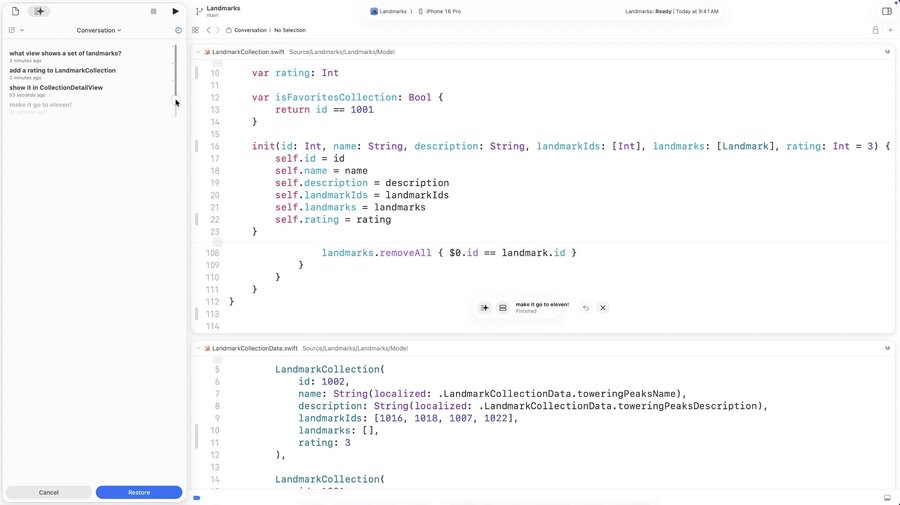
For compiler errors, there’s a “Generate fix” button that starts the assistant
Limited number of free ChatGPT requests, sign in for more
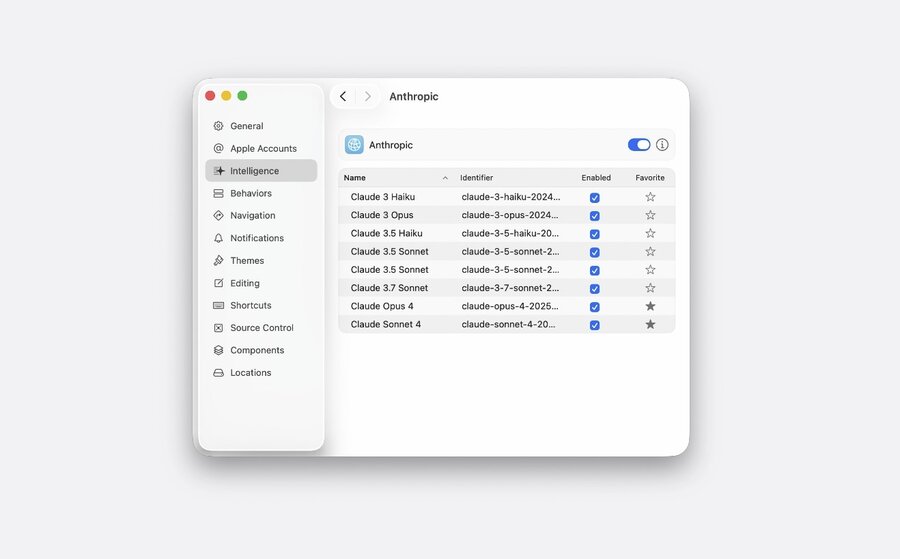
You can add other models with an API URL and API Key (Anthropic supported)
Local models also supported by specifying port (like Ollama/LM Studio)
Model chooser with button to mark models as favorites available
Debugging and performance
Debugger can now follow concurrent logic across threads and show task IDs
Variables view now also lists details about tasks, task groups, and actors
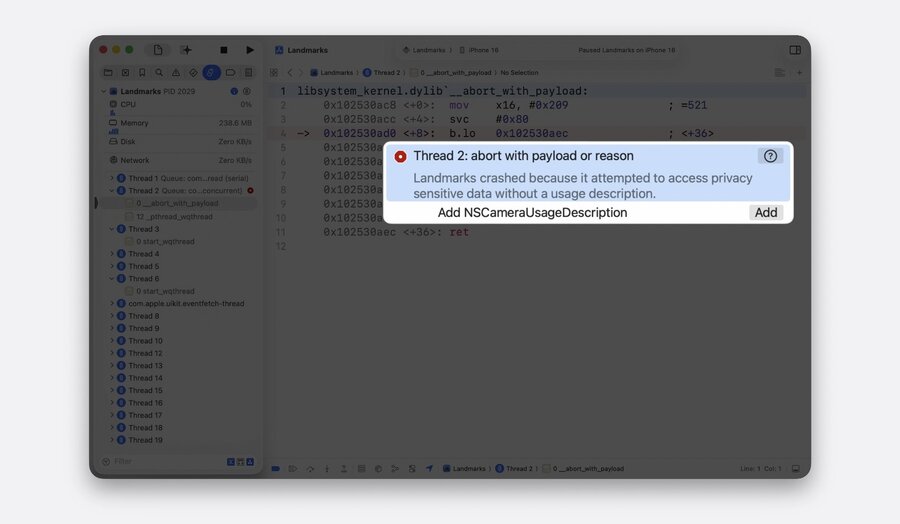
When app crashes due to missing privacy usage description, Xcode helps fix it
Capabilities like “camera usage” now editable directly in “Signing & Capabilities”
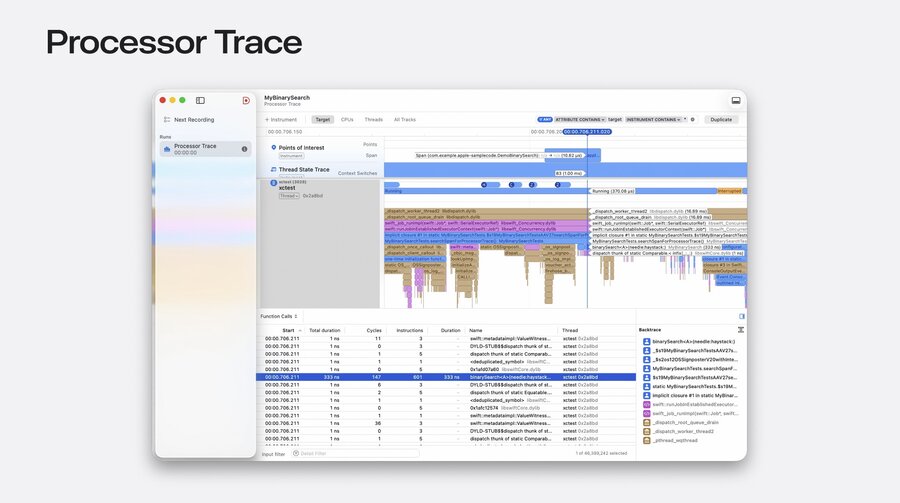
Instruments has higher-fidelity visualization of CPU flow on recent Apple Silicon (M4+/iPhone 16+)
“Processor Trace” reveals every branch taken and function call for more accurate debugging
Use updated “CPU Counters” for micro-architecture optimizations (start with “CPU bottlenecks”)
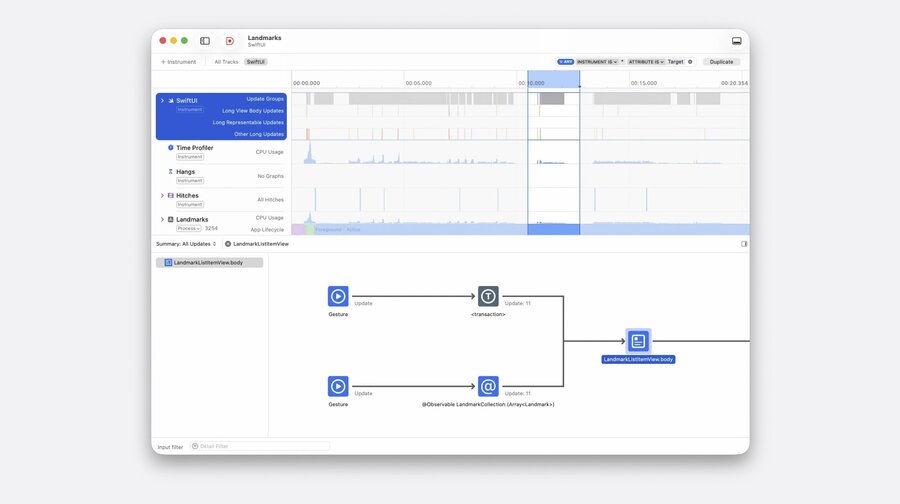
Updated “SwiftUI” instruments for debugging UI performance issues
Use timeline to see what’s going on on the main thread
Use “cause and effect” graph to understand why view updates too often
Learn more in Optimize CPU performance with Instruments and Profile and optimize power usage in your app.
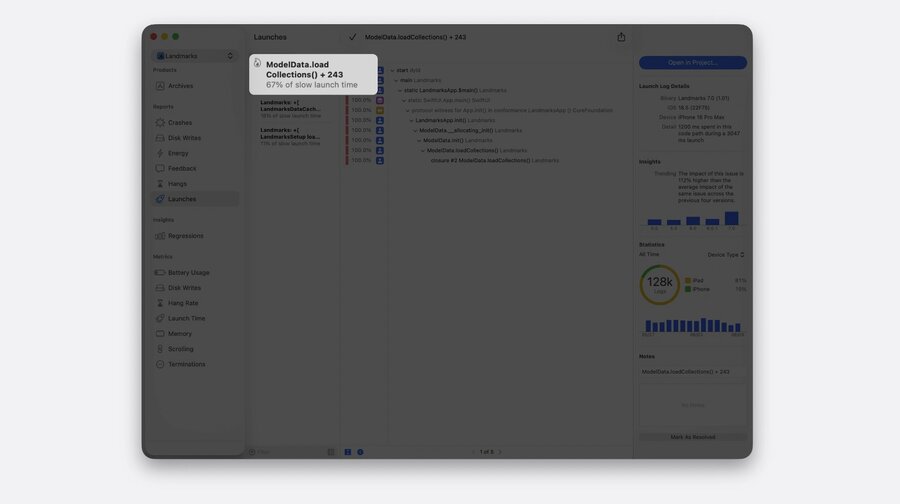
New “Trending Insights” in the Hangs and Launches diagnostics in the organizer
Diagnostic reports can shared with collegues using URL sharing
New “Recommendations” feature inside Metrics compares with other apps & your history
Building
Explicitly-built modules now active for Swift modules by default
Faster builds, more reliable, more precise, faster debugging
Learn more: Demystify explicitly built modules
New open-source “Swift Build” tool available, previewable for packages
New “Enhanced Security” capability adds additional compile & runtime security protections
Testing
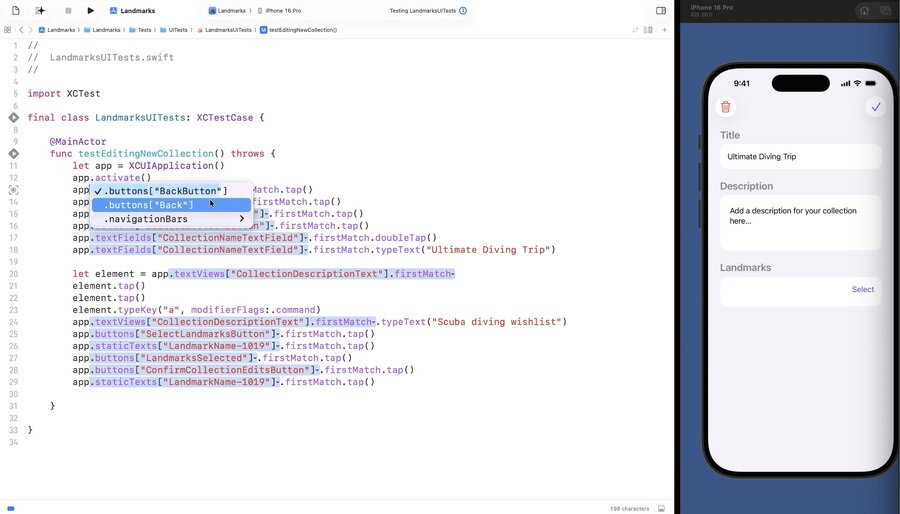
Significantly improved automatic UI test recording
Generated code has better match names and allows selecting alternatives
Learn more: Record replay and review UI automation with Xcode
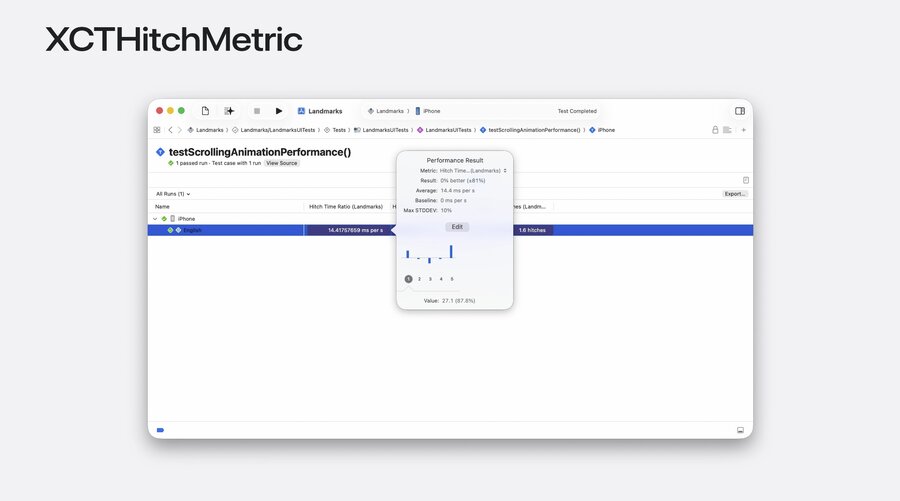
New
XCTHitchmetricto catch hitches, e.g. to test scrolling performance
More runtime API checks available in tests (configurable as off/warning/failure)
