
Prerequisites
Your app has some kind of communication functionality
PermissionKit should only be used when you know the current user is a child, so:
Your app can determine the age or age range of users (or use the new
DeclaredAgeRangeAPI)Learn more: Deliver ageappropriate experiences in your app
PermissionKit leverages the family sharing group, so same group is a requirements
Additionally, parents/guardians must enable Communication Limits for child
Meet PermissionKit
New framework for easy & consistent permission experiences between requester and permission authority
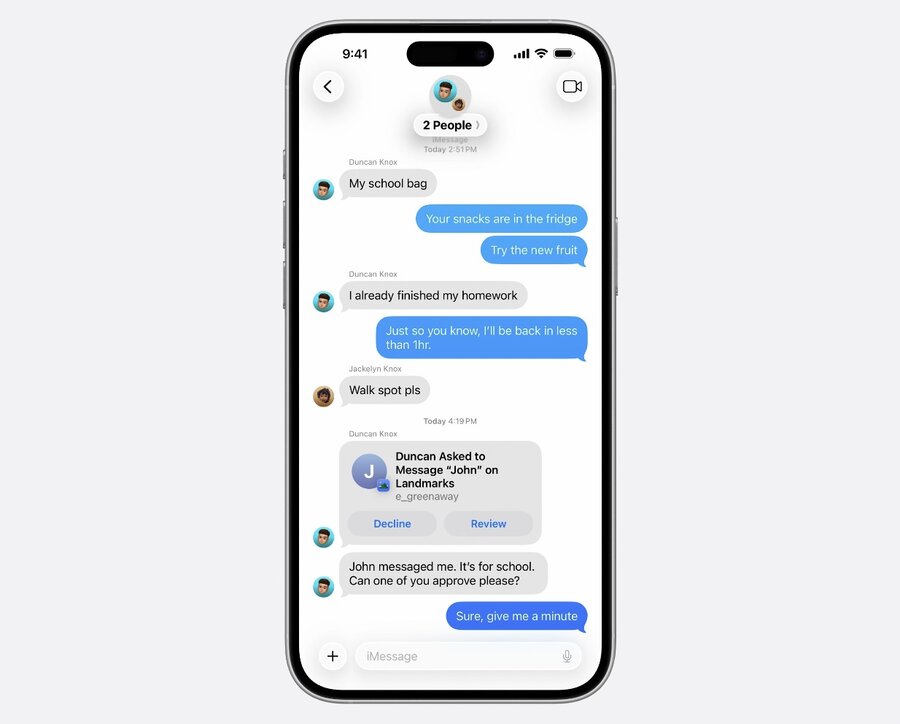
Helps start a conversation in Messages with guardians in family sharing group
In your app, child can request to communicate with someone new over Messages
Parents can approve or decline childs request to communicate right in Messages
Tailor your UI for children
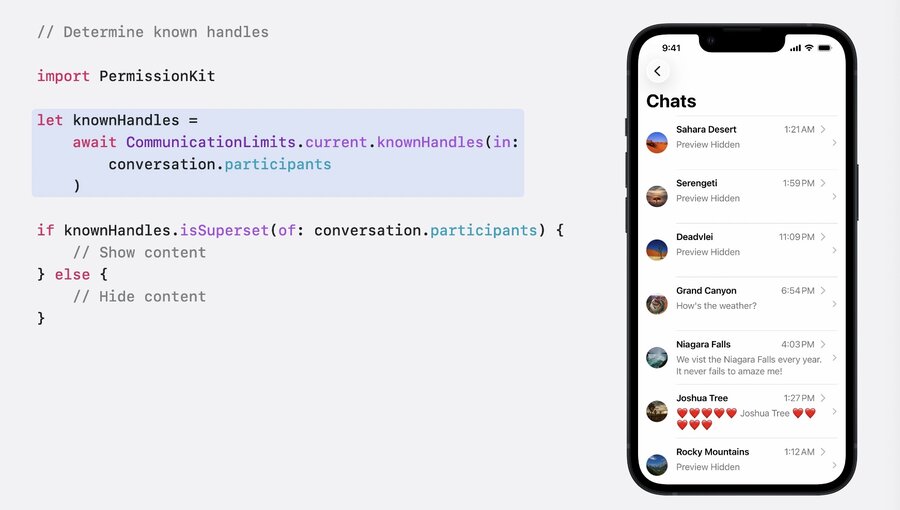
If your app has a social chat feature, your app should hide unknown senders
This includes message previews, profile pictures, and other potentially sensitive content
Use
CommunicationLimits.current.knownHandles(in:)method to find known senders in arrayYou can skip this step if you already have that data in your own systems, but make sure to hide unknown senders
Crate an “ask” experience
Create a
PermissionRequestwith a handle (like phone number or username)
import PermissionKit

var question = PermissionQuestion(handles: [
   CommunicationHandle(value: "dragonslayer42", kind: .custom),
   CommunicationHandle(value: "progamer67", kind: .custom)
])
Add as much metadata as possible via
CommunicationTopicto give guardians more contextSpecify the type of
actionsrequested, such as.message,.call,.video
import PermissionKit

let people = [
    PersonInformation(
        handle: CommunicationHandle(value: "dragonslayer42", kind: .custom),
        nameComponents: nameComponents,
        avatarImage: profilePic
    ),
    PersonInformation(
        handle: CommunicationHandle(value: "progamer67", kind: .custom)
    )
]

var topic = CommunicationTopic(personInformation: people)
topic.actions = [.message]

var question = PermissionQuestion(communicationTopic: topic)
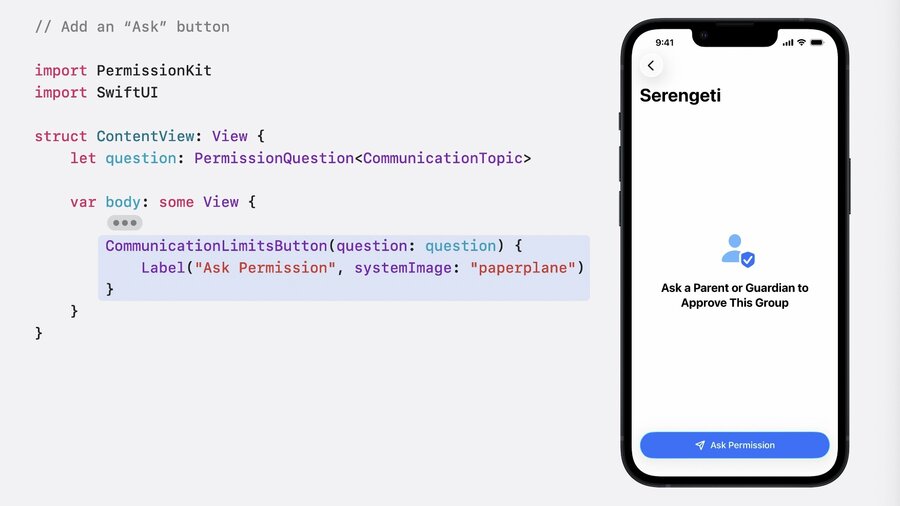
Use the
CommunicationLimitsButtoninside SwiftUI with aPermissionQuestionUpon pressing the button, a system prompt with “Ask to Approve” and “Approve in Persion” will appear
UIKit/AppKitapps can useCommunicationLimits.current.ask(in:)method passing aViewController/NSWindow
Parent/guardian responses
Check
CommunicationLImits.current.updatesasync sequence to get notified when parent respondedChild can optionally add a name for the person to be contacted (to add to Contacts app)
Child will receive a notification upon parent responding
Your app is responsible for updating UI based on answer or updating contact info on your servers
Other consideration
Get inspired by PermissionKit to add same safety for children on other platforms (like Web)
New
SensitiveContentAnalysisAPI to detect & block nudity in media callsNew
DeclaredAgeRangeAPI allows you to provide age-appropriate experiences for kidsThe
ScreenTimeframework gives guardians tools to supervise childrensThe
FamilyControlsis for thos to provide their own parental controls
