Explore new features
The
AppTransactionobject now has anappTransactionIDfield (in 18.4+, back-deployed to 15)Also new:
originalPlatformof typeAppStore.Platform(iOS, macOS, tvOS, visionOS)Transaction.currentEntitlement(for:)deprecated, useTransaction.currentEntitlements(for:)insteadThe
Transactionnow has anappTransactionIDfield (also 18.4+)Also new:
offerof typeTransaction.Offerwith fieldsid,type, andperiodAnd new:
advancedCommerceInfo– more easily support IAPs for large content catalogs etc.
Learn more about Advanced Commere API here.
New
SubscriptionStatus.status(transactionID:)API to get the status using a transaction IDNew fields on
RenewalInfo:appTransactionID,offer,advancedCommerceInfo,appAccountTokenOffer codes are now available for consumables, non-consumables, and non-renewing subscriptions (back to 16.3)
New mode added to
Transaction.Offer.PaymentModetype:oneTimeadded tofreeTrial,payAsYouGo,payUpFrontFor iOS 15 backwards compatibility, a new
offerPaymentModeStringRepresentationfield is added toTransactionNew purchase methods:
purchase(confirmIn:options)– differs based on platform (window on macOS)
Sign In-App Purchase requests
Set eligibility for introductory offer via
Product.PurchaseOption.introductoryOfferEligibility(compactJWS:)Sign promotional offers via
Product.PurchaseOption.promotionalOffer(_:compactJWS:)Both these new APIs are back-deployed to iOS 15
In SwiftUI: Use
subscriptionIntroductoryOfferandsubscriptionPromotionalOfferview modifiersTip: Use the App Store Server Library (available in Java, Python, Node.js, and Swift)
Learn more: Explore App Store server APIs for InApp Purchase
Merchandise subscriptions
Subscription offer view:
SubscriptionOfferView(id: "plus.standard")– supports custom (placeholder) iconUse
.subscriptionOfferViewDetailActionto add secondary button, e.g. to open full paywallNew
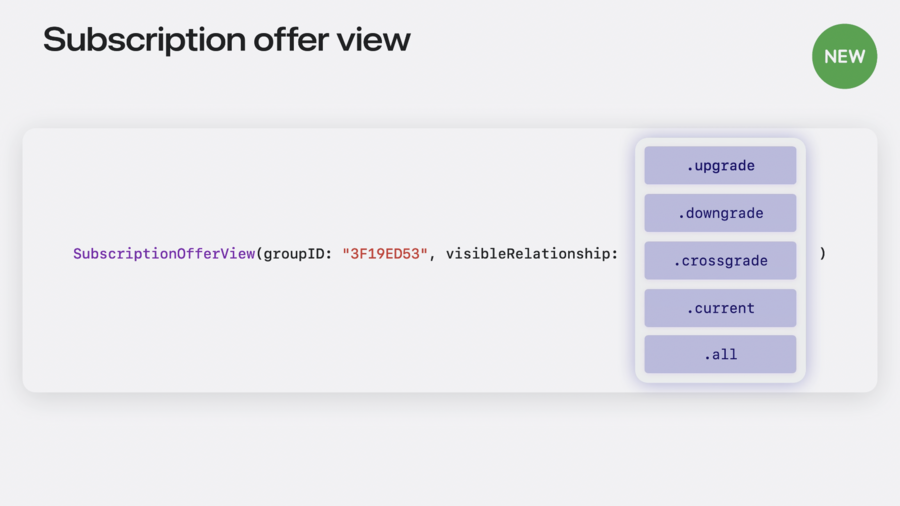
SubscriptionOfferView(groupID:visibleRelationship:)with various options for the latter parameter