
Key Takeaways
Designing for disability helps everyone
Disability arises from the inclusion gap
Support multiple senses and offer customization
Adopt Accessibility APIs and track inclusion debt
Presenters
Chris Romney, Apple Design Team
Lisa Mirth, Apple Design Team
Why consider inclusive app design?
About 1 in 7 people worldwide lives with some form of disability, so your app could be used by anyone
Including disability in your design makes the app work for more people and sparks more creativity
Inclusive design considers a wide range of people: disability, other languages, race and ethnicity, cultures, age, education, gender, family, environment, and more
Disability can be situational, temporary, or permanent (e.g. temporary hearing loss after a loud concert, or a place where you cannot speak out loud)
Designing this way benefits you and the people you care about, now and in the future
It helps to think about five categories: Vision, Hearing, Motor, Speech, and Cognitive. Treat each as a spectrum, since everyone is different.
The inclusion gap
Abilities exist on a spectrum, with different aspects and levels
e.g. blindness is not all-or-nothing: someone legally blind may still perceive color, light, and large objects
adding the word “some” (e.g. “some vision”) reminds you of the spectrum and leads to more inclusive decisions

Disability is not just a characteristic of the body or mind; it depends heavily on the environment
abilities also change over a lifetime, and everyone’s arc is different
Inclusion gap: the difference between what a person can actually do and what society expects, which is where disability is really born
e.g. a wheelchair user cannot reach the second floor without an elevator, but with one there is no problem, so ability depends on how the environment is designed
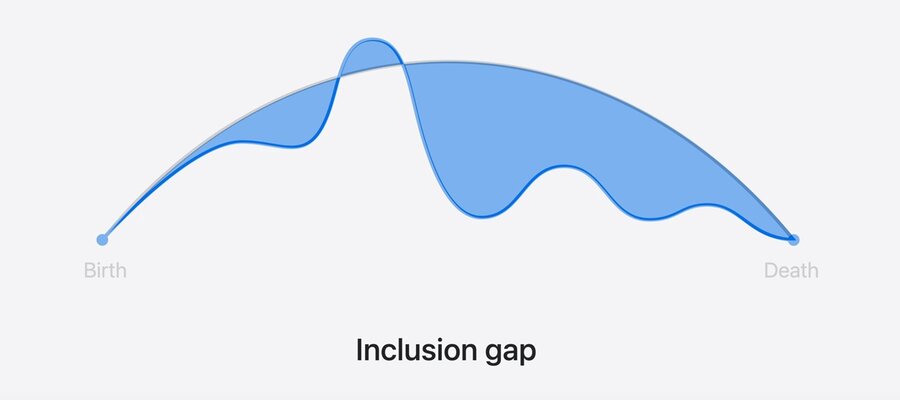
“Nothing about us without us”: involve members of the disability community to gain real insight instead of making assumptions
Practical things to make an app more inclusive
1. Support Multiple senses
Let people get information and provide input in more than one way, so the app does not rely on a single sense
e.g. captions give a visual way to access audio (and also help people who need to stay quiet)
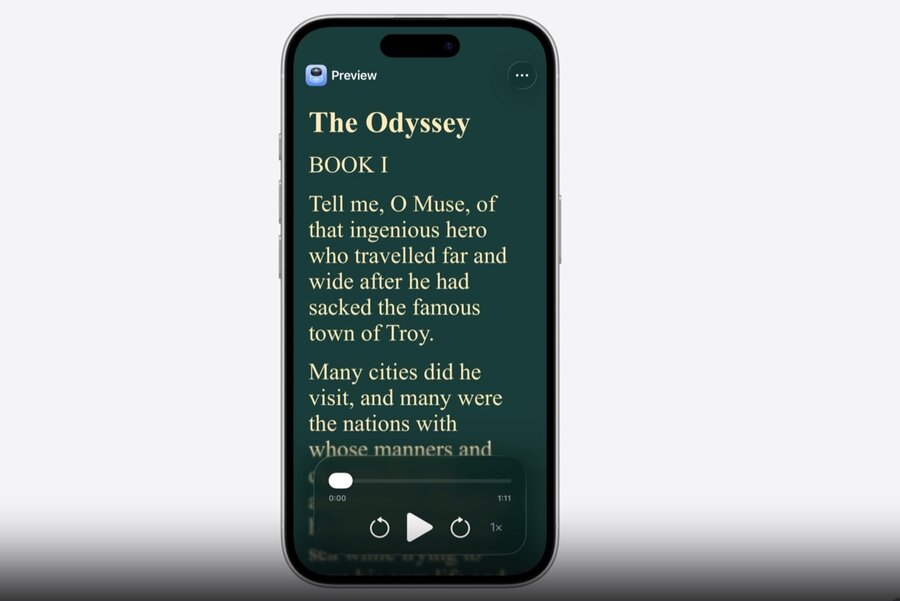
Accessibility Reader: shows visual text, plays it aloud, and highlights words as they are read, combining sight and hearing
Check that people can use their different senses: sight, hearing, touch, voice, and cognitive skills
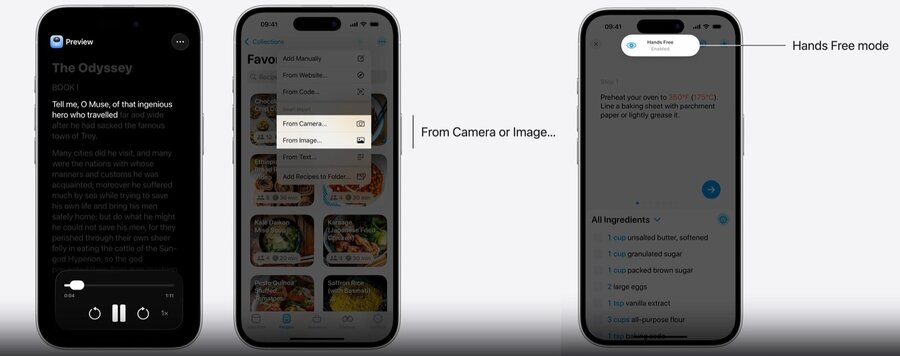
2. Provide customization
Let people personalize the UI and interactions for each sense, so the app adapts to people rather than the other way around
e.g. Accessibility Reader lets you adjust text size, colors, and fonts (including high-legibility characters)
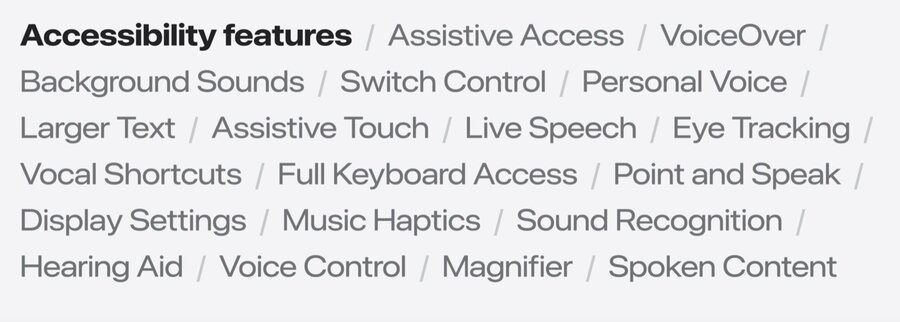
3. Adopt Accessibility APIs
Adopt Apple’s Accessibility APIs so your app works with the assistive technologies people rely on
VoiceOver: add accessibility labels and actions so people can use the app without seeing the screen
Switch / Voice Control: let people use a touchscreen without having to touch the screen
Larger Text: scales text up to 3x, so add layout adjustments to keep it legible
Learn more: developer.apple.com/accessibility
4. Track inclusion debt
Inclusion is a journey, not a one-time task
gaps are normal, like technical debt (“inclusion debt”)
Be aware of the gap so you can plan to close it, and treat it as an opportunity for creativity and innovation
Collaborate with people who have disabilities to discover and close the gap
Next Steps
Learn more about the Accessibility APIs: Catch up on accessibility in SwiftUI
Highlight your app’s accessibility on the App Store: Evaluate your app for Accessibility Nutrition Labels
