
Key Takeaways
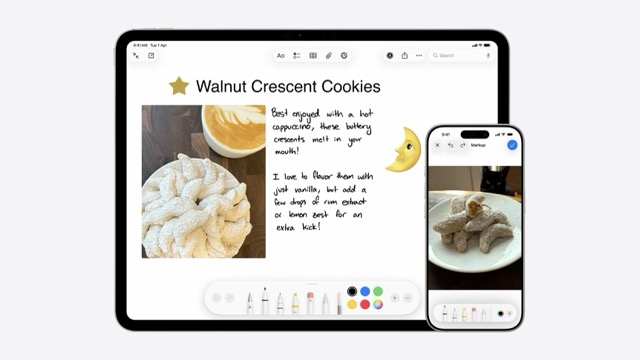
📝 PaperKit provides a canvas that you can draw on and add a variety of markup elements to
🔩 Canvas View Controllers can be incorporated in UIKit or SwiftUI
🎨 Custom feature sets can be provided to match your app’s experience
Presenters
Andreea Buzilla, Pencil & Paper Engineer
PaperKit
Framework that powers the system-wide markup experience
Provides a canvas that you can draw and add a variety of markup elements to
Available on macOS, iOS, iPadOS, and visionOS
How to Use
PaperMarkupViewControllerinteractively creates and displays PaperKit markup and drawingPaperMarkuphandles saving and loading PaperKit markup and PencilKit drawing dataMarkupEditViewControlleris an insertion menu that allows annotation with markup elements into the canvas.Can be integrated into a SwiftUI view using
UIViewControllerRepresentableorNSViewControllerRepresentable
PapeKit in iOS
override func viewDidLoad() {
   super.viewDidLoad()

   let markupModel = PaperMarkup(bounds: view.bounds)
   let paperViewController = PaperMarkupViewController(
      markup: markupModel,
      supportedFeatureSet: .latest
   )

   view.addSubview(paperViewController.view)
   addChild(paperViewController)
   paperViewController.didMove(toParent: self)
   becomeFirstResponder()

   let toolPicker = PKToolPicker()
   toolPicker.addObserver(paperViewController)

   pencilKitResponderState.activeToolPicker = toolPicker
   pencilKitResponderState.toolPickerVisibility = .visible
}
PaperKit in macOS
override func viewDidLoad() {
   super.viewDidLoad()

   let markupModel = PaperMarkup(bounds: view.bounds)
   let paperViewController = PaperMarkupViewController(
      markup: markupModel,
      supportedFeatureSet: .latest
   )

   view.addSubview(paperViewController.view)
   addChild(paperViewController)

   let toolbarViewController = MarkupToolbarViewContro(supportedFeatureSet: .latest)
   toolbarViewController.delegate = paperViewController
   view.addSubview(toolbarViewController.view)

   setupLayoutContraints
}
Feature Sets
A
FeatureSetdefines the capabilities and tools exposed to both the marku and insertion controllers..latestgives you the full set of markup features supported by PaperKit.
HDR Support
HDR support can be enabled by setting the
colorMaximumLinearExposureto a number greater than 1As the
colorMaximumLinearExposurevalue increases the dynamic range increases
var featureSet: FeatureSet = .latest

featureSet.remove(.text)
featureSet.insert(.stickers)

// HDR Support
featureSet.colorMaximumLinearExposure = 4
toolPicker = colorMaximumLinearExposure = 4

let paperViewController = PaperMarkupViewController(supportedFeatureSet: featureSet)
let markupEditViewController = MarkupEditViewController(supportedFeatureSet: featureSet)
Loading Data from Disk
It is essential to verify the content version when loading data from disk
When handling mismatched versions there are two common approaches
Presenting an alert to inform of the need to upgrade
Showing a pre-rendered thumbnail of the markup
Generating a thumbnail
func updateThumbnail(_ markupModel: PaperMarkup) async throws {
   // Set up CGContext to render thumbnail in
   let thumbnailSize = CGSize(width: 200, height: 200)
   let context = makeCGContext(size: thumbnailSize)

   context.setFillColor(gray: 1, alpha: 1)
   context.fill(renderer.format.bounds)

   // Render the PaperKit markup
   await markupModel.draw(in: context, frame: CGRect(origin: .zero, size: thumbnailSize))

   thumbnail.context.makeImage()
}