
Summary
The App Store Connect API has been updated to enhance automation in app development processes.
New features include the Webhooks API, BuildUpload API, and Feedback API.
Webhooks provide push notifications for app-related events, improving efficiency by replacing constant polling.
The Build upload API enables automated build uploads with structured error handling.
TestFlight APIs automate beta testing processes, including build distribution and review notifications.
The Feedback API allows developers to quickly receive and act on tester feedback, including screenshots and crash reports.
Recommendations include setting up webhook listeners and leveraging additional API capabilities for faster development cycles.
Presenters
Dajinsol Jeon, App Store Connect Team
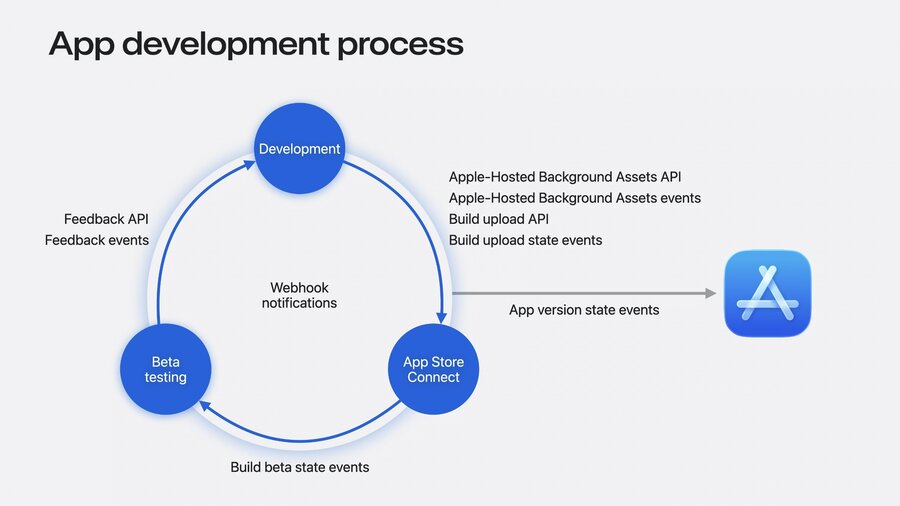
Webhook Notifications
Webhook notifications transform traditional API polling into push communication between servers.
They allow the creation of event-driven workflows, enhancing efficiency.
App Store Connect sends notifications directly to your server when specified app-related events occur.
Supported events:
TestFlight feedback submission
App version state
Build upload state
Build beta state
Apple-Hosted Background Assets state
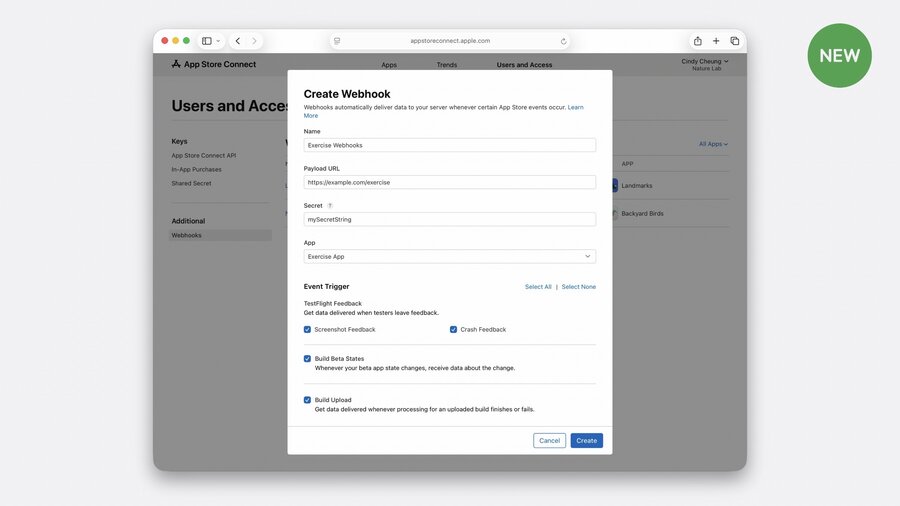
To set up, provide App Store Connect with the URL of your webhook listener (an HTTP server).
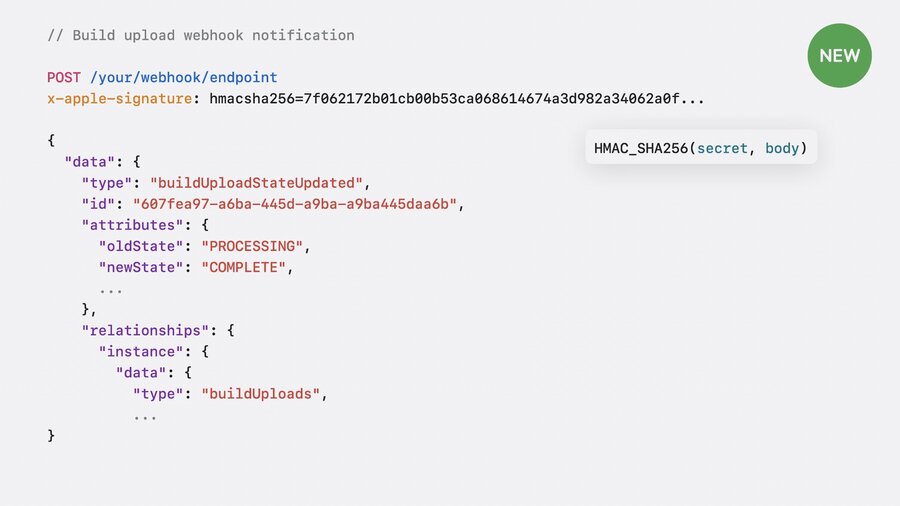
Upon relevant changes, App Store Connect sends a POST request to the registered URL with event information.
This year’s webhook notifications include events like new TestFlight feedback submissions and build state changes.
Notifications include a signature for verifying authenticity, using a secret key shared only with App Store Connect.
BuildUpload API
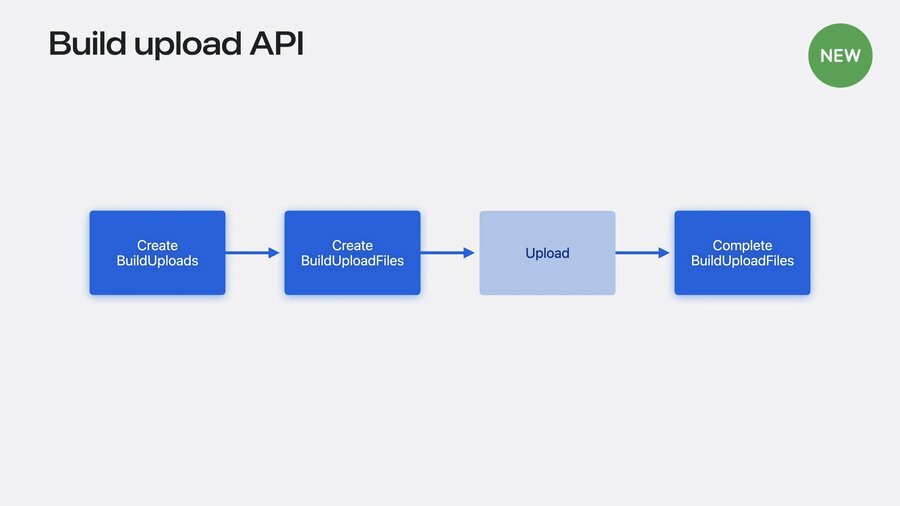
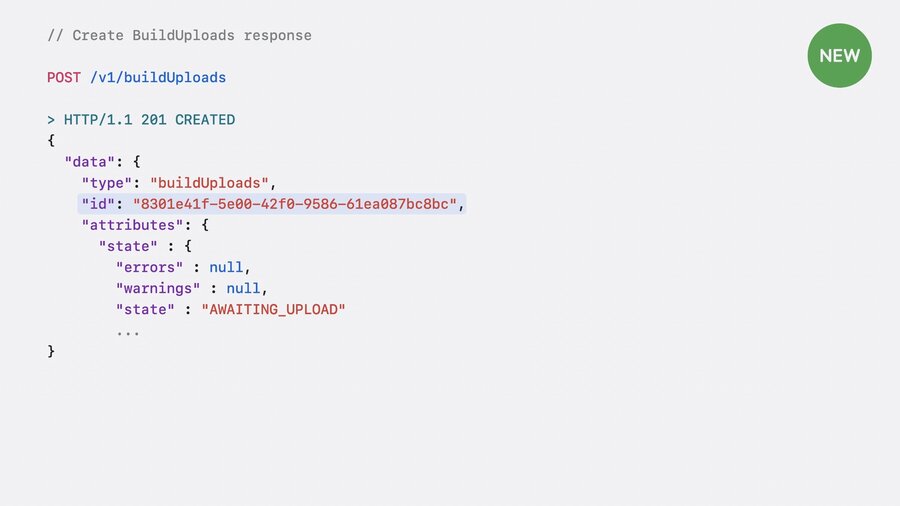
The BuildUpload API automates the process of uploading builds to App Store Connect.
It is part of the standardized App Store Connect APIs, allowing integration with any language or platform.
The API provides detailed error messages to assist with automated error handling.
To use the API:
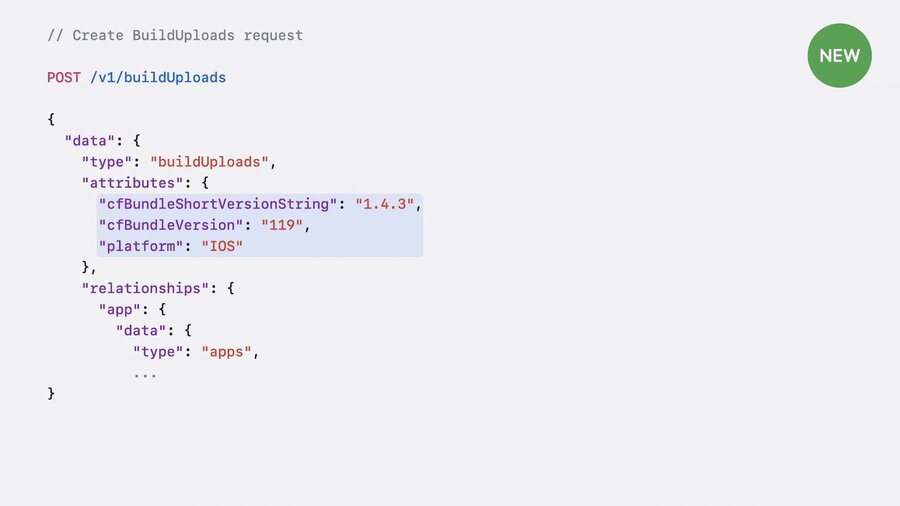
Start by creating a BuildUpload with build version and target platform details.
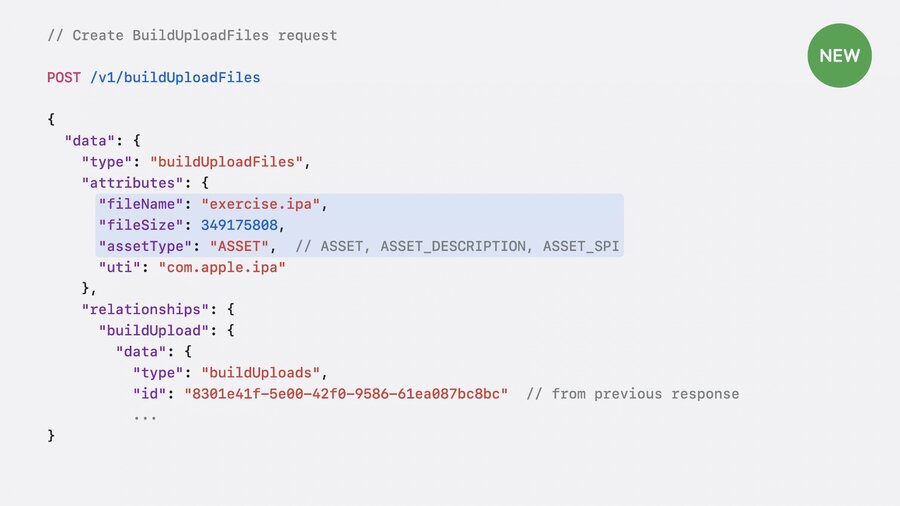
Next, provide the details of your build file using BuildUploadFiles.
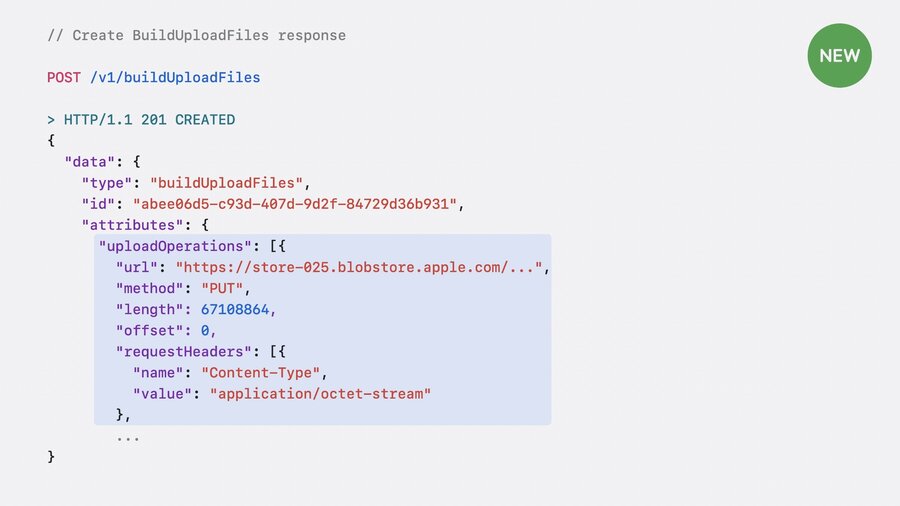
App Store Connect gives instructions on how to upload your build, including URL and headers.
Large builds may require multiple HTTP calls for uploading in chunks.
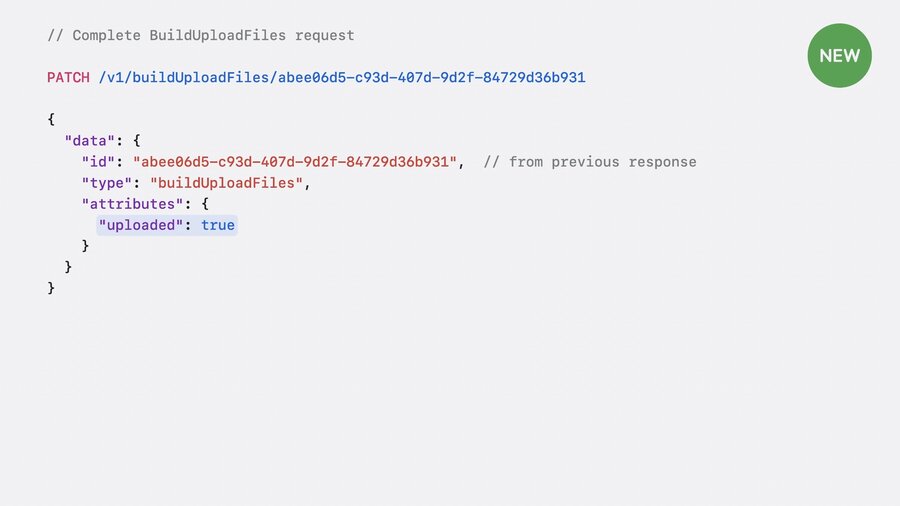
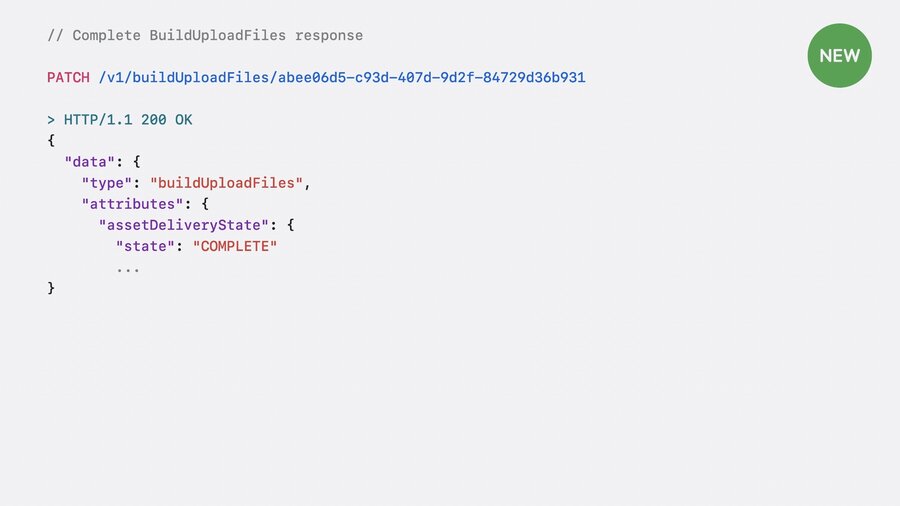
After uploading, notify App Store Connect by marking the upload as complete, triggering build processing.
Webhook notifications inform you immediately when build processing is complete.
Beta Testing Builds
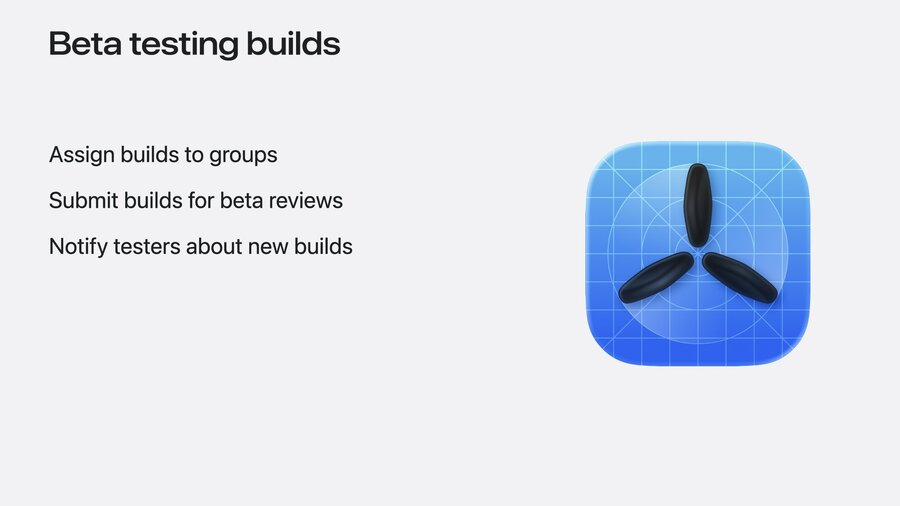
Once a build is processed by App Store Connect, it can be distributed to beta testers using TestFlight.
Builds can be assigned directly to specific beta tester groups.
External testers require the build to pass Beta App Review before distribution.
Notifications to testers about new builds can be automated using TestFlight APIs.
The build beta state webhook event notifies developers when TestFlight beta review is complete.
The webhook payload includes the updated state and specific build ID, indicating readiness for external testing.
Feedback API
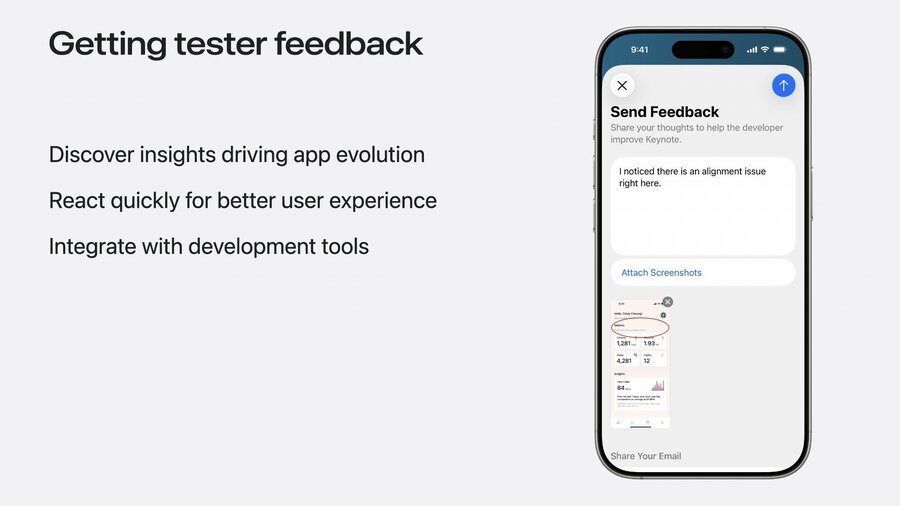
The Feedback API allows developers to retrieve tester feedback quickly and efficiently.
It supports both screenshot feedback for UI issues and crash feedback for app crashes.
Receiving feedback promptly enables faster responses, improving user experience.
Webhook events notify developers of new feedback submissions as they occur.
A feedback notification contains minimal information, including feedback type and related instance ID.
The Feedback API can be used to retrieve detailed information about feedback submissions.
Screenshot URLs included in the feedback can be used to download images programmatically.
Crash feedback can be retrieved similarly, with crash logs accessible via the crashLog endpoint.
Additional Development APIs
New APIs are available to automate asset management for Apple-Hosted Background Assets.
App version state webhook events notify developers about changes in the app’s state on the App Store.
These APIs complete the development process from initial development through testing to release.
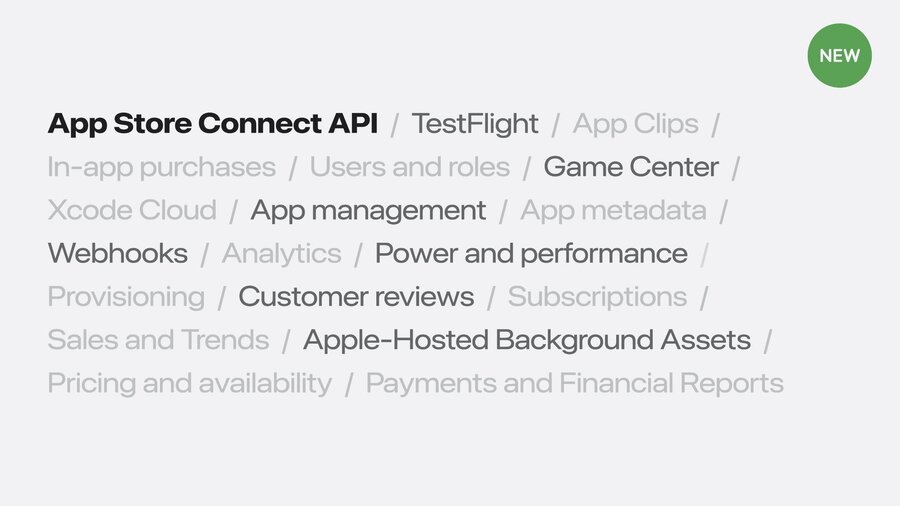
App Store Connect offers many existing APIs to automate various stages of the development workflow.
Automating daily tasks with these APIs allows developers to focus more on enhancing user experience.
Recommendations
Build webhook listeners so that you can receive webhook notifications from App Store Connect.
Implement reactive behaviors based on webhook events to automate your processes.
Explore what else the App Store Connect API offers and use these APIs in your automation for an even faster development cycle
