
Key Takeaways
🌐 New WebView in SwiftUI
🔗 Handle web cotent, navigation & interact with JS with the new WebPage class
🗺️ Easier to control the scroll position
🔍 Easier to perform find-in-page
Load and display web content
Displaying web content
New SwiftUI API:
WebView(url:)New observable class that represent your web content:
WebPage
WebPage can be used to load, control and communicate with web content. It can be used completely on its own or combine with webview to build rich experiences for web content.
struct ContentView: View {
    @State private var page = WebPage()

    var body: some View {
        NavigationStack {
            WebView(page)
                .navigationTitle(page.title)
        }
    }
}
Loading web content
// Loading a URL request
let page = WebPage()
var request = URLRequest(url: item.url)
request.attribution = .user

page.load(request)

// Loading an HTML string
let page = WebPage()
page.load(html: item.html, baseURL: URL(string: "about:blank")!)

// Loading data
let page = WebPage()
let base = URL(string: "about:blank")!
let mimeType = "application/x-webarchive"

page.load(item.webArchiveData, mimeType: mimeType, characterEncoding: .utf8, baseURL: base)
Loading local resources
New protocol:
URLSchemeHandler
// Creating a custom scheme handler
struct LakeResourceSchemeHandler: URLSchemeHandler {
    func reply(
        for request: URLRequest
    ) -> some AsyncSequence<URLSchemeTaskResult, any Error> {
        AsyncThrowingStream { continuation in
            Task {
                let response = await getResponse()
                continuation.yield(.response(response))

                for await dataChunk in getDataStream() {
                    continuation.yield(.data(dataChunk))
                }

                continuation.finish()
            }
        }
    }
}

// Register the lakes:// custom scheme
init(lake: LakeArticle) {
    self.lake = lake

    let scheme = URLScheme("lakes")!
    let handler = LakeResourceSchemeHandler()

    var configuration = WebPage.Configuration()
    configuration.urlSchemeHandler[scheme] = handler

    self.page = WebPage(configuration: configuration)
}

// Providing default articles (using the handler above to deal with the data logic)
extension LakeArticle {
    static let defaults = {
        LakeArticle(
            name: "Lake Tahoe",
            url: URL(string: "lakes://tahoe.html")!,
        ),
        LakeArticle(
            name: "Lake Ontario",
            url: URL(string: "lakes://ontario.html")!,
        ),
    }
}
Communicate with the page
// Getting the current navigation event
let page = WebPage()
guard let event = page.currentNavigationEvent else { return }

let navigationID = event.navigationID

// take actions base on what kind of event it is
switch event.kind { ... }
Navigation progress
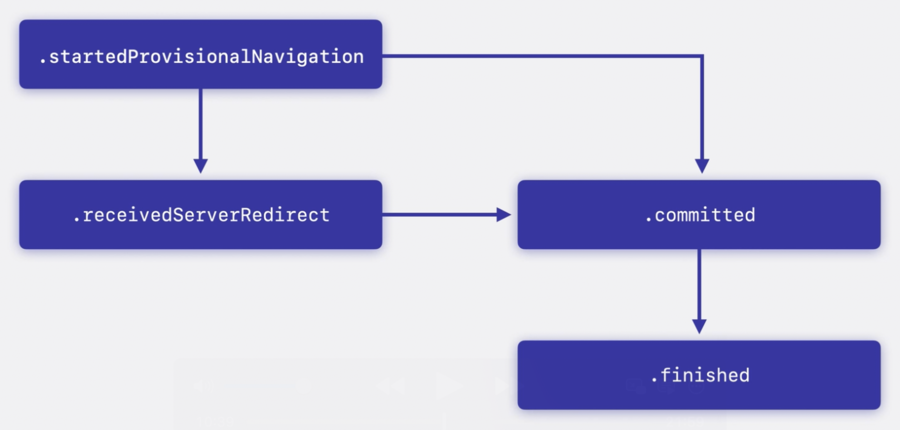
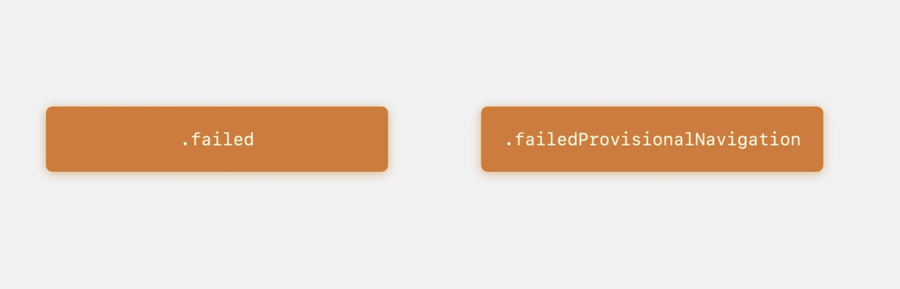
// Continuously observing navigation events
func loadArticle() async {
    let id = page.load(URLRequest(url: lake.url))
    // Available in Swift 6.2
    let events = Observations { page.currentNavigationEvent }

    for await event in events where event?.navigationID = id {
        switch event?.kind {
        case let .failed(error):
            self.currentError = error

        case .finished:
            lake.sections = await parseSections()

        default:
            break
        }
    }
}
What WebPage properties observations can do:
Observing page properties
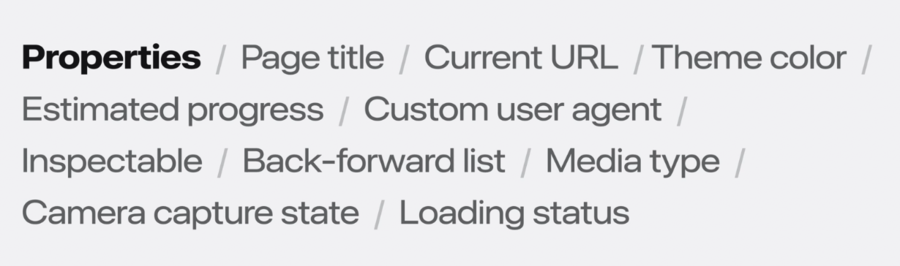
Evaluating JavaScript
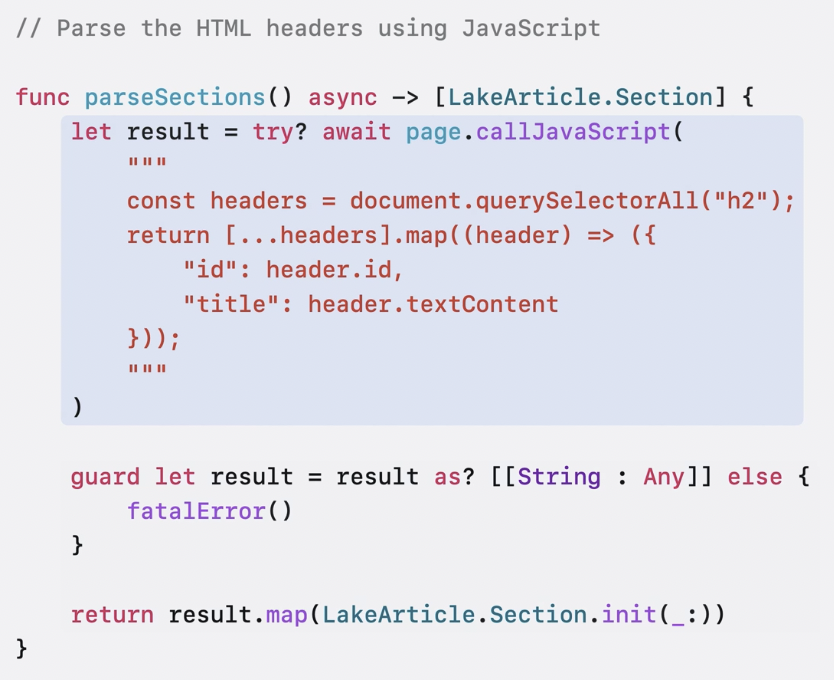
Navigation policies
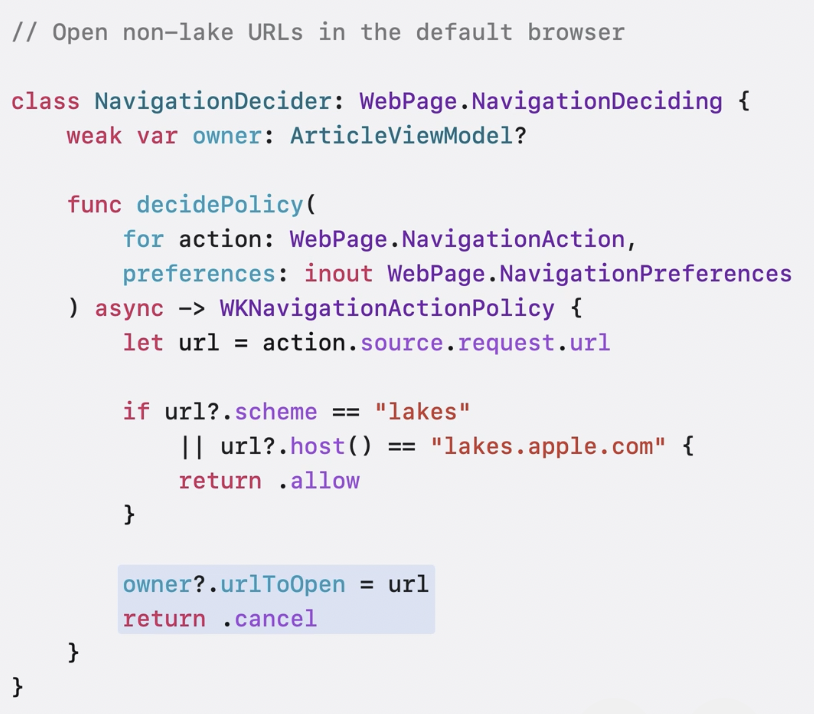
Combined the code below with the NavigationDecider above, we can achieve this:
Handle specific URLs within our apps
Other URLs will be opened with the default browser
private var navigationDecider = NavigationDecider()
var urlToOpen: URL? = nil

init(lake: LakeArticle) {
    // ...
    self.page = WebPage(
        configuration: configuration,
        navigationDecider: navigationDecider,
    )

    self.navigationDecider.owner = self
}

// Observe `urlToOpen` in SwiftUI view and handle the rest of the logic
Customize web content interaction
Configuring scrolling behavior
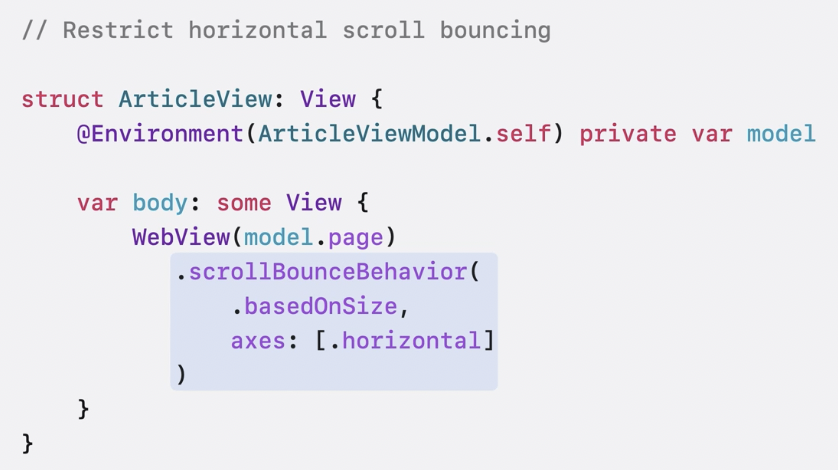
Can also enabling Look to Scroll on visionOS with: .webViewScrollInputBehavior(.enabled, for: .look), for more information check webViewScrollInputBehavior(_:for:).
Enabling find-in-page
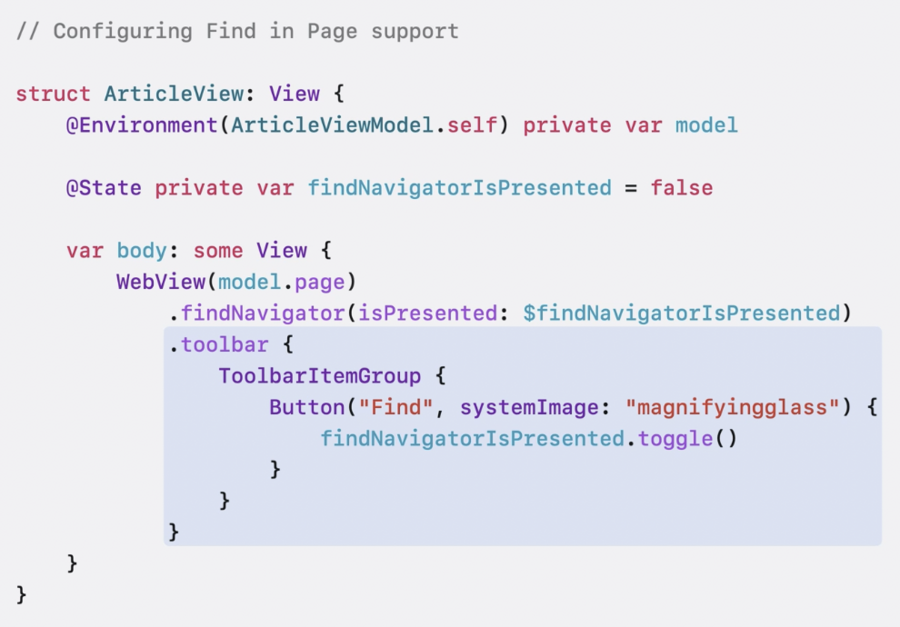
Scrolling to a position
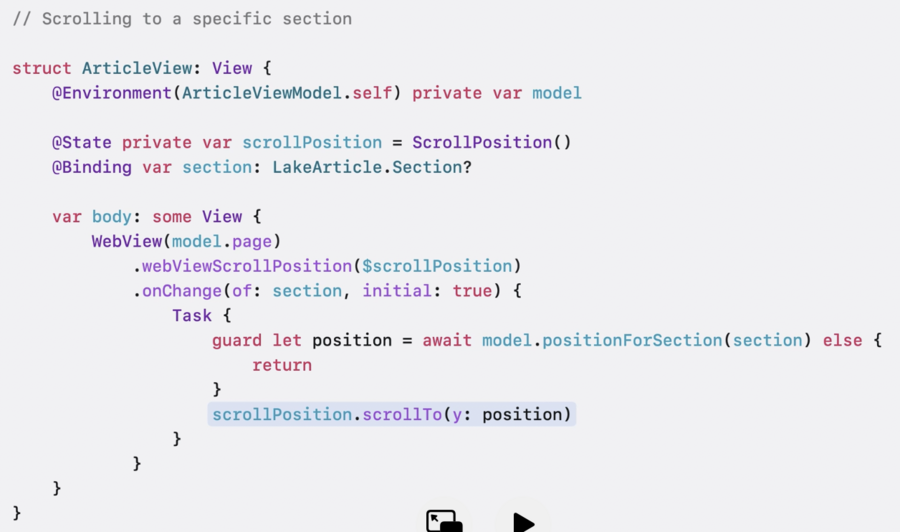
Can use the new modifier to observe scroll position changes in WebView: .webViewOnScrollGeometeryChange(for:of:action:)
Next steps
Migrate to the new API
Explore what’s new in Swift and SwiftUI
Share your feedback
