
Summary
Upcoming Events in Poster Event Tickets enable multiple events per ticket with rich details and maps integration.
Boarding passes get dynamic updates via Apple’s flight service, live activities, and enhanced UI with badges and services.
Semantics in pass.json drive UI content and automatic updates for both event tickets and boarding passes.
New PKPassLibrary API allows background adding of passes after one-time user authorization, improving UX for frequent users.
Backwards compatibility ensured by augmenting existing passes with new semantics and URLs without breaking older OS versions.
Upcoming Events in Wallet Tickets
Single pass supports multiple upcoming events (via
upcomingPassInformationarray in pass.json).Config:
Each event object includes
type: "event", unique ID, display name, and date.Supports semantic tags (
semanticsobject) for venue, performers, seating, etc.Additional UI elements:
additionalInfoFields,backFields,URLsfor actions, andimagesincluding customheaderImage.
UI Behavior:
Header image customizable per event; support for multiple image resolutions for iOS/watchOS.
Venue info links to Maps (using
venueName,venuePlaceID,venueLocationsemantics).Event guide shows rich details, weather, venue map (can reuse pass venue map with
reuseExisting).
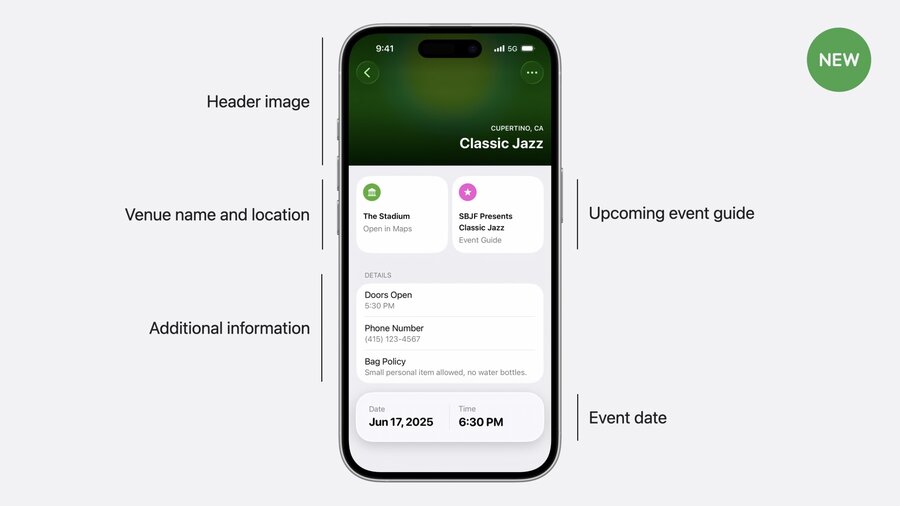
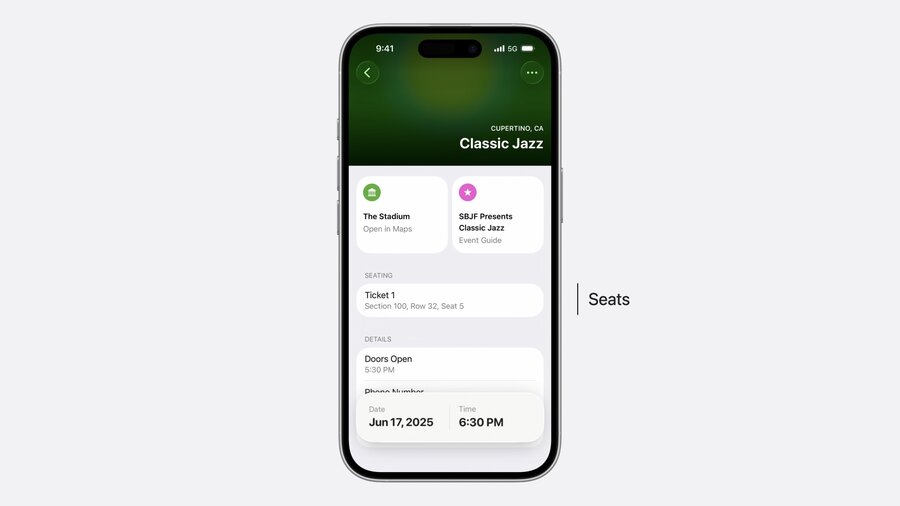
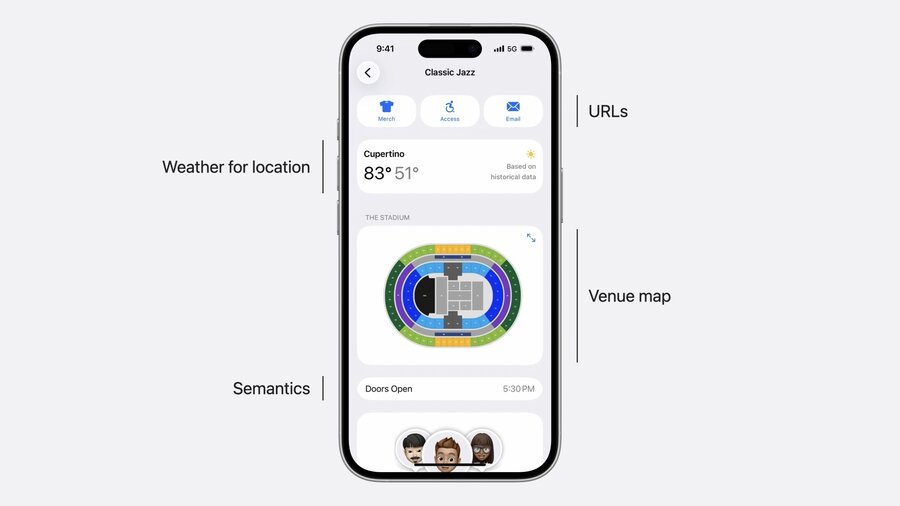
Updates & Maintenance:
Use
isActiveproperty to mark event relevance.Events can be added or removed via pass updates to keep info current.
Encouraged to tailor semantics & URLs per event distinct from the main pass.
// pass.json
{
  "upcomingPassInformation": [
    {
      "type": "event",
      "identifier": "classic-jazz",
      "name": "Classic Jazz",
      "dateInformation": {
        "date": "2025-06-1718:30:00-08:00",
        "timeZone": "America/Los_Angeles"
      },
      // Properties describing the event
      "semantics": {
        "venueName": "The Stadium",
        "venuePlaceID": "I7C250D2CDCB364A",
        "venueLocation": {
          "latitude": 37.334859,
          "longitude": -122.009040
        },
        "performerNames": [
          "South Bay Jazz Festival Quartet"
        ],
        "seats": [
          {
            "seatSection": "100",
            "seatRow": "32",
            "seatNumber": "5",
          }
        ]
      },
      // Additional ticket information
      "additionalInfoFields": {},
      // Extra information
      "backFields": {},
      // Actions for the event guide
      "URLs": {
        // Same as pass.json root
        "sellURL": "https://www.apple.com/sbjf/25/sell",
        "transferRL": "https://www.apple.com/sbjf/25/transfer",
        "bagPolicyURL": :"https://www.apple.com/sbjf/bag-policy",
      },
      // Images related to this event
      "images": {
        "headerImage": {
          "URLs": [
            {
              "URL": "https://www.apple.com/sbjf/2025/classic-3x.png",
              "SHA256": "4b833b...",
              "scale": 3,
            }
          ]
        }
      }
    }
  ]
}
Upgraded Boarding Passes
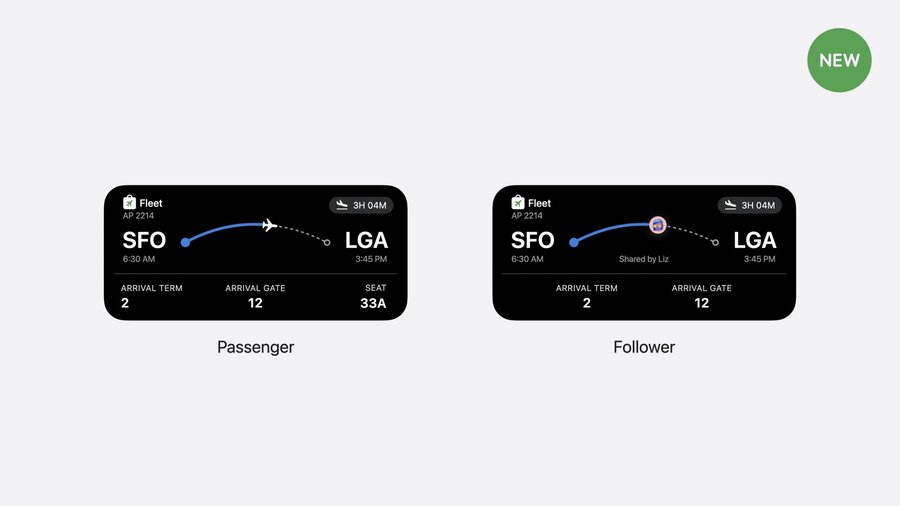
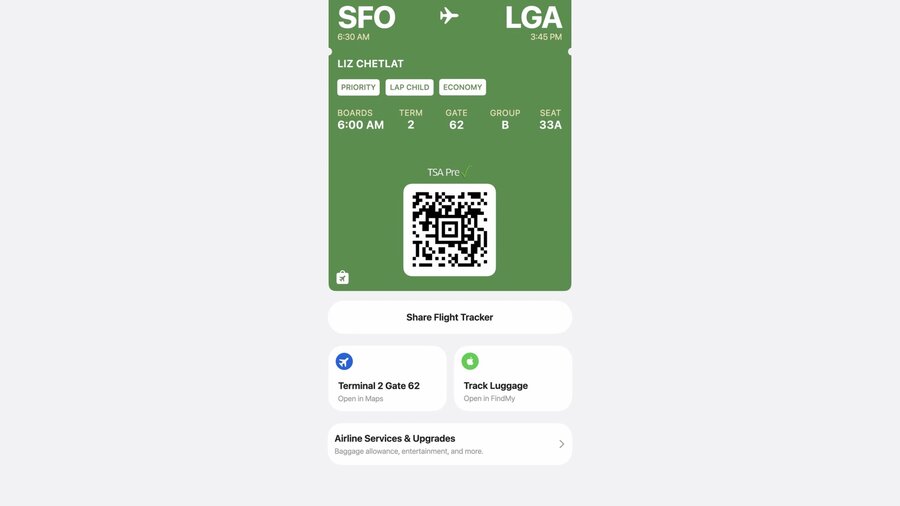
New Design: More dynamic and configurable, tightly integrated with Apple’s flight service.
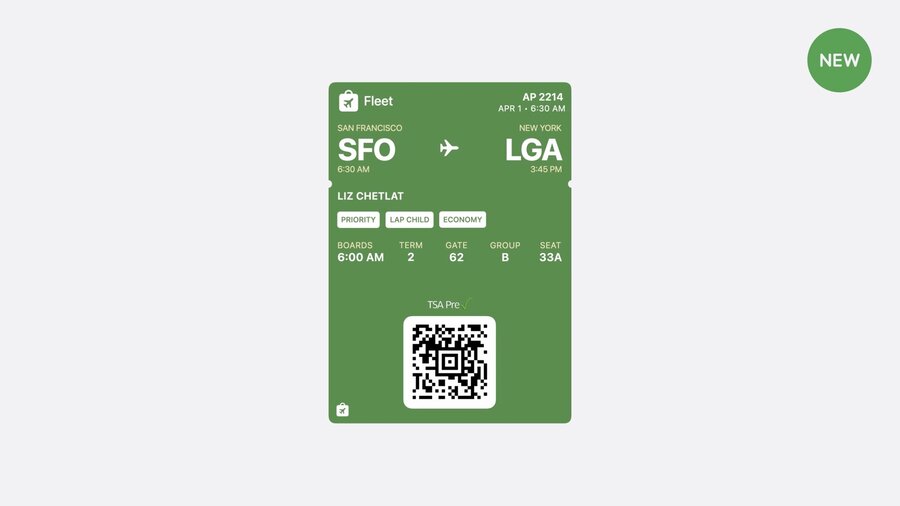
Flight Tracking:
Auto-sync flight status, gate changes, delays.
Live Activities provide real-time flight info, shareable via Messages.
Semantics-driven UI:
Required:
airlineCode,flightNumber,originalDepartureDatefor flight tracking.Updates use
currentDepartureDateandcurrentArrivalDate; original dates only if rescheduled.Boarding time auto-adjusts based on boarding duration (from
originalBoardingDateandcurrentBoardingDate).
Badges:
Display important info like fare class, accessibility, carry-on eligibility.
Supports IATA SSR codes via
passengerServiceSSRs.Wallet auto-generates badges based on semantics without explicit badge objects.
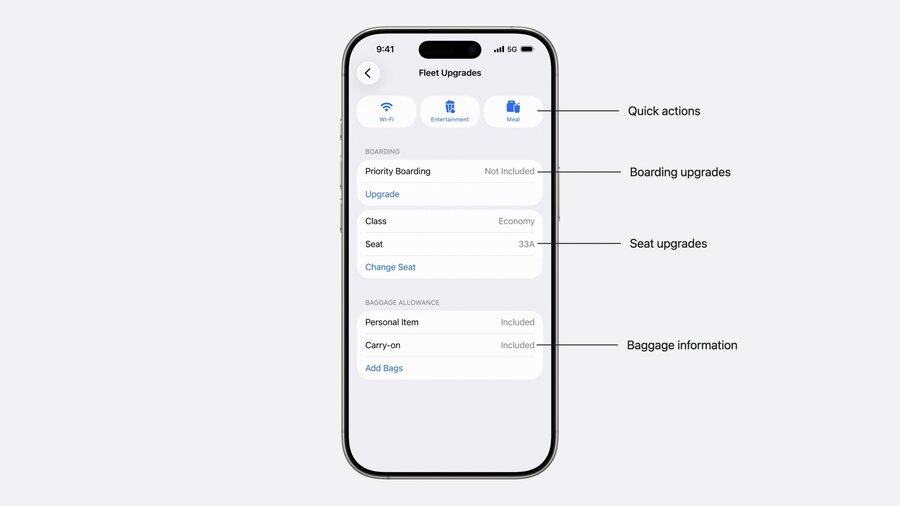
Airline Services & Upgrades Screen:
Configure action buttons using URLs in pass.json (e.g., lounge access, Wi-Fi purchase).
Add semantics (e.g.,
airlineLoungePlaceID) to enrich context (Maps preview).Supports actions before, during, after flight.
// pass.json
{
  "organizationName": "Fleet Air",
  "description": "AP2214 SFOLGA on April 1, 2025",
  "semantics": {
    "passengerServiceSSRs": [
      "SVAN", // service animal
      "WCOB", // on-board wheelchair needed
    ],
    "ticketFareClass": "Economy",
    "priorityStatus": "Platinum",
  },
  "purchaseAdditionalBaggageURL": "https://fleet.com/services/add-checked-bags",
  "purchaseLoungeAccessURL": "https://fleet.com/services/lounge-access",
  "changeSeatURL": "https://fleet.com/tickets/123/change-seat",
  "purchaseWifiRL": "https://fleet.com/services/add-checked-bags",
  "orderFoodURL": "https://fleet.com/services/lounge-access",
  "entertainmentURL": "https://fleet.com/tickets/123/change-seat",
  "reportLostBagURL": "https://fleet.com/support/lost-bags"
}
PKPassLibrary Background Add Passes API
Traditional Flow: User manually adds passes via preview UI.
New Capability:
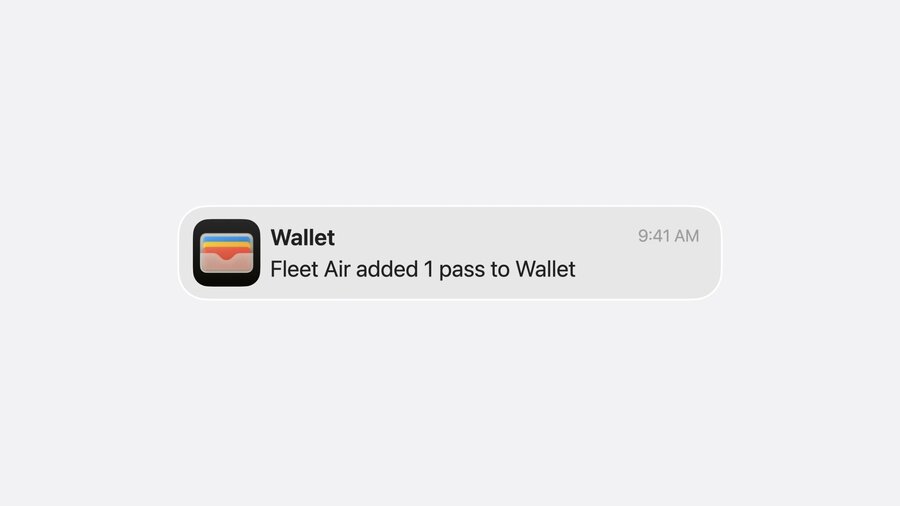
Request one-time user authorization to add passes automatically in background.
Use
requestAuthorization(for: .backgroundAddPasses)to prompt user.Check status with
authorizationStatus(for:).Add passes silently with
addPasses(_:)(accepts array of passes).
User Control: Users can toggle permission in Settings anytime.
Ideal for: Frequent pass additions (e.g., multiple boarding passes/week).
Implementation: Minimal code, similar pattern to push notification permissions.
import PassKit

Task {
  let status = await PKPassLibrary.requestAuthorization(for: .backgroundAddPasses)
  switch status {
    case .authorized:
      // Add passes automatically
      PKPassLibrary().addPasses(passesArray)
    default:
      // Handle denial or restricted status
  }
}
Best Practices & Compatibility
Add new semantics and URLs without removing existing ones to maintain backward compatibility.
Update passes regularly to keep event and flight info relevant.
Use Apple’s documentation to explore all semantics and URL options.
Combine detailed semantic descriptors with URLs for the richest Wallet experience.
Test on multiple OS versions (iOS/watchOS) to ensure graceful fallback.
