
New language-related features shipped
An overview of all new features shipped in iOS 18:
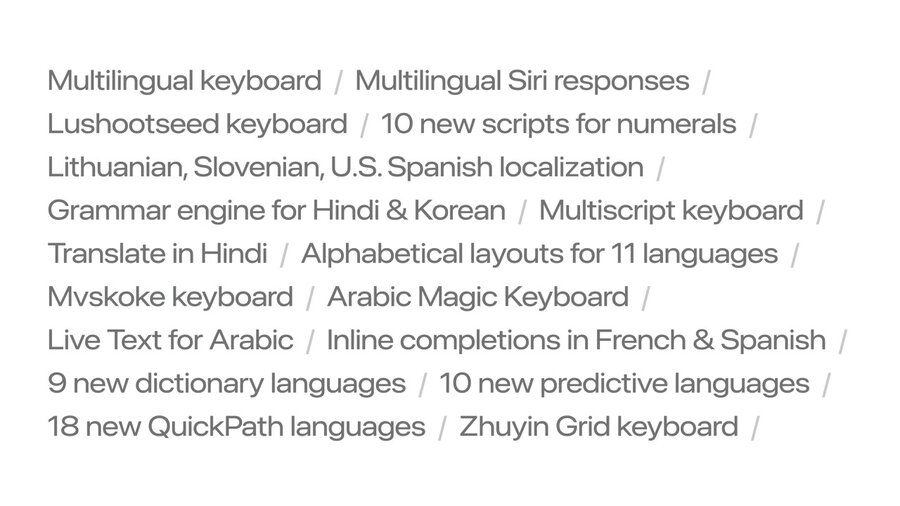
For example, keyboards can now support multiple languages, e.g. allowing to type Korean and English characters in a unified experience.
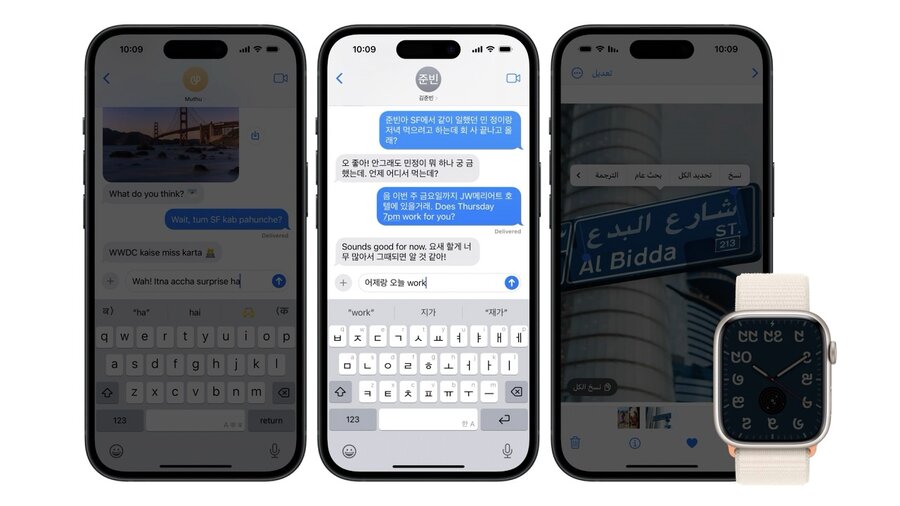
Many features like Live Text detection in the Photos app are now available in more languages.
Input
The keyboard remembers the keyboard by person in the Messages app. You can do the same by overriding textInputContextIdentifier of UIResponder when using UIKit and returning a unique ID per context. A SwiftUI API is not mentioned. 💔
Avoid modifying text input on every key stroke as this disrupts “marked text”, a key feature when typing complex characters in languages like Chinese.
For example, if you want to show a custom in-line completion above the keyboard, check for textView.markedTextRange.empty first to not disrupt the system input behavior. Or just show your search results elsewhere live without interrupting the input.
When executing search in text, always use localizedStandardRange(of:) for search or localizedStandardContains() for filtering to accommodate for common conventional expectations in other languages similar to ignoring casing in search for English.
The behavior was updated this year to even match across different spelling styles commonly used in Indian languages.
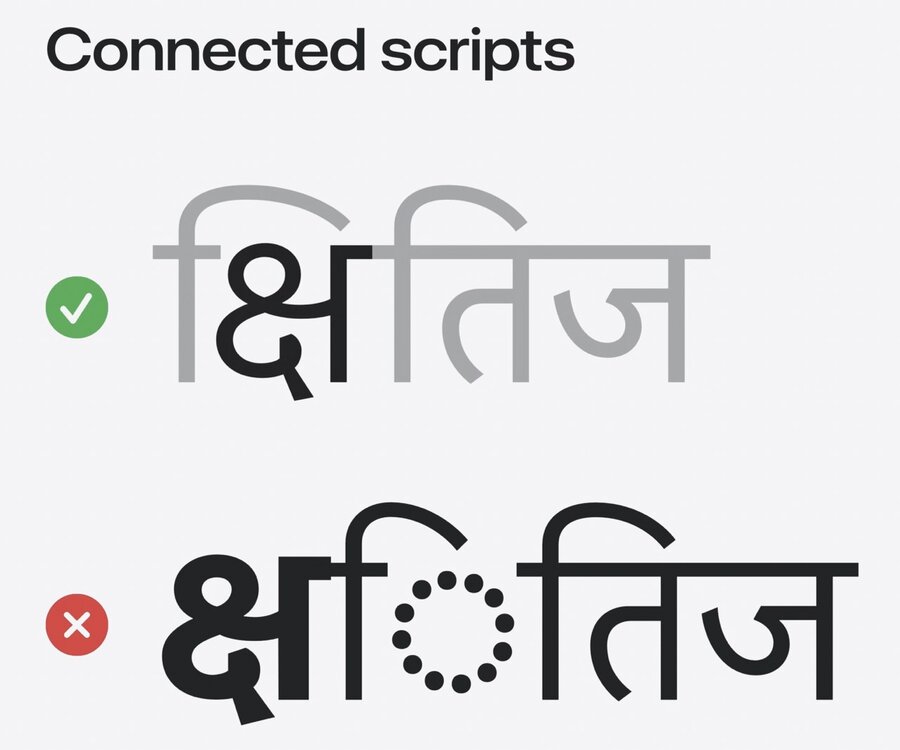
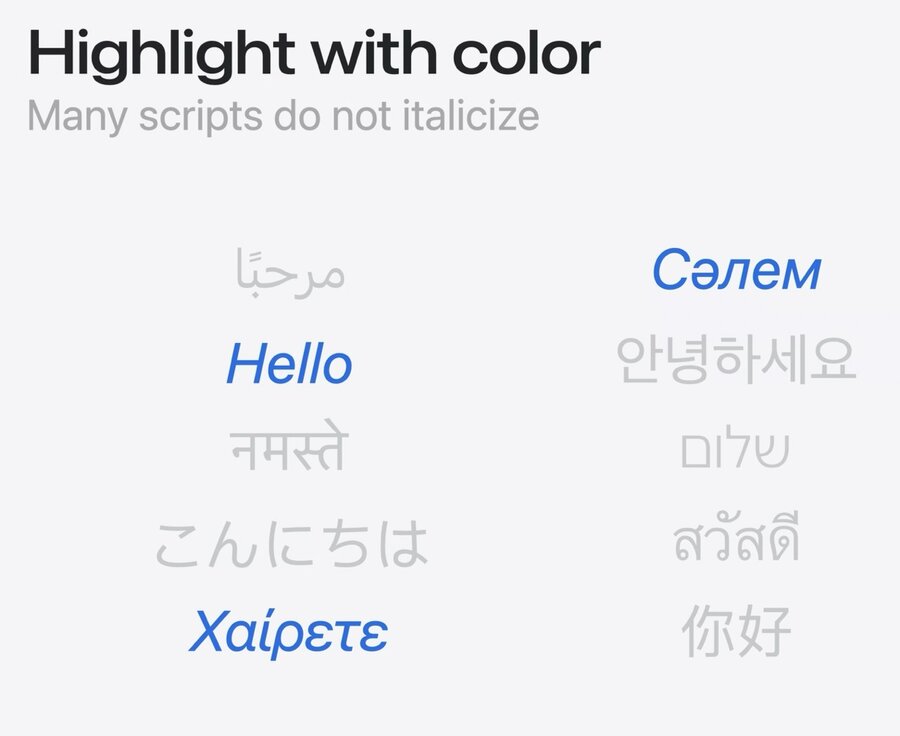
Also, rather than making matched keys bold in matched searches, it’s better to use color to highlight. This is because in some scripts the lettera are connected through lines and making their text bold looks broken.
Also, many scripts don’t have a concept of italic text, so also avoid that to highlight text.
Display
Make sure to use TextKit 2 (built in to SwiftUI, UIKit, and AppKit) or some scripts like Urdu will render incorrectly.
Use built-in text styles to avoid line height issues. And don’t set clipsToBounds to true for text views as some languages need to leave the boundaries of a text view to be legible.
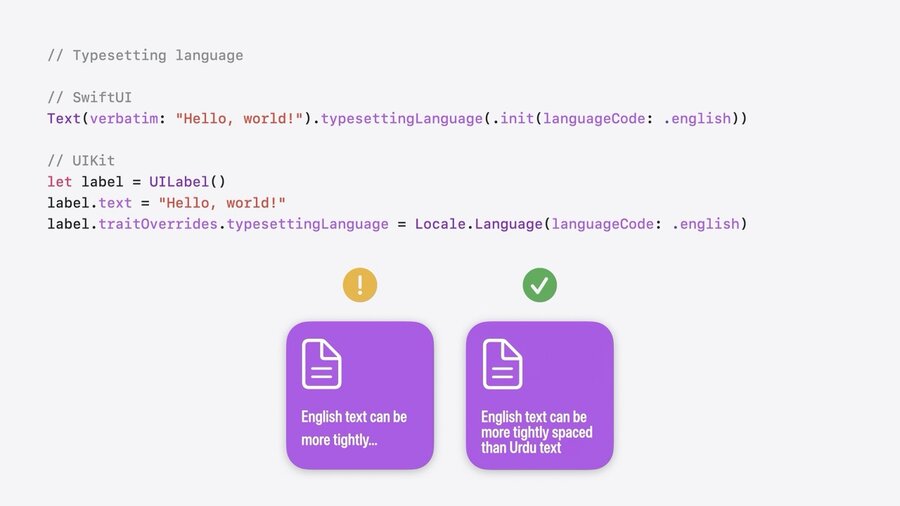
If you know the language of a text field for sure, you can manually set the typeSettingLanguage to get the best use of space while making sure a text stays legible.
Don’t just use a given name when displaying names, this is inappropriate in some cultures like Japanese. Instead, use PersonNameComponents and call formatted(.name(style: .short) on it. For monograms, you can use the style .abbreviated instead.
Localization
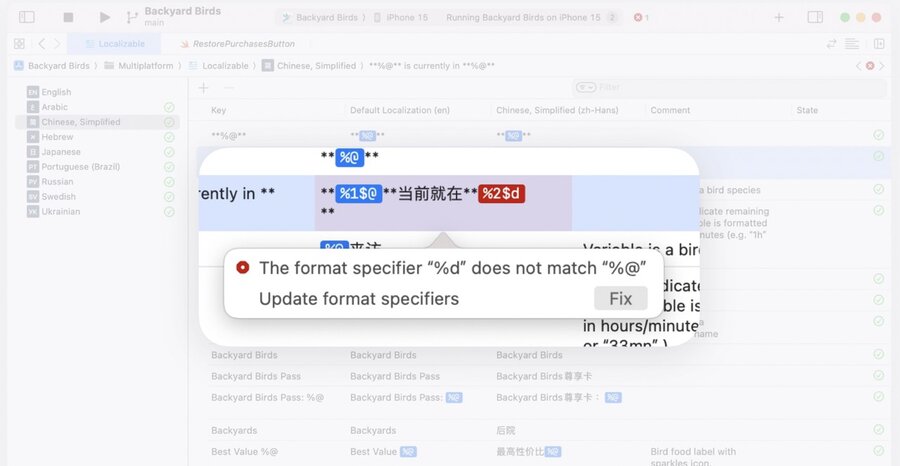
String Catalogs now detect common translation issues such as mismatched format specifification identifiers.
You can now mark specific strings as “Don’t translate” to let your translators know that these are not finalized yet.
If you want to know where a localized String is used, just right-click and select “Jump to source”. Works also the other way around. ✨
The grammar engine (see Unlock the power of grammatical agreement) now also supports Hindi and Korean to inflect things like gender or particles.
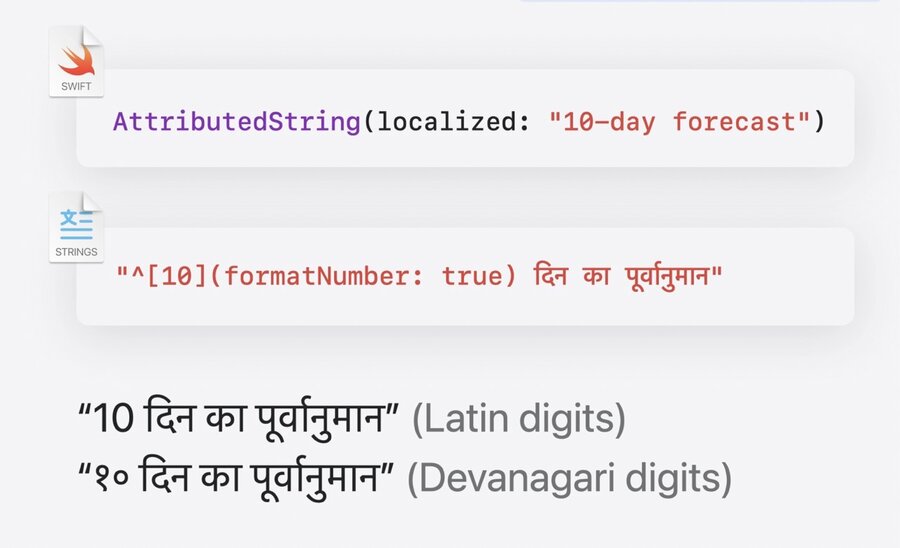
Also make sure to use formatters whenever numerical values are involved. This is true even if you have small numbers without units like 5 because not all languages use arabic number script.
You can now format numbers with inflection by using something like ^[10](formatNumber: true). This not only handles scripts but also decimal separators for floating-point numbers.
Users have been able to select a different language for each app if they had multiple languages configures in their device since iOS 17. To let users select a different language for your app even if they don’t have multiple configured, you can set UIPreferesShowingLanguageSettings to YES in your Info.plist file.
It’s also recommended to use SF Symbols for localization purposes as these are localized to a variety of languages and scripts.
