
Design Overview
New design for the launch experience you can adopt, looks like this:
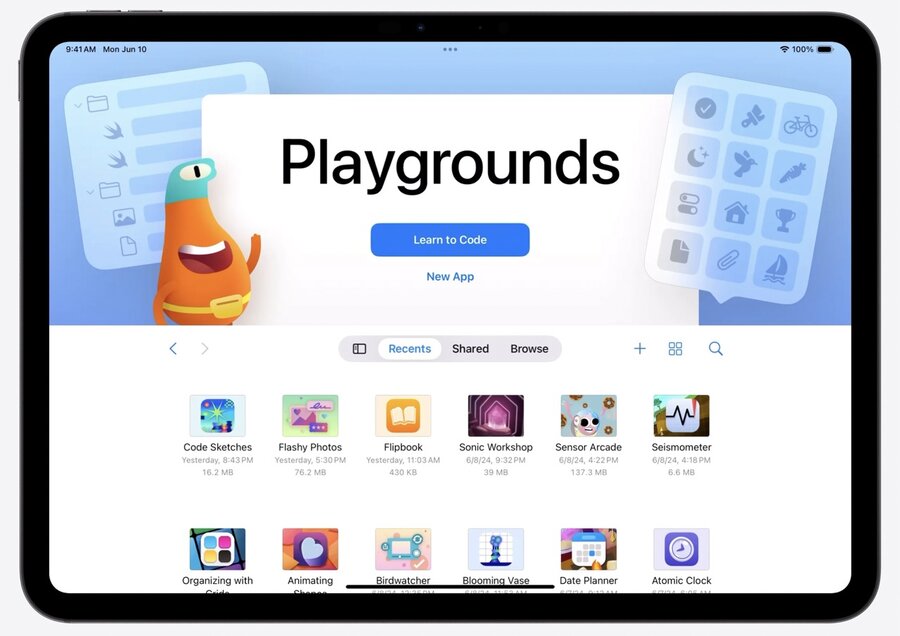
The header ist customizable, with a background color or image, foreground and background accessory views, and primary and secondary buttons:
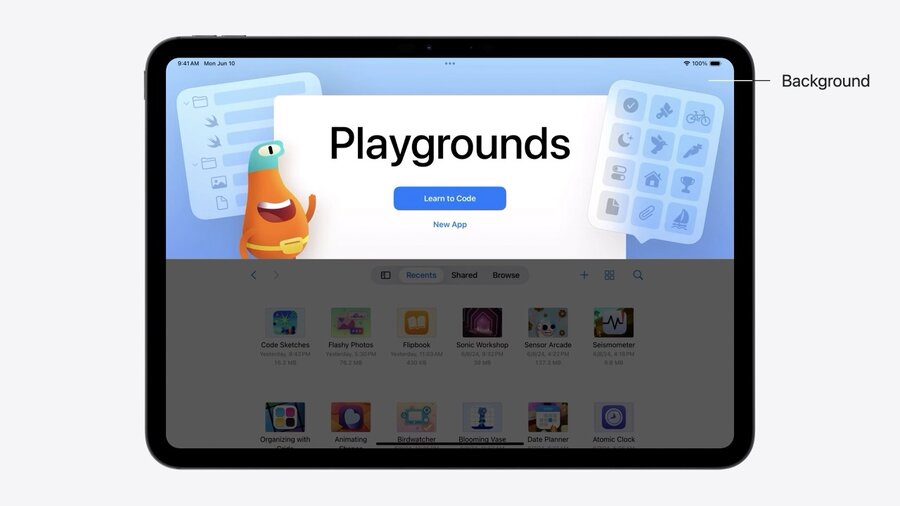
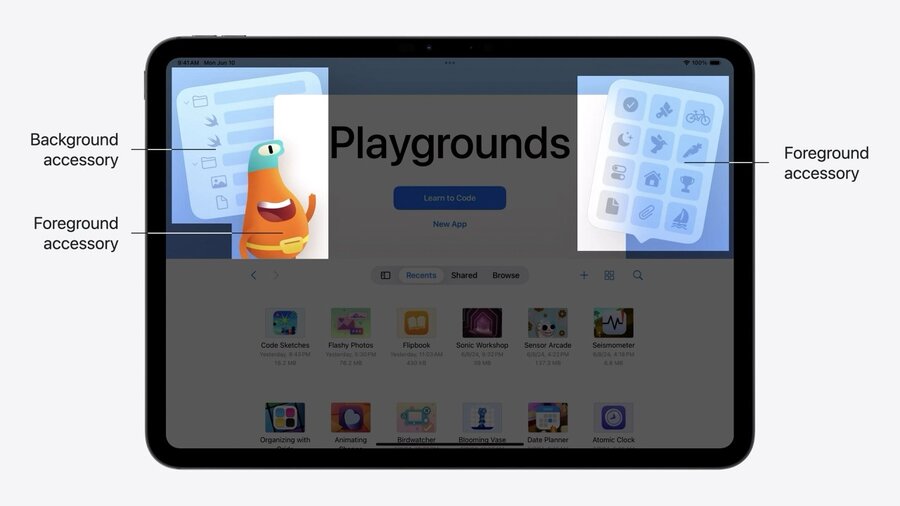
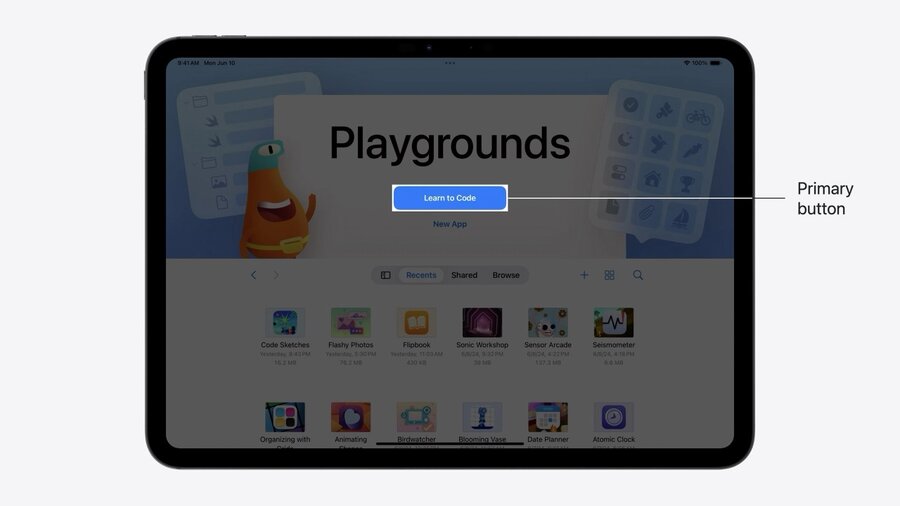
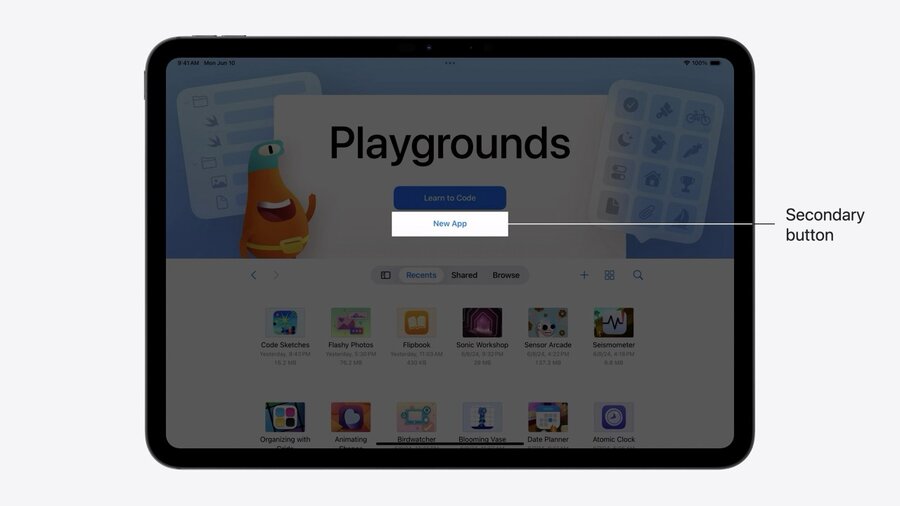
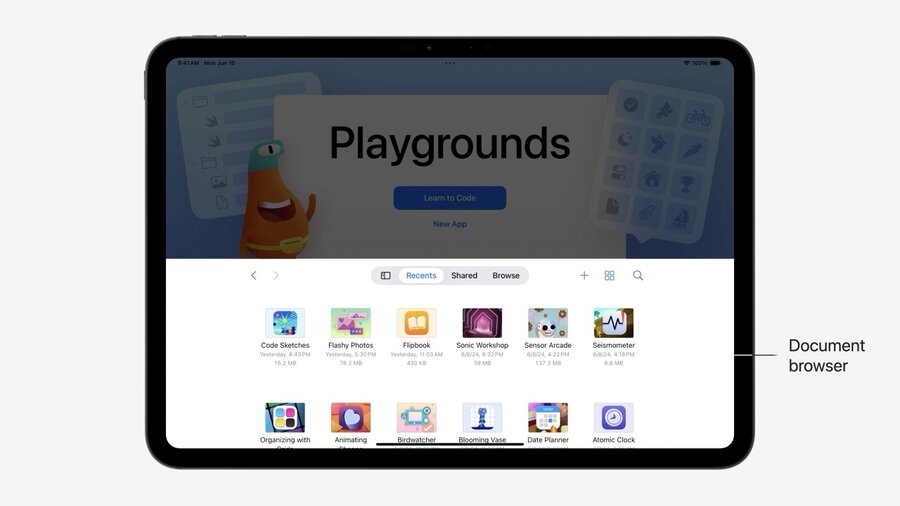
The big title is the name of the app. The document browser can be found below:
Getting Started
For a SwiftUI app, it’s enough to recompile with iOS 18 SDKs. It will automatically use the new style then.
Works also in UIKit if UIDocumentViewController is the apps root view controller. No need for UIDocumentBrowserViewController anymore, the UIDocumentViewController includes one automatically starting in iOS 18.
Instead of this for iOS 17 when using UIKit:
class DocumentViewController: UIDocumentViewController { ... }

let documentViewController = DocumentViewController()
let browserViewController = UIDocumentBrowserViewController(
    forOpening: [.plainText]
)
window.rootViewController = browserViewController
browserViewController.delegate = self

// MARK: UIDocumentBrowserViewControllerDelegate

func documentBrowser(
    _ browser: UIDocumentBrowserViewController,
    didPickDocumentsAt documentURLs: [URL]
) {
    guard let url = documentURLs.first else { return }
    documentViewController.document = StoryDocument(fileURL: url)
    browser.present(documentViewController, animated: true)
}
You can write this in iOS 18 in UIKit:
class DocumentViewController: UIDocumentViewController { ... }

let documentViewController = DocumentViewController()
window.rootViewController = documentViewController
Customization
In SwiftUI, you can use the new experience using a DocumentGroupLaunchScene like this:
DocumentGroupLaunchScene {
    NewDocumentButton("Start Writing")
} background: {
    Image(.pinkJungle)
        .resizable()
        .aspectRatio(contentMode: .fill)
}
You can add accessory views and position them like so:
DocumentGroupLaunchScene {
    NewDocumentButton("Start Writing")
} background: {
...
} overlayAccessoryView: { geometry in
    ZStack {
        Image(.robot)
            .position(
                x: geometry.titleViewFrame.minX,
                y: geometry.titleViewFrame.minY
            )
        Image(.plant)
            .position(
                x: geometry.titleViewFrame.maxX,
                y: geometry.titleViewFrame.maxY
            )
    }
}
In UIKit you can customize using the launchOptions property like this:
class DocumentViewController: UIDocumentViewController {
    override func viewDidLoad() {
        super.viewDidLoad()

        // Update the background
        launchOptions.background.image = UIImage(resource: .pinkJungle)

        // Add foreground accessories
        launchOptions.foregroundAccessoryView = ForegroundAccessoryView()
    }
}
Templates are a grat way to speed up the coherence to specific format, layout, or style and are supported. They can be stored on disk or downloaded from the Web.
When presenting a custom picker for your templates in SwiftUI, use a CheckedContinutation like so:
@State private var creationContinuation: CheckedContinuation<StoryDocument?, any Error>?
@State private var isTemplatePickerPresented = false

DocumentGroupLaunchScene {
    NewDocumentButton("Start Writing")
    NewDocumentButton("Choose a Template", for: StoryDocument.self) {
        try await withCheckedThrowingContinuation { continuation in
            self.creationContinuation = continuation
            self.isTemplatePickerPresented = true
        }
    }
    .sheet(isPresented: $isTemplatePickerPresented) {
        TemplatePicker(continuation: $creationContinuation
    }
}
Then in you custom picker, you resume the continuation like so:
struct TemplatePicker: View {
    @Binding var creationContinuation: CheckedContinuation<StoryDocument?, any Error>?

    var body: some View {
        Button("Three Act Structure") {
            creationContinuation?.resume(returning: StoryDocument.threeActStructure())
            creationContinuation = nil
        }
    }
}

extension StoryDocument {
    static func threeActStructure() -> Self {
        Self.init(...)
    }
}
In UIKit, define an intent:
extension UIDocument.CreationIntent {
    static let template = UIDocument.CreationIntent("template")
}
Then in the document view controller setup, assign the action to the launchOptions, assign the browser delegate and read the activeDocumentCreationIntent like so:
launchOptions.secondaryAction = LaunchOptions.createDocumentAction(with: .template)
launchOptions.browserViewController.delegate = self

// MARK: UIDocumentBrowserViewControllerDelegate

func documentBrowser(
    _ browser: UIDocumentBrowserViewController,
    didRequestDocumentCreationWithHandler importHandler: @escaping (URL?, ImportMode) -> Void)
{
    switch browser.activeDocumentCreationIntent {
    case .template:
        presentTemplatePicker(with: importHandler)
    default:
        let newDocumentURL = // ...
        importHandler(newDocumentURL, .copy)
    }
}