
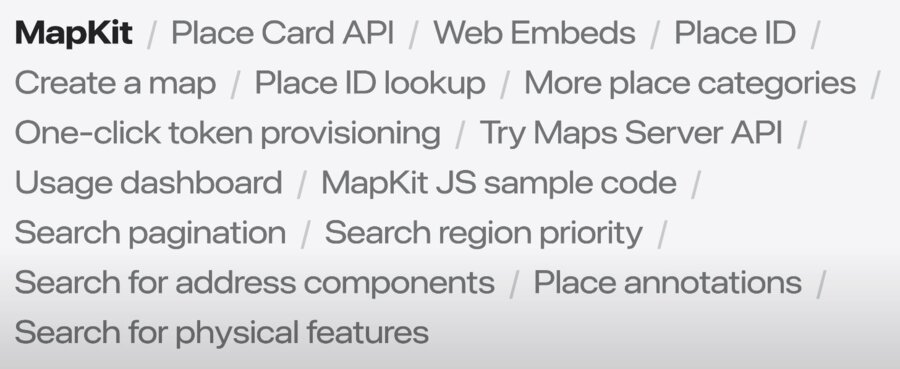
Key takeaways
🏞️ Referencing
🗺️ Displaying details
🔎 Finding
Presenters
Mike Wilson, Mapkit Engineer
Jeff Meininger, MapKit Engineer
Referencing places
MKMapItem.identifier / Place.idReferences a business, landmark, and more
Unique and persistent
Always provides latest data
Extend your business data
Place ID Lookup Tool
The tool is faster for looking up just a few IDs.
Display Annotation
// Display Apple Visitor Center annotation

struct PlaceMapView: View {
    var placeID: String // "I63802885C8189B2B"

    @State private var item: MKMapItem?

var body: some View {
    Map {
        if let item {
            Marker(item: item)
        }
    }
    .task {
        guard let identifier = MKMapItem.Identifier(
            rawValue: placeID
        ) else {
            return
        }
        let request = MKMapItemRequest(
            mapItemIdentifier: identifier
        )
        item = try? await request.mapItem
        }
    }
}
// Display an annotation for the center (visitor-center.js)
window.entryPoint = () => {
const id = "I63802885C8189B2B";
const lookup = new mapkit.PlaceLookup();
lookup.getPlace(idm abbitatePlace);
};
const annotatePlace - (error, place) => {
const center = place.coordinate;
const span = new mapkit.CoordinateSpan(0.01, 0.01);
const region = new mapkit.CoordinateRegion(center, span);
const map = new mapkit.Map("map", { region });
const annotation = new mapkit.PlaceAnnotation(place);
map.addAnnotation(annotation);
};<!-- Set MapKit JS to call entry point after loading -->
<script
crossorigin async
src="https://cdn.apple-mapkit.com/mk/5.x.x/mapkit.js"
data-callback="entryPoint"
data-token="TODO: Add your token here"
></script>
<script src="visitor-center.js"></script>
<div id="map" style="width: 100dvw; height: 100dvh;"></div>Creating Token
Fill out a short form to create a MapKit JS production token that doesn’t expire.
To learn more about how this technology can be used to build and maintain collections of Place IDs, check out Identifying Unique Locations With Place IDs
Displaying Place Cards
The Place Card shows information such as opening hours, phone number, and more. SelectionAccessory APIs can be used to display place information any time a place is selected on the map. Present Place Cards even if app or website doesn’t feature a map view.
The MapItemDetail and PlaceDetail APIs offer flexibility, and support a wide variety of use cases.
Embeds are a quick way to add a map to your website.
The Create a Map tool simply generates HTML.
Displaying Details
// Display Apple Stores

struct VisitedStoresView: View {
    var visitedStores: [MKMapItem]
    @State pricate var selection: MKMapItem?

    var body: some View {
        Map(selection: $selection) {
            ForEach(visitedStores, id: \.self) { store in
                Marker(item: store)
            }
            .mapItemDetailSelectionAccessory()
        }
    }
}
// Display a selectable annotation (visitor-center.js)
window.entryPoint = () => {
const id = "I63802885C8189B2B";
const lookup = new mapkit.PlaceLookup();
lookup.getPlace(id, annotatePlace);
};
const annotatePlace = (error, place) => {
const center = place.coordinate;
const span = new mapkit.CoordinateSpan(0.01, 0.01);
const region = new mapkit.CoordinateRegion(center, span);
const map = new mapkit.Map("map", { region });
const annotation = new mapkit.PlaceAnnotation(place);
map.addAnnotation(annotation);
const accessory = new mapkit.PlaceSelectionAccessory();
annotation.selectionAccessory = accessory;
};<!-- Set MapKit JS to call entry point after loading -->
<script
crossorigin async
src="https://cdn.apple-mapkit.com/mk/5.x.x/mapkit.js"
data-callback="entryPoint"
data-token="TODO: Add your token here"
></script>
<script src="visitor-center.js"></script>
<div id="map" style="width: 100dvw; height: 100dvh;"></div>Details from List
// List stores and show details when selected

struct StoreList: View {
    var stores: [MKMapItem]
    @State private var selectedStore: MKMapItem?

    var body: some View {
        List(
            stores,
            id: \.self,
            selection: $selectedStore
        ) {
            Text($0.name ?? "Apple Store")
        }
        .mapItemDetailSheet(item: $selectedStore)
    }
}
// Show visitor center details (visitor-center-details.js)
window.entryPoint = () => {
const id = "I63802885C8189B2B";
const lookup = new mapkit.PlaceLookup();
lookup.getPlace(id, annotatePlace);
};
const annotatePlace = (error, place) => {
const el = document.getElementById("place");
const detail = new mapkit.PlaceDetail(el, place, {
colorScheme: mapkit.PlaceDetail.ColorSchemes.Adaptive
});
};<!-- Set MapKit JS to call entry point after loading -->
<script
crossorigin async
src="https://cdn.apple-mapkit.com/mk/5.x.x/mapkit.js"
data-callback="entryPoint"
data-token="TODO: Add your token here"
></script>
<script src="visitor-center.js"></script>
<div id="map" style="width: 100dvw; height: 100dvh;"></div>Place Card API
Selection Accessory
Swift -
MKSelectionAccessorySwiftUI -
mapItemDetailSelectionAccessoryJavascript -
PlaceSelectionAccessoryHTML - Web Embeds
Map Feature Selection Accessory
Swift -
selectableMapFeaturesMKSelectionAccessorySwiftUI -
MapFeatureMapSelectionmapFeatureSelectionAccessoryJavaScript -
selectableMapFeaturesselectableMapFeaturesSelectionAccessoryHTML - Web Embeds
// Display a place card for selected map features
struct VisitedStoresView: View {
    var visitedStores: [MKMapItem]
        @State private var selection: MapSelection<MKMapItem>?

        var body: some View {
            Map(selection: $selection) {
                ForEach(visitedStores, id: \.self) { store in
                    Marker(item: store)
                        .tag(MapSelection(store))
            }
            .mapItemDetailSelectionAccessory(.callout)
        }
        .mapFeatureSelectionAccessory(.callout)
    }
}
Finding places
Find new kinds of places with more precision
Search Filters
Place categories
Physical features
Address components
Region priority Pagination (Maps Server API)
Address Filters
// Find Cupertino, then find coffee (show-coffee.js)
window.initMapKit = () => {
    const addressFilter = mapkit.AddressFilter.including([
        mapkit.AddressCategory.Locality
    ]);
    const citySearch = new mapkit.Search({ addressFilter });
    citySearch.search("Cupertino", showMap);
};

// Found Cupertino, now find coffee
const showMap = (error, cities) => {
    const center = cities.places[0].coordinate;
    const span = new mapkit.CoordinateSpan(0.01, 0.01);
    const region = new mapkit.CoordinateRegion(center, span);
    const map = new mapkit.Map("map", { region });

    const coffeeSearch = new mapkit.Search({
        region,
        regionPriority: mapkit.Search.RegionPriority.Required,
        pointOfInterestFilter: mapkit.PointOfInterestFilter.including([
            mapkit.PointOfInterestCategory.Cafe
        ])
    });
    coffeeSearch.search("coffee", (error, results) => {
        for (const place of results.places) {
            const marker = new mapkit.PlaceAnnotation(place);
            map.addAnnotation(marker);
        }
    });
};
// Finding coffee in Cupertino
struct CoffeeMap: View {
@State private var position: MapCameraPosition = .automatic
@State private var coffeeShops: [MKMapItem] = []
var body: some View {
Map(position: $position) {
ForEach(coffeeShops, id: \.self) { café in
Marker(item: cafe)
}
}
.task {
guard let cupertino = await findCity() else {
return
}
coffeeShops = await findCoffee(in: cupertino)
}
}
private func findCity() async -> MKMapItem? {
let request = MKLocalSearch.Request()
request.naturalLanguageQuery = "cupertino"
request.addressFilter = MKAddressFilter(
including: .locality
)
let search = MKLocalSearch(request: request)
let response = try? await search.start()
return response?.mapItems.first
}
private func findCoffee(in city: MKMapItem ) async -> [MKMapItem] {
let request = MKLocalSearch.Request()
request.naturalLanguageQuery = "coffee"
let downtown = MKCoordinateRegion(
center: city.placemark.coordinate,
span: .init(
latitudeDelta: 0.01,
longitudeDelta: 0.01
)
)
request.region = downtown
request.regionPriority = .required
let search = MKLocalSearch(request: request)
let response = try? await search.start()
return response?.mapItems ?? []
}
}