
Key Takeaways
Detect & respond to social engineering threats
Auth confirms who acts, not whether they act freely
Use at critical moments (payments, sensitive actions)
Privacy-first: on-device, only one outcome leaves the device
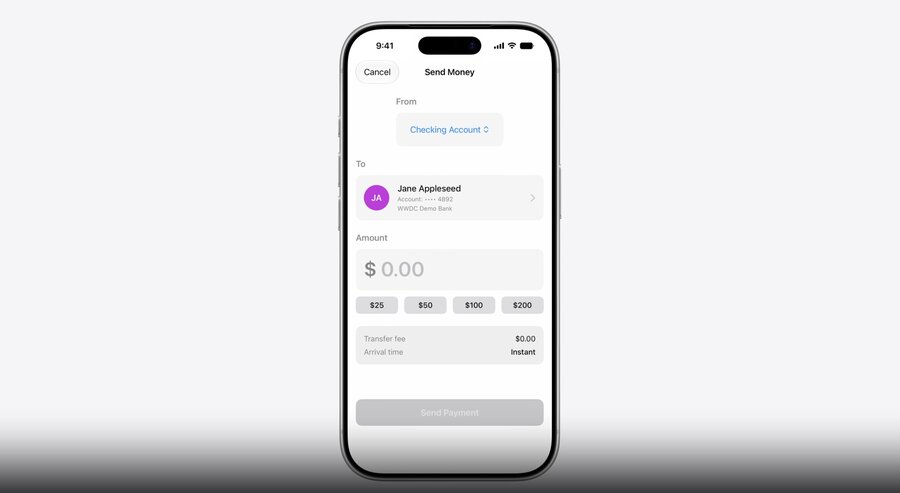
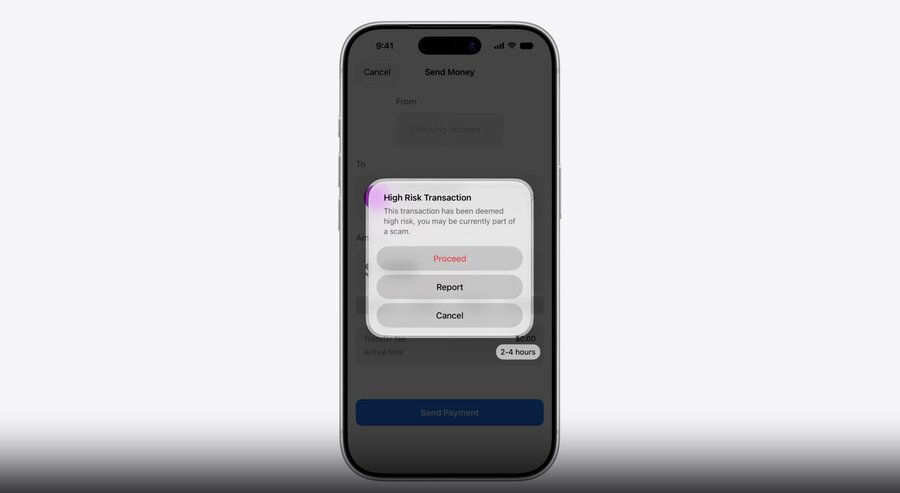
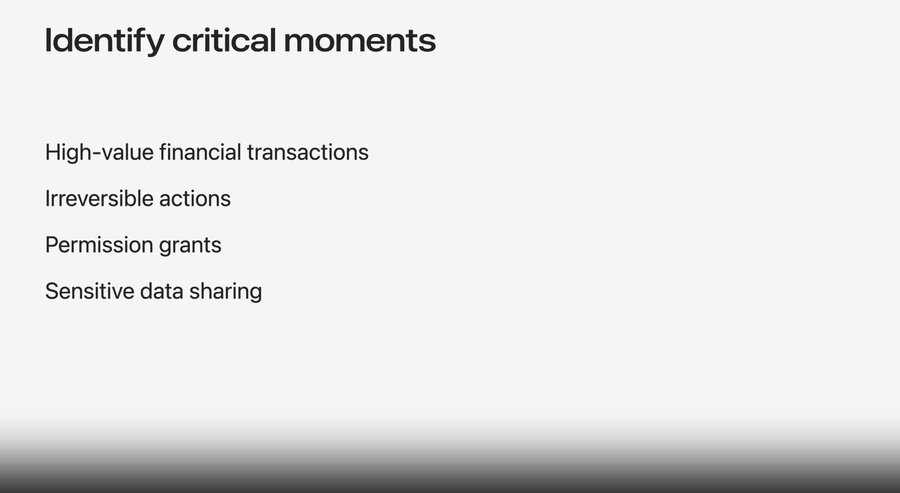
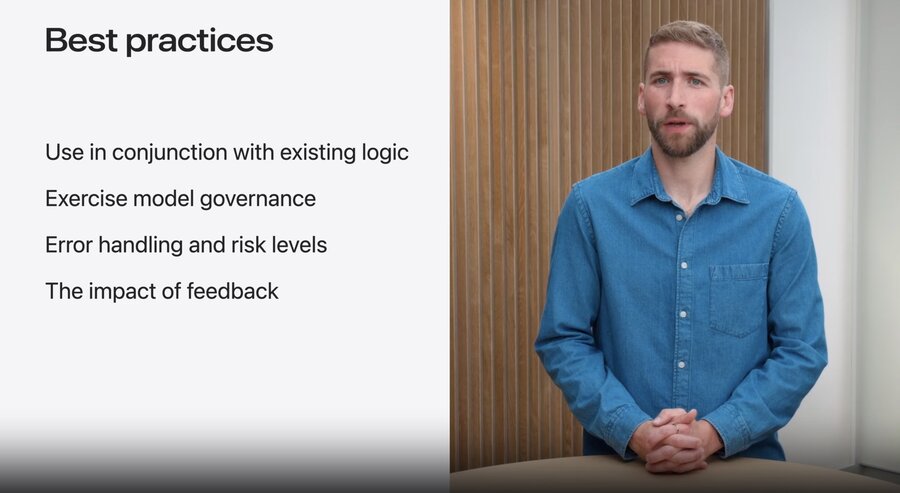
Problems
Common coercion patterns
Tech support scams - fake alerts prompt remote access, deceiving the user into handing over control
Authority impersonation - posing as banks, government, or law enforcement to collect sensitive information
Family emergency fraud - urgent money requests exploiting emotional bonds (increasingly via AI deepfakes)
Real-time coaching makes detection especially difficult
Attackers guide victims via calls/chat, but the user performs the action themselves - authenticated and legitimate
Existing protections (multi-factor auth, biometrics) don’t help, because the user is the one acting
Key Points: Authentication confirms who is acting, but not whether they’re acting freely → behavioral context can distinguish genuine intent from a coerced action (while preserving privacy)
Integrate Trust Insights into app
Step 1. Configuration
Requires an entitlement → declare the capability on your app target in Xcode
Step 2. Create a parameter pack
Build a request with a
schema(required) andmodelVersion(optional)Wrap it in an
InsightContextwith an operation categoryOperation category: what kind of action the user’s performing
.payment: exchange of assets, content, or money (e.g. in-game purchase).account: updating account details or security information.resourceUse: request to costly or constrained infrastructure (e.g. AI inference).communication: sending messages, submitting forms, or signing.other: anything else
Call
requestEvaluation(context:)asynchronously (takes a few seconds, requires Internet → mind where you place it in the flow)
import TrustInsights

let request = IsLikelyBeingCoachedInsight.request(schema: .version1, modelVersion: .current)
let context = InsightEvaluator.InsightContext(operationCategory: .resourceUse,
                                              requestedEvaluations: request)

let evaluator = InsightEvaluator()
guard try await evaluator.requestAuthorization(for: context) == .authorized else { return }

let assessment = try await evaluator.requestEvaluation(context: context)
do {
    try handleAssessment(assessment)
} catch {
    // Handle error
    ...
}

assessment.reportConsumption(.usedIncreasedFriction)
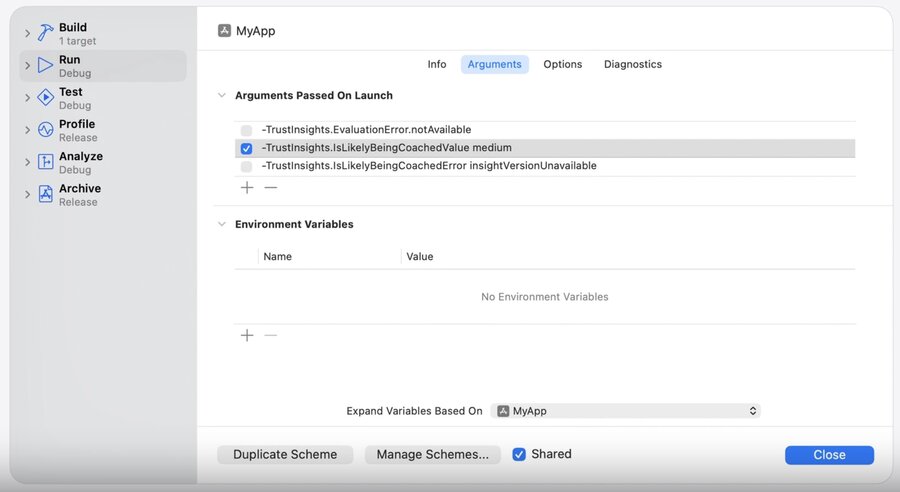
Testing: in development, requests hit a sandbox environment
Override insight values & errors via Xcode scheme launch arguments to test decision logic & UX variations
See the Trust Insights developer documentation for the available launch arguments
func handleAssessment(_ assessment: InsightEvaluation<IsLikelyBeingCoachedInsight>) throws {
    switch try assessment.insight.outcome.get() {
    case .unknown:
        // no evidence of scam risk (but not necessarily low risk)
        ...
    case .medium:
        // some evidence of coaching risk → consider friction / extra verification
        ...
    case .high:
        // significant evidence of coaching risk → inform the user before proceeding
        ...
    @unknown default:
        ...
    }
}
Handle evaluation-level and insight-level errors independently
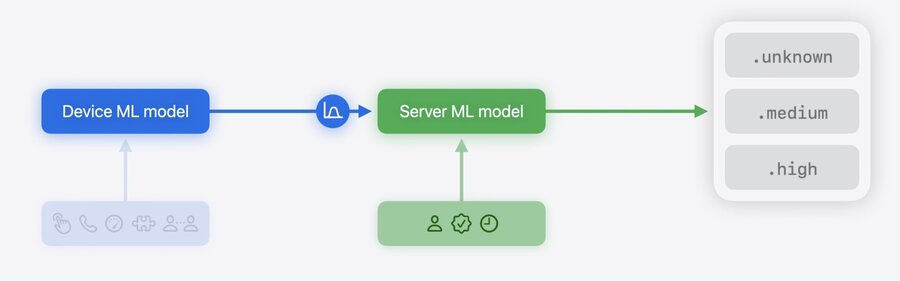
On-device ML model processes device-sourced data locally
Inputs are immediately discarded after evaluation; only a single output value leaves the device
Final output may incorporate Apple Account signals (for additional context)
Device-derived signals are never shared with Apple or third parties
Feedback
Real-time consumption feedback: how the app responded to an insight (mandatory per evaluation, or the app may be rate-limited)
.usedReducedFriction: insight helped make the operation easier.usedUnchangedFriction: evaluated, but experience unchanged.usedIncreasedFriction: led to additional checks/friction.notUsedNotNeeded: user cancelled, no decision needed.notUsedError: technical failure (e.g. result arrived too late).usedEvaluationOnly: used for internal evaluation/benchmarking, no UX impact
Offline feedback: report confirmed fraud later, submitted via Apple Business Register (server-to-server API)
Vital for model improvement (confirmed-fraud signal shows real-world performance)
Apply privacy-preserving techniques: avoid PII / fingerprinting values
Privacy Architecture
Data minimization: the framework processes only what’s needed, discards inputs immediately, and keeps device-sourced data on device
Analyzes interaction patterns, timing, context, and basic sensor data - never Photos/Messages/Mail content
Only a single output value leaves the device
Device-derived signals are not shared with Apple or third parties
Users have full control - can disable Trust Insights in Settings
Query the authorization status to check whether the user has enabled for app
