
Key Takeaways
🔍 Set any tab to prominent appearance
↔️ Customize toolbar placement & overflow
🗂️ Reordering & swipe actions for any view
📄 Improved document handling
🏎️ Many performance improvements
Presenters
Julia Vashchenko, UI Frameworks Engineer
Steven Peterson, UI Frameworks Engineer
Refreshed look and feel
Refined Liquid Glass look will be applied automatically
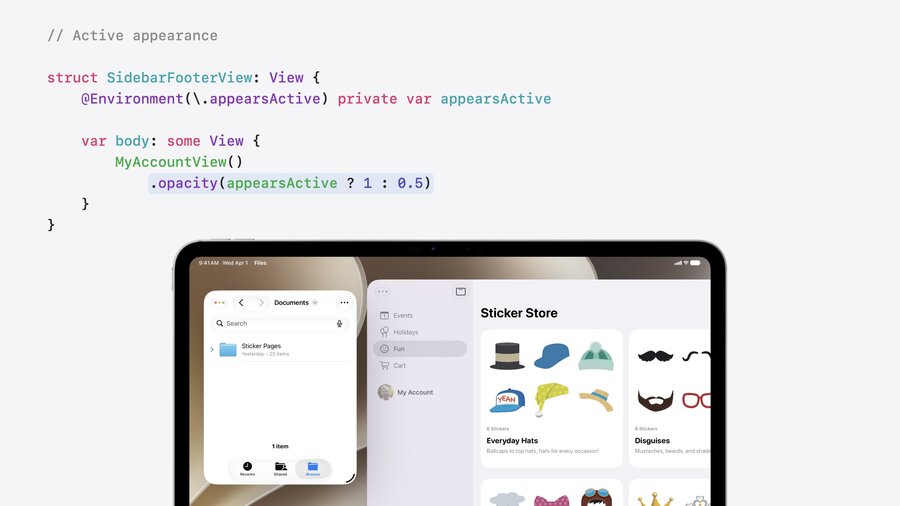
Use
.appearsActiveenvironment to conditionally change styles when window is active or inactive (aka in background)
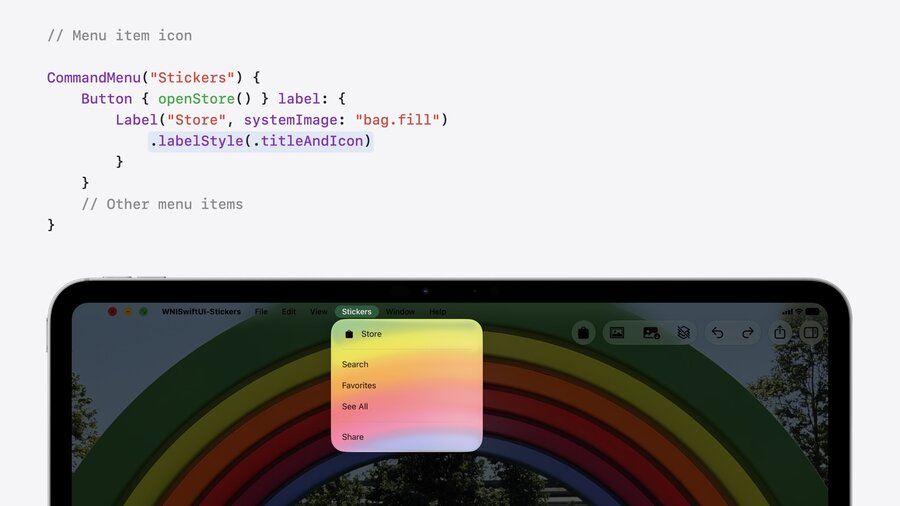
Menu bar items reduce use of icons again (more details in HIG)
Use
.labelStyle(.titleAndIcon)to manually show icon when it makes sense to highlight it
iPhone apps are now automatically resizable
Check out Modernize your UIKit app on how to handle mix between SwiftUI and UIKit
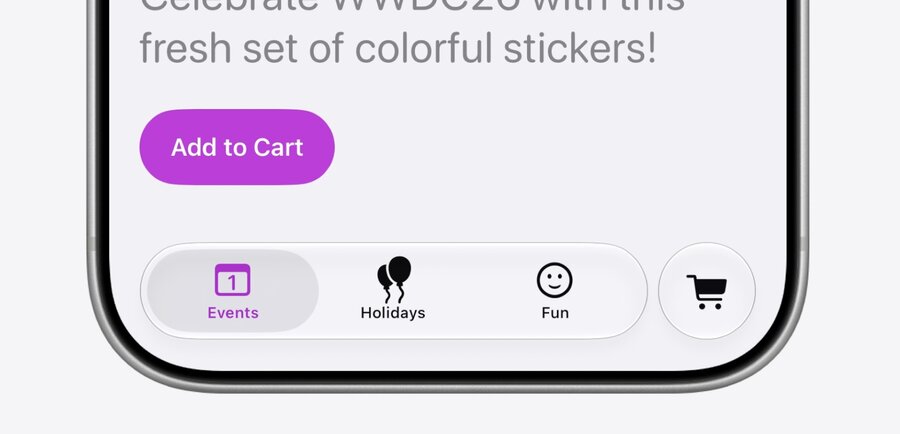
Use
Tab(role: .prominent)to get separated out tab at trailing edge of Tab Bar
Toolbar Enhancements
More options to define placement & overflow of toolbar items:
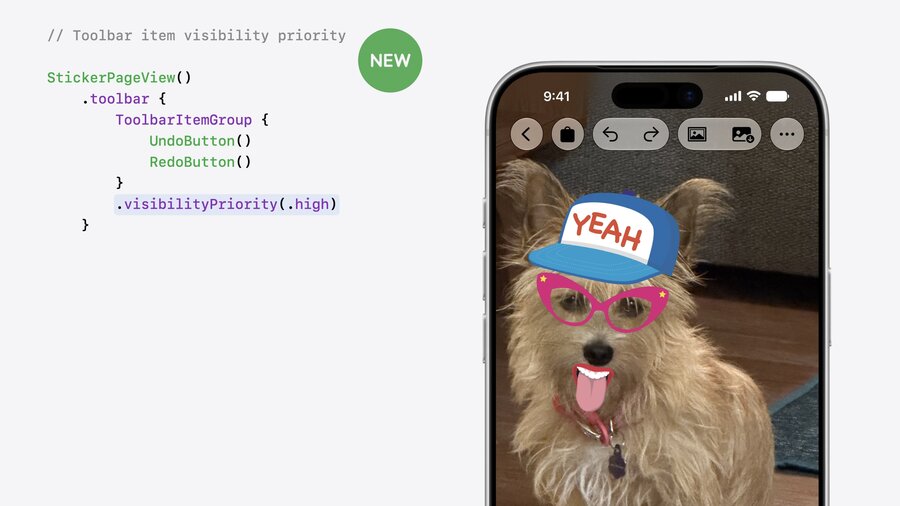
Use .visibilityPriority(.high) to lower chance of items moving to overflow menu.
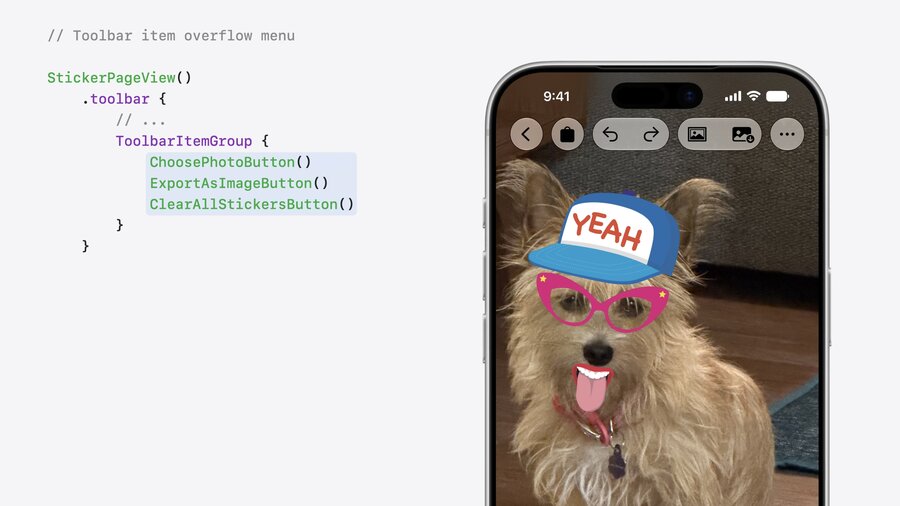
Group items in ToolbarOverflowMenu container to always place them in overflow menu.
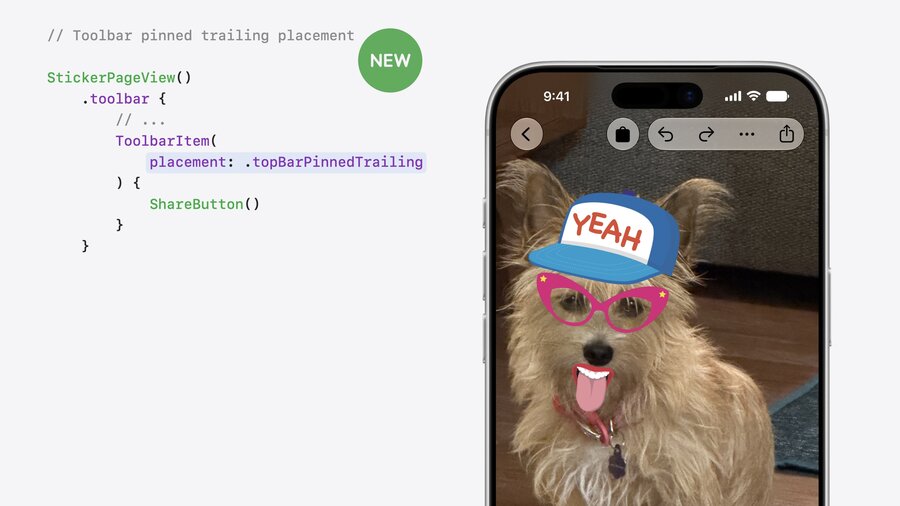
Use ToolbarItem(placement: .topBarPinnedTrailing) to place item behind overflow menu.
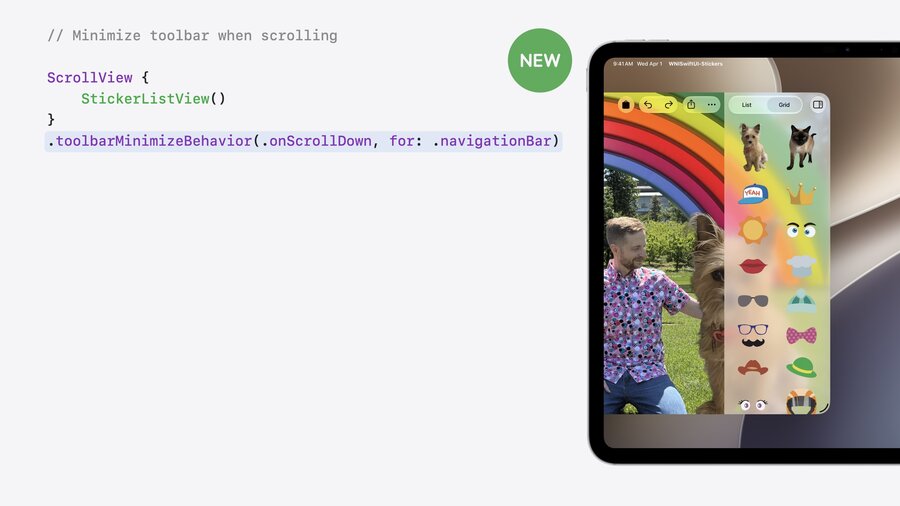
Use .toolbarMinimizeBehavior(.onScrollDown, for: .navigationBar) to hide toolbars on scroll.
Document-based apps
Document creation context
Use DocumentCreationSource API to define different sources as starting point:
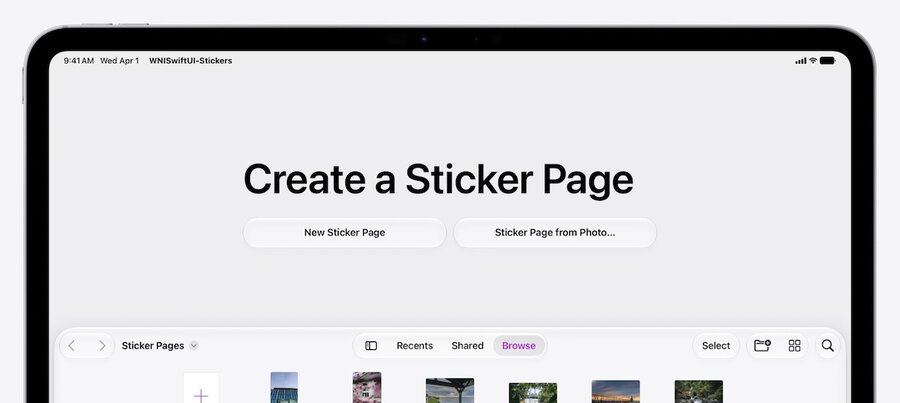
@main
struct Stickers: App {
    var body: some Scene {
        DocumentGroupLaunchScene("Create a Sticker Page") {
            NewDocumentButton("New Sticker Page", source: .blank)
            NewDocumentButton("Sticker Page from Photo…", source: .photo)
        }

        DocumentGroup { document in
            StickerPageDocumentView(document)
        } { configuration, context in
            StickerPageDocument(configuration: configuration, context: context)
        }
    }
}

extension DocumentCreationSource {
    static let blank = Self(id: "blank")
    static let photo = Self(id: "photo")
}
Performance
Using @Observable macro alone gives performance boost and supports snapshot-based diffing for efficient updates.
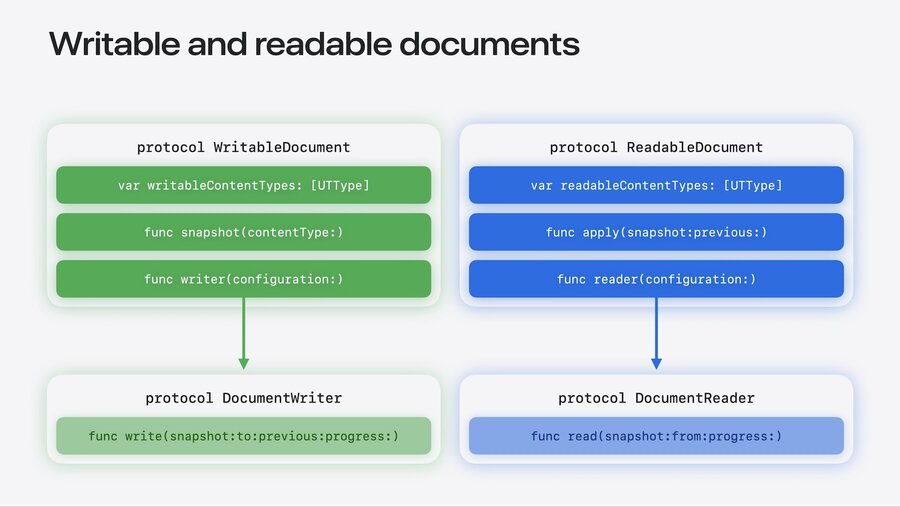
Use WritableDocument protocol to write to documents with snapshot-based optimization:
@Observable
final class StickerDocument: WritableDocument {

    static let writableDocumentTypes: [UTType] = [.stickerDocument]

    @MainActor
    func snapshot(contentType: UTType) async throws -> sending PageSnapshot {
        makeSnapshot()
    }

    func writer(configuration: sending WriteConfiguration) -> sending Writer {
        Writer(contentType: configuration.contentType)
    }
}

struct PageSnapshot {
    var background: Image
    var metadata: StickerPlacements
    var stickers: [Image]
}
Use
Snapshotnotion inDocumentWriterfor further performance improvements:
struct Writer<Snapshot>: DocumentWriter {
    typealias Snapshot = PageSnapshot

    let contentType: UTType

    nonisolated func write(
        snapshot: sending PageSnapshot, to destination: URL,
        previous: sending PageSnapshot, progress: consuming Subprogress
    ) async throws {
        // report progress…
        // write .stickerDocument
    }
}
Use
ReadableDocumentprotocol to read from documentsTwin to
WritableDocument
First-class support for URL access
Extend writer to safe document in any different formats like PNG
Add new format type to
writableDocumentTypes(see above)Use
conforms(to:)check to handle different
struct Writer<Snapshot>: DocumentWriter {
    typealias Snapshot = PageSnapshot

    let contentType: UTType

    nonisolated func write(
        snapshot: sending PageSnapshot, to destination: URL,
        previous: sending PageSnapshot, progress: consuming Subprogress
    ) async throws {
        if contentType.conforms(to: .stickerDocument) {
            // write .stickerDocument
        } else if contentType.conforms(to: .png) {
            let context = CGContext(/* ... */)
            context.draw(/* ... */)
        }
    }
}
Presentation and interaction
Reorderable containers
Add support for reordering List or any container like grids via reorderable API:
LazyVGrid {
    ForEach(stickers) { sticker in
        StickerListItemView(sticker: sticker)
    }
    .reorderable()
}
.reorderContainer(for: Sticker.self) { difference in
    difference.apply(to: &stickers)
}
Swipe actions on any view
The .swipeActions modifier now also works on any view:
ScrollView {
    LazyVStack {
        ForEach(stickers) { sticker in
            StickerListItemView(sticker: sticker)
                .swipeActions {
                    DeleteButton(sticker: sticker)
                }
        }
    }
}
.swipeActionsContainer()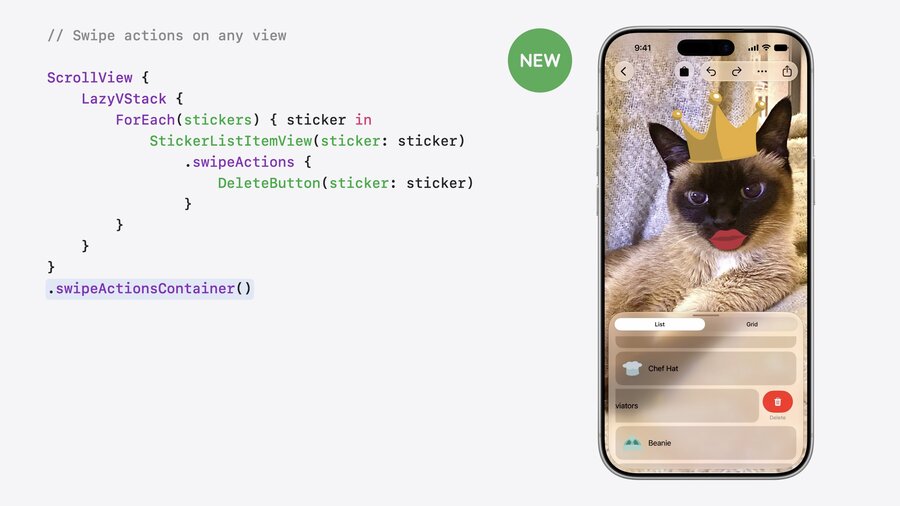
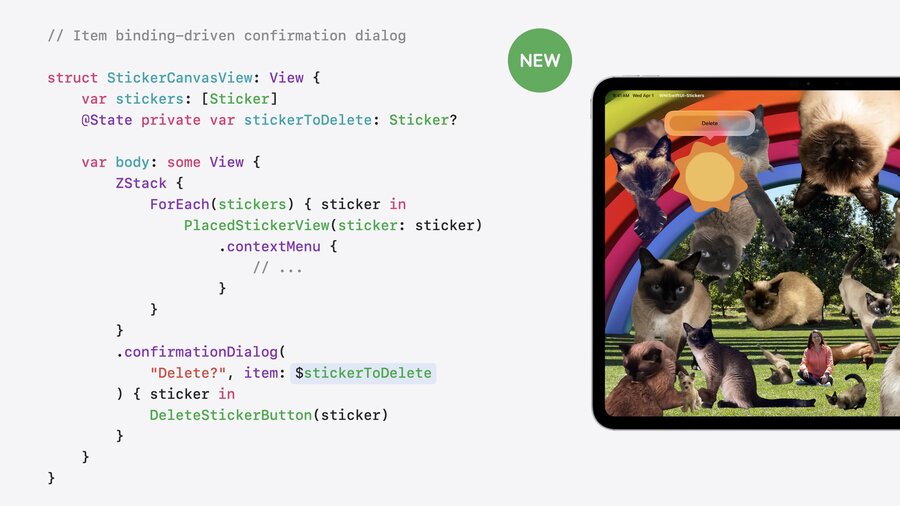
Confirmation dialogs with item binding
.confirmationDialog and .alert now also support item binding like sheets:
Data flow and performance
AsyncImagenow uses standard HTTP caching by defaultCustomizable via
URLRequest
Use custom
URLCacheinURLSessionfor custom cache sizesApplied via
.asyncImageURLSession
@Stateproperties are now lazy, thus will only be initialized onceNew behavior backported to iOS 17, macOS 14, and aligned releases
Unified
@ContentBuilderimproves type checking performanceUsable with any minimum deployment target
New agent skills for Xcode 27:
SwiftUI Specialist Skill
What’s New In SwiftUI Skill
Next Steps
Build your project for the 2027 releases
Check out the refined look and feel of Liquid Glass in your app
Level up your document-based app with the new Document API
Use the SwiftUI agent skills in Xcode 27

