
Key Takeaways
Make your app resize to any scene size
Adopt scene lifecycle and drop UIScreen.main
Replace idiom/orientation checks with size classes
Consider new bar and menu APIs
Presenters
Michael Ochs, UI Frameworks Engineering Manager
Changes to app adaptivity requirements
iOS 27: apps must dynamically adjust to any scene size at runtime
iPhone Mirroring on the Mac lets people fully resize the iPhone window
an iPhone-only app on iPad is fully resizable like any other iPad app
1. Adopt scene lifecycle
Scene lifecycle is required when building with the latest SDKs, and without it the app no longer launches
Use a
UISceneDelegate, the basis for any adaptive app
2. Stop referencing the main screen
The scene’s screen can change (mirroring, external display), so
UIScreen.maingives wrong infoRead the screen from the window’s scene instead, and get available space from the view or the scene’s
effectiveGeometry
// Access the screen through the windowScene, not UIScreen.main
let screen = window?.windowScene?.screen
Get available space from the view (
view.bounds) or the scene’seffectiveGeometry, not the screenPrefer
traitCollection.displayScaleover the screen’s scale
// Replace the screen's scale with trait collection's displayScale
override func layoutSubviews() {
    super.layoutSubviews()

    // layoutSubviews will be called again automatically when displayScale changes
    let displayScale = traitCollection.displayScale
    // ...
}
Traits are auto-tracked in common methods (
layoutSubviews,updateProperties,draw(_:)), and for other cases you observe changes withregisterForTraitChanges
let displayScaleTrait: [UITrait] = [UITraitDisplayScale.self]
registerForTraitChanges(displayScaleTrait) {
    (view: GalleryView, previousTraitCollection: UITraitCollection) in
    view.cache.invalidate()
}
3. Stop checking idiom and orientation for layout
Use size classes for sizing decisions instead of the user interface idiom (an iPhone app on iPad or in mirroring still runs under the phone idiom)
Supported interface orientations are only a preference and are ignored in a resizable environment, so do not base layout on interface orientation
iPhone Mirroring on the Mac always runs in
portrait
Games:
UIRequiresFullScreenis honored on iPhone from iOS 27, but now enables discrete resizing (snapping to configurations that match supported orientations) instead of fully opting out
New APIs: Bars and Menus
Tab bar
On iPad, a tab bar can expand into a full sidebar representation
On iPhone, the bottom tab bar is shown across all sizes by default
New in iOS 27: an iPhone app can also opt into a sidebar
it is an app choice, and the system shows it only when there is room (e.g. a regular horizontal size class), with no UI toggle
check
sidebar.isAvailable, and when it is not, surface that UI behind nested tabs elsewhere
// Opt into the sidebar representation
tabBarController.sidebar.preferredPlacement = .sidebar

// Is a sidebar currently available?
tabBarController.sidebar.isAvailable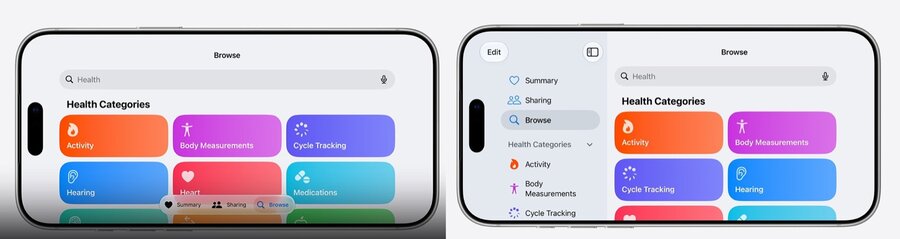
Highlight a key tab with
prominentTabIdentifier, which stays visible even when the tab bar collapses during scrolling
let tabs = [
    // ...
]

let tabBarController = UITabBarController(tabs: tabs)
tabBarController.prominentTabIdentifier = "cart"
Navigation bar
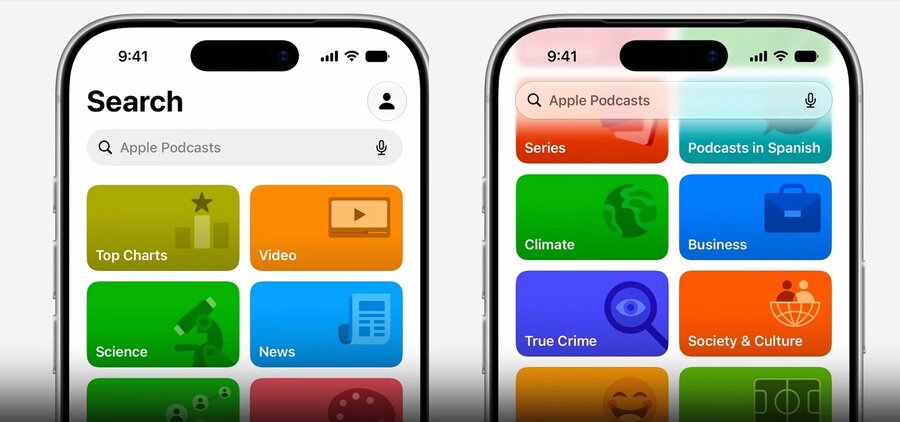
Navigation bars can interactively slide away as people scroll, giving content more room
Customize the minimization behavior
navigationItem.barMinimizationBehavior = .alwaysset
navigationItem.barMinimizationSafeAreaAdjustment = .neverif you handle safe area avoidance yourself, so insets are not adjusted automatically
The
.automaticscroll edge effect now provides its own visuals instead of switching between soft and hard, so re-evaluate any previous override (especially.soft)
Menu image
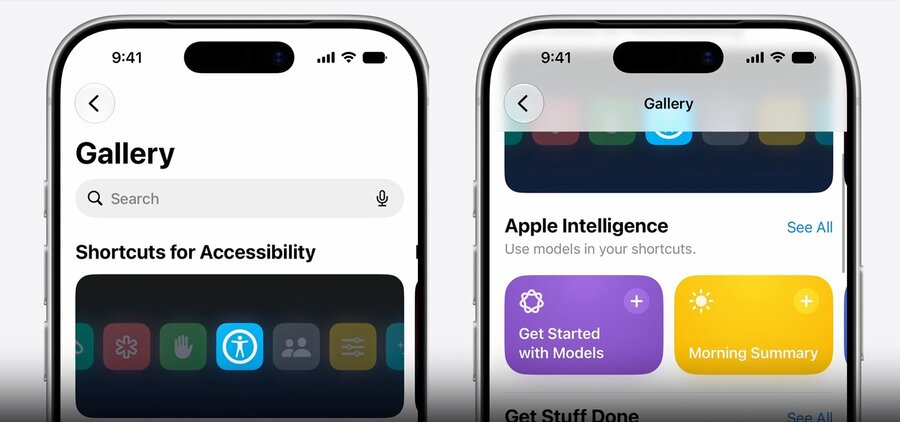
With Liquid Glass, images on menu elements may not show by default in some contexts (e.g. iPadOS and macOS)
Set
preferredImageVisibilityto override the default and keep an image visible
Supports Apple Intelligence
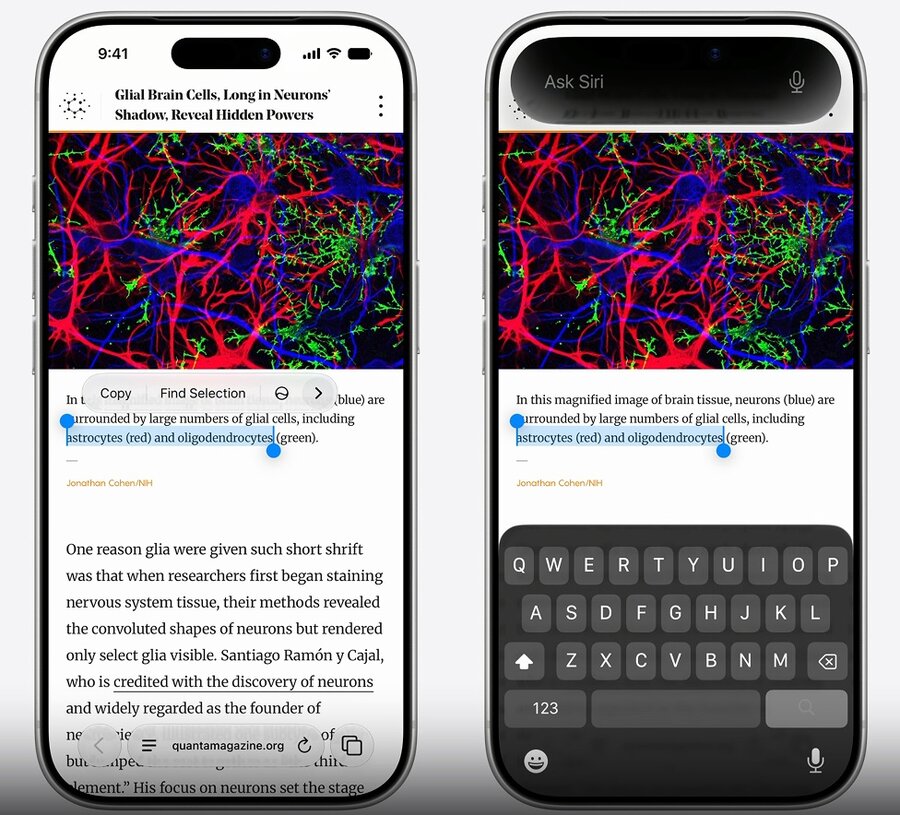
iOS 27 menus gain an Ask Siri button, an entry point to start a conversation with Siri from your app
menus show it automatically when there is content relevant for Siri
Give Siri app-specific context with the new View Annotations API, annotating specific views with
AppEntityvaluesIf your app supports drag and drop, Siri can load resources through your existing drag handlers
when invoked from a context menu, the system calls your drag delegate methods to load the content
a drag session can start without a user gesture, so avoid animations or modal UI in
sessionWillBeginif you show stateful UI when a drag begins, put that code in
sessionDidMoveinstead
Xcode 27 ships an app modernization skill that understands these adaptivity tasks. Ask an agent to make your app more adaptable and it can convert UIScreen.main calls to traitCollection or scene bounds, replace interface orientation checks with size classes, and migrate the app to scene lifecycle, leaving comments for work too large for one session. Export the skills to other tools with xcrun agent skills export.
