
Key Takeaways
Run the model and agent on your Mac, not the cloud
MLX-LM Server is OpenAI-compatible, so existing agents just point to it
Apple silicon and MLX make on-device agents fast
Presenters
Angelos Katharopoulos, ML Engineer
Overview
Goal: build and run agentic AI workflows entirely on your Mac with MLX, with no cloud and no API keys
Chat experience: send a prompt to the model, it responds, and acting on that response is up to you
Agentic loop: you talk to an agent instead, and it keeps cycling until the task is done
user to agent: give the task
agent to model: the agent asks the model what to do next
agent to tools: the agent runs commands, reads files, or hits APIs, then feeds the results back to the model
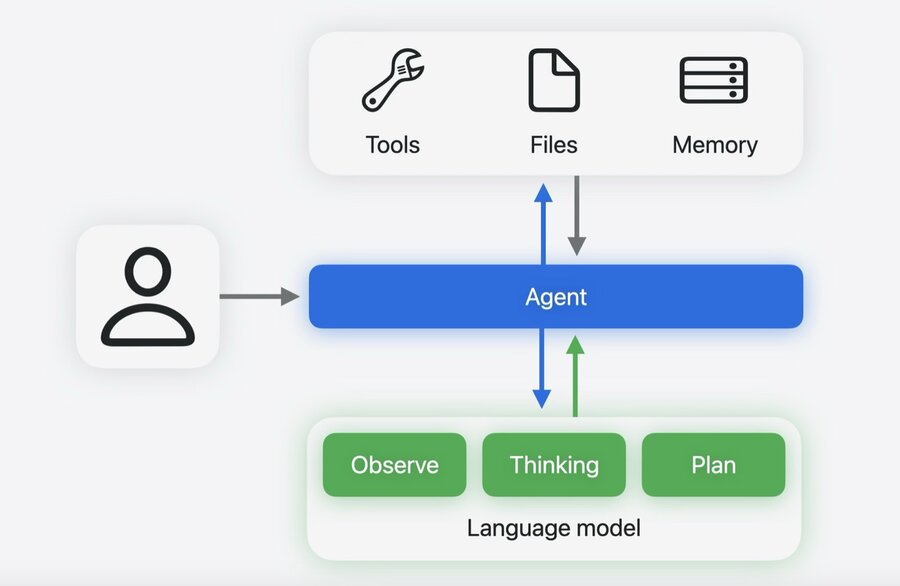
In this setup MLX runs the model locally while an agent like OpenCode drives the loop.
Local agentic AI stack
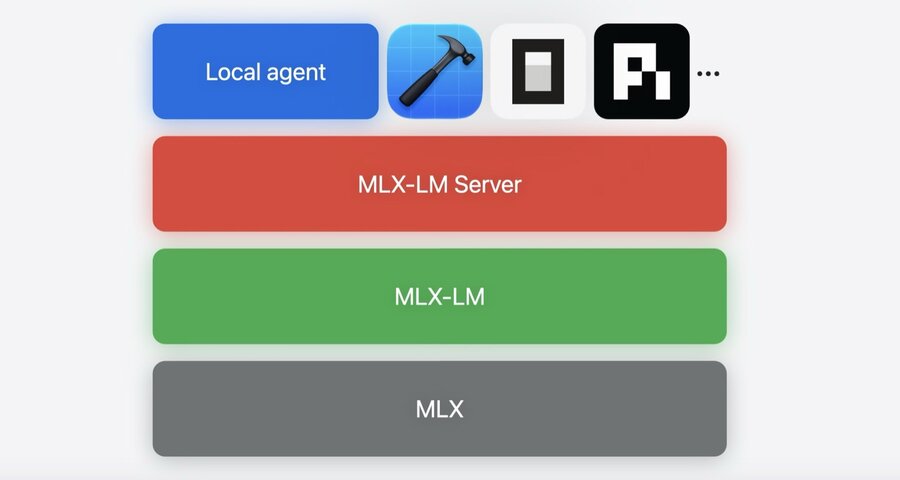
1. MLX
Open-source array framework purpose-built for Apple silicon, the foundation everything is built on
Handles the low-level computation, Metal acceleration, and memory management
2. MLX-LM (language model layer)
Loads, runs, quantizes, and fine-tunes large language models
Supports thousands of models from Hugging Face, with both CLI tools and a Python API
3. MLX-LM Server (persistent server)
An OpenAI-compatible HTTP server that exposes your local model through a standard API
Supports structured tool calling (so the model can invoke functions reliably) and reasoning models
A drop-in replacement for any cloud LLM API
4. Local agent
Framework or tool that speaks the OpenAI chat completions protocol (Xcode, OpenCode, Pi agent, a custom script, and more)
Any agent framework works out of the box
Set up own local agent
install MLX-LM
start the server (
mlx_lm.server)point your agent at the local server: set the base URL to your local server’s address
# Install MLX-LM
pip install mlx-lm

# Start the server
mlx_lm.server --model mlx-community/<model-name>

# Point your agent to the server
curl -X POST \
  http://127.0.0.1:8080/v1/chat/completions \
  -H "Content-Type: application/json" \
  -d '{"model":"default_model","messages":[{"role":"user","content":"Hello!"}]}'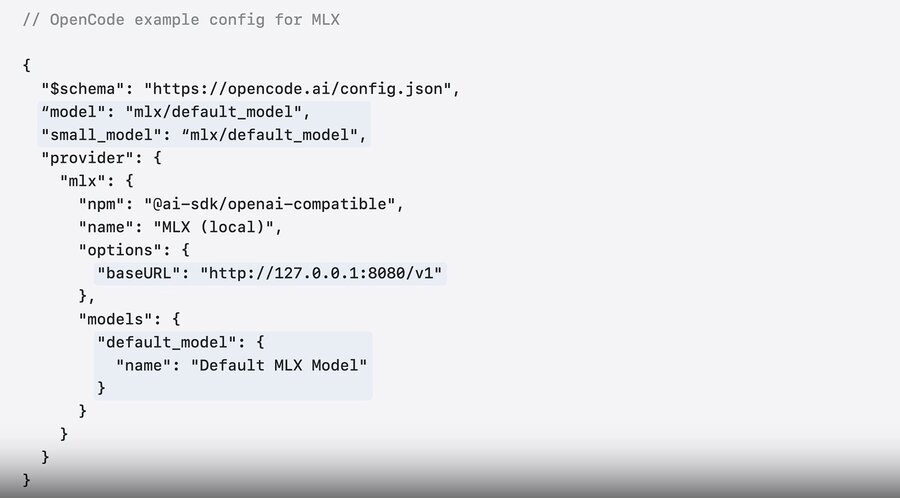
How MLX gets the most out of the hardware to make agents fast
Challenge 1: prompt processing
Prompt processing (prefill) is reading the input before the model generates anything
In the agentic loop the model reprocesses the whole context every time it gets tool output, so sessions balloon to 100K+ tokens that are mostly read, not generated
The M5 Neural Accelerators make matrix multiplication up to 4x faster than M4, and MLX uses them automatically (no code changes) to speed up prompt processing by about the same
Challenge 2: concurrency
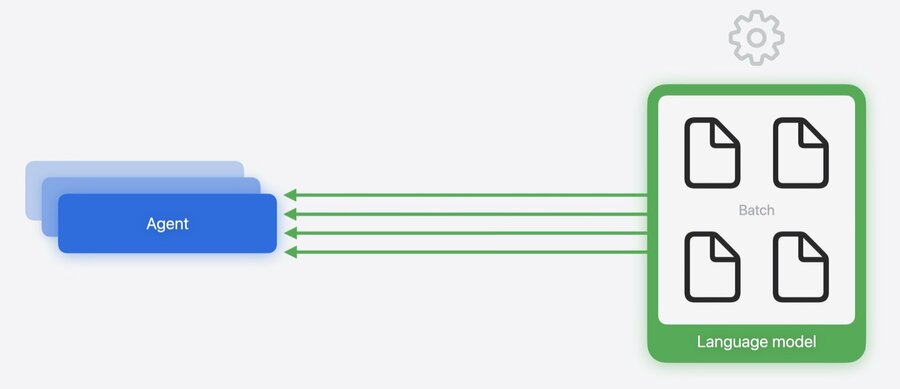
Agents often spawn several subagents that work in parallel, so multiple requests hit the local model at once
MLX-LM Server handles this with continuous batching: it groups incoming requests and runs them together on the GPU, and new requests can join a batch already in progress
Result: subagents are served concurrently instead of waiting in a queue
Challenge 3: large model size
Models can be too big to fit in one Mac’s memory
MLX distributed support spreads a single model across multiple Macs (connected over Thunderbolt or Ethernet), so they run it together as one
Launch it with
mlx.launch, pointing at the machines and the model
mlx.launch --hostfile hosts.json \
  /remote/path/to/mlx_lm.server \
  --model mlx-community/<model-name>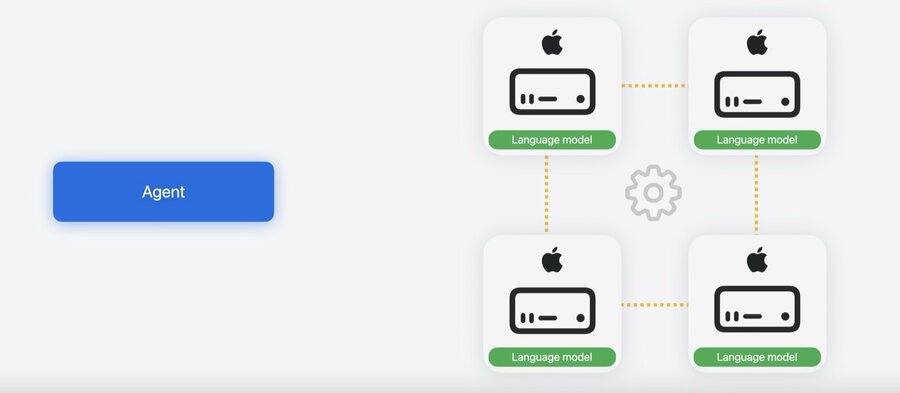
Learn how to set up Macs for distributed inference: Explore distributed inference and training with MLX
