
Summary
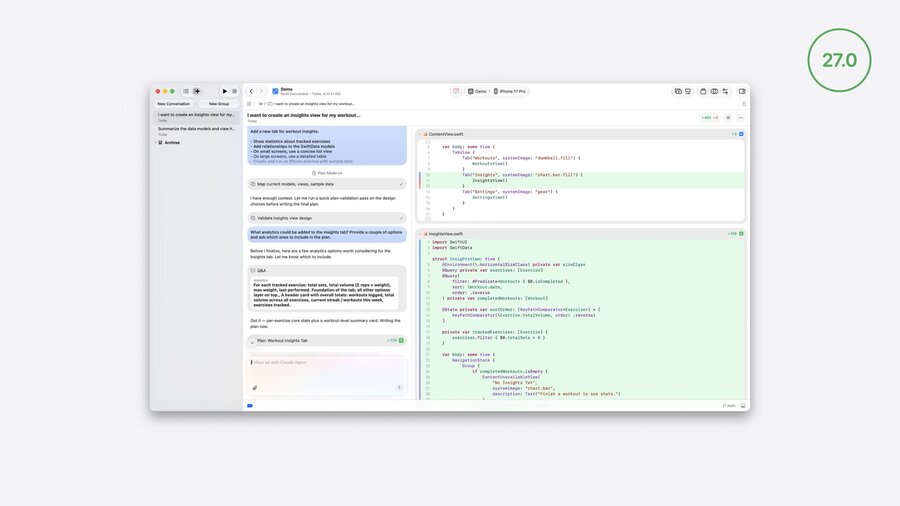
Xcode 27 enhances developer productivity with powerful coding agents for exploration, planning, building, and refining features.
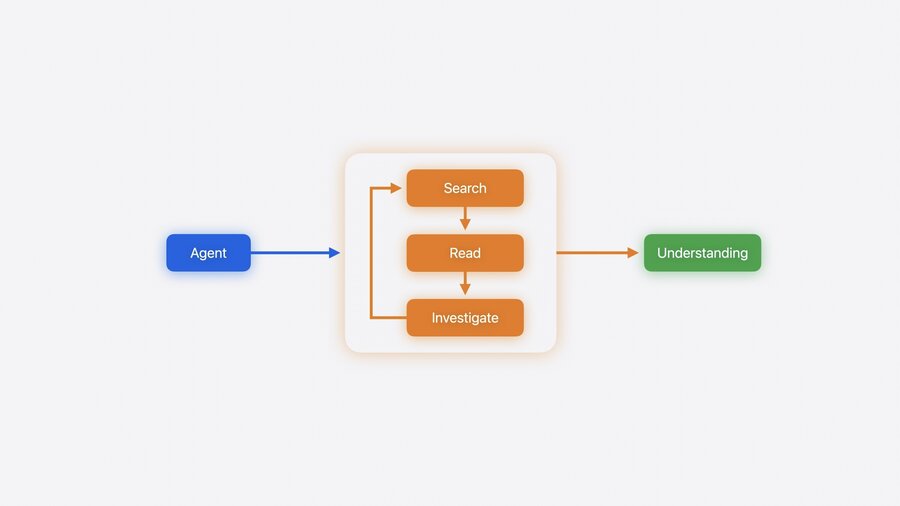
Agents leverage full project context plus Apple Document Search for deep understanding and up-to-date API info.
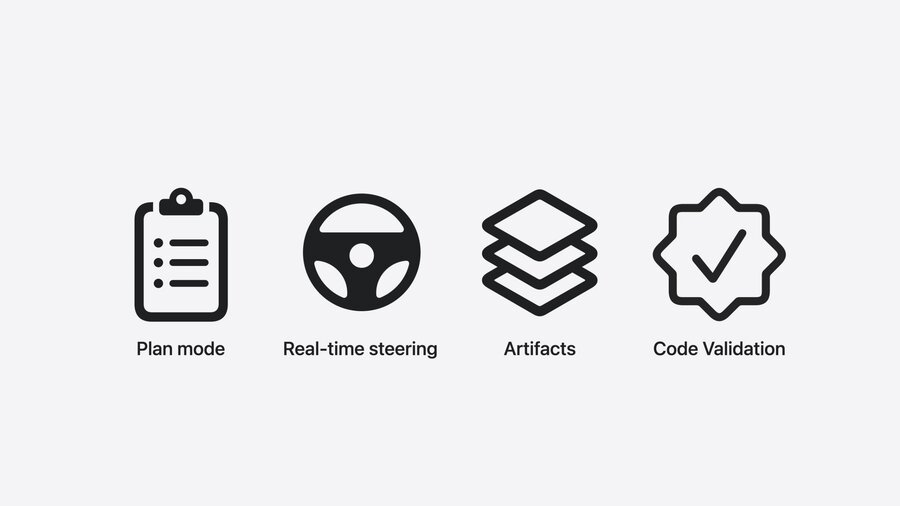
Plan mode aligns feature architecture before coding; queued messages enable interactive, iterative design.
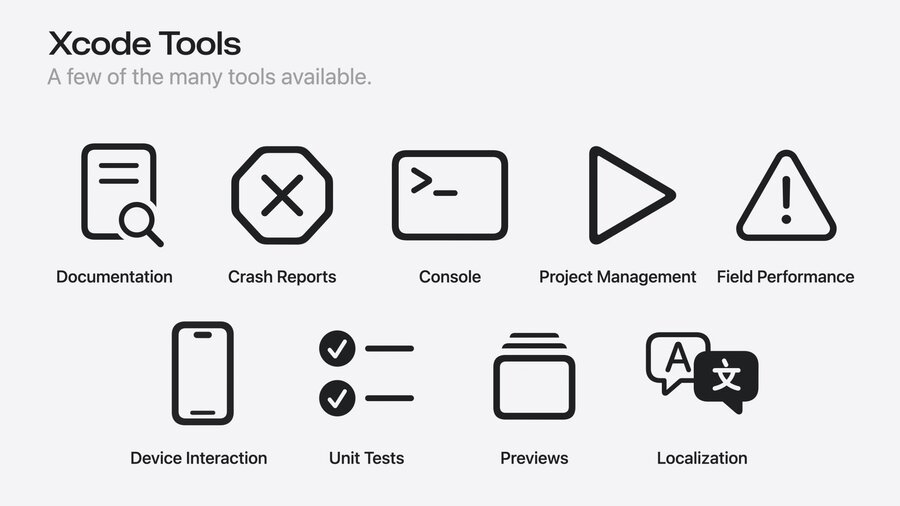
Built-in build, test, and preview tools validate code continuously within the agent workflow.
Orchestration automates complex tasks like localization and accessibility through coordinated sub-agents.
Presenters
Maxwell Oury, Xcode Intelligence Experience
Devin Green, Xcode Intelligence Foundations
Exploration and Understanding
Agents access full project context: source code, build settings, open files, and selections.
Start a conversation (
Option + Shift + clickon toolbar item) for exploration without leaving your coding environment.Use agents to:
Summarize data models and view hierarchy.
Generate detailed walkthroughs of architecture, data flow, and key files with clickable references.
Create persistent architecture documents inside the project for team reference; helps onboard new team members faster.
Agents combine code reading with Apple Document Search, providing current API documentation and examples.
Plan Mode (
/command) allows outlining feature architecture before writing code.Write high-level overviews, device-specific design considerations, and preview requests.
Use queued messages to add clarifications or requirements while agents process prior instructions.
Interactive dialogue creates a tight feedback loop, resulting in a robust, well-aligned plan.
Once approved, agents execute the plan, delivering code changes as artifacts with diffs visible inline.
Building, Previewing, and Validating
Agents:
Build incrementally and report build errors directly.
Update architecture documents dynamically as code evolves.
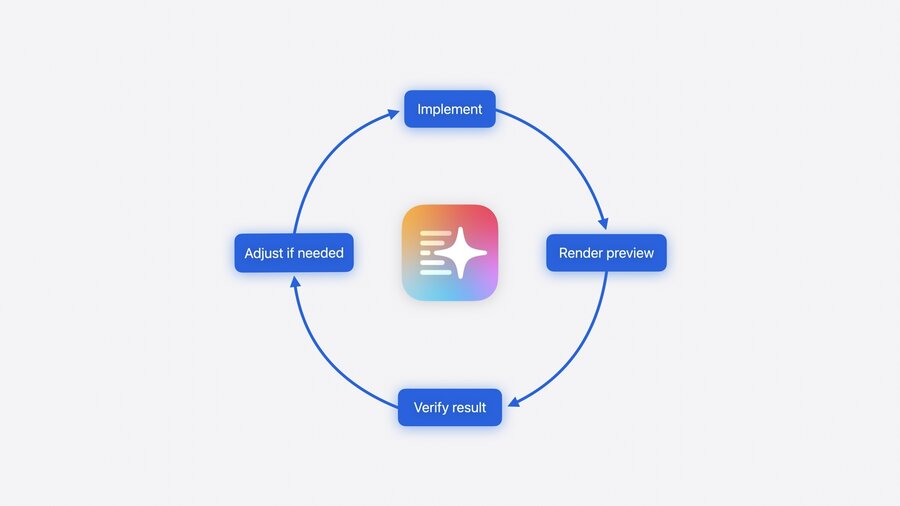
Render SwiftUI previews with real or artificial data to visually verify results.
Run unit tests or generate new ones, reporting pass/fail status.
This integrated validation ensures correctness without manual context-switching.
UI Refinement with Visual Feedback
Example: Adding Swift Charts to visualize workout data with custom styles and animations.
Iterations include:
Sketch-based design input (via image attachments).
Inline annotations specifying exact code lines to tweak colors, animations, etc.
Preview updates check visual accuracy continuously.
Orchestration of Complex Tasks
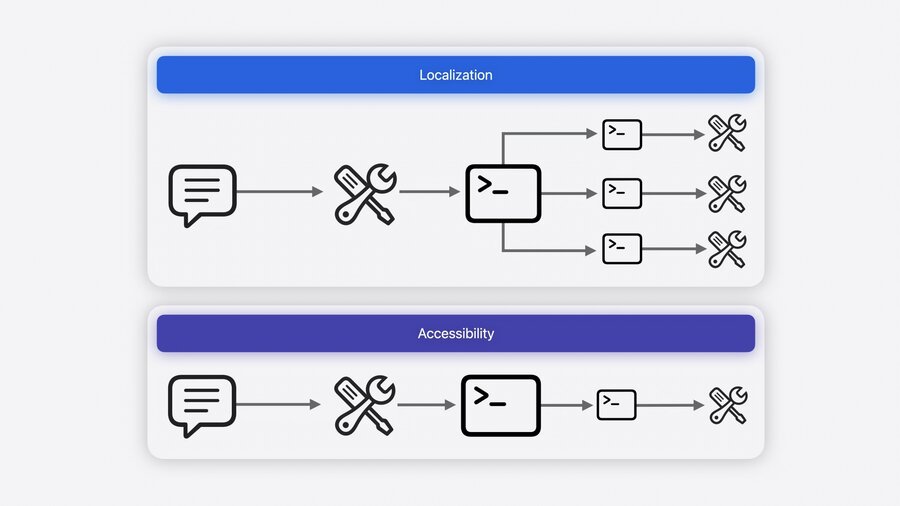
Orchestration involves defining high-level goals like localization and accessibility.
Parallel workflows run simultaneously, e.g., translating strings into Filipino + adding VoiceOver labels.
Agents manage the entire workflow end to end, from initial request to completion.
Results include fully localized UI elements and accessible components verified with VoiceOver.
Users can monitor progress and remain in control throughout.
Summary of Workflow Enhancements
| Stage | Agent-Enabled Features |
|---|---|
| Planning | Plan mode architecture, queued messages, iterative alignment |
| Building | Automated coding, live diffs, architecture updates |
| Validation | Build, test, and preview integrated in workflow |
| Refinement | Inline annotations, image attachments, visual previews |
| Orchestration | High-level goal management with parallel sub-agents for localization & accessibility |
Practical Developer Tips
Use agents to quickly onboard new team members via generated documentation.
Leverage plan mode before coding to save time fixing architectural issues later.
Employ queued messages for iterative discussion without blocking your agent’s current task.
Regularly check artifacts (code diffs, previews, test results) to verify agent outputs.
Use orchestration to automate tedious but important processes like app localization and accessibility improvements.
