
Summary
New Poster Generic style enhances pass design with bold, colorful artwork.
Four new barcode types expand flexibility; ensure backward compatibility.
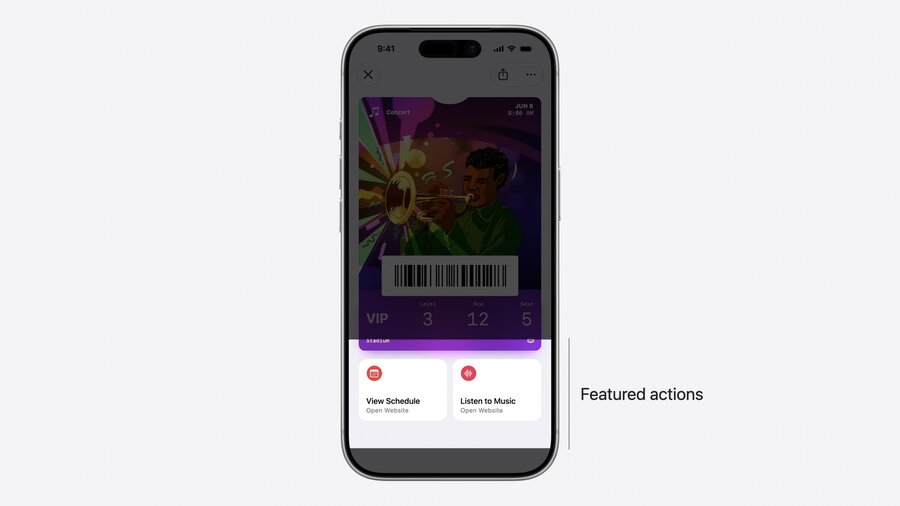
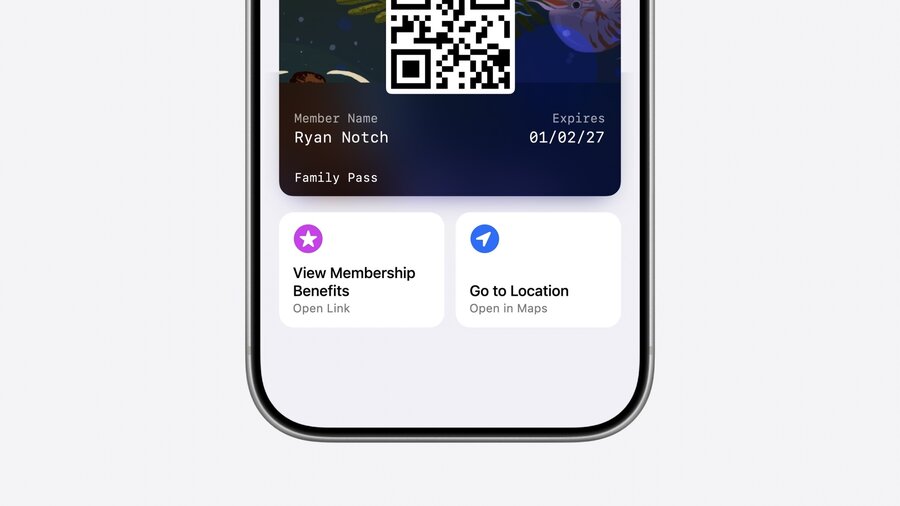
Featured actions API enables custom actions across all pass stylaes.
Pass Designer and Pass Builder streamline pass creation and distribution.
Presenters
Shaun Merchant, Wallet Engineer
New Features in iOS 27 Wallet
Poster Generic Style: Ideal for membership cards and loyalty programs. Includes background image, primary logo, and header fields. Requires iOS 27+.
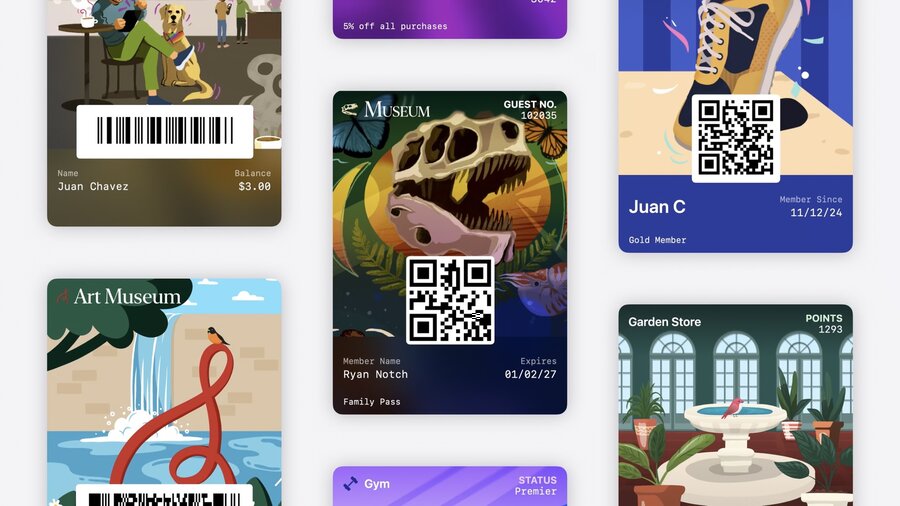
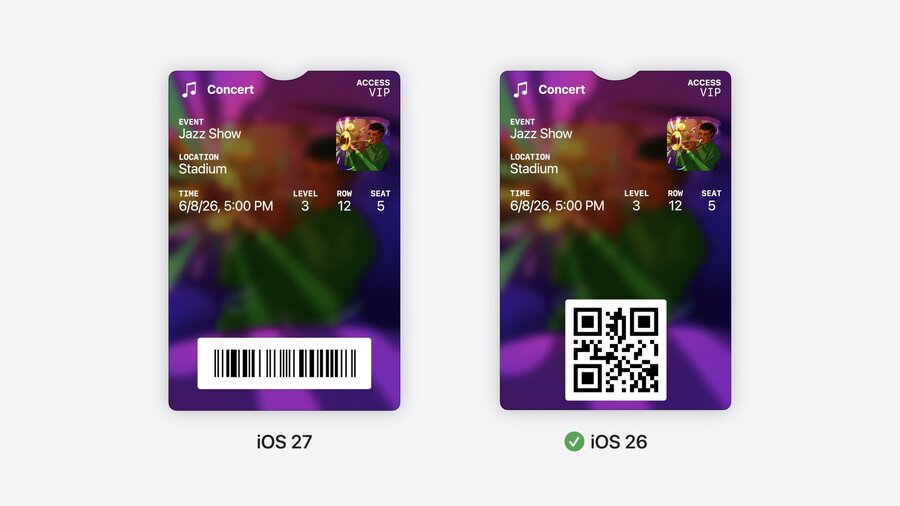
New Barcode Types: Supports EM13, Code 39, Codabar, and ITF. Prioritize multiple formats for compatibility with older iOS versions.
// pass.json
{
  // Adopting Poster Generic
  "posterGeneric": {
    "headerFields": [
      {
        "key": "memberID",
        "label": "Guest No.",
        "value": "102035"
      }
    ],
    "footerFields": [
      {
        "key": "membershipType",
        "value": "Family Pass"
      }
    ]
  },
  // Supporting Generic on iOS 26 and earlier
  "generic": {
    "headerFields": [
      {
        "key": "memberID",
        "label": "Guest No.",
        "value": "102035"
      }
    ],
    "footerFields": [
      {
        "key": "membershipType",
        "value": "Family Pass"
      }
    ]
  },
  // Adopting new barcode types and supporting iOS 26 and earlier.
  "barcodes": [
    {
      "format": "PKBarcodeFormatCodabar",
      "message": "123456789",
      "messageEncoding": "iso-8859-1"
    },
    {
      "format": "PKBarcodeFormatQR",
      "message": "123456789",
      "messageEncoding": "iso-8859-1"
    }
  ],
  // Featured actions
  "featuredActions": [
    {
      "identifier": "my-offer-id",
      "type": "membershipBenefits",
      "url": "www.example.com/offers"
    }
  ]
}
Developer Tools
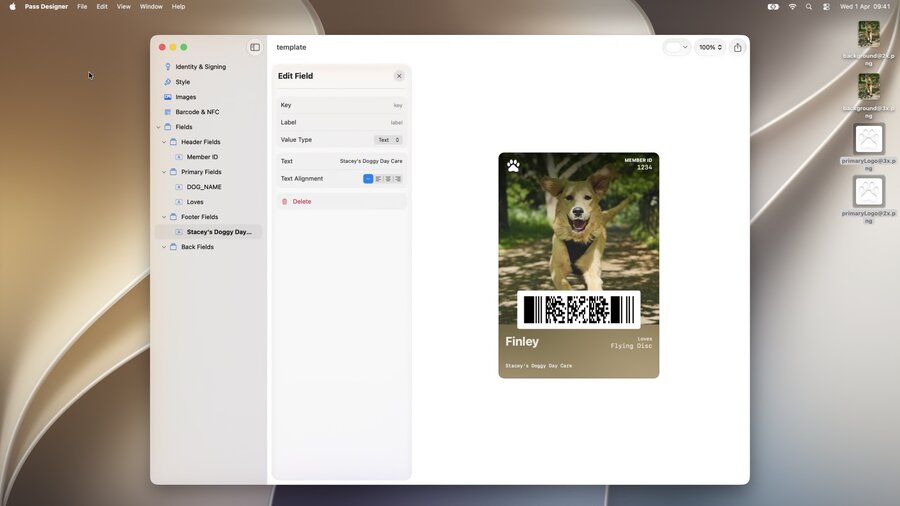
Pass Designer
This WYSIWYG editor allows developers to create pass templates with a live preview, making design intuitive and straightforward.
Users can configure pass identity, style, images, barcodes, fields, and semantics directly within the tool.
Pass Builder
Facilitates the personalization and distribution of passes at scale, supporting automated workflows.
Can be integrated with other programming languages through Java bindings via the Swift Java project.
import PassBuilder

func createPass(for doggo: MemeberModel) async throws -> URL {
  var passPackage = PassPackage(url: "template.pkpasstemplate")

  passPackage.pass.fields.setValue(doggo.name, forKey: "DOG_NAME")
  passPackage.pass.fields.setValue(doggo.favoriteToy, forKey: "LOVES")
  passPackage.pass.fields.setValue(doggo.id, forKey: "MEMBER_ID")

  passPackage.background = PassImage(url: doggo.photoURL)

  passPackage.pass.barcodes = [
    Pass.Barcode(message: doggo.id, format: .pdf417)
  ]

  passPackage.featuredActions = [
    Pass.Action(id: "action-1", type: "viewMembership", url: doggo.membershipURL)
  ]

  let passCertificate = try PassCertificate(url: "pass.p12", password: "s3cr3t")
  let wwdrCertificate = try PassCertificate(url: "wwdr.cer")

  let signer = PassSigner(
    passCertificate: passCertificate,
    wwdrCertifiate: wwdrCertificate
  )

  let destinationURL = URL(string: "/www/passes/" + doggo.id)
  try signer.signPass(passPackage, writingTo: destinationURL)

  return destinationURL
}
Implementation Tips
Include both new and existing style keys in your pass JSON to ensure older iOS versions can still render the pass.
Prepare for manual entry scenarios by making credential IDs easily accessible and training staff accordingly.
Featured Actions
Provide semantic URLs for additional user actions beneath the pass.
Define actions in pass JSON with a unique ID, action type, and URL.
Limit to two meaningful actions per pass.
Recommendations
Experiment with Poster Generic style using Pass Designer.
Plan for barcode format fallbacks.
Identify and implement featured actions that are most relevant to users.
