
Key Takeaways
🎨 Customize Xcode with flexible toolbars and workspace themes.
🤖 Use coding agents in the editor to plan, build, and localize.
📱 Test and refine apps with Device Hub, Instruments, and Xcode Cloud.
Workspace
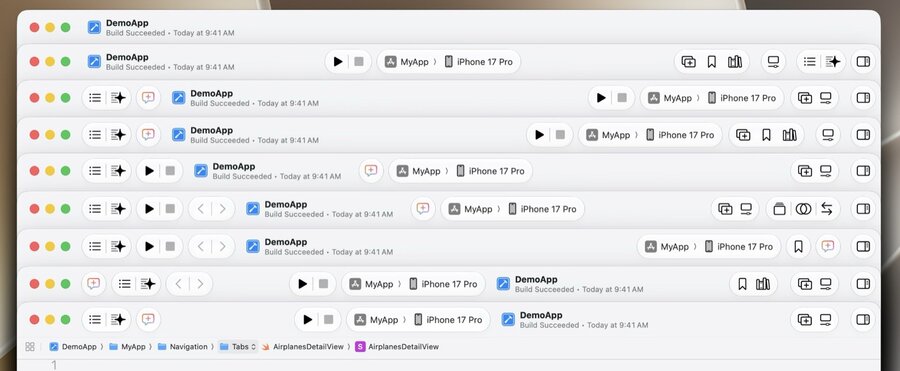
The toolbar is now fully customizable, allowing items to be added, removed, and reordered to suit your workflow.
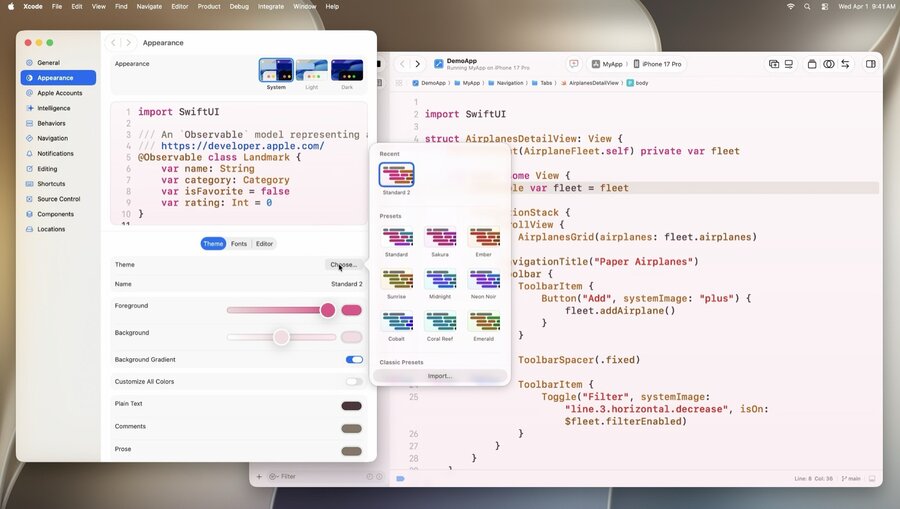
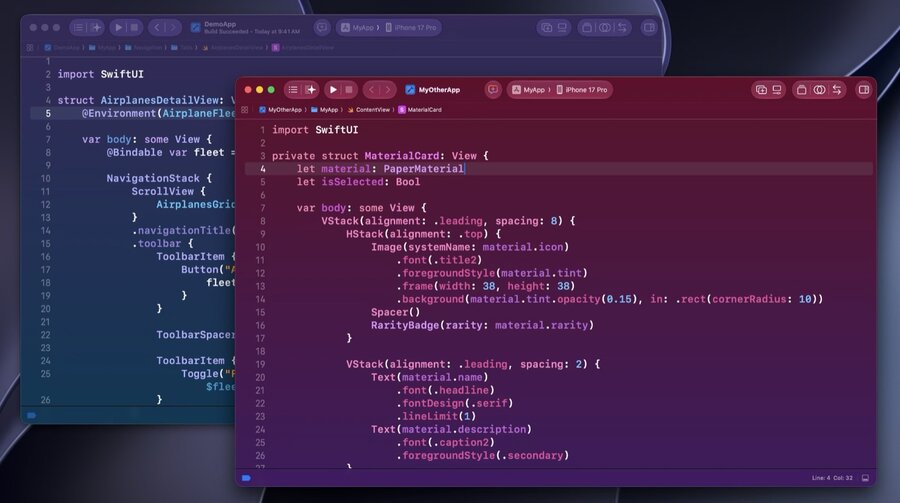
Themes support custom colors, fonts, and background styles.
Each workspace can use a different theme and font settings.
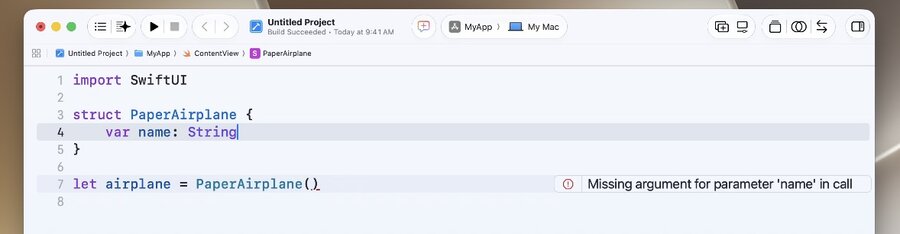
Live issues appear subtly while editing. After a build, unresolved issues become full warnings or errors.
Projects and files
New projects start untitled, making it easy to test ideas. They can later be named, saved, or discarded.
Standalone Swift files open in their own workspace windows. They can show playground results and UI previews in the canvas.
Intelligence
Learn more: Xcode agents and you
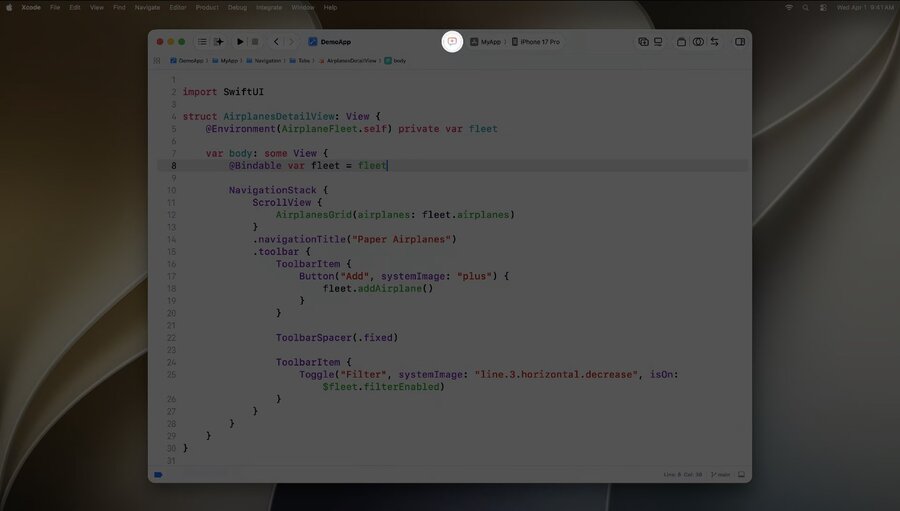
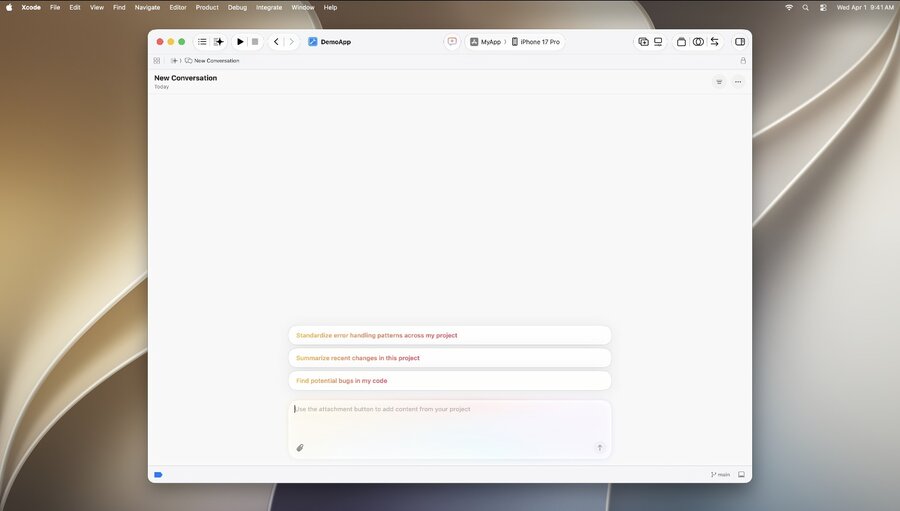
Start agent conversations from the toolbar.
Agent conversations open directly in the editor. They support tabs and split panes.
Changes, files, artifacts, and screenshots appear next to the conversation.
The coding assistant sidebar shows active tasks and conversations. It also indicates when input is needed.
Coding agents can prepare an app for localization. They can update strings, create a String Catalog, and generate translations.
Running apps with Device Hub
Learn more: Get the most out of Device Hub
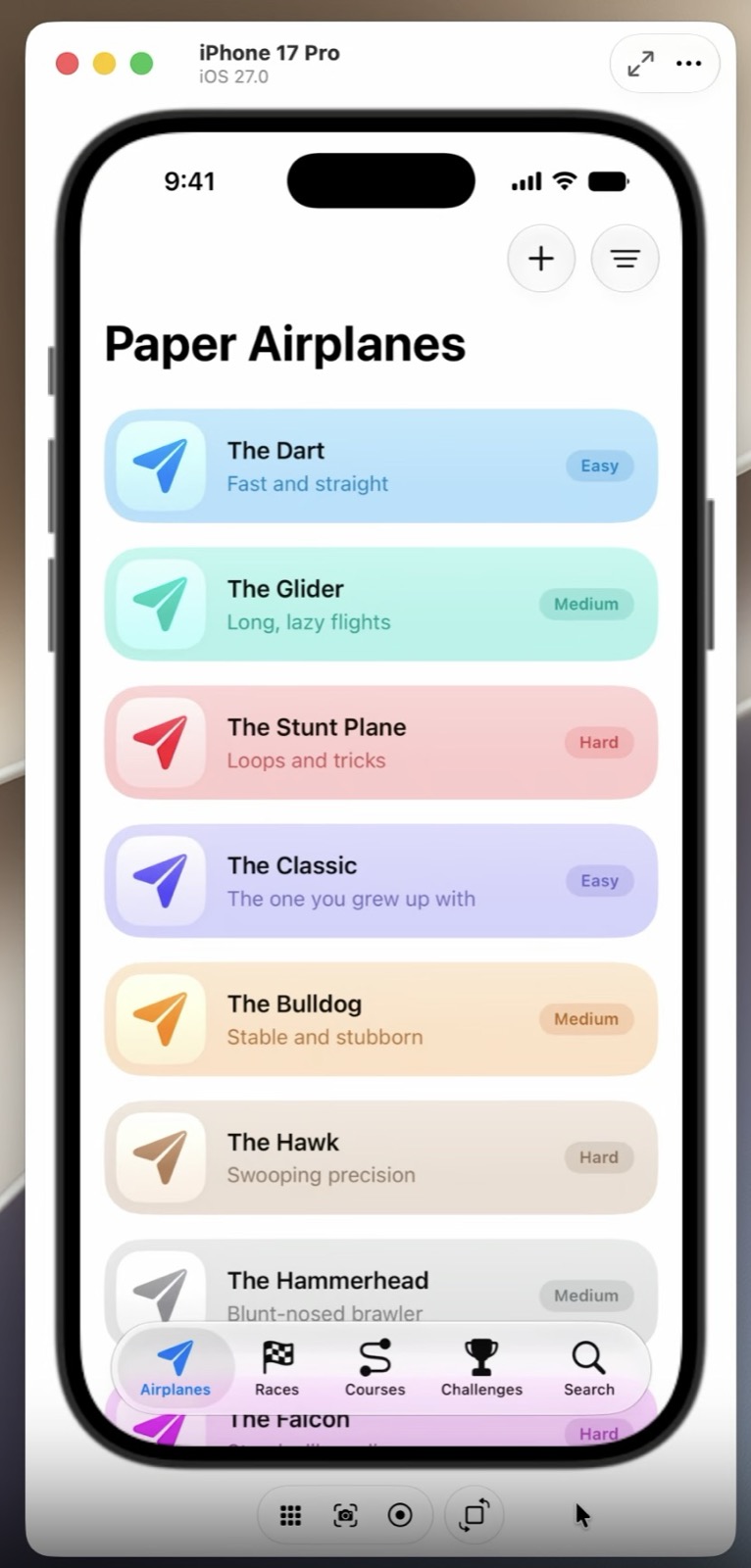
Running an app on a simulator opens it in Device Hub.
The compact window keeps the device visible while you work.
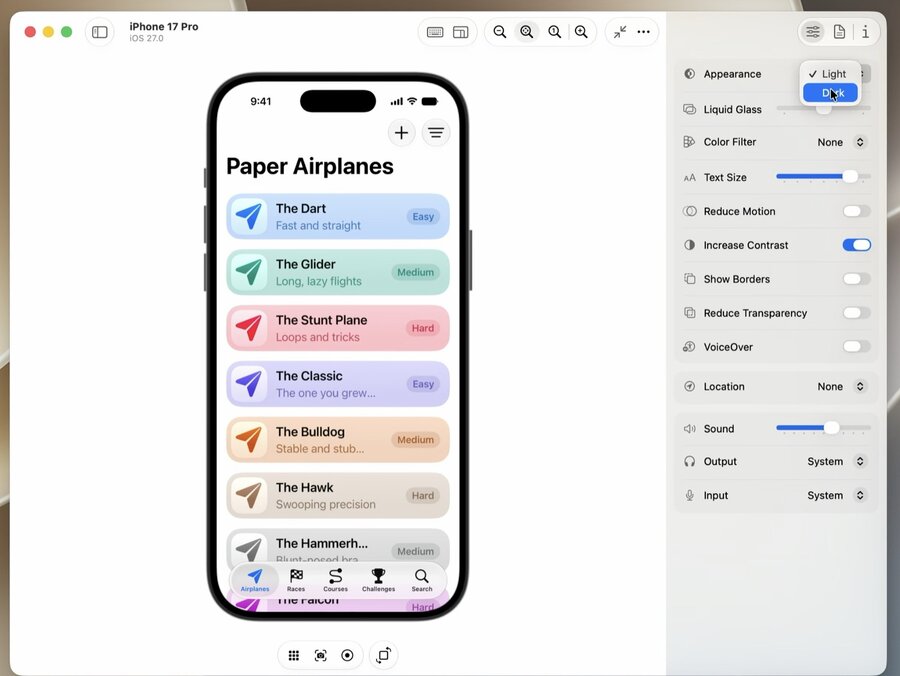
Expanding the window reveals more controls.
The Inspector provides accessibility settings, increased contrast, larger text, and dark appearance.
On macOS 27, you can test iPhone Mirroring at different sizes and aspect ratios.
Device Hub supports both simulators and physical devices.
Refining apps
Localization
Coding agents can create String Catalogs and translate UI strings.
Test the app to find layout issues and improve translations.
For more, see Translate your app using agents in Xcode.
Organizer
The redesigned Overview shows important metrics and diagnostics together.
New metrics track storage use and animation hitches.
Instruments
Top Functions highlights code that uses the most processing time.
For more, see Debug and profile agentic app experiences with Instruments and Profile fix and verify Improve app responsiveness with Instruments.
Xcode Cloud
Xcode 27 makes the initial setup faster.
For cloud workflows, see Build deliver and automate with Xcode Cloud.
