
Fundamentals
Widgets are glanceable, relevant, and personalized
Widgets are exclusively build with SwiftUI
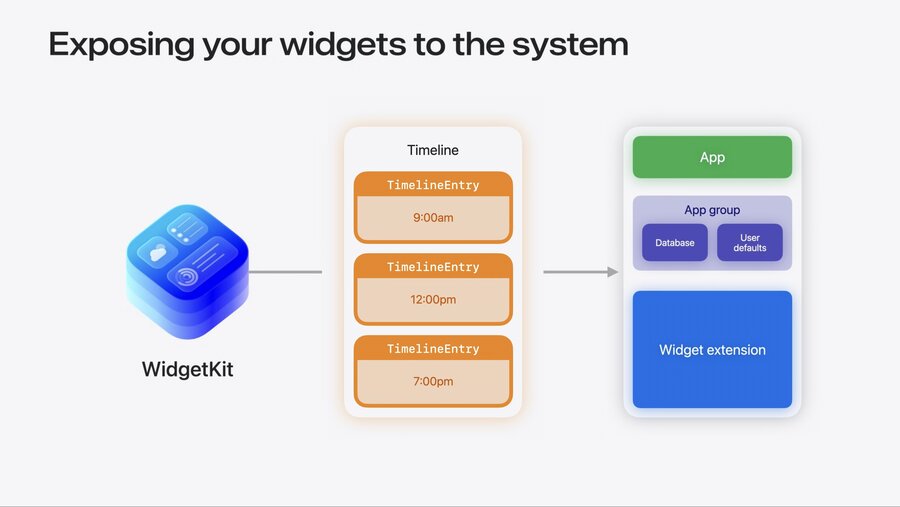
Shared data needs to be in App Group Container
WidgetKitasks Widget extension for contentContent is provided via timeline with multiple entries
Each entry has it’s own data to render content
System displays each entry at relevant time
Two types of Widgets:
AppIntentConfiguration: configurable by userStaticConfiguration: static/non-configurable
struct DailyReadingGoalWidget: Widget {
    var body: some WidgetConfiguration {
        StaticConfiguration(
            kind: "DailyReadingGoalWidget", // Custom unique identifier
            provider: DailyReadingGoalProvider() // Timeline provider to produce entries
        ) { entry in
            // SwiftUI View to render content
            DailyReadingGoalView(book: entry.book,
                                 message: entry.message,
                                 timeOfDay: entry.timeOfDay)
            .containerBackground(for: .widget) {
                // Handling of Widget background for different home screen appearances like glass
                Background()
            }
        }
    }
}
Timeline Provider
TimelineProvider` supplies three states:
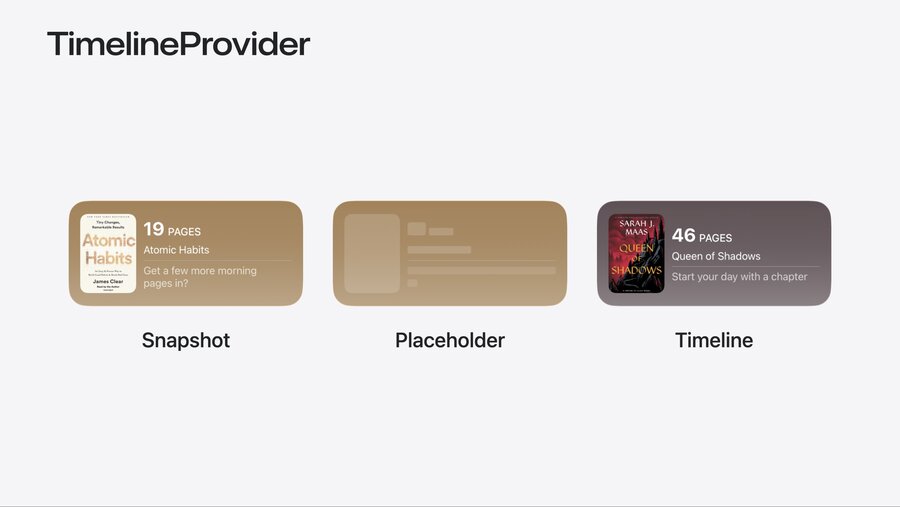
Snapshot: Realistic preview shown in Widget gallery
Example: Feature popular book before loading apps data
Placeholder: Stand-in view when content is not loaded yet
Needs to be synchronous as it shows up instantly
Provide placeholder that does not need data from disk or network
Use redacted modifier to provide simplified appearance
Timeline: Actual view of specific moment in time
Can be now or in any point of future
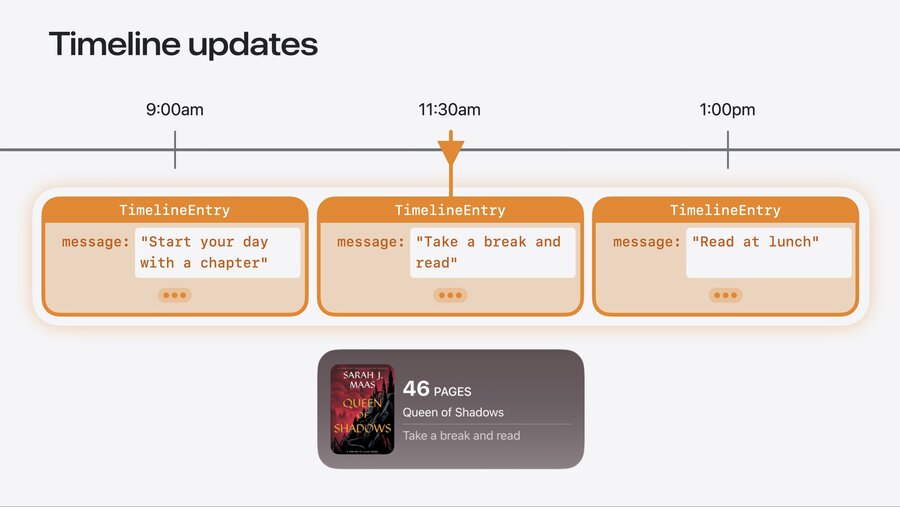
Timeline entries provide view for specific point in time
Needs to be refreshed at some point via reload policy
Reload policy options:
.atEnd: Asks for more after all entries are exhausted.afterDate: Specific date for desired reload.never: Only manual reloads via explicitWidgetCentercall or push notifications
Timeline Best Practices
Provide multiple entries when possible
Reloads heavily budgeted by system for all day battery life
Influenced by users viewing habits
Frequent reloads when app is in foreground might be throttled
One reload when entering background is good idea
Consider Live Activities for frequent updates in fixed time range
Learn more: Live Activities essentials
Widget Families
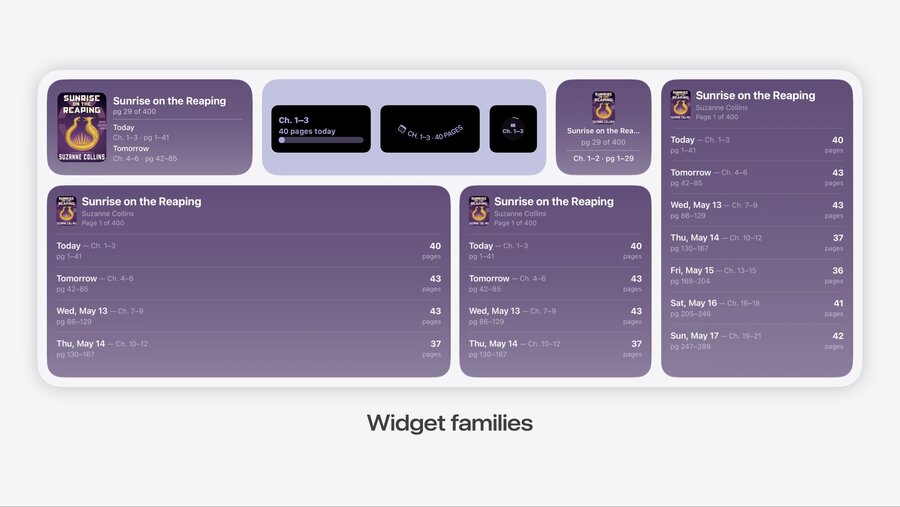
Recommended go support as many families as possible
System extra large portrait family is new in iOS/iPadOS/macOS 27
Use
.supportedFamiliesto define which you supportAll available types at
WidgetFamily
StaticConfiguration(kind: "DailyReadingGoalWidget", provider: DailyReadingGoalProvider()) { entry in
    // SwiftUI View to render content
    DailyReadingGoalView(book: entry.book,
                         message: entry.message,
                         timeOfDay: entry.timeOfDay)
}
.supportedFamilies([.systemMedium])
Integrate with Your App
Deep Links
Tapping Widget opens app by default
Use
.widgetURLto define custom deep link handling when launching app
StaticConfiguration(kind: "DailyReadingGoalWidget", provider: DailyReadingGoalProvider()) { entry in
    // SwiftUI View to render content
    DailyReadingGoalView(entry: entry)
        .widgetURL(URL(string: "bookclub://reading/\(entry.book.bookID)"))
}
.supportedFamilies([.systemMedium])
Configurable Widgets
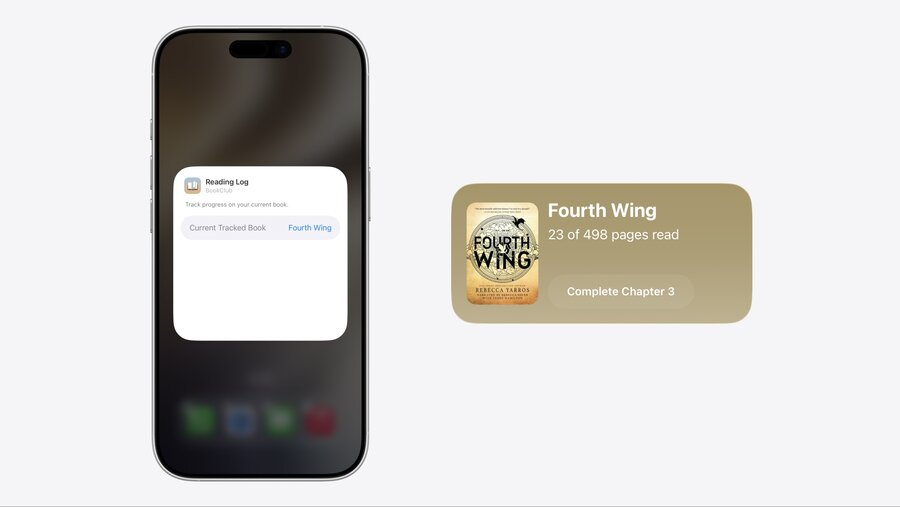
Customize Widgets like Weather app
Allows adding same Widget with different configurations
Keep options small and use sensible defaults
Configuration handled via
AppIntentsframeworkLearn more: Explore enhancements to App Intents
Interactive Elements
Interaction via button or toggle
Performed with
AppIntentsLearn more: Bring widgets to life
Adapt with System
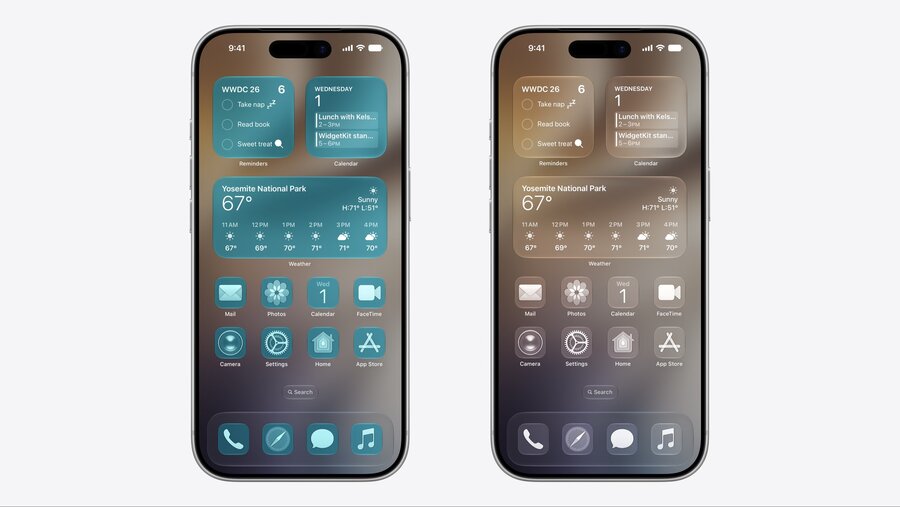
System renders Widget without background and optional tint in glass appearances
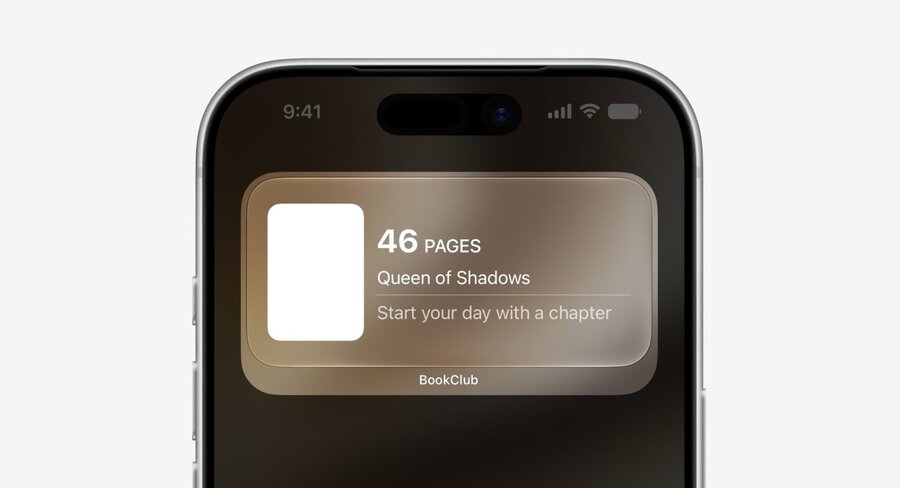
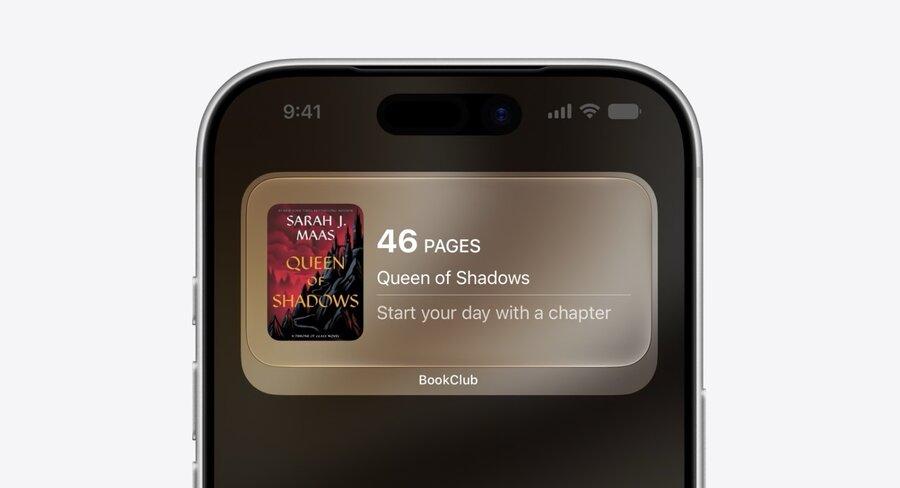
Use
.widgetAccentedRenderingModeto override automatic monochrome conversion
struct BookCoverImage: View {
    let imageName: String

    var body: some View {
        Image(imageName, bundle: .main)

    }
}
struct BookCoverImage: View {
    let imageName: String

    var body: some View {
        Image(imageName, bundle: .main)
            .widgetAccentedRenderingMode(.fullColor)
    }
}
Testing
Check all system appearances: full color, clear and tinted
Widgets can be accessed via remote devices like on Mac
Use previews to check all variants
#Preview(as: .systemSmall)for specific previews
Enable “WidgetKit Developer Mode” in system settings to lift budget restriction
