
Summary
New APIs for drag and drop enhance UI interactions in iOS 2027 and beyond.
Reorderable API allows users to rearrange content with drag gestures.
Drag container API supports dragging multiple items at once.
Solitary game example demonstrates practical implementation of new features.
Presenters
Jack Wiig, UI Frameworks Engineer
Drag and Drop APIs in iOS 2027
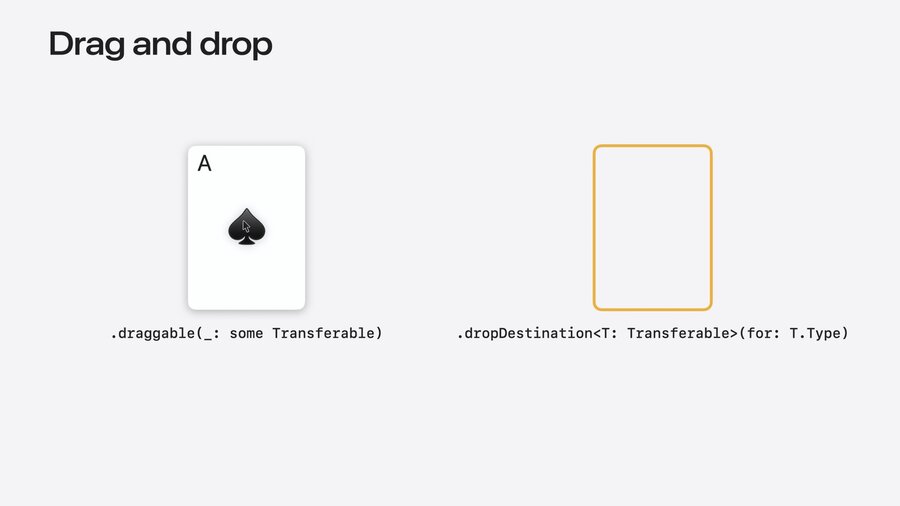
Dragable and Drop Destination Modifiers:
dragable: Enables moving content like photos and text.dropDestination: Allows apps to accept various content types.
New Features:
Reordering API:
Allows rearranging of content using drag and drop.
Utilizes
reorderableandreorderContainermodifiers.Supports scoped reordering within specific containers.
Drag Container API:
Enables dragging multiple items simultaneously.
Customizes drag behavior with
dragPreviewsFormationfor visual consistency.
Drag Configuration API:
Configures how data is transferred (e.g., by move vs. copy).
Used to ensure proper data handling during drag operations.
Example: Solitaire Game
Implementation Steps:
Reordering:
Use
reorderablemodifier for individual items.reorderContainerto manage multiple related items.
HStack {
   ForEach(cards) { card in
      CardFaceView(card: card)
   }
   .reorderable()
}
.reorderContainer(for: CardValue.self) { difference in
   cards.apply(difference: difference)
}
HStack { // ... } .reorderContainer(for: CardValue.self, in: Card.Group.self) { difference in game.moveCards(difference: difference) }ForEach(cards[index...], id: \.value) { card in CardView(card: card) } .reorderable(collectionID: Card.Group.pile(index))Multiple Item Dragging:
Implement selection model to drag multiple cards.
Use
dragContainerto support grouped item dragging.
VStack {
   // ...

   HStack {
      // ...
   }
   .reorderContainer(for: CardValue.self, in: Card.Group.self) { difference in
      game.moveCards(difference: difference)
   }
   .dragContainer(for: CardValue.self) { cardID in
      game.cardStack(startingAt: cardID)
   }
   .dragPreviewsFormation(.stack)
}
.dropPreviewsFormation(.stack)
Data Transfer Customization:
Use
dragConfigurationanddropConfigurationto manage data movement.Ensure game logic prevents invalid moves.
HStack {
   // ...
}
.dragContainer(for: CardValue.self) { cardID in
   [cardID]
}
.dragConfiguration(DragConfiguration(allowMove: true))
.dropDestination(for: CardValue.self) { newCards, session in
  if let destination = session.reorderDestination(
      for: CardValue.self, in: Card.Group.self) {
      game.insertCards(newCards, to: destination)
   }
}
.dropConfiguration { session in
   let alignedX = session.location.x - 0.5 * spacing
   let pile = Int(alignedX / (cardWidth + spacing))
   let destination = ReorderDifference<CardValue, Card.Group>
      .Destination(position: .end, collectionID: .pile(pile))

   let allowed = session.suggestedOperations.contains(.move)
     && game.validateMove(session: session, destination: destination)

   let operation: DropOperation = allowed ? .move : .forbidden

   return DropConfiguration(operation: operation, destination: destination)
}
Recommendations
Consider adding drag and drop features to enhance app interactivity.
Use APIs to allow reordering and multiple item interactions.
Customize drag and drop configurations for specific app needs.
