
Summary
Safari 27 introduces 60+ new web platform features enhancing web development.
Customizable Select element allows full styling with accessibility out-of-the-box.
CSS Grid Lanes enable pure CSS masonry layouts without JavaScript.
New
<model>element supports embedding interactive 3D models across Apple platforms.Safari Web Extensions are easier to package and distribute cross-platform via App Store Connect.
Presenters
Jen Simmons, Web Technologies Evangelist
Quality Improvements in WebKit
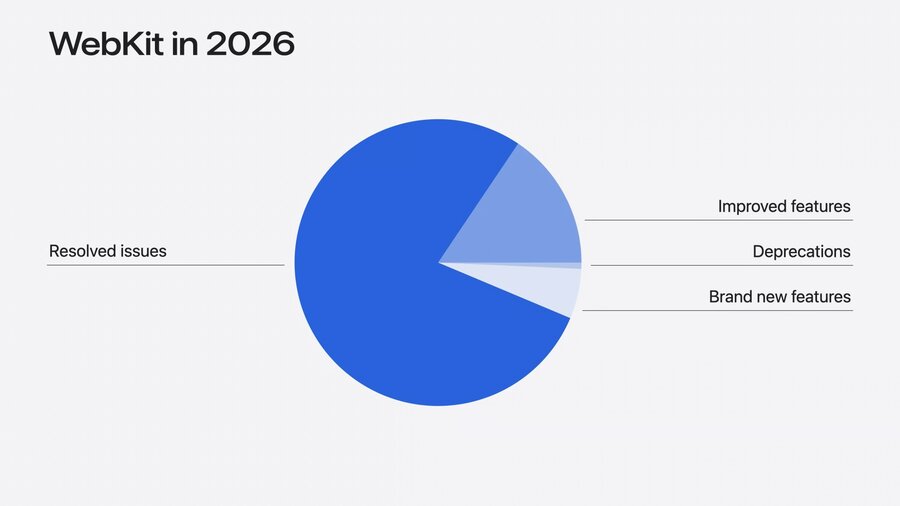
Focus shifted this year toward quality over quantity: improving foundational web platform features with 1100+ fixes since last fall.
Example: Emoji input bug fixed by sending emoji as text instead of Unicode number, solving truncation issues with
.fromCharCode.Rewrote block-in-inline layout engine — old 20+ year code replaced to fix layout bugs.
Significant updates in SVG, media playback, scrolling, accessibility, WebRTC, and HTML tables.
Alignment with updated web standards, such as clarifying SVG radial gradients and CSS
random()scoping changes.Closed gaps in CSS
min(),max(), andclamp()support inside HTML’ssizesattribute.
New Web Features
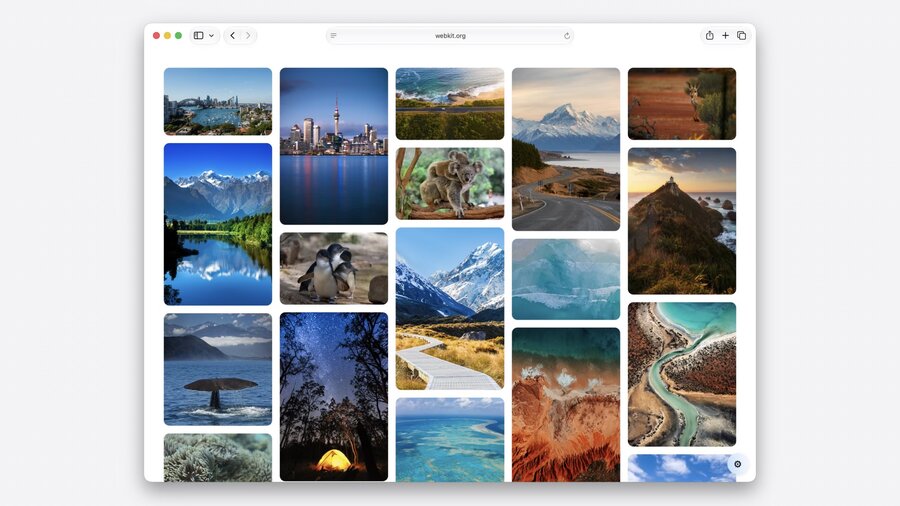
CSS Grid Lanes
Available since Safari 26.4.
Enables classic masonry layout in pure CSS using grid tracks.
Supports bidirectional flow and fine control over item ordering.
Useful for complex responsive layouts without JavaScript.
Debugging aid: Safari Web Inspector can show order numbers and layout details.
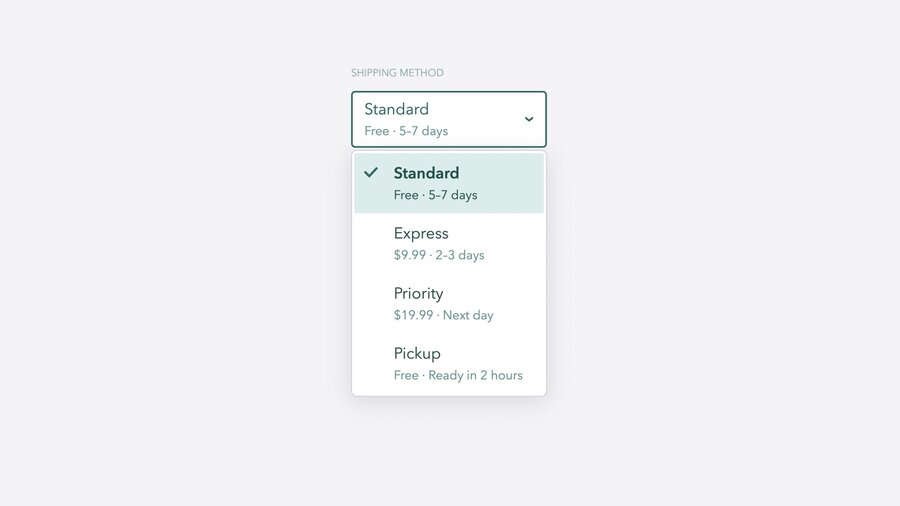
Customizable Select Element (Safari 27)
Apply
appearance: base-selectto<select>for automatic style inheritance and accessibility.Style dropdown menu contents with the new
::pickerpseudo-element.Additional pseudo-elements:
::checkmarkand::picker-iconfor granular styling.Allows embedding HTML (subtext, images) inside options to enrich UI.
Use CSS Grid or Flexbox to redefine dropdown layout.
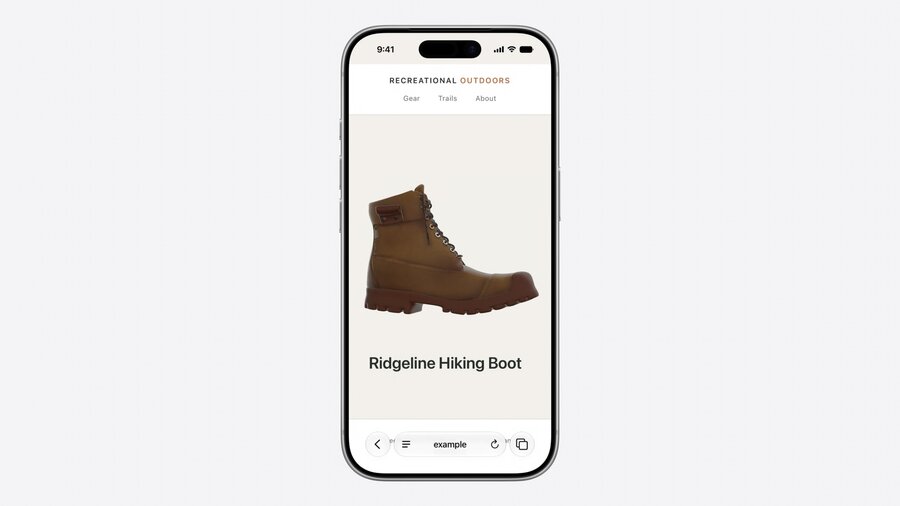
<model> HTML Element (Safari 27)
New media element for embedding 3D models directly in web pages.
Supports attributes like
environmentmap(lighting) andstagemode(interaction defaults).JavaScript API available for interactive control.
Compatible with iOS, iPadOS, macOS, and visionOS.
Works with
<link rel="preload">and multiple formats.Integrated with ARKit on iOS/iPadOS for “view in space” experiences.
visionOS 27 extends these with immersive website environments and an Immersive API similar to Fullscreen API.

Web Extensions in Safari
Safari continues evolving towards cross-browser compatibility using WebExtensions standard.
Single codebase supports Chrome, Firefox, Edge, and Safari.
New Safari web extension packager allows building and distributing extensions via App Store Connect on any OS or browser — no Mac/Xcode required.
Simplifies reaching Safari users and streamlines extension distribution.
Other Notable Updates
MapKit JS
Embeddable interactive maps preserving user privacy.
Compatible across all browsers and OS platforms.
Community & Feedback
Apple encourages using Safari Technology Preview and Safari beta for testing.
Developers are urged to file issues at bugs.webkit.org to help improve WebKit.
Continued efforts to raise standards compliance and interoperability ensure a smoother web development experience.
