
Enrolling Apple Watch
Considerations
There are a few things to consider when Apple Watch enrolls into MDM.
iPhone and Apple Watch are managed together
Apps and restrictions can be shared
Enrollment begins with iPhone
Supervision is required
Apple Watch is paired as a new device
Existing Apple Watches will need to be reset to be enrolled
The Apple Watch enrollment flow utilizes declarative device management so your server will need to support both Apple Watch and Declarative Device Management to enroll Apple Watch. More info on declarative device management here
https://developer.apple.com/videos/play/wwdc2023/10041
Enrollment Flow
Starting with a managed iPhone device, the administrator will send a new declaration to the phone. This example shows the new Watch Enrollment configuration
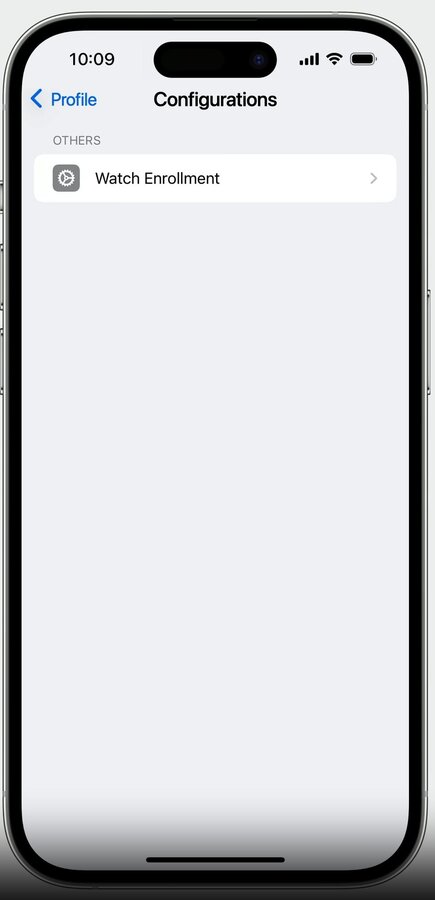
This signifies that any Watch paired to the iPhone needs to be enrolled in MDM.
The payload would look like this:
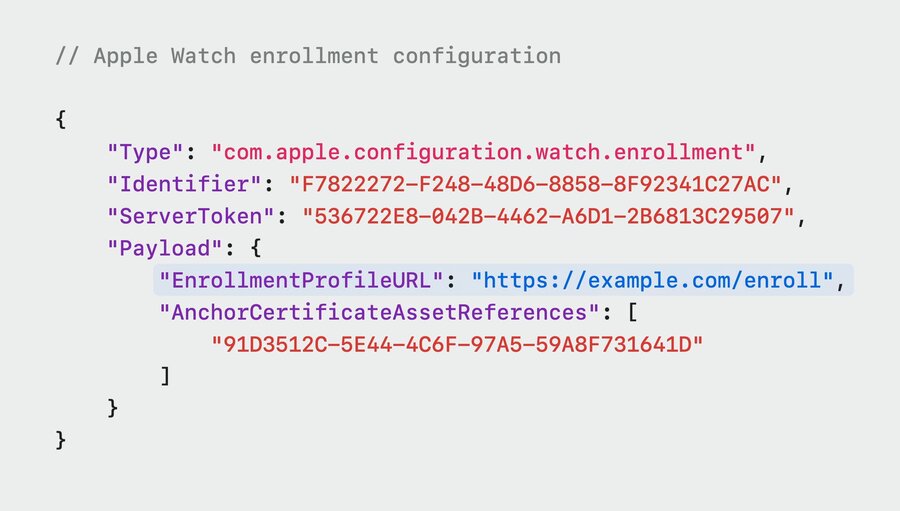
In this payload:
EnrollmentProfileURLdelivers the MDM profile that the Apple Watch will download and installAnchorCertificateAssetReferencesis an optional item that specifies an array of anchor certificates
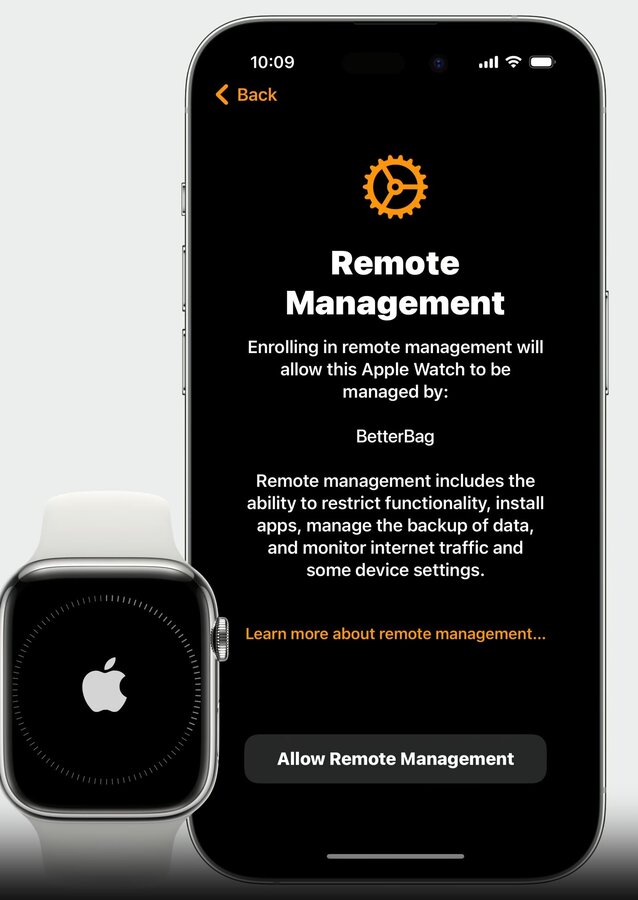
Once the user initiates pairing from the phone, they will be prompted to accept Remote Management. The pairing flow will end if the user does not accept.
Secure Enrollment Process
There are two key pieces to ensure security.
The administrator needs to verify that the host iPhone is enrolled in MDM server managed by their organization
They then need to identify the iPhone the Apple Watch is pairing to
The new enrollment flow is as follows:
During Apple Watch pairing the iPhone sends info from its configuration to the watch
The Apple Watch uses the URL and provided anchor certificates to make contact with the server
The server will inspect machine info data and look for new pairing token key
Key will not be available during first attempt and return an HTTP 403 response
Random UUID string inside 403 response will be used by the Apple Watch to start the pairing token retrieval flow
The iPhone will receive the security token from the Apple Watch
The iPhone will use the security token to do a
gettokencheck-in request with the serverThe
gettokenrequest looks like this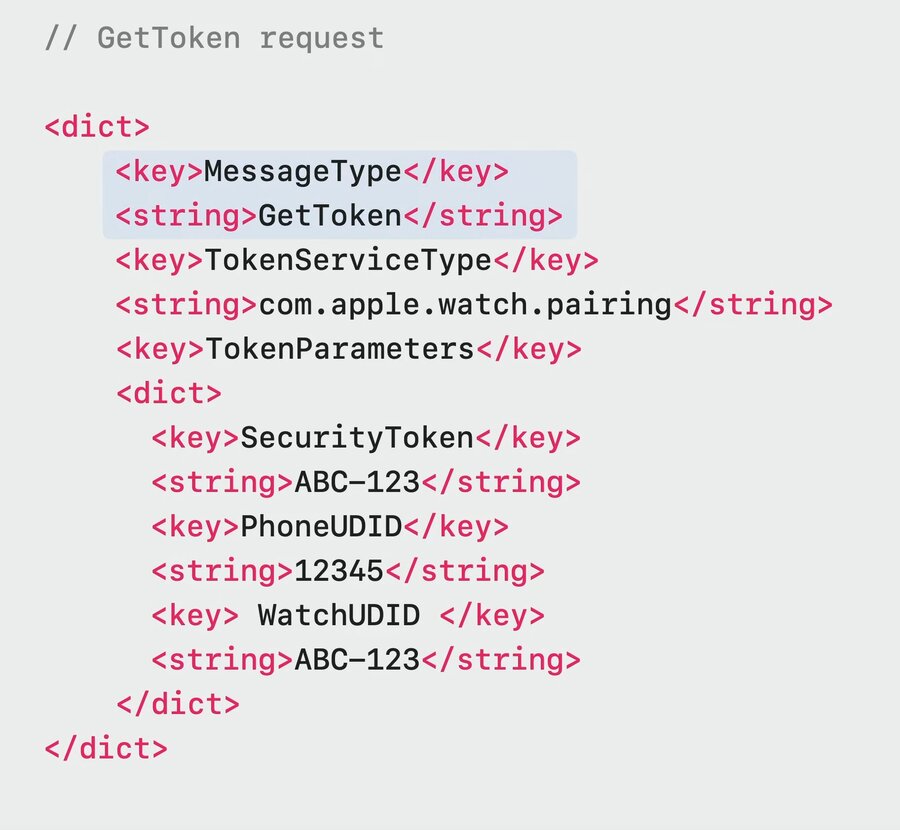
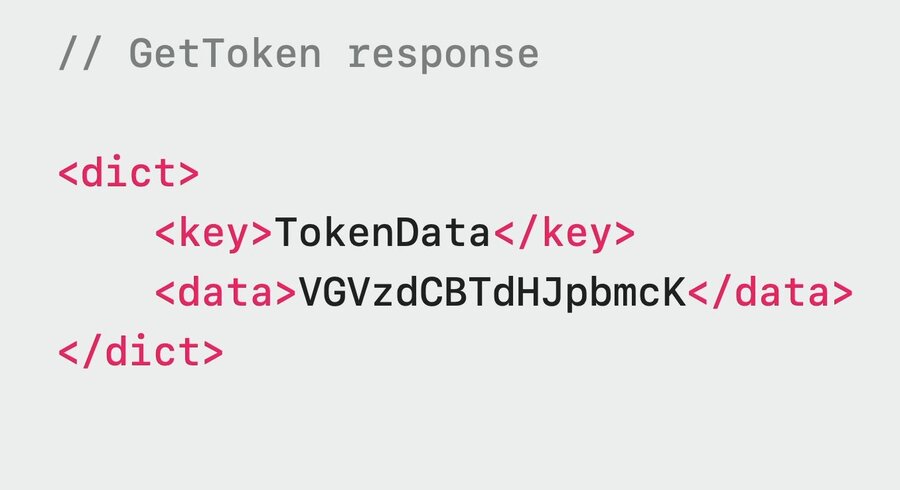
The server creates a secure pairing token and sends it to the iPhone
The token looks like this
The iPhone sends the pairing token to the watch
The Apple Watch adds the pairing token to its machine info
The watch will once again send a request to the server, which will now succeed since it contains a pairing key
The watch receives the MDM enrollment profile
MDM profile is installed at the end of the pairing flow
Managing Device
In WatchOS 10, all declaration types are supported on WatchOS. These include:
Configurations
Activations
Assets
Status
Management
Payloads, restrictions, commands, and queries can all be sent to the Apple Watch.
Network Configurations
The watch supports the following network configurations:
Wi-Fi Payload
Cellular Payload
Per-app VPN payload
Security Configurations
The following payloads are available on WatchOS:
SCEP and ACME
Password policy
Restrictions
Restrictions and passcode rules that are applied on iPhone are synced to the paired Apple Watch
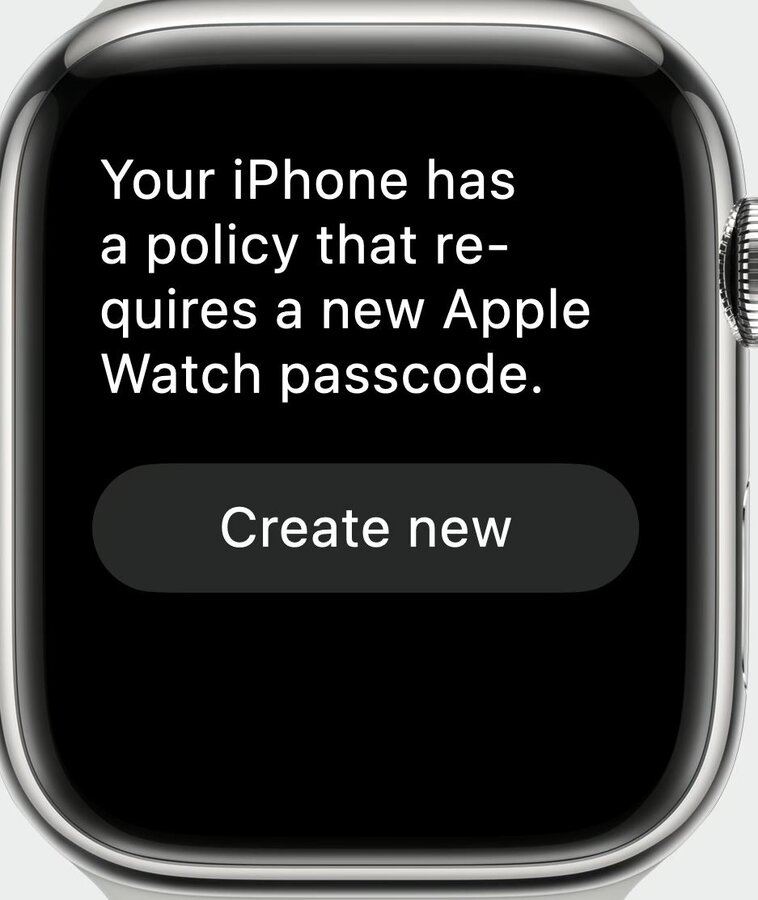
Restrictions applied directly to the Apple Watch will not be synced to the paired iPhone
Apple Watch Commands
Clear passcode
Lock Apple Watch
Erase Apple Watch
Unenroll from MDM
Deployment
Apple Watch has three deployment types for applications:
Paired apps - shares data with iPhone app but can be run alone
Dependent apps - require a companion iPhone app to be functional
Standalone apps - exist only on WatchOS
Administrators will need to install paired and dependent apps on iPhone first before installing them on the Apple Watch.
