Topics organize the different pages of the documentation into logical groups
Well organized topic groups make your documentation discoverable and accessible
Swift extension support
Document the extension you make to external types.
Driven by community contributions
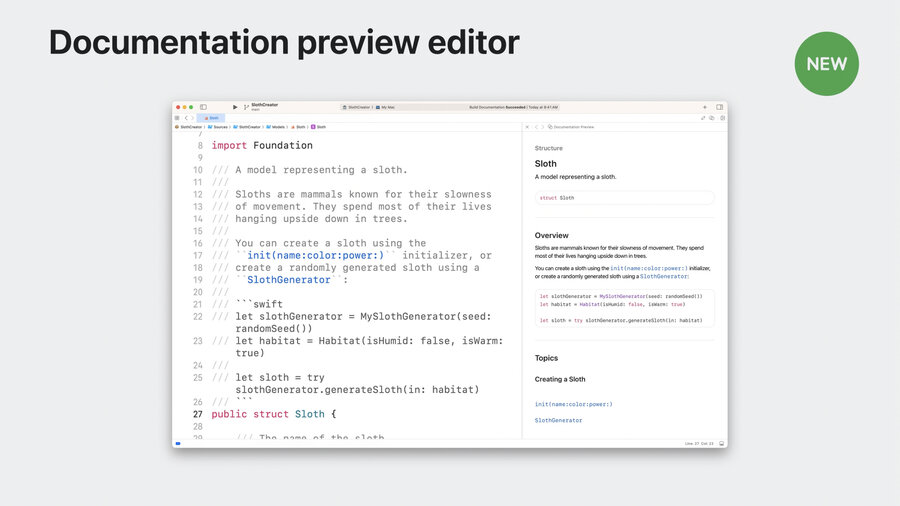
Documentation Preview
Click Editor Options menu
Select Assistant
Click on the jump bar > Select “Documentation Preview”
/// An extension that faciliates the display of
/// sloths in user interfaces.
public extension Image {
    /// Create an image rom the given sloth.
    ///
    /// Use this initializer to display
    /// an image representation of a given sloth.
    init(_ sloth: Sloth) {
        self.init("\(sloth.power)-sloth")
    }
}
Swift-DocC direcives
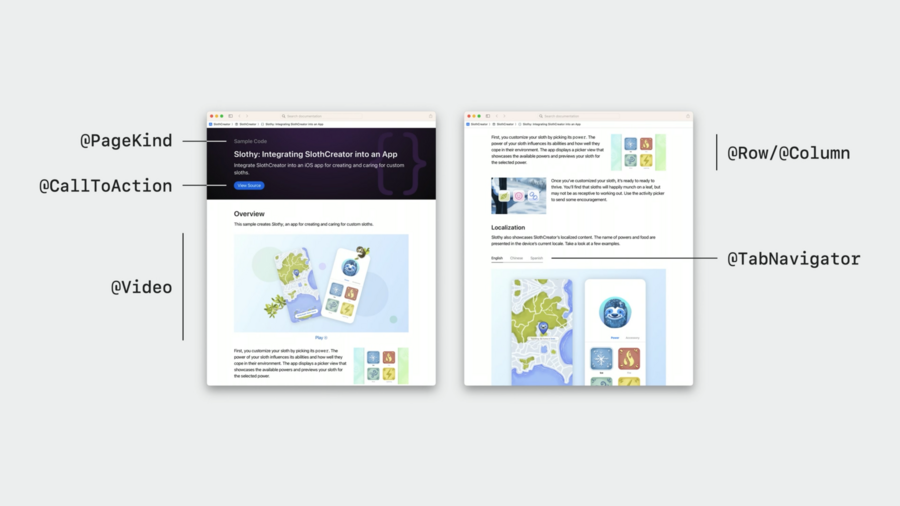
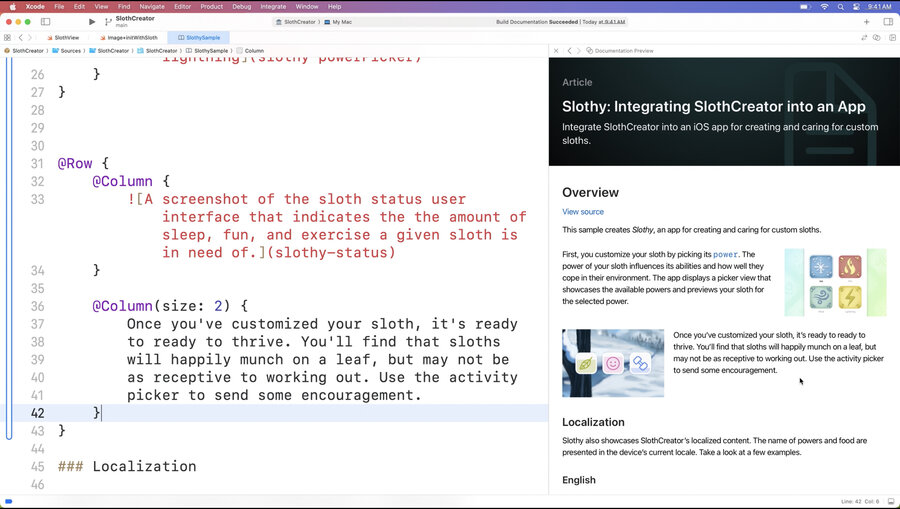
@Rowand@Column
* `@Links`
    * `visualStyle`: `list` and `detailedGrid`
* `@TabNavigator`
Attach extra metadata to a page
Extra information that isn’t directly rendered on the page
@Metadata {
    @CallToAction(purpose: link, url: "")
    @PageKind(sampleCode)
}articleand@sampleCodeare the only@PageKinds available right now@PageImageand@PageColor
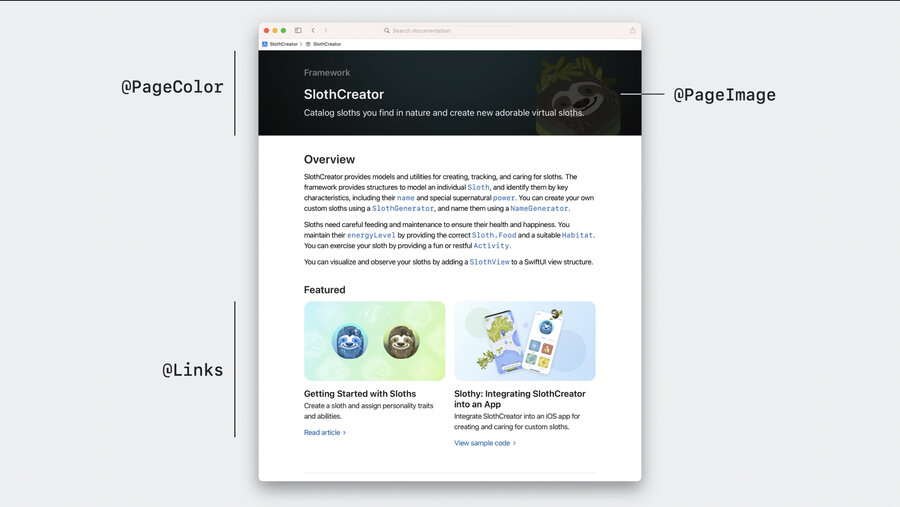
Create custom layouts
Theming
You can theme your DocC site using JSON
Theme customizations are site-wide, not page specific
Use name:
theme-settings.jsonthis will live in the Documentation Catalog
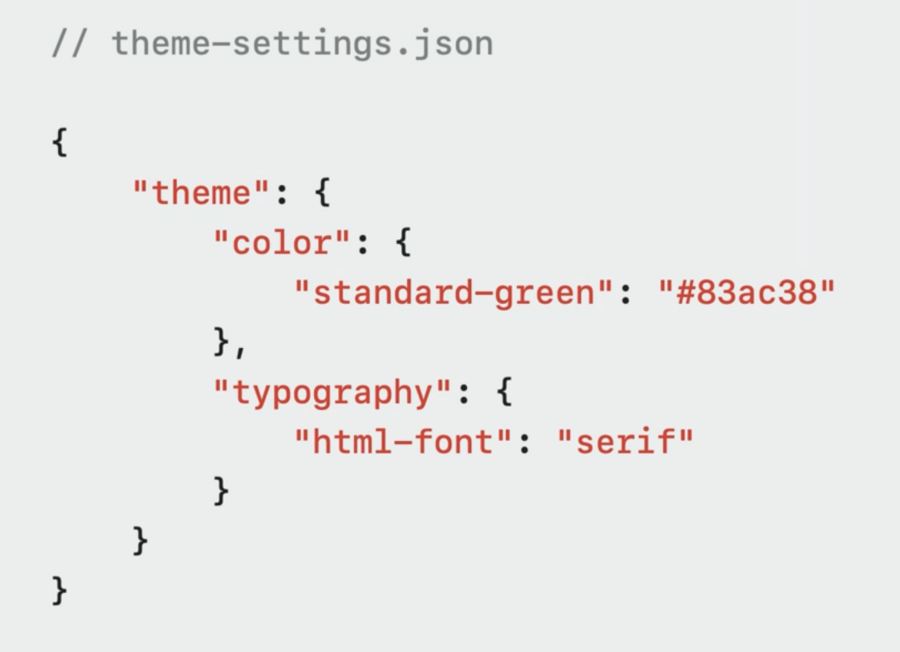 theme-settings.json file with custom color and typography." loading="lazy" />
Navigation
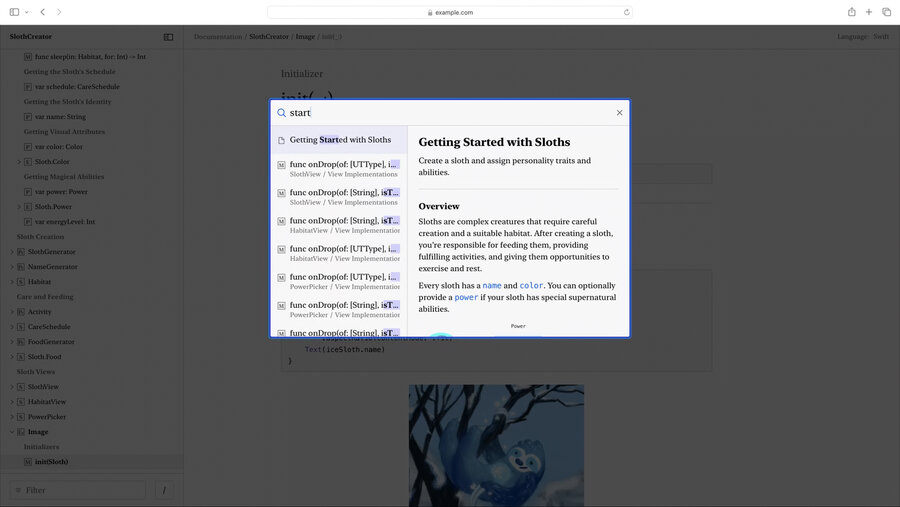
Quick navigation, like Xcode’s Open quickly
Shift + Cmd + O to go to quick navigation when looking at your DocC documentation in Xcode.
Click enter to go to that page, or “view more”