
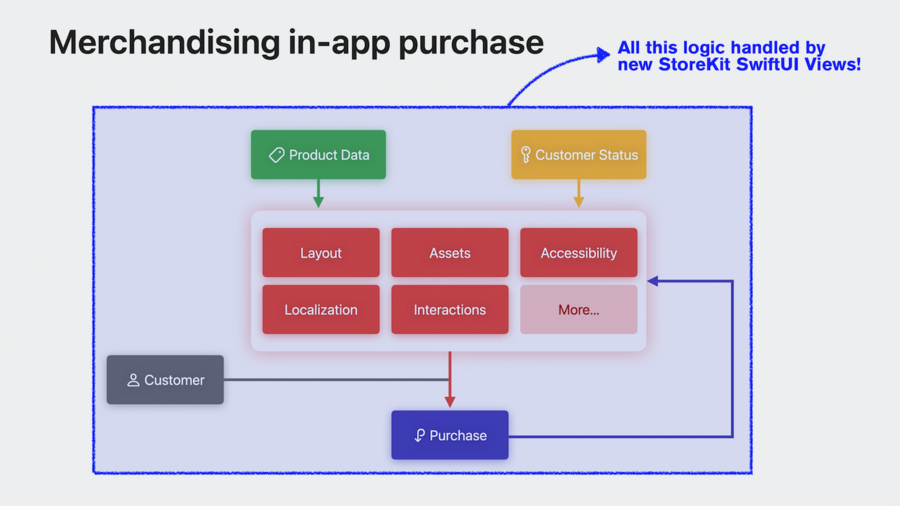
Assets, Localization, Style provided by the Developer
StoreView,ProductView, andSubscriptionStoreViewcan be used whenStoreKitandSwiftUIare importedStoreView(ids: ["..."]) { product in /* custom icon view */ }presents a full screen view with a list ifProductViewsDefine your custom layout by using
ProductViewdirectlyCustomize with
.productViewStyle(.large|.compact|.regular),.containsBackground,.backgroundStyle(.clear)& moreCustomize with
.subscriptionStoreButtonLabel(.multiline),.sbuscriptionStorePurchaseItemBackground(.thinMaterial)& moreNew
.onInAppPurchaseCompletion { product, result in ... }modifier for SwiftUI (catching purchases in descending views)Use
.onInAppPurchaseStart { product in ... }for showing progress indicatorUse
.subscriptionStatusTask(groupID: ...) { taskState in ... }with state cases.loading,.failure(any Error), and.success(Transaction)Or
.currentEntitlementTask(for ...) { state in ... }for non-consumable productsCustomize with
.productIconBorderif you want the App Store product icon lookCreate custom styles by conforming to
ProductViewStyleUse
.storeProductsTask(for: ...)modifier in custom styles to use Apple-provided caching & loading logicCustomize with
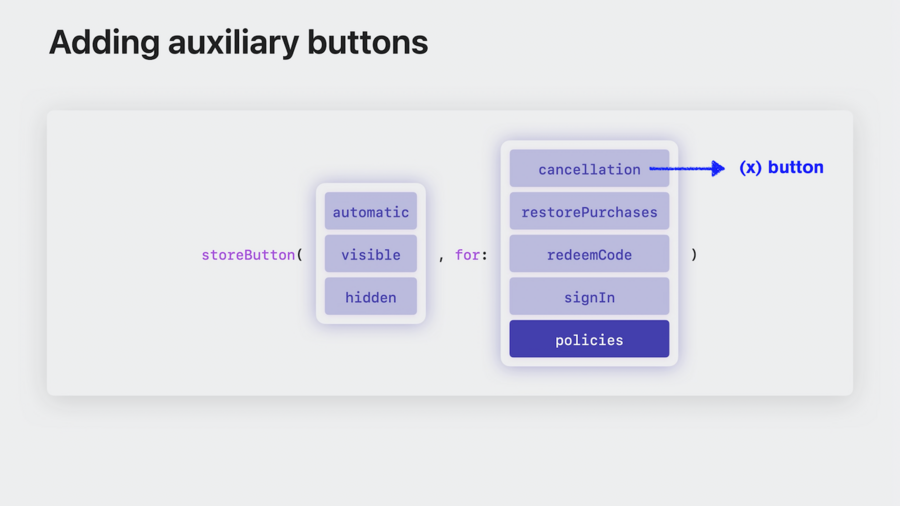
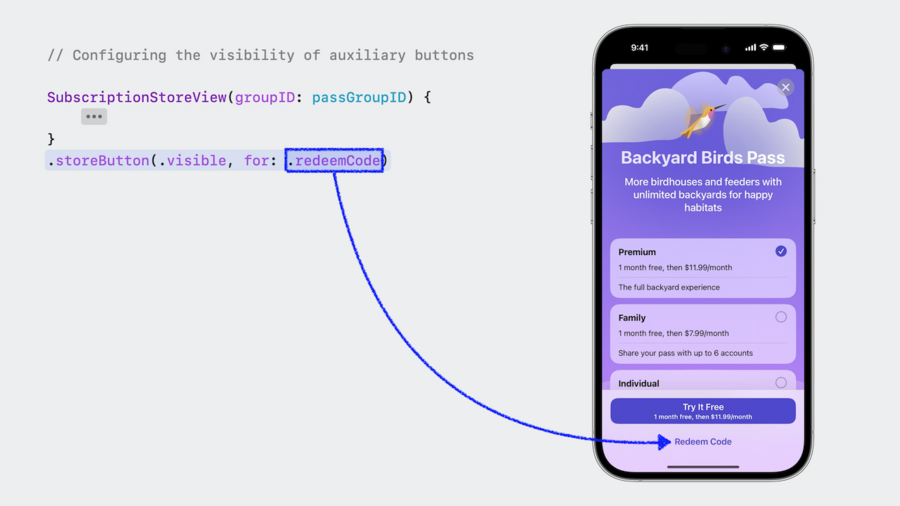
.storeButton(.visibble|.automatic|.hidden, for: .redeemCode|.cancellation|.restorePurchase|.signIn|.policies)to control buttons shown
New
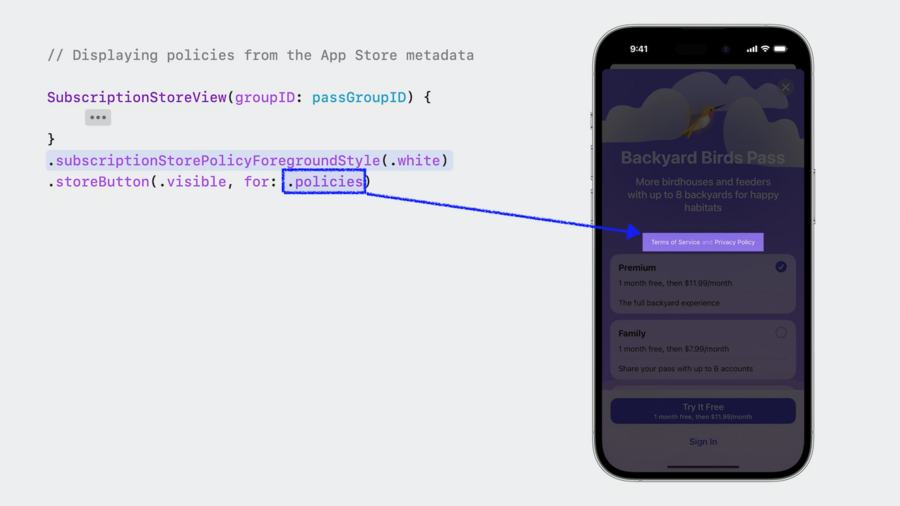
.subscriptionStoreSignInAction { ... }modifier triggered on press of.signInstore button.policiesshows terms and privacy policy buttons above plan list (in iOS / macOS)Customize with
.subscriptionStorePolicyForegroundStyle(.white)for legibility on custom backgroundsAlso
.subscriptionStoreControlStyle(.buttons|automatic|.picker|.prominentPicker)available for pre-defined styles
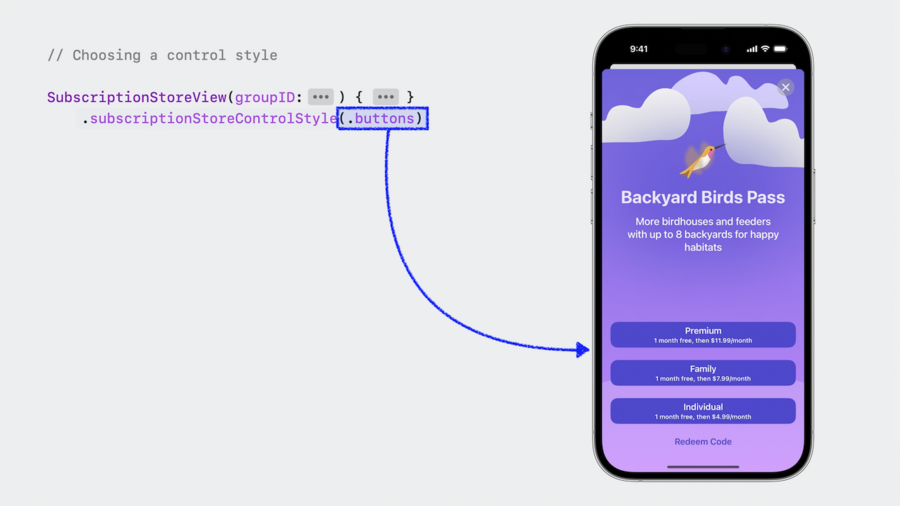
Use
.subscriptionSToreButtonLabel(.displayName|.price)in custom style.subscriptionStoreControlIcon { subscription, info in ... }for further stylingUse
.containerBackground(.accent.gradient, for: .subscriptionStore|Header|FullHeight)options for backgroundUse
visibleRelationships: .upgradeparameter on initializer to change to “Upgrade” mode when already subscribed
