About pre-orders
When you make your app available for pre-order, its product page becomes published on the App Store. The app can be purchased before it’s released for download.
On release day, your customers will be notified and your app will be automatically downloaded on their devices.
What’s new
Ability to offer your app for pre-order on a regional basis.
You can also first release your app to a few regions, as a soft launch or limited release, and then offer your app for pre-order in any other region you choose.
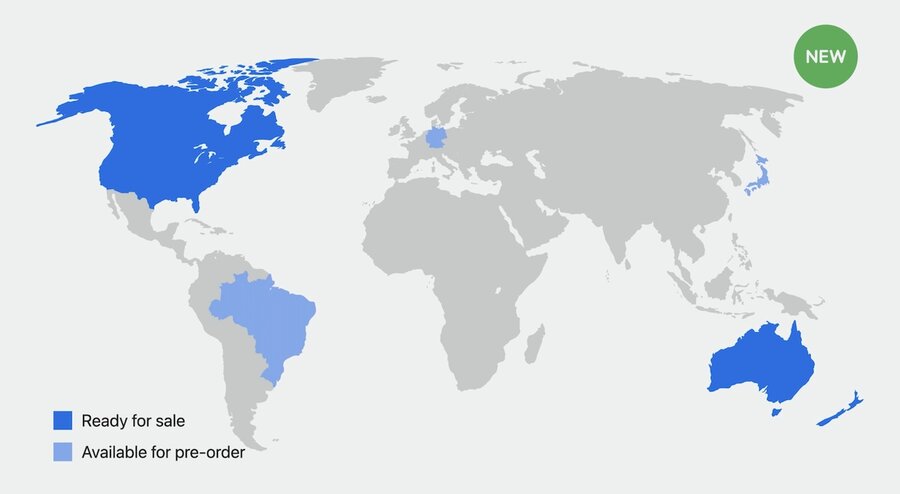
Pre-orders set up examples
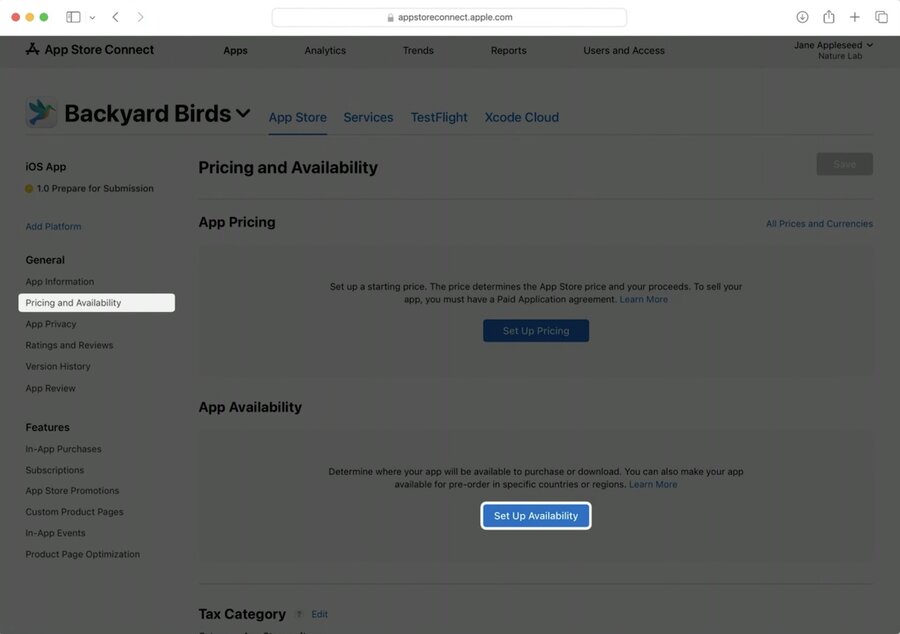
To set up your first pre-order in App Store Connect, go to App Store tab, Pricing and Availability page and click Set Up Availability. And choose regions.
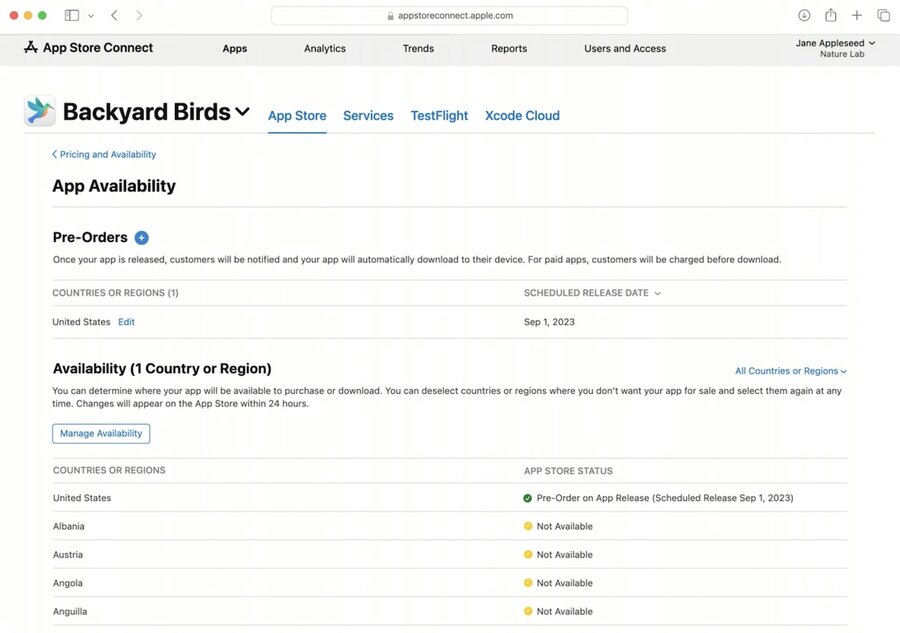
After pre-orders are set up, uou can check where the app is available and not available. Here you can also expand pre-order to other regions. You can also edit and update release date, release your app immediately or remove your pre-order.
The expected release date you can set for pre-orders:
unreleased app - up to 180 days in the future
app that’s already published on the App Store - up to 365 days in the future
Marketing pre-order app and tracking the performance of pre-orders
Apple provides localized badges for your website (use them to link people to your product page).
Pre-order apps are discoverable through search, and may be featured on the Today, Games, or Apps tabs on the App Store.
The performance of your pre-orders can be tracked from within App Analytics, where you can find the number of purchased pre-orders by date and by region.
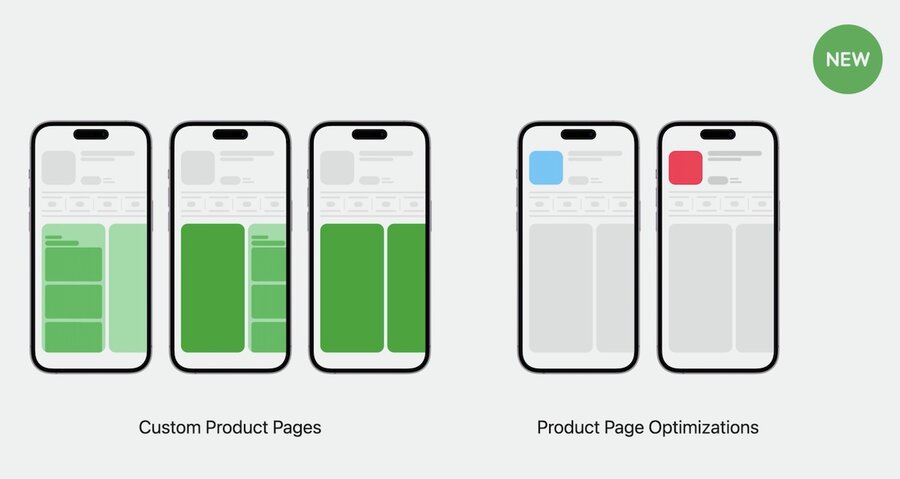
You’ll be able to run custom product pages and product page optimization tests for any pre-order app.
Wrap-up
More flexible pre-orders
Set up pre-orders on App Store Connect
Functionality covered in this talk can be automated with App Store Connect API