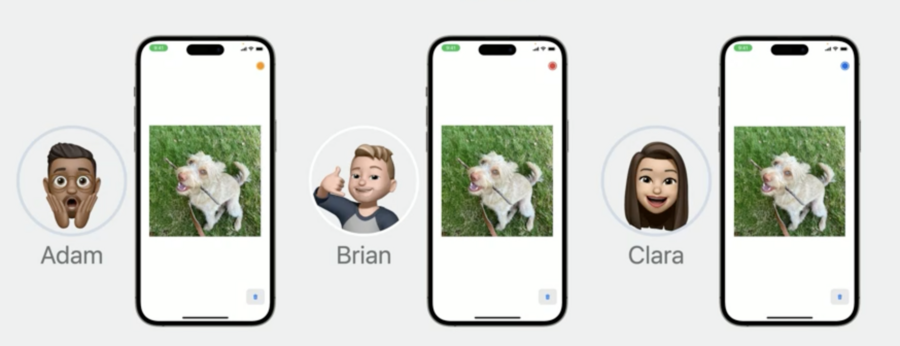
Limitations of GroupSessionManager
Previously, if you were creating a group drawing app and wanted to drop a photo onto the canvas, this wasn’t possible due to the size limitations of GroupSessionManager.
New in iOS17, file attachment transfers are not only possible but are very fast and end to end encrypted.
GroupSessionJournal
New to iOS17. GroupSessionJournal an object that stays consistent for everyone across the GroupSession. Actions you take on the journal affect everyone and properties on the journal are similarly synced for everyone.
public final class GroupSessionJournal {
    public lazy var attachments: Attachments
    public func add‹ItemType: Transferable>(_ item: ItemType) async throws → Attachment
    public func remove(attachment: Attachment) async throws
}
You can upload any of your custom attachments with the “add” function. Just be sure your type conforms to the Transferable protocol.
When calling add orremove everyone in the GroupSession will observe their “attachments” AsyncSequence being updated with the event.
Attachments are limited to 100MB.
The lifecycle of the attachment is as long as members of the
GroupSessionare connectedIf the person who uploaded the attachment leaves the
GroupSessionthe attachment remains until everyone disconnects
GroupSessionJournal: Late Joiners
Another advantage of GroupSessionJournal over GroupSessionMessenger is how it handles late joiners.
In GroupSessionMessenger, late joiners are “caught up” on the session by having each session member re-upload their interactions behind the scenes. Obviously, having each member re-upload 100MB file attachments is not efficient so GroupSessionJournal ensures that late joiners receive attachments without any re-uploads.
Code Example: Syncing an image and it’s location across devices
Create a struct for the image data and add it to your Canvas model
struct CanvasImage: Identifiable {
    var id: UUID
    let location: CGPoint
    let imageData: Data
}

class Canvas: ObservableObject {
    @Published var images = [CanvasImage]()
    //...
}
In your Canvas model, setup your
GroupSessionJournaland listen for changes to its attachments
func configureGroupSession(_ groupSession: GroupSession<DrawTogether>) {
    self.groupSession = groupSession
    let messenger = GroupSessionMessenger(session: groupSession)
    self.messenger = messenger
    let journal = GroupSessionJournal(session: groupSession)
    self.journal = journal

    //set up groupSession, handle messenger events...

    task = Task {
        for await images in journal.attachments {
            await handle(images)
        }
    }
    tasks.insert(task)

    //...
}
In your Canvas model, create the image handler to convert journal attachments to
CanvasImage
func handle(_ attachments: GroupSessionJournal.Attachments.Element) async {
    // Now make sure that our canvas always has all the images from this sequence.
    self.images = await withTaskGroup(of: CanvasImage?.self) { group in
        var images = [CanvasImage]()
        attachments.forEach { attachment in
            group.addTask {
                do {
                    let metadata = try await attachment.loadMetadata(
                        of: ImageMetadataMessage.self
                    )
                    let imageData = try await attachment.load(
                        Data.self
                    )
                    return .init(
                        id: attachment.id,
                        location: metadata.location,
                        imageData: imageData
                    )
                } catch { return nil }
            }
            for await image in group {
                if let image {
                    images.append(image)
                }
            }
            return images
        }
    }
}
At this stage, simply update your UI to reflect Canvas.images