
Challenges of defining an API
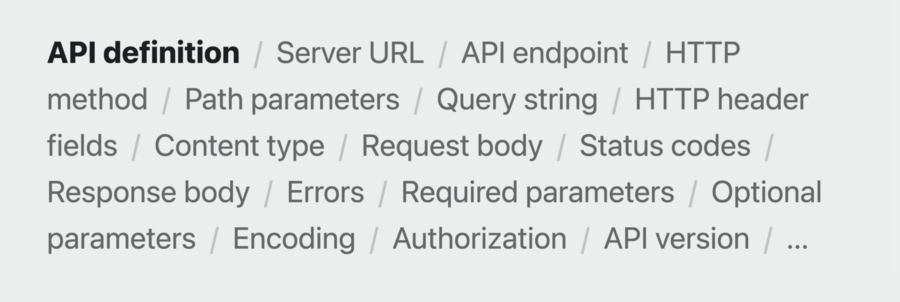
Most services have some kind of documentation, but hand-written can be outdated
With access to source code, implementation can be used – but incomplete understanding
Support forums might help, but those who help might be underinformed -> incomplete picture
Exploring OpenAPI
Tried-and-tested Industry-standard
You declare your API in YAML or JSON
Rich ecosystem of tooling
Known for interactive documentation
Core motivation is code generation
Without OpenAPI, creating query & interpreting the response can be complex
Working with larger APIs detracts from the core logic of the app
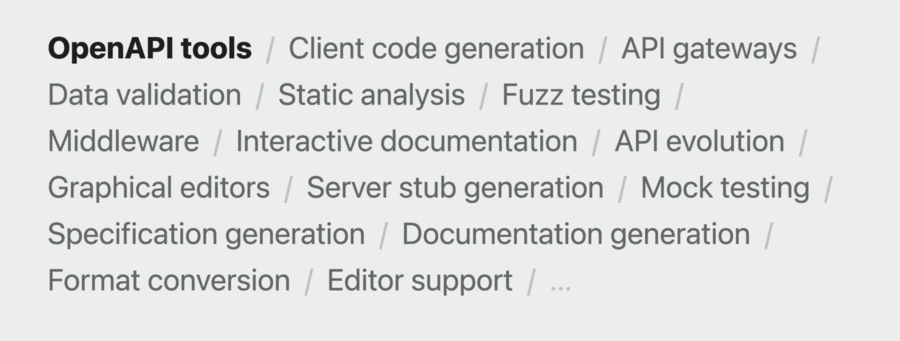
Example OpenAPI document:
openapi: "3.0.3"
info:
  title: "GreetingService"
  version: "1.0.0"
servers:
- url: "http://localhost:8080/api"
  description: "Production"
paths:
  /greet:
    get:
      operationId: "getGreeting"
      parameters:
      - name: "name"
        required: false
        in: "query"
        description: "Personalizes the greeting."
        schema:
          type: "string"
      responses:
        "200":
          description: "Returns a greeting"
          content:
            application/json:
              schema:
                $ref: "#/components/schemas/Greeting"
With the help of an OpenAPI Generator complex API handling can become as simple as this with safe types:
switch try await client.getGreeting(Operations.getGreeting.Input(query: Operations.getGreeting.Input.Query(name: "Jane"))) {
case .ok(let response):
	switch response.body {
		case .json(let greeting):
		print(greeting.message)
	}
}
Swift OpenAPI Generator is a Swift package plugin, generates code at build time
Always in sync with OpenAPI document, no need to commit code to source control
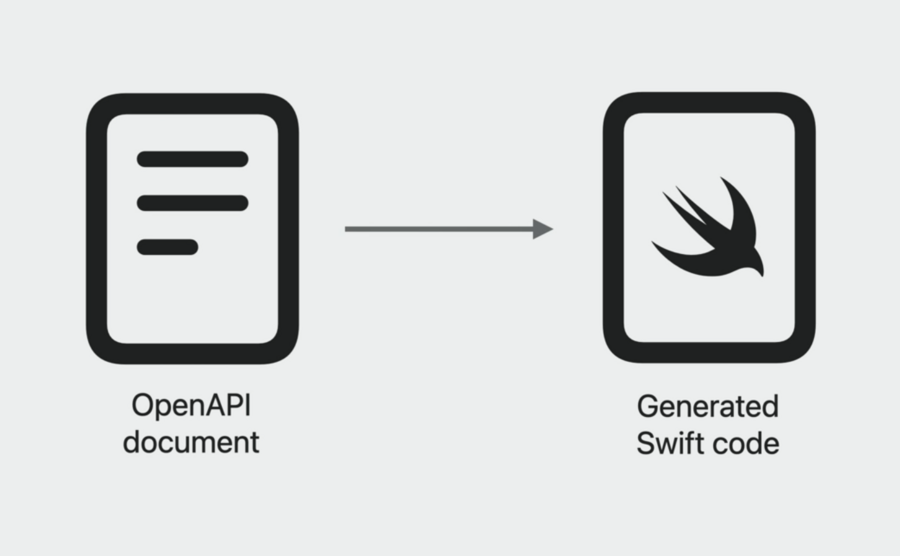
Making API calls from your app
To use OpenAPI Generator, add package to your app from
https://github.com/apple/swift-openapi-generatorNext, add also the package from
https://github.com/apple/swift-openapi-runtimeto your appLastly, add also the package from
https://github.com/apple/swift-openapi-urlsessionfor the code to be generated forURLSessionIn “Build Phases”, in the “Run Build Tool Plug-Ins”, add
OpenAPIGenerator
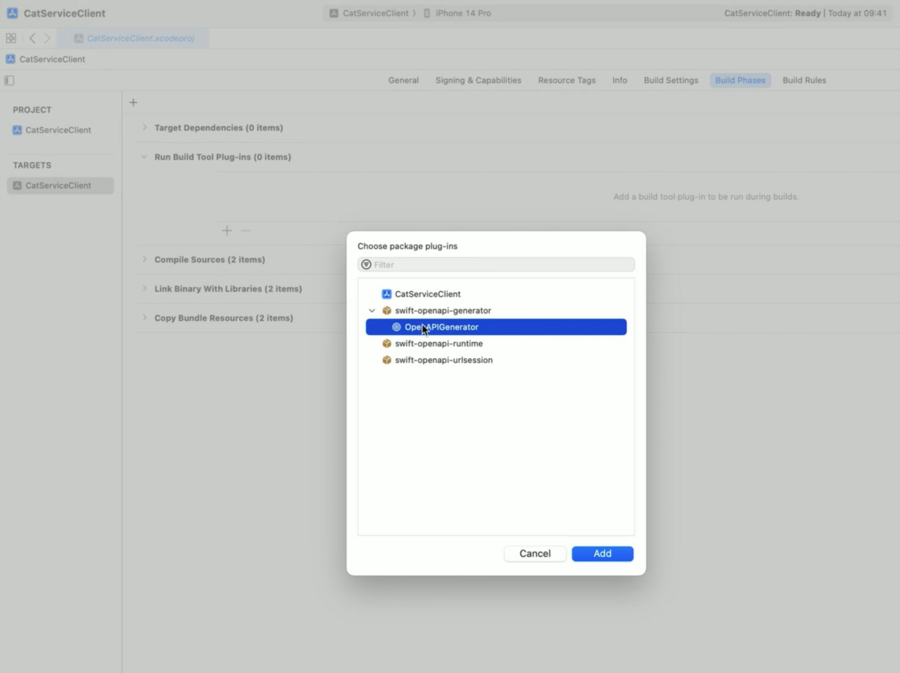
The plugin expects 2 files in project:
openapi-generator-config.yaml(config) andopenapi.yaml(spec)The config file specifies what code to generate, e.g.
generate: [types, client]In SwiftUI, import
OpenAPIRuntimeandOpenAPIURLSession, then initialize aClient(severURL: ..., transport: URLSessionTransport())Now you can call the API using
try await client.getEmoji(Operations.getEmoji.Input())or with whatever endpoints are defined in the specThe reponse of this call is an enum with all possible cases documented + content types -> forces us to handle all scenarios
To also handle any behavior that is not documented, there’s
.undocumented(statusCode:_:)to handle it gracefully
Adapting as the API evolves
For example, when adding a new parameter to the API document like
countThe generated Swift code will force you to add the parameter in all places where needed, else Swift fails
Testing your app with mocks
Define
MockClient: APIProtocol, the compiler will give you errors and fix-its to fill in the APIs you needMake the view generic over
C: APIProtocollike instruct ContentView<C: APIProtocol>: ViewUpdate your
clientproperty to use the generic typeCinsteadDefine a new initializer where the client is passed (
init(client: C)) for dependency injectionUse
where C == Clienton default initializer to use real server when app launchedPass
MockClient()when previewing the UI in Xcode
Server development in Swift
All the code needed to write a simple test server using the OpenAPI generator that handles the requests is this:
import Foundation
import OpenAPIRuntime
import OpenAPIVapor
import Vapor

struct Handler: APIProtocol {
    func getEmoji(_ input: Operations.getEmoji.Input) async throws -> Operations.getEmoji.Output {
        let candidates = "🐱😹😻🙀😿😽😸😺😾😼"
        let chosen = String(candidates.randomElement()!)
        let count = input.query.count ?? 1
        let emojis = String(repeating: chosen, count: count)
        return .ok(Operations.getEmoji.Output.Ok(body: .text(emojis)))
    }
}

@main
struct CatService {
    public static func main() throws {
        let app = Vapor.Application()
        let transport = VaporTransport(routesBuilder: app)
        let handler = Handler()
        try handler.registerHandlers(on: transport, serverURL: Servers.server1())
        try app.run()
    }
}
The related Package.swift file of the server package looks like this:
// swift-tools-version: 5.8
import PackageDescription

let package = Package(
    name: "CatService",
    platforms: [
        .macOS(.v13),
    ],
    dependencies: [
        .package(url: "https://github.com/apple/swift-openapi-generator", .upToNextMinor(from: "0.1.0")),
        .package(url: "https://github.com/apple/swift-openapi-runtime", .upToNextMinor(from: "0.1.0")),
        .package(url: "https://github.com/swift-server/swift-openapi-vapor", .upToNextMinor(from: "0.1.0")),
        .package(url: "https://github.com/vapor/vapor", .upToNextMajor(from: "4.69.2")),
    ],
    targets: [
        .executableTarget(
            name: "CatService",
            dependencies: [
                .product(name: "OpenAPIRuntime", package: "swift-openapi-runtime"),
                .product(name: "OpenAPIVapor", package: "swift-openapi-vapor"),
                .product(name: "Vapor", package: "vapor"),
            ],
            resources: [.process("Resources/cat.mp4")],
            plugins: [.plugin(name: "OpenAPIGenerator", package: "swift-openapi-generator")]
        ),
    ]
)
Additionally, on the openapi-generator-config.yaml file, instead of client, add server for the right code to be generated (alongside types).
Like on the client side, when making changes to the API spec, like adding new endpoints, the server package build will fail and offer fix-its to add the missing parts.
Main Takeaway
Start with defining the OpenAPI doc to use this kind of flow saving you time on both the client & server. This is called “Spec-Driven Development”.
