
Image Object Detection
Image object detection enables our applications to identify real-world objects captured by your device’s camera, and respond based on their presence, position, and relationship.
”you can teach your application about the subtle differences between individual animals, hand gestures, street signs, or game tokens.“
“Image object detection can identify multiple objects within your photograph, and provide the location, size, and label for each one”
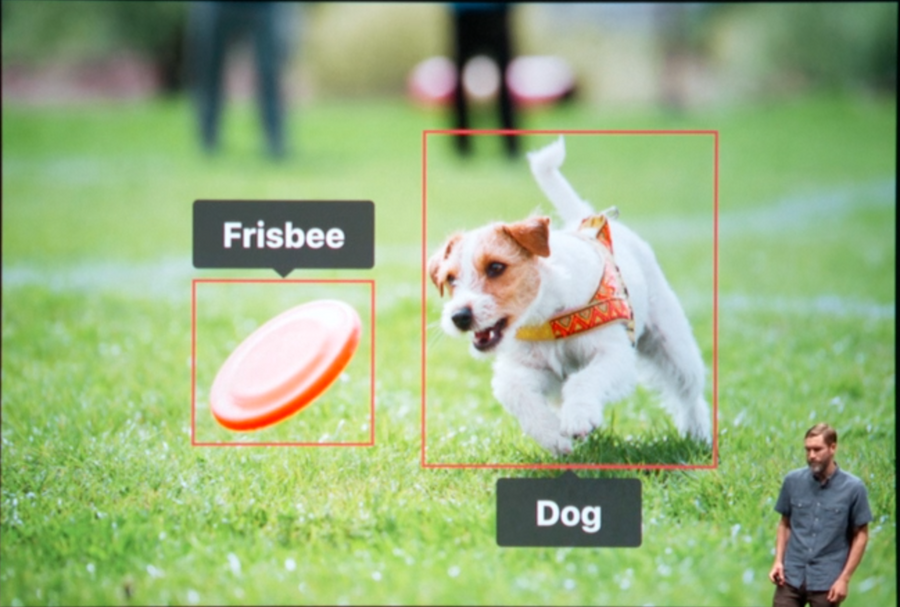
Training
To train an object detector, you need to annotate each image with labeled regions that you would like the model to recognize.
The bounding box for your annotated objects starting at the center of each object of interest and having a size, height, and width, this is measured in pixels from the top left-hand corner of your image to the center of each object of interest.
You bundle together all of these annotations, label, position, and size, in a JSON file in a given format.
The more training images, the more the training phase will take.
The example in the session had slightly over 1000 images and the speaker said that “I estimate this is probably going to take an hour or more”. Therefore be warned before doing such GPU-heavy computation on your MacBook on the go.
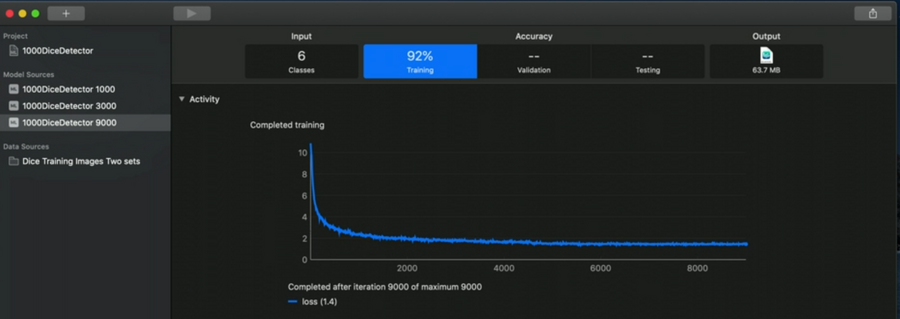
Looking at the screenshot of Create ML above, we have some numbers in the tabs on the top:
6: number of different classes in our model
92%: overall performance based on our input.
In the training tab we can see our loss function, the lower the better.
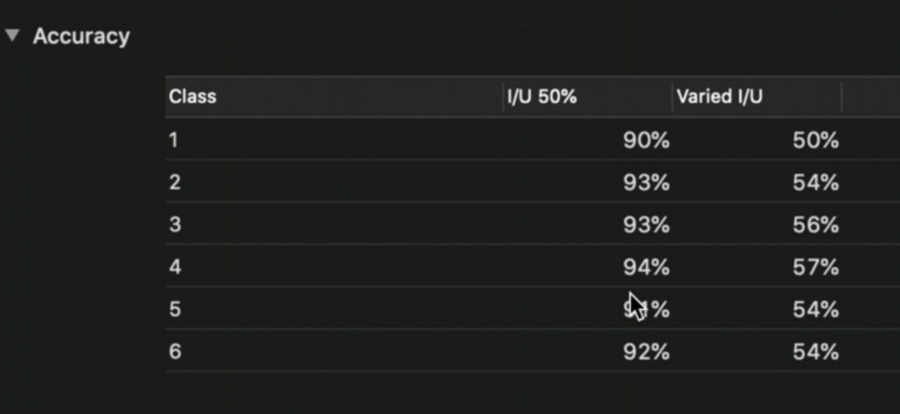
Below the loss chart, we see the accuracy for each class.
We should strive to have a similar accuracy on all classes.
“We also want to have a look and check that we have consistent performance across all of the classes”
This is important because it shows that it is performing equally well, for example, in recognizing all six sides of a dice:
After training, we can test our model by clicking on the output tab:
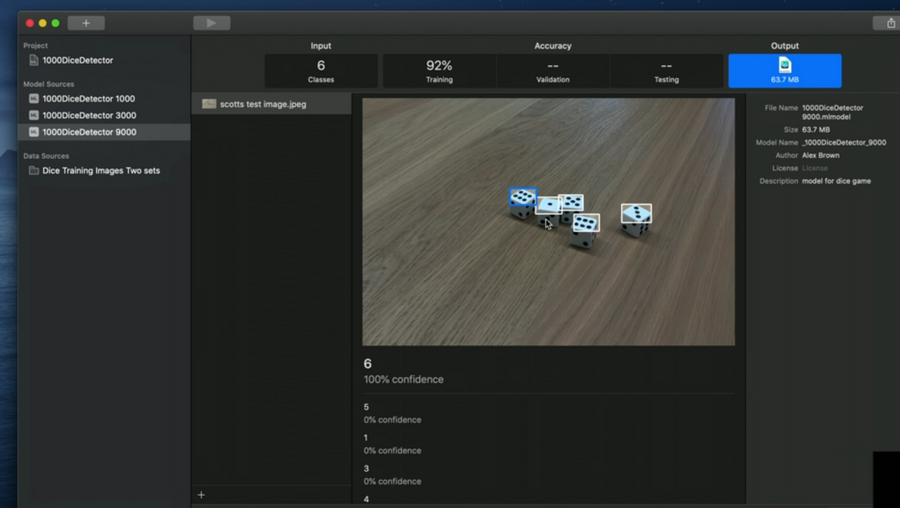
We can import an image directly from the iPhone camera, too (for testing).
Training best practices
Balanced
We should have a balanced number of images with annotations for each class:
this tells the algorithm that we consider each of these to be equally important, and we can build a model which performs equally well on all of the classes.
Quantity
We are going to need a bunch of images:
Apple recommends to start with 30 images with annotations for each class we want the model to recognize, and increase that number if the find performance isn’t good enough, or if the subjects are particularly complicated.
Real World Inputs
Use real-world data:
Multiple angles
Variation of backgrounds
Different lighting conditions
Other objects in images
