Data we create on one device is naturally trapped. To solve this, we typically want to turn to cloud storage, because it offers us the promise of moving data from one device, seamlessly and transparently, to all the other devices that we owned.
Cloud storage has benefit even if we only have a single device such as data backup and restore.
Using Core Data with CloudKit
Everything should sync
Sync should be easy
Existing Technologies
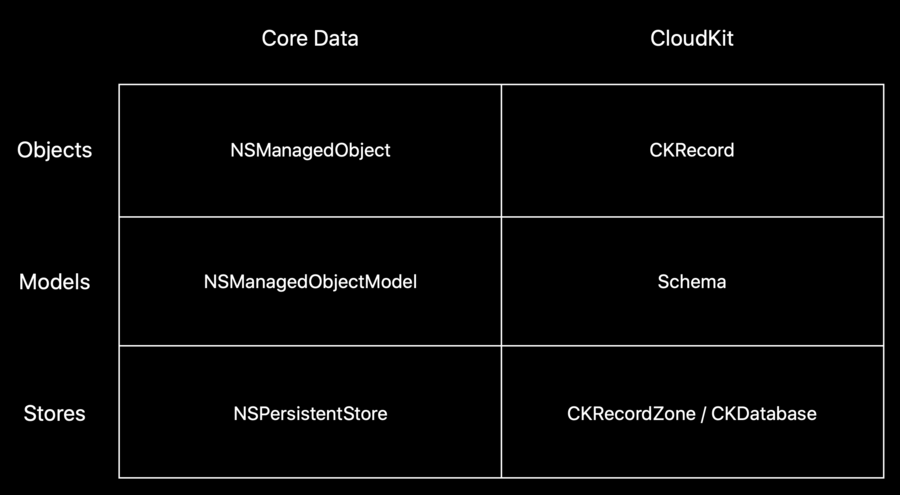
Core Data provides local persistence
CloudKit provides distributed persistence
Both exist on all platforms
Both support a wide variety of applications
What’s New
If you ever built a CoreData application before, you would have seen NSPersistentContainer here. With the new subclass NSPersistentCloudKitContainer , you can add CloudKit functionality to existing CoreData applications by changing as little as one line of code.
// before
let container = NSPersistentContainer(name: "WWDCDemo")

// after
let container = NSPersistentCloudKitContainer(name: "WWDCDemo")
What Is NSPersistentCloudKitContainer?
Encapsulation of common patterns
Save thousands lines of code
Foundation we can build on
Help us help you! Submit feedback!
NSPersistentCloudKitContainer
A local replica of CloudKit data
Robust scheduling and error recovery
Transformation of NSManagedObject to CKRecord
Life After Adopting NSPersistentCloudKitContainer
Build Great Apps with Core Data
Responsive user interfaces with NSFetchResultsController
Stable views with query generations
Change processing with history tracking
more on Making Apps with Core Data
Add on to our foundation
Working with multiple stores
Data Segregation
Enforcement of different types of constraints
Throttling/Coalescing
Working with the CloudKit Schema
Record types and entity names
Asset externalization
Relationships
Data Modeling for collaboration
Collaboration is not conflict resolution
NSPersistentCloudKitContainer resolves conflicts automatically
Get better merge behavior with relationships
Multiple Stores
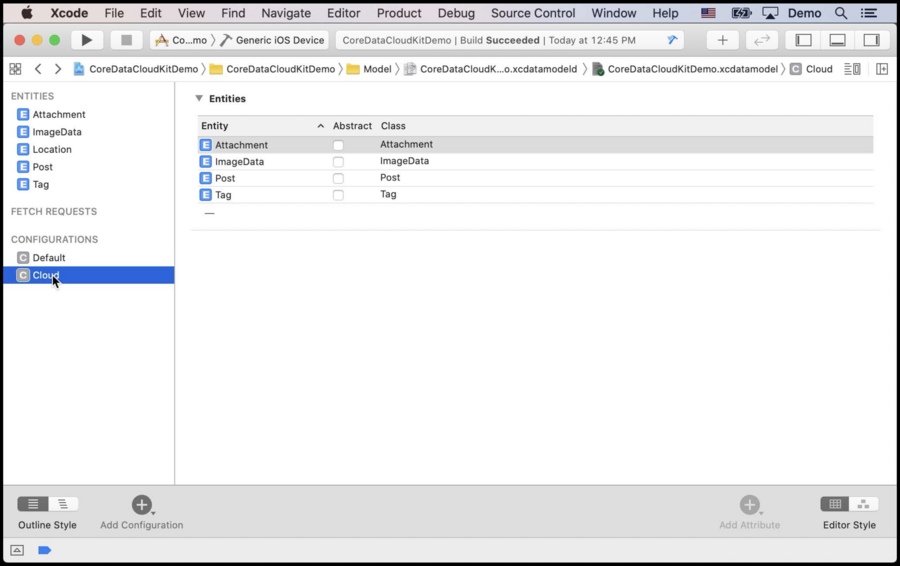
By adding new configurations in xcdatamodel with a few lines of code, you can manage which entities you want to sync.
let container = NSPersistentCloudKitContainer(name: "CloudKitContainer")

let local = NSPersistentStoreDescription(url: URL(fileURLWithPath:"/files/local.sqlite"))
local.configuration = "Local"

let cloud = NSPersistentStoreDescription(url: URL(fileURLWithPath: "/files/cloud.sqlite"))
cloud.configuration = "Cloud"
cloud.cloudKitContainerOptions = NSPersistentCloudKitContainerOptions(containerIdentifier:"iCloud.com.wwdc.demo")

container.persistentStoreDescriptions = [ local, cloud ]
What if we want to share some data in CloudKit across multiply applications we happened to work on? We can do this by just adding three lines of code.
// ...

let shared = NSPersistentStoreDescription(url: URL(fileURLWithPath: "/files/shared.sqlite"))
cloud.configuration = "Shared"
cloud.cloudKitContainerOptions = NSPersistentCloudKitContainerOptions(containerIdentifier:"iCloud.com.wwdc.shared")

container.persistentStoreDescriptions = [ local, cloud, shared ]NSPersistentCloudKitContainer’s Schema
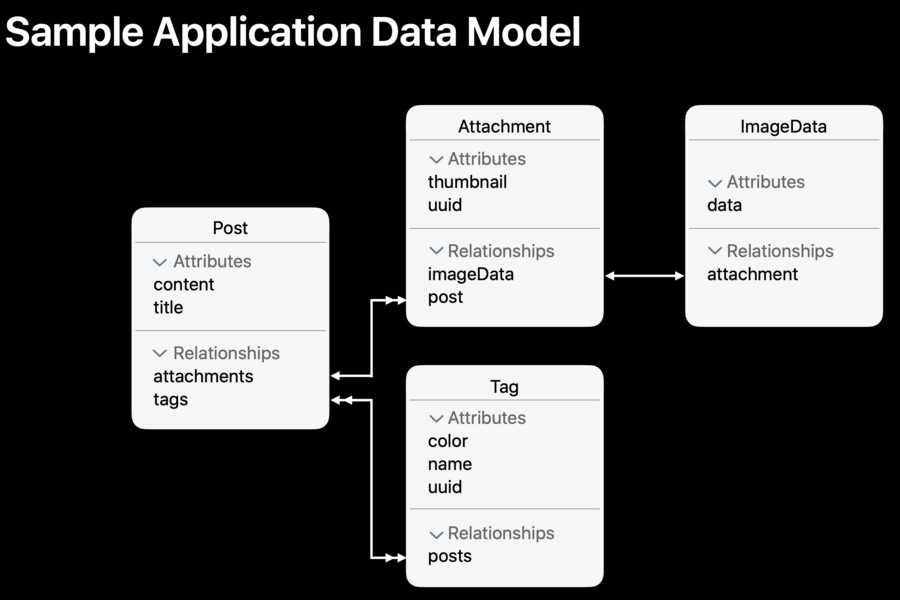
Core Data generates subclasses of NSManagedObject for us to use in code. Take Post for example, the class Core Data generates and the record along with it that CloudKit generates will look like this:
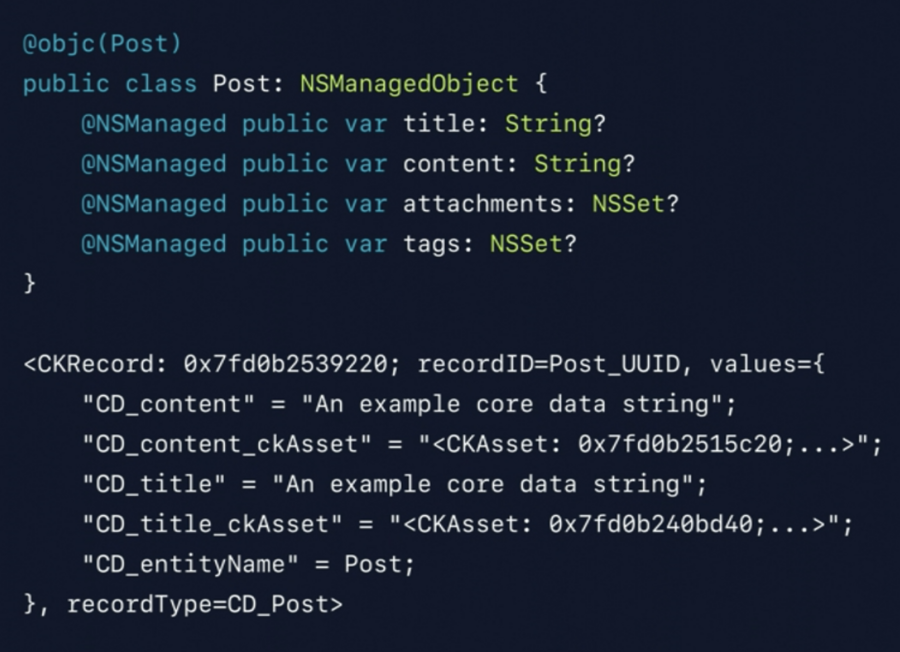
Core Data owns the recordID for all of the objects that it creates in CloudKit, and for each one CloudKit will generates a UUID to use as its record name. When the record name is combined with a zone identifier, you get a CKRecordID.
Funny thing: Core Data will prefix everything with CD_ to segregate the things it manages.
In order to implement entity inheritance, the actual entity name will be stored in CD_entityName .
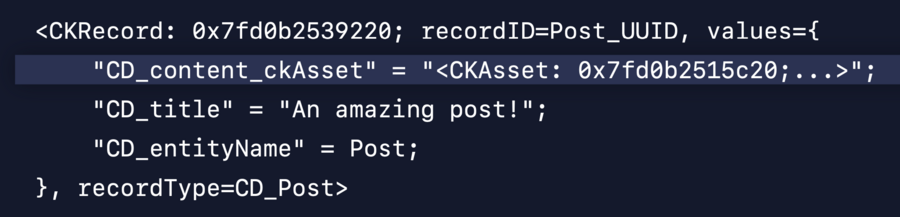
You will not see CD_xxx and CD_xxx_ckAsset in the same time. If the strings are very short, it will be stored directly in CD_xxx.
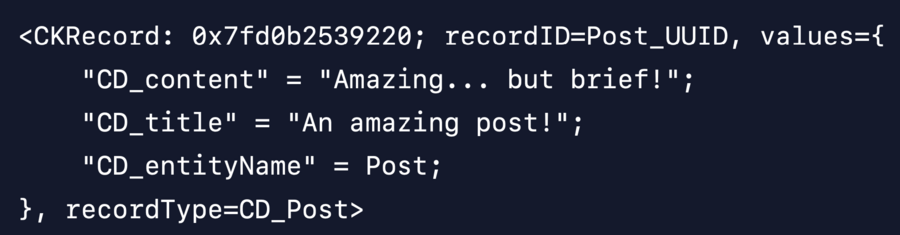
But if one of them grows to be very large, approximately larger than 750KB, or if the total size of the record exceeds CloudKit’s maximum 1MB limit, you will begin to see CD_xxx_ckAsset fields.
For a to-one relationship, in this case the post field in Attachment , the record will look like this:
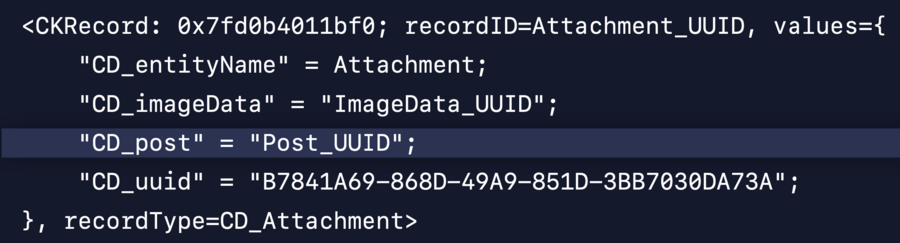
The UUID of the related record in CloudKit will always be stored on the object it’s linked to, since CKReference has some limitations that will not work well for Core Data Clients.
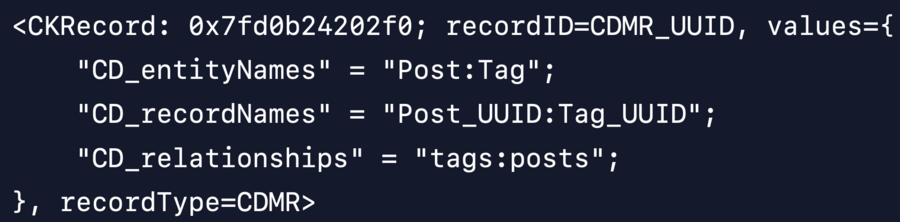
For many-to-many relationships, in this case the one between a Post and a Tag , a custom joint record will be created:
Data Modeling for collaboration
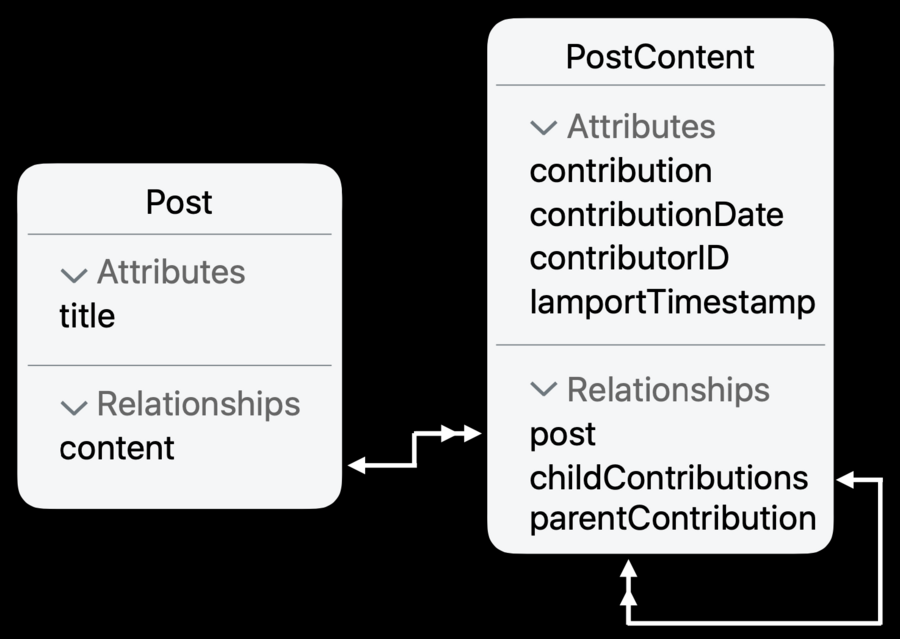
Avoid collisions on “flat” values
Instead model values as contributions
Leverage relationships for eventual consistency
Order contributions
Iterate as necessary