
Apple is trying to standardize the use of glyphs among first-party and third-party apps. In order to do so Apple is introducing SF Symbols, a collection of over 1500 glyphs, which can be used by anybody! This collection can be browsed via a new macOS SF Symbols app (if the link breaks, you should be able to find the app somewhere in this page).
While we can extract every single glyph from the app mentioned above, for iOS 13 and later all these symbols come embedded with the OS, which means that they can be obtained via a new UIImage(systemName:) api.
While these symbols are images, they’ve been created to work perfectly with text (you can think SF Symbols as a font).
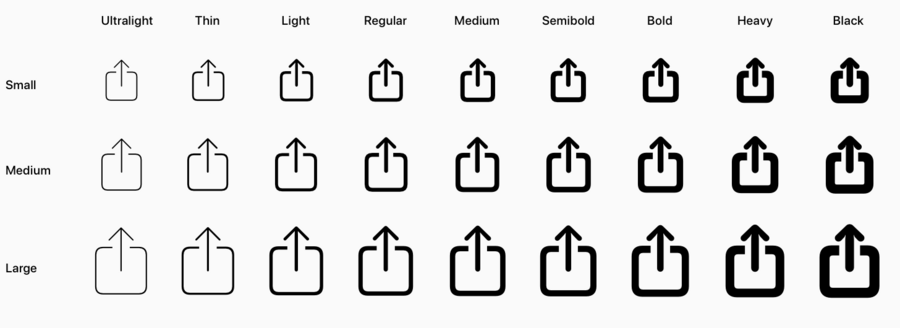
In fact, they come in all the possible font weight variation as well:
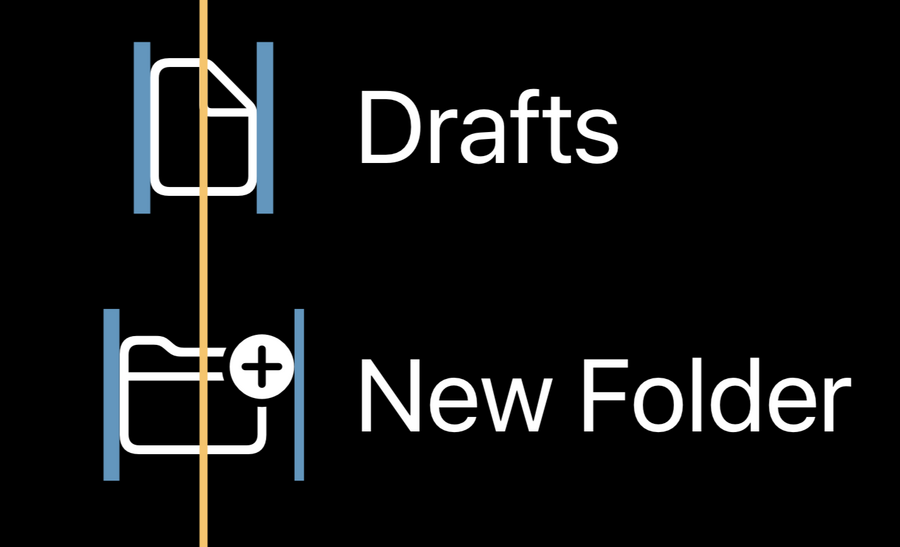
Not just that, but they have a native padding that allows them to be always centered perfectly when aligned vertically:
They can be configured to follow any (font) point size, and also come in three different variations (beside the font weight): small, medium, large.
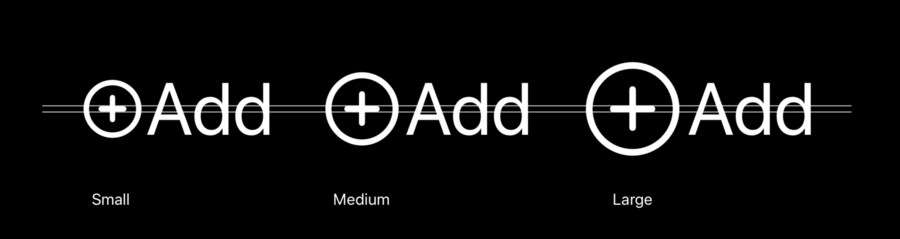
The image above use the same font size, but different configuration.
Since we now have many options for each symbol, here’s how to configure each symbol (otherwise we get the default image which is regular weight, medium size):
Let image = UImage(systemName: “circle”)
let configuration = UIImage.SymbolConfiguration(font: yourFont, scale: .large)
image.preferredSymbolConfiguration = configuration
Symbol UIImages are template images, which means they inherit the tint of the view they’re in. We can override this if needed.
Since they work so well with text, you can add them seamlessly in labels with attributed text:
let string = NSMutableAttributedString(string: "I just symbol images!",
attributes: [.foregroundColor: UIColor.label])

let heartImage = UIImage(systemName: "heart.fill")
let redHeartImage = heartImage.withTintColor(.redColor)
let heartAttachment = NSTextAttachment(image: redHeartImage)
let heartString = NSAttributedString(attachment: heartAttachment)
string.insert(heartString, at: 7)
Since these are new API, they’re available from iOS 13+ only, however we can extract the symbols vectors from the app above and add them in our assets catalog.
