
Make sure the app accessibility is:
Understandable: Labels
Interactable: Actions
Navigable: Ordering and Grouping
Accessibility notifications
E.g. after pressing the equal button = on a calculator app, we can fire an accessibility notification telling Siri that the result value has changed.
Making Buttons More Accessible
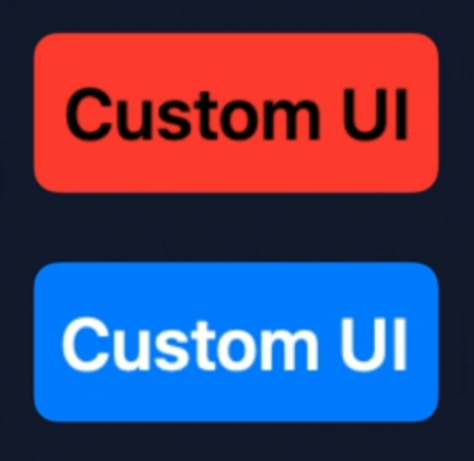
// With SwiftUI, you can easily customize button drawing

struct CustomButtonStyle: ButtonStyle {
	func body(configuration: Button<Label>, isPressed: Bool) -> some View  {
		configuration.label
		  .font(size: 18)
      .foregroundColor(isPressed ? .black : .white)
      .padding(8)
      .background(
        RoundedRectangle(cornerRadius: 5)
        .fill(isPressed ? Color.red : Color.blue)
      )
	}
}
var body: some View {
Button(action: {}) { Text("Custom UI") }
.buttonStyle(CustomButtonStyle())
}Making Images More Accessible
Images can be created with an optional
labelparameter, this parameter will be used by voiceover and the likes.If an image is not part of the core experience we can initialize it with the
decorativeparameter, this way it will be ignored by the accessibility system features.
