Better iPad apps make better Mac apps, however better UIKitForMac apps contain refinement specifically for Macs.
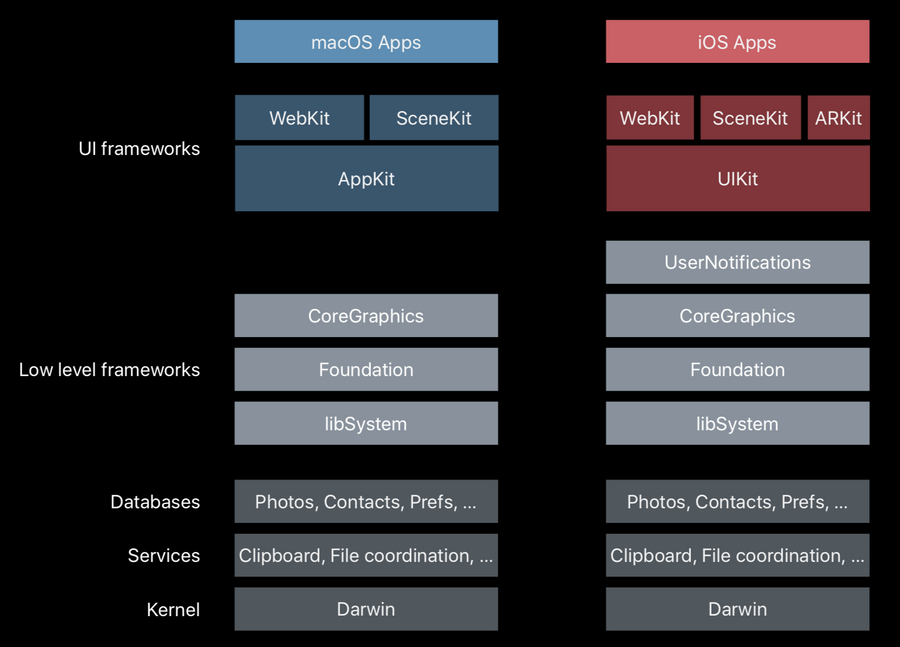
macOS vs iOS Technology Stack
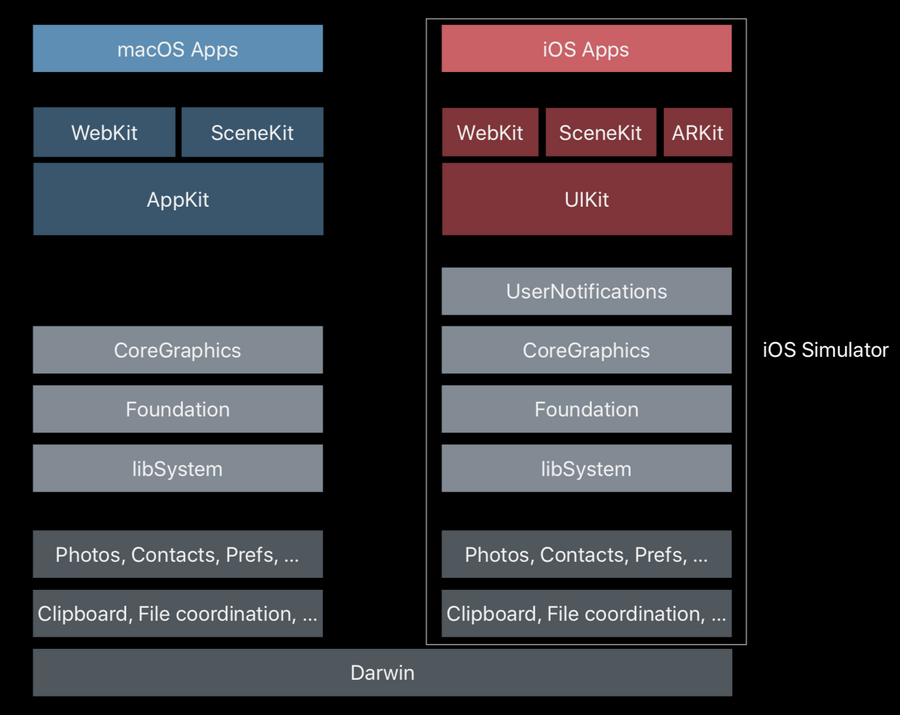
macOS apps vs iOS simulator apps (on macOS) Technology Stack
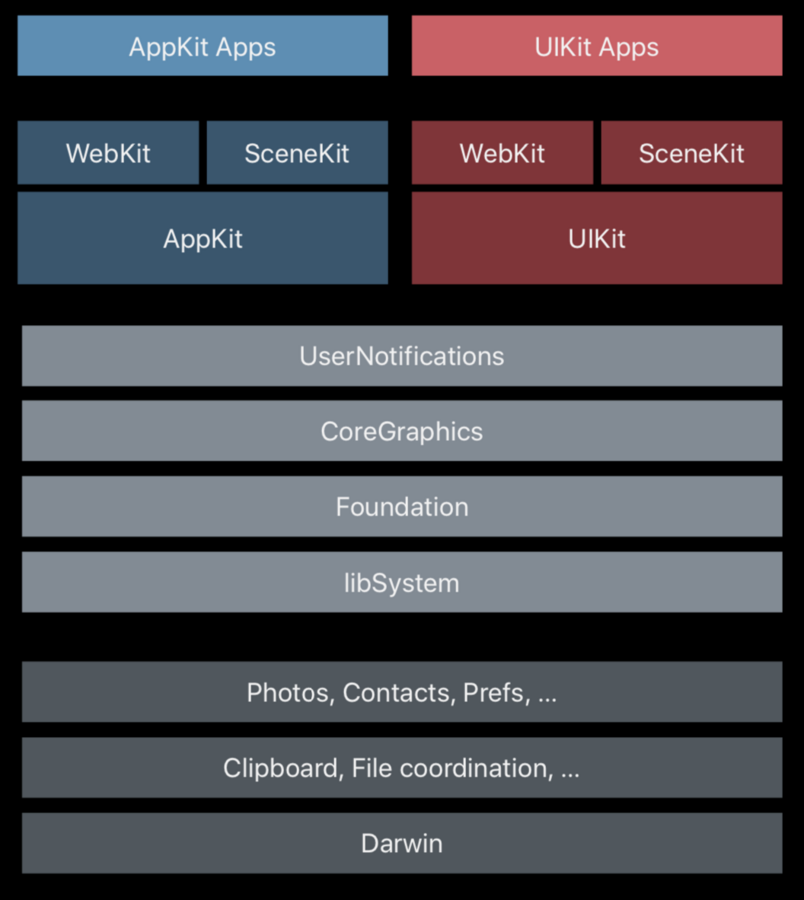
macOS apps vs UIKitForMac apps Technology Stack
Catalyst goals
Easy to get started (one check box in project)
One project, one source base, one target (no forks, code duplication etc)
iPad app on the inside (runs on UIKit)
Mac app on the outside (best macOS experience)
What happens when we tick on the “Mac” check box:
We have “My Mac” among our targets
A new label under the bundle identifier: this is the Mac bundle identifier which is identical to the iOS one, but with
uikitformac.prefix.New macOS-specific capabilities are enabled like:
outgoing connections (which iOS apps get for free).
other capabilities are automatically enabled based on our usage description in the info.plist (like picture access, location)
In
Frameworks, Libraries, and Embedded ContentXcode will automatically enable frameworks based on their availability on each platform.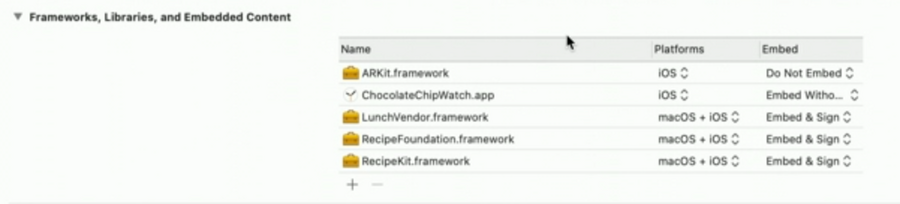
XCFrameworks
Binary frameworks need to be recompiled for UIKit apps for Macs.
That’s why Apple has released XCFframeworks:
.xcframeworks allow library developers to package a library from multiple platforms into a single distributable bundle that developer can use in their Xcode projects.
MacOS Icon
For adding a macOS icon, all we need to do is check the “Mac” target in the inspector when the appIcon asset is selected: if we don’t do so the Mac app will get the iOS icon, which is very unMac-like.
Things we get for free
If we have settings in the
settings.app, those will be automatically mapped to a Preference menu and will be displayed with a proper macOS style: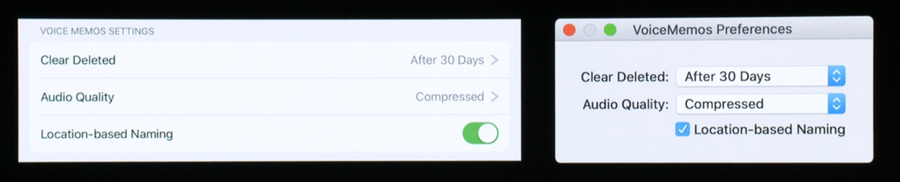
Touch Bar gets filled with elements from AVPlayer and suggested words from UITextFields.
UIDocumentPickerViewControllerget automatically translated to the macOS file pickerCopy and paste
Drag and drop
Printing
Multiple windows
Application lifecycle
Things that get ported as-is
In Apple words:
”Trying to give apps full AppKit controls and metrics with represent too much of a disruption. So, individually, UIKit controls and layouts based on them come across as is providing maximal compatibility for your app.“
Therefore:
UIControls
Custom views
All look exactly the same in catalyst apps as if they were running on iOS.
No custom interaction porting.
Availability
When checking for availability, e.g. @available(iOS 8.0), will automatically translate to UIKitForMac as well.
However, if we want to make something available only on UIKitForMac apps, we can explicitly say so:
@available(macOS 10.10, UIKitForMac 13.0) @unavailable(iOS, watchOS, tvOS) Or viceversa:
@available(macOS 10.10, iOS 8.0, watchOS 2.0, tvOS 9.0) @unavailable(UIKitForMac) Bundle Format
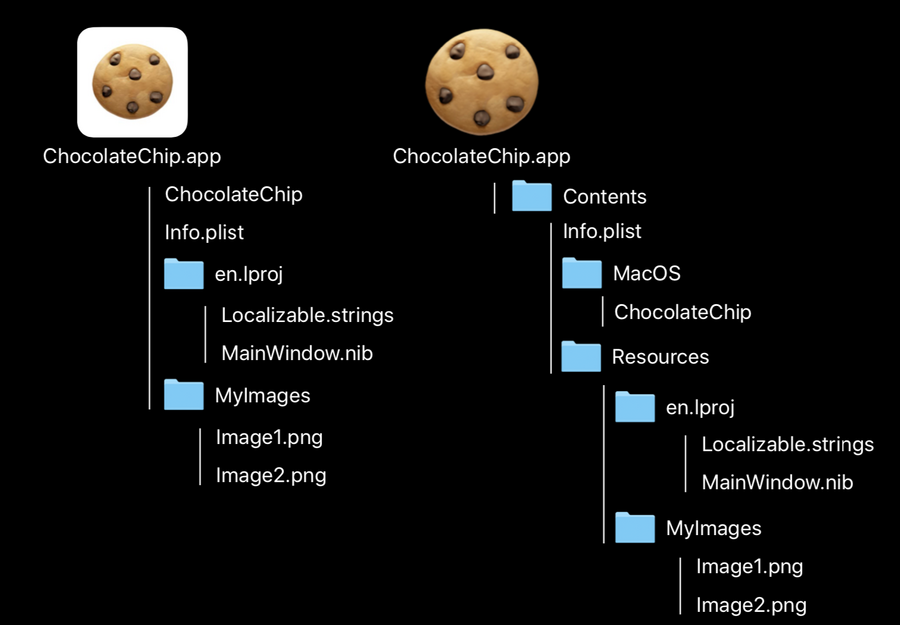
Hardcoding paths is bad, hardcoding paths on UIKitForMac simply doesn’t work as the bundle of the same app will be different in each platform. Use NSBundle APIs instead.