Xcode 14 is 30% smaller, you must manually download additional platforms/simulators
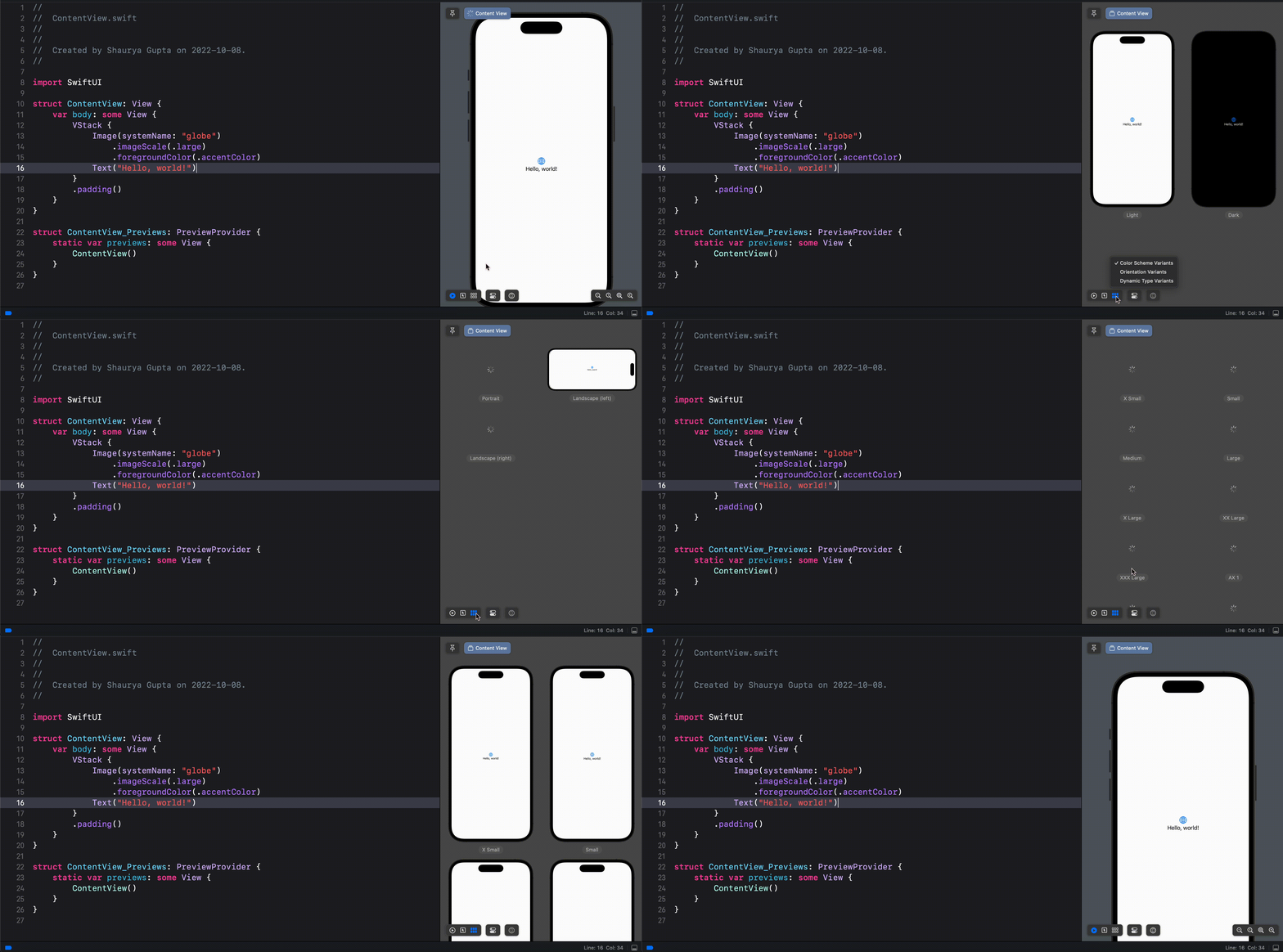
Preview canvas
Interactive Previews (no need to click “Play” button anymore)
Easy to see multiple dynamic type sizes using the 3rd icon on the bottom left
First button in bottom left brings back to single view
New features
Xcode library now includes all of the SF Symbols
Parameters with default value are now italic in auto-completion
Auto-completion of just the arguments you need via fuzzy search
You can now see all call-sites of a method via command-click
Compiler checks Regex literals and shows errors at compile-time
build errors are dimmed to gray when Xcode is reevaluating the diagnostics
for example after we change the code where the previous build had an error
this helps especially on long builds, where we can now easily tell which problems are from the latest build and which are from a previous build
The new multiplatform target creates a single SwiftUI interface for use across iOS, iPadOS, macOS, and tvOS
While you scroll, code structure (like function declarations) stays visible so you always know where you are
When browsing a long file definition, the current type and function are sticky at the top of the window
Interface Builder speeds-up:
50% faster loading docs
30% faster switching devices
Build improvements
Improved parallelism by eagerly producing Swift modules
Linking 2x faster (via increased parallelism)
Overall, Xcode is 25% faster in building
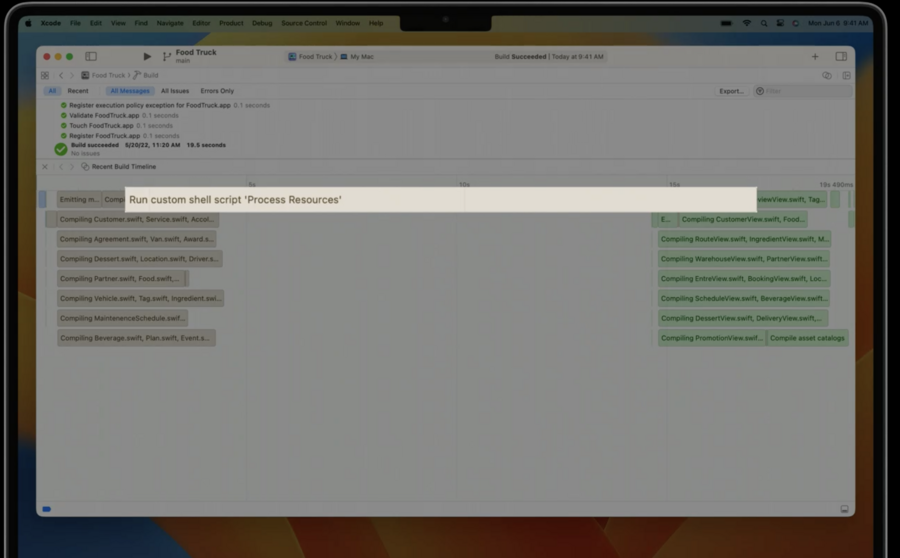
Xcode 14 has a new build timeline to visualize build times:
Parallel testing improvements
Xcode 14 eliminates scheduling dependencies between targets and test classes to increase parallelism
up to 30% faster Tests for large test projects
Ease of use improvements
4x faster notarization
Xcode 14 supports a single target with multiple target destinations
Xcode 14 expands memory object graph capabilities so that you can see all reference paths in and out of an object
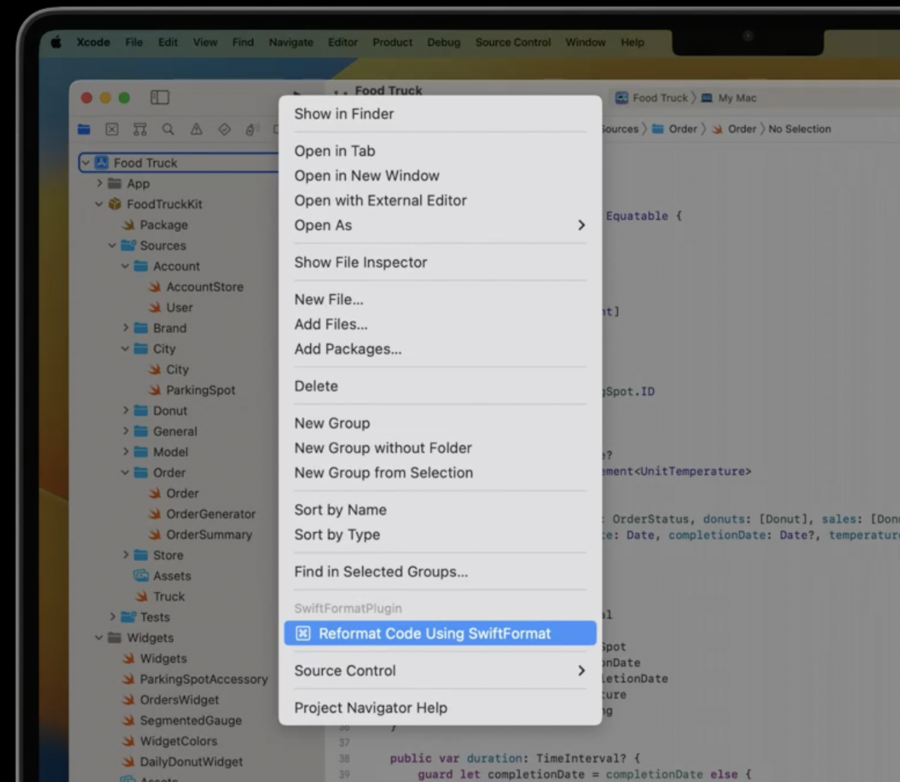
You can extend Xcode with Swift Package plugins
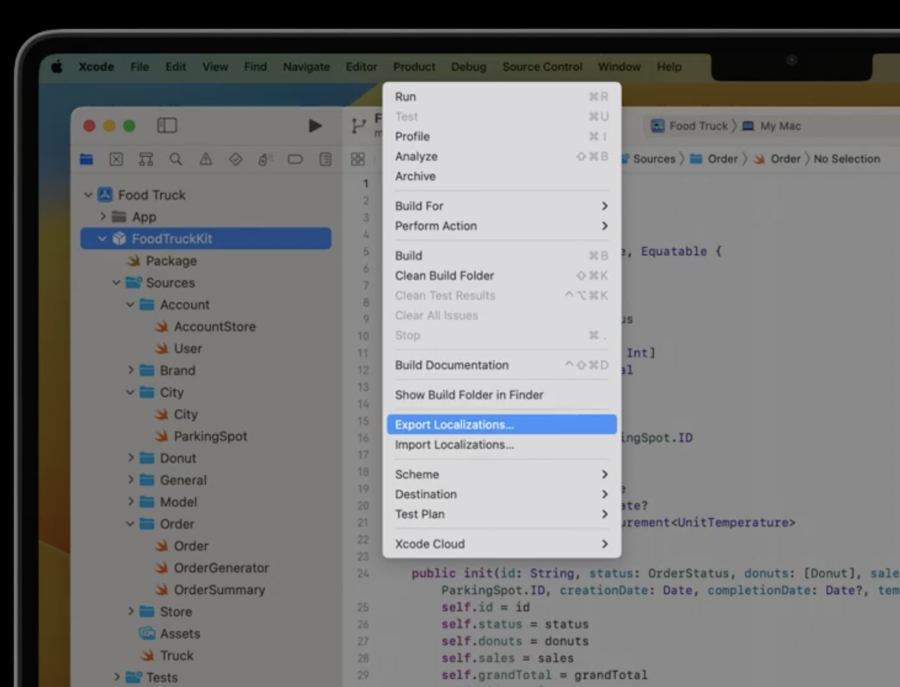
Export localization catalog for packages now possible
Run destination chooser prioritizes recent choices + search (same also in Scheme chooser)
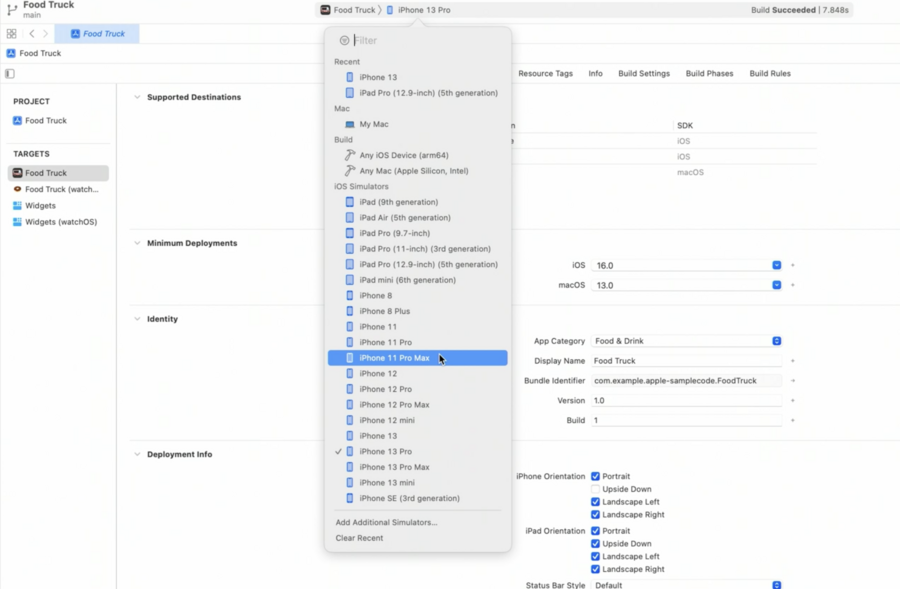
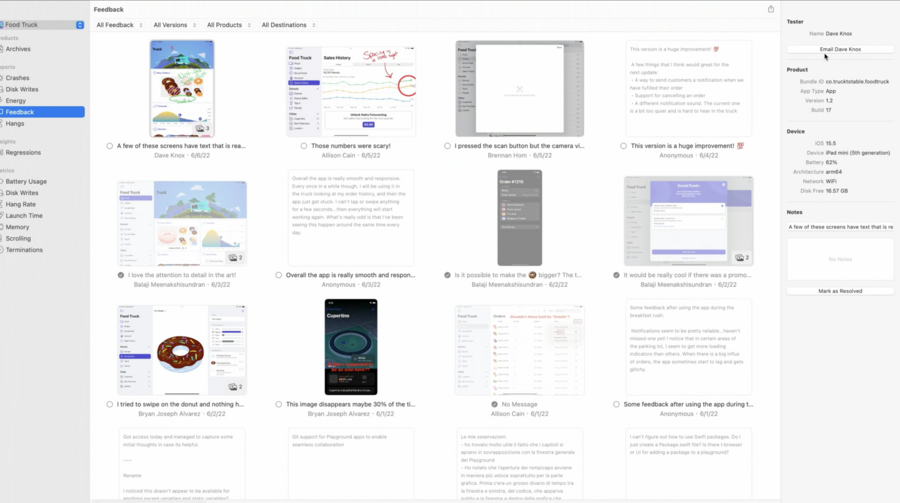
Two new reports in Organizer:
Feedback
can reply to the feedback via built-in email button
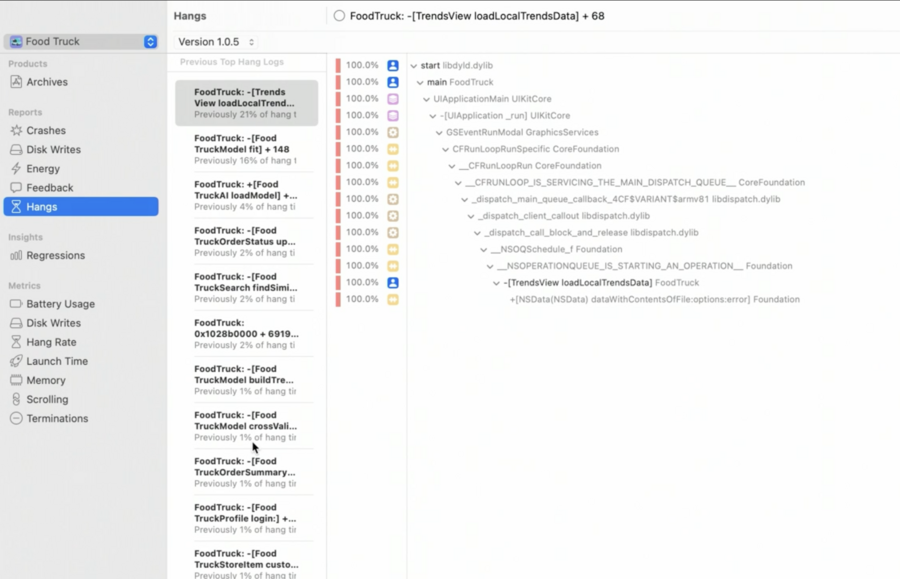
Hangs
shows the highest-impact hangs from App Store users so that you know which code to restructure to have the biggest impact
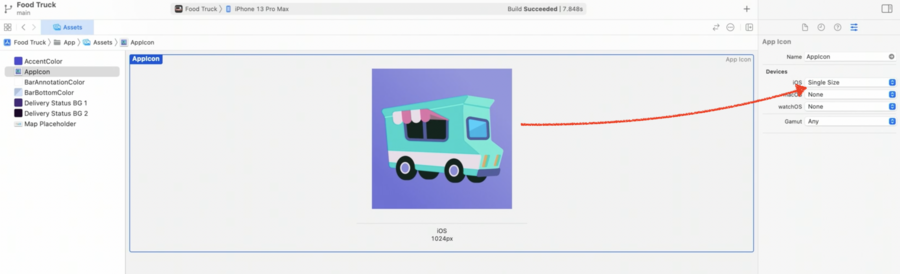
Can use a single 1024x1024 px App Icon asset for the app (make sure to select Single Size)
Run different types of device features at the same time in SwiftUI Preview
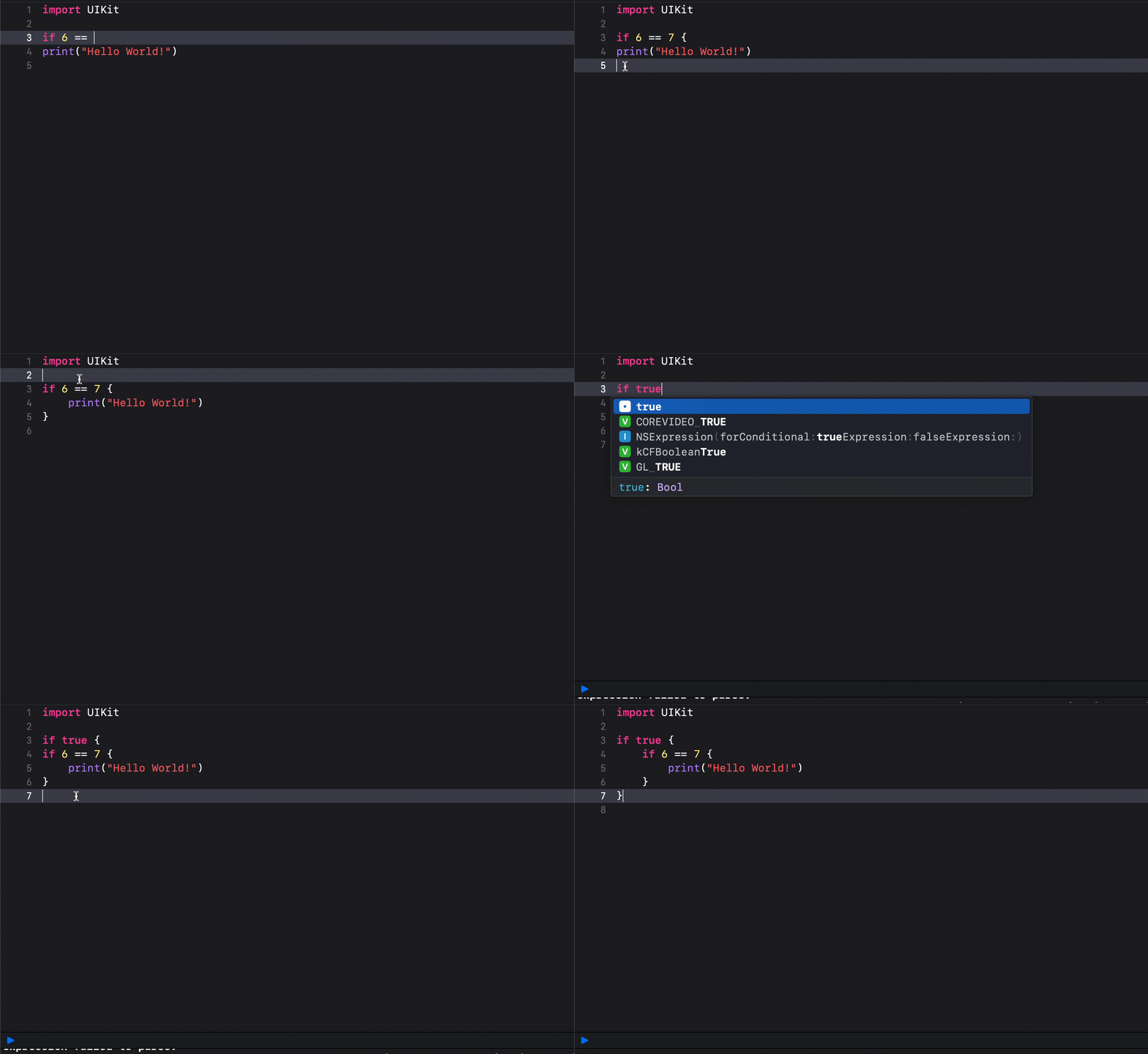
Bonus Xcode 14 Feature! Auto indent