
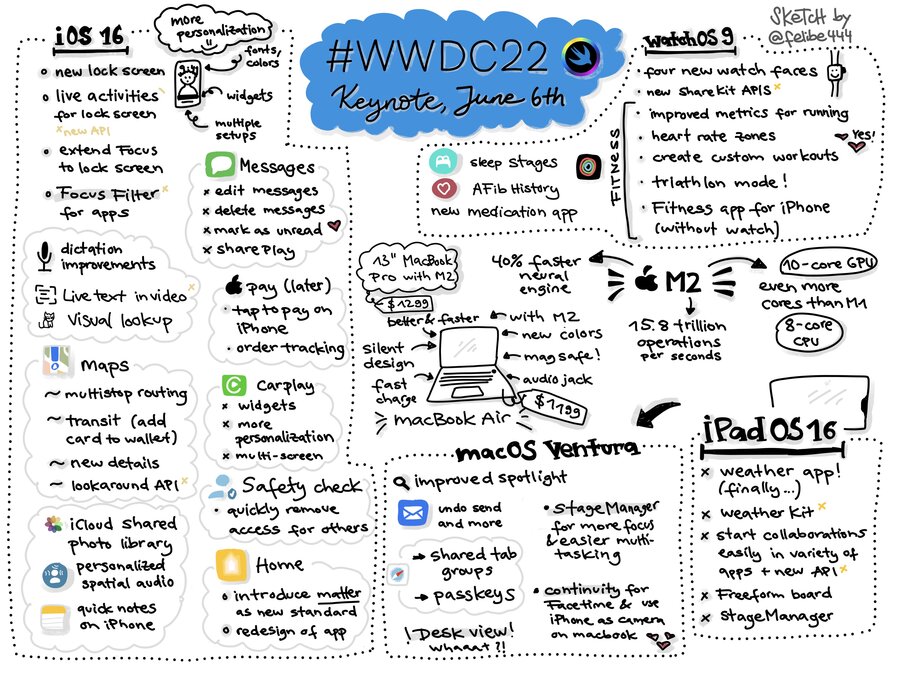
iOS 16
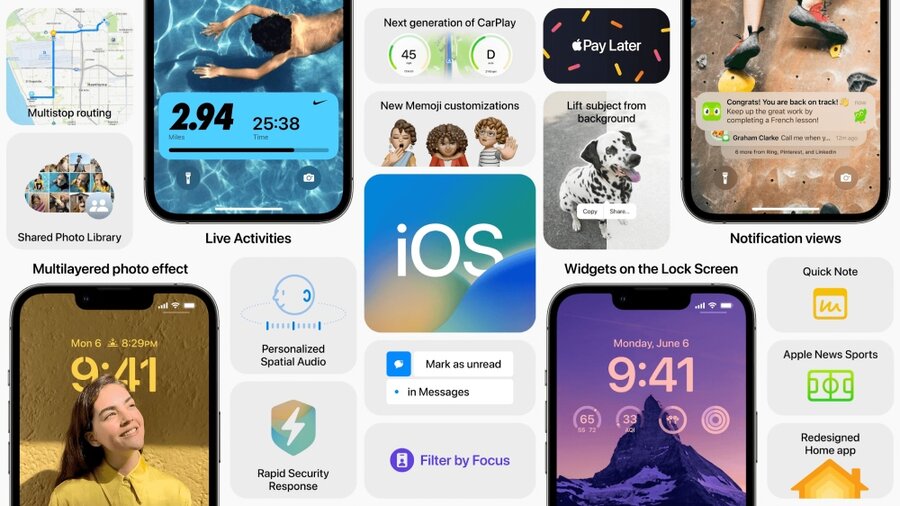
Lock Screen
Focus on personalization.
can be now customized similarly to Apple Watch faces
can change color theme (which applies effect to both text and photo)
can change the font of the clock
to customize it, press and hold on the lockscreen
can have multiple lockscreens
can have special lockscreens like weather, that will take over the whole lockscreen to show the weather status
can automatically changed with Focus
can display app widgets
The camera and flashlight buttons are still there and cannot be customized
Notifications are now placed at the bottom of the Lock Screen
New Live Activities
a combination between a widget and notifications to show important events to the user as they happen
this replaces sending multiple notifications to the user
useful for keeping up with a food delivery state, a car ride, a sports game
this is also used by music.app and fitness.app
Live Activities API available starting in an update to iOS 16 later this year
Focus
Further extended its functionality.
used to filter app content
in Safari.app, you can filter the displayed tabs (e.g., only work related tabs during “work” focus)
similarly, you can filter conversations in Messages, accounts in Mail, and events in Calendar
new Focus Filter API for developers
Messages.app
can now edit sent messages
can unsend messages
can mark threads unread
Shared with You
new API for developers to use (previously this feature was exclusive to the system only)
SharePlay
Users can discover which apps support it directly from the FaceTime call
Can start a SharePlay session from messages.app
Dictation
can switch between voice and touch without having to reactivate dictation over and over
the keyboard still shows while dictation is active
Shortcuts
can create new shortcuts without using SiriKit with a new App Intents API
Live Text
video support
quick actions: can covert currency and translate foreign languages right from the video/photo
Translate.app has now a camera view for live translations
new Live Text API, for extracting text from photos and videos
Apple Pay
Apple Pay Later
split the cost of an Apple Pay purchase into four equal payments spread over six weeks
zero interest and no fees of any kind
available everywhere Apple Pay is accepted in apps and online
upcoming payments are tracked through Wallet.app
Apple Pay Order Tracking
enables merchants to deliver detailed receipt and tracking information directly to Wallet
Apple Maps
new redesigned map coming to:
Belgium
France
Israel
Liechtenstein
Luxembourg
Monaco
Netherlands
New Zealand
Palestinian Territories
Saudi Arabia
Switzerland
new city experience coming to:
Atlanta
Chicago
Las Vegas
London
Los Angeles
Melbourne
Miami
Montreal
New York
Philadelphia
San Diego
San Francisco
Seattle
Sydney
Toronto
Vancouver
Washington DC
New features:
multistop routing - up to 15 stops in advance
transit fares display
apps can now:
display maps with City Experience
display Look Around images from Apple Maps
Family Sharing
iCloud Shared Photo Library
help share photos seamlessly and even automatically
separate iCloud library that everyone can contribute to and collaborate on
shared with up to five other people.
You can share either:
everything already in your library
choose what to include based on a start date or the people in the photos
Privacy
Safety Check
a new section in Settings where you can quickly review and reset the access you’ve granted to others
examples:
stops sharing your location
resets privacy permissions for all apps
protect messages access
Ecosystem
Home.app
Matter support
redesigned Home.app
CarPlay
deeper integration with the car’s hardware
takes over all displays in the car, including the driver’s one
widgets support
customizable gauges style/colors
WatchOS 9
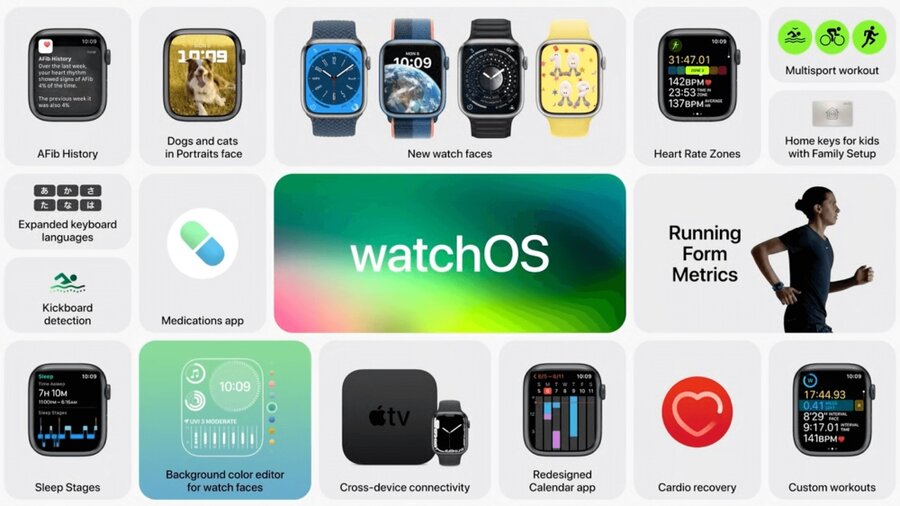
Four new Watch Faces:
Astronomy
Lunar
Play Time
Metropolitan
refreshed Siri UI
new banner notifications
active apps will be pinned to the top of the Dock for quick access
new Share Sheet and Photos Picker APIs
further CallKit support: you can start, end, or mute VoIP calls directly on Apple Watch
Fitness
new metrics:
Running Form metrics:
vertical oscillation
stride length
ground contact time
power
new custom workout that you can use to add structure into your workout (for running and more)
Health
Sleep stages - display more details on each sleep
AFib History - track the amount of time your heart shows signs of atrial fibrillation
Medications.app - track your medications, vitamins, and supplements
MacOS Ventura
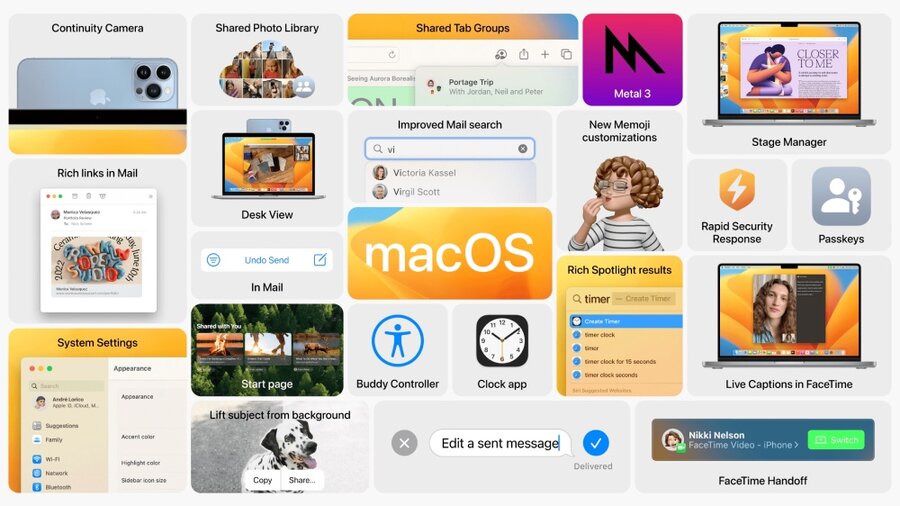
Stage Manager
new way to automatically keep everything organized and give you quick access to your windows
allows focusing on specific open windows
Spotlight
Quick Look support
can take actions like start a timer and run shortcuts
Rich results - results can give more info taking over the whole spotlight screen (including in iOS)
Mail.app
undo send
schedule send
follow up suggestions
improved search
Safari.app
Shared Tab Group
Passkeys is no longer a technology preview
Metal 3
MetalFX Upscaling - faster render for visually complex scenes
Fast resource loading API - more direct path from storage to the unified memory system, so the GPU can more quickly access high-quality textures and buffers without waiting
Continuity
FaceTime handoff support
Continuity camera - use your iPhone camera for calls on the mac
iPadOS 16
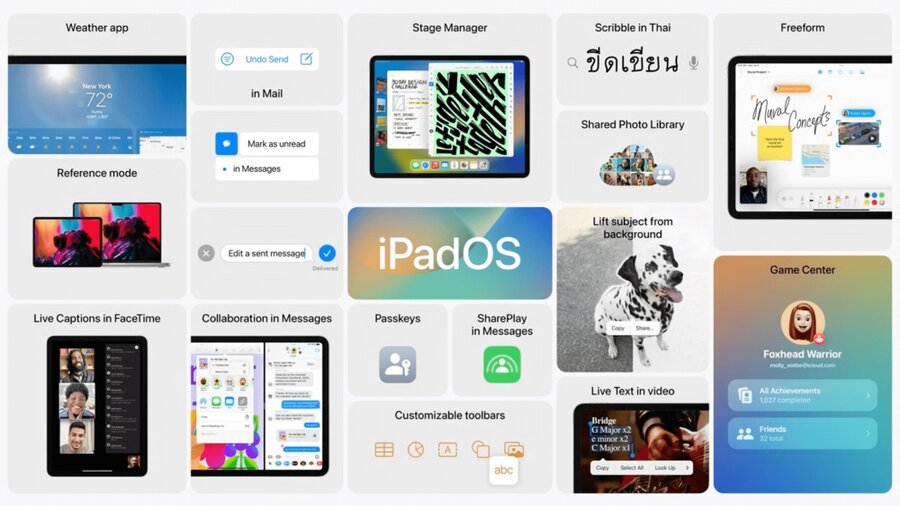
Weather.app
WeatherKit for developers
Collaboration
instead of sharing a copy of a file - we can share the same file that all users can edit
can send message and start FaceTime calls directly in the app
new API for developers
iOS and macOS support
Freeform.app
new way to brainstorm your ideas with others
it’s a virtual whiteboard where users can sketch, write, add photos/files, and more
Game Center
Activity
what your friends are playing
friends achievements highlights
find out when they beat your high score
Desktop-class apps
more system wide features similarly to macOS
more desktop-like features in system apps
customizable toolbars
new APIs for developers
Reference Mode
Used where accurate colors and consistent image quality are critical
Display scaling setting
allows you to increase the pixel density of the display so you can view more in your apps
Virtual Memory Swap
iPad storage can be used to expand the available memory for all apps
can delivers up to 16 GB of memory to a single app
Stage Manager
can overlap windows on iPadOS
external display support
between iPad and the external display, you can have up to eight apps running onscreen simultaneously

