
Track hierarchy
HTTP Traffic instruments
Number of active tasks
Process
Debuggable process and background tasks daemon
Session
One track per
URLSessionobjectIndividual task intervals
Configurable session name:
let session = URLSession(configuration: .default)
session.sessionDescription = "Main Session"
Domain
Only task that requested in the domain
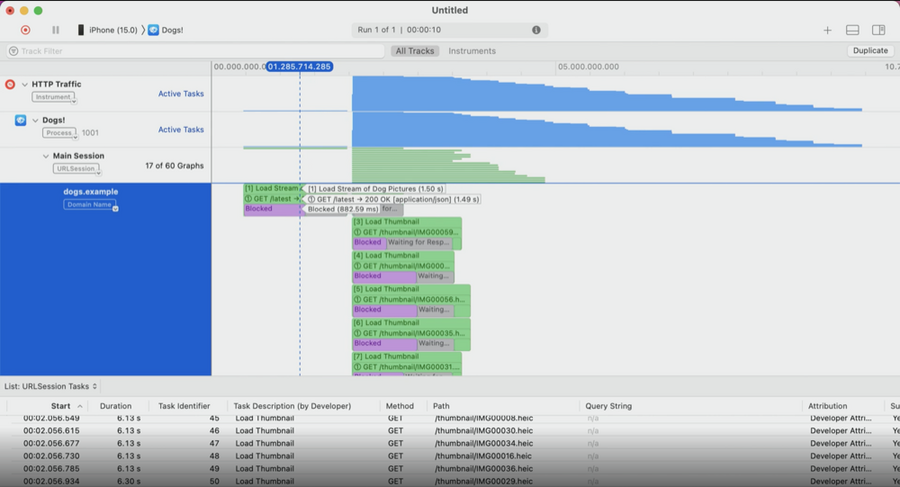
More detail about tasks
Individual transactions
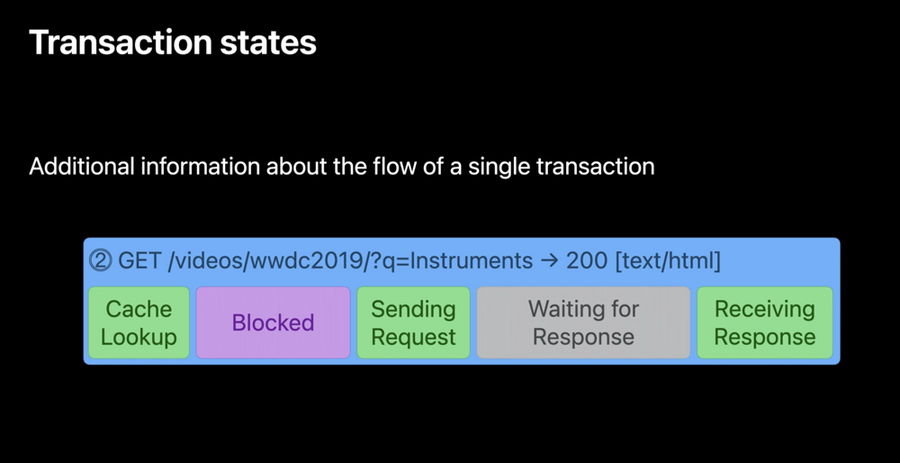
Transaction states
Task timing
Structural timing from start till the end
let task = session.dataTask(with: url) {
  /* handle result */ // 👈🏻 Complete event triggers here
}

task.resume() // 👈🏻 Resume event triggers here
Task Identifier
Ability to read the task identifier for clarity
let task = session.dataTask(with: url) {
  /* handle result */
}
task.taskDescription = "Load Thumbnail"
task.resume()
task.taskIdentifier // 👈🏻 this identifier will be shown in instruments
Task Error
Ability to distinguish error and success with color
Transactions
Request + response pair being handled by the URL Loading system
Contains all the HTTP Layer information
URL, Http version, connection, cache info
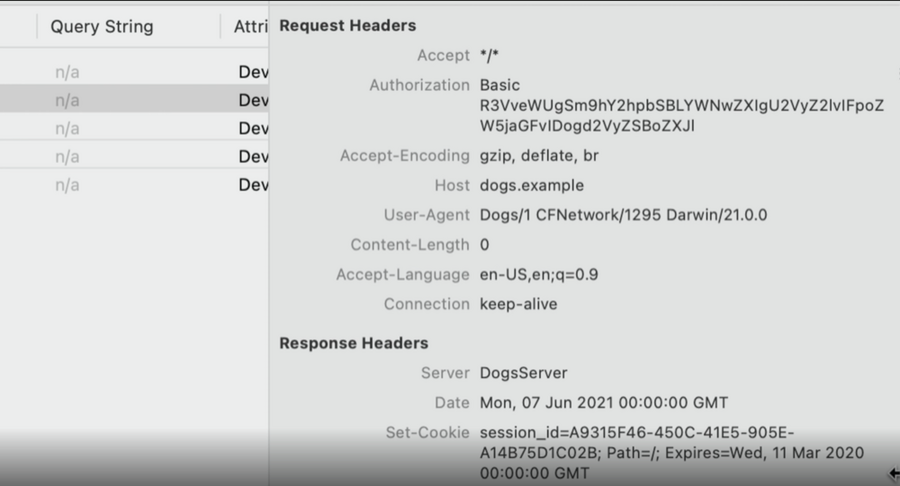
Request + Response header
Request + Response body
And more
Transaction states
Multiple states to add information for distinction between each block
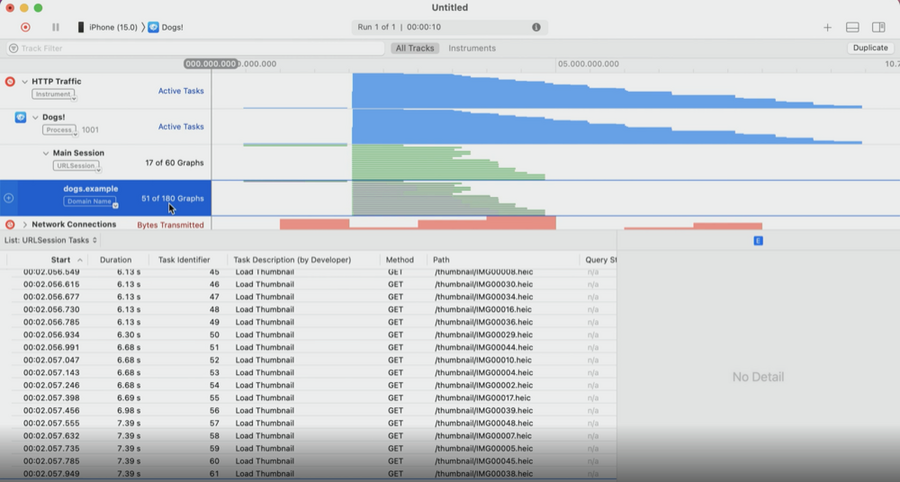
Instrument
Focus on the task description
Expand the task description
Filter by connection
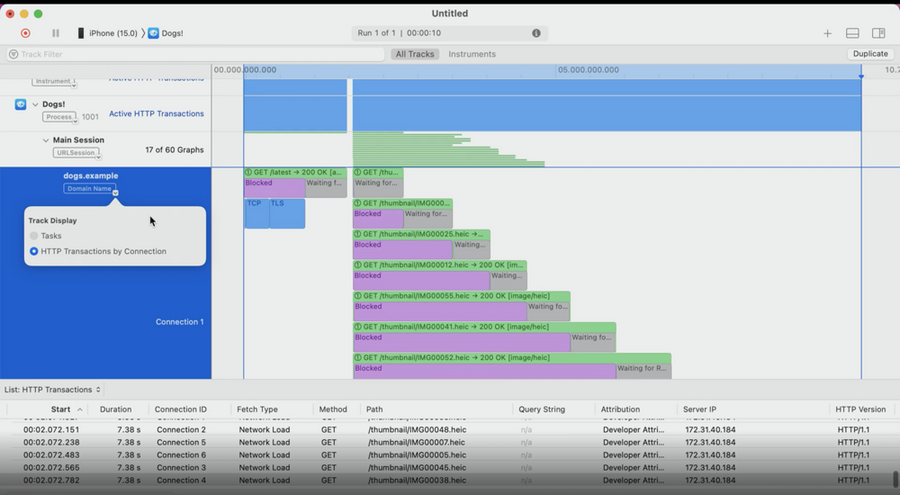
Identify the http task issues (Ex: Staircase problem)
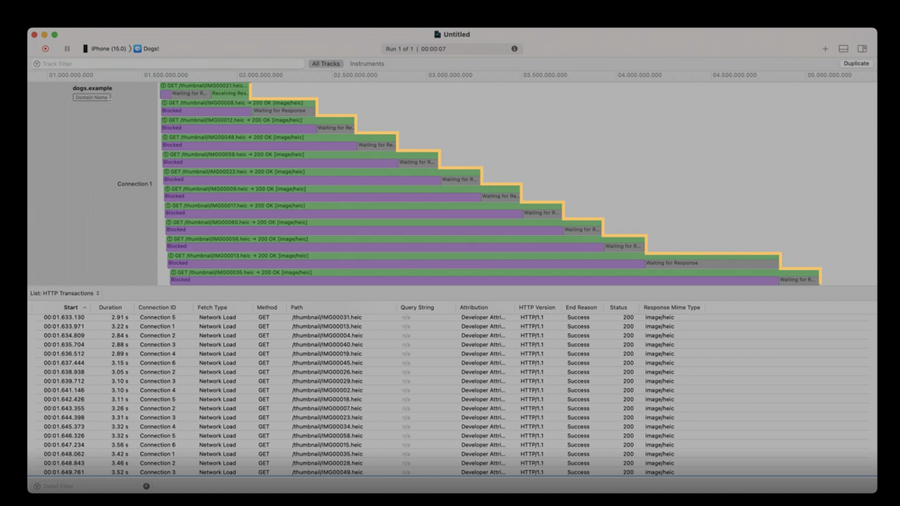
Identify the request (Ex: wrong expiration date of cookie)
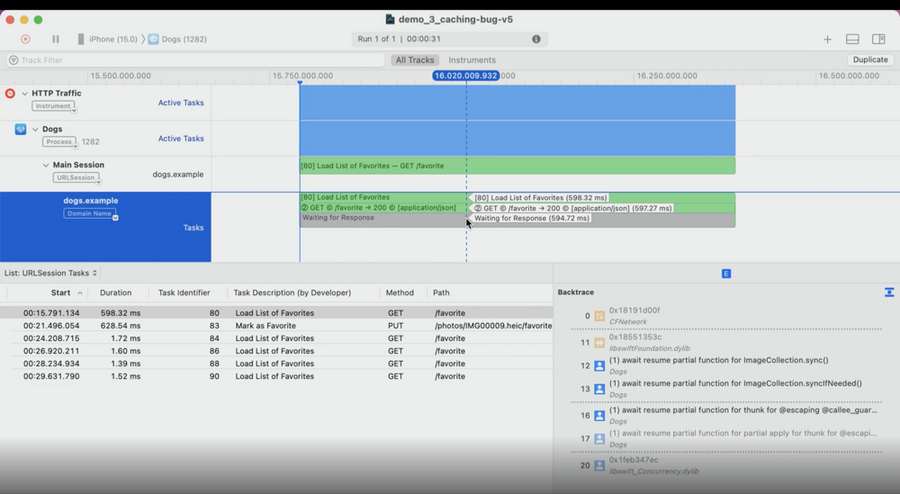
Identify the backtrace (Ex: cached response)
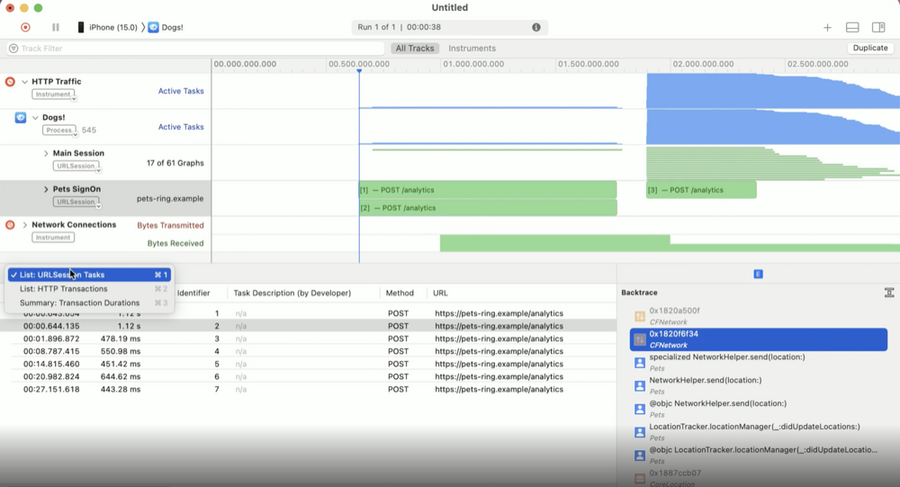
Filter the session (Ex: Found an issue with the data that sent to server)
Export the report to .har extension
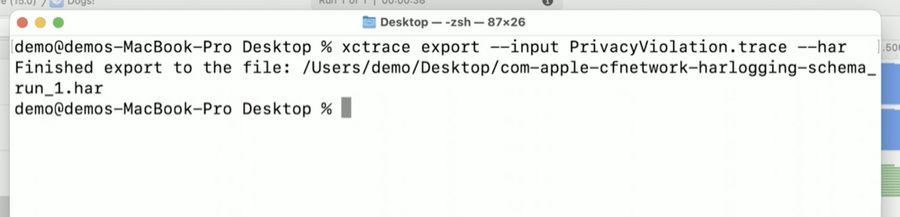
Output
Save and export report to .har to analyse issues
.har is a JSON structure
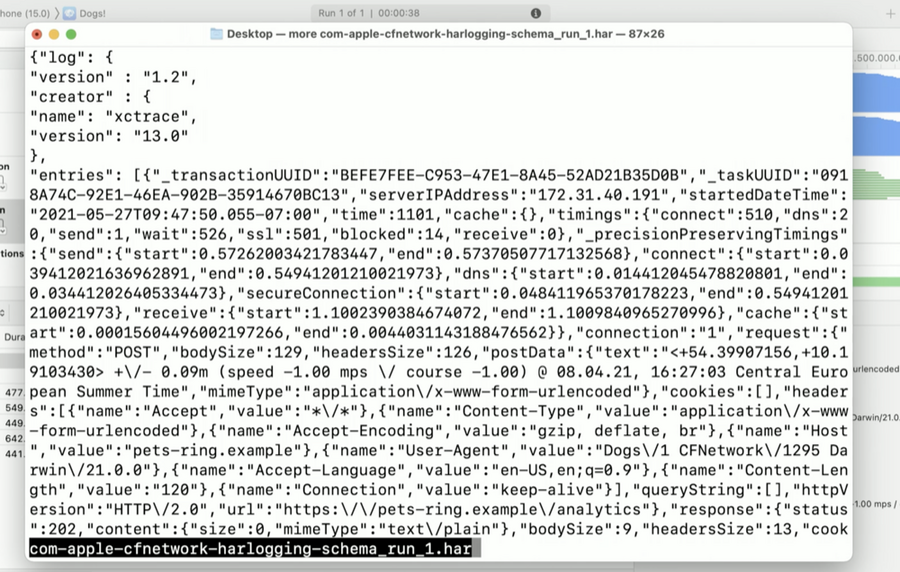
Next Steps
Target app today to detect problems
Name your URL Session and URLSessionTask for easier debugging
Adopt latest networking protocols
Audit your app requests to check if can send less information
